Products
AI Platform
Asana Foundations
Company Type
Asana is recommended for work with Google Workspace. Using both together is a great way to easily connect your work across different Google apps and track it in Asana.
Login to Asana using Google SSO.
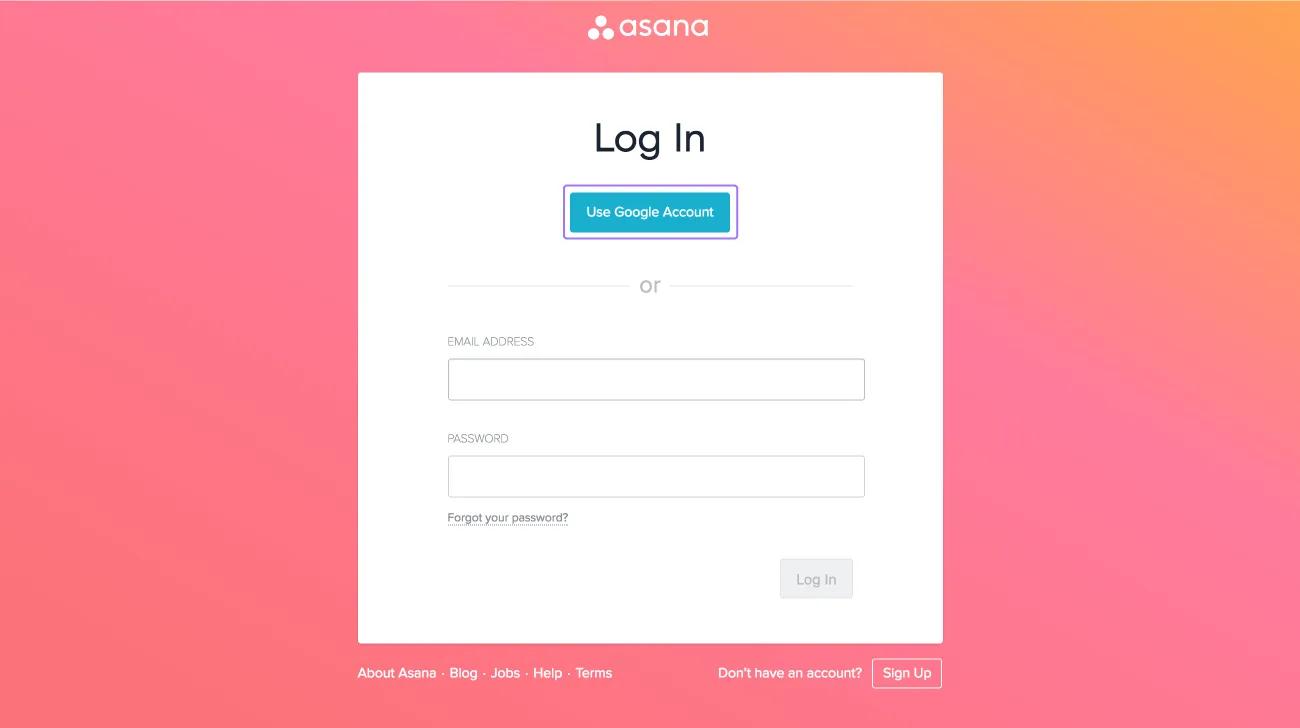
Click Use Google Account from the login page.
Learn more about authentication for paid plans.
Stay up to date by syncing your Asana tasks to your Google Calendar.
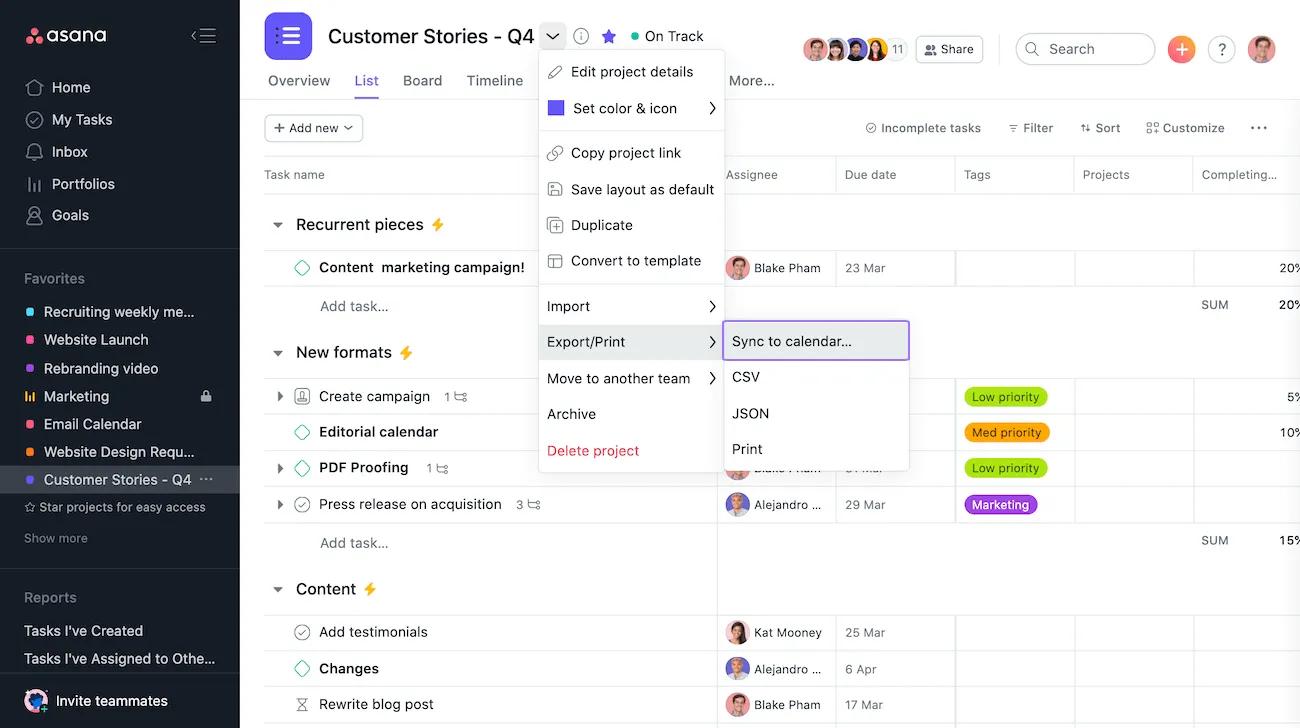
Click the project actions dropdown and select Sync to Calendar.
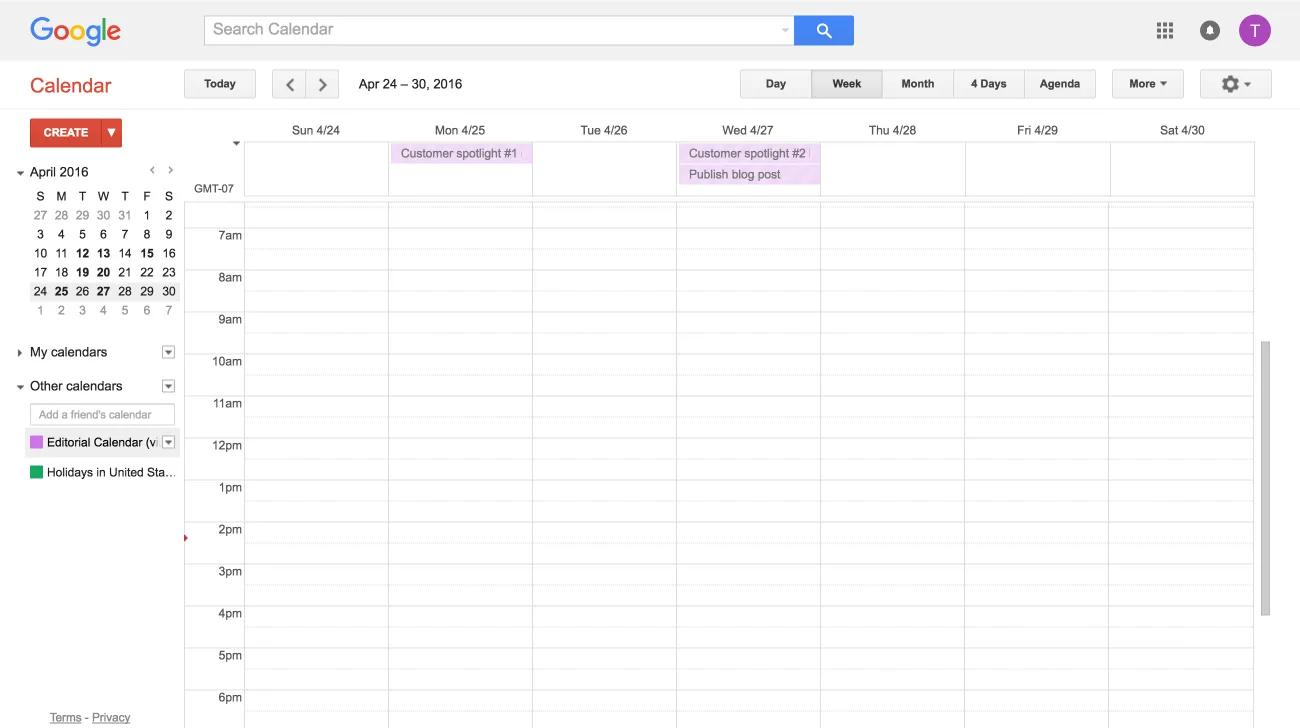
Learn more about how to sync your Asana projects to Google Calendars here.
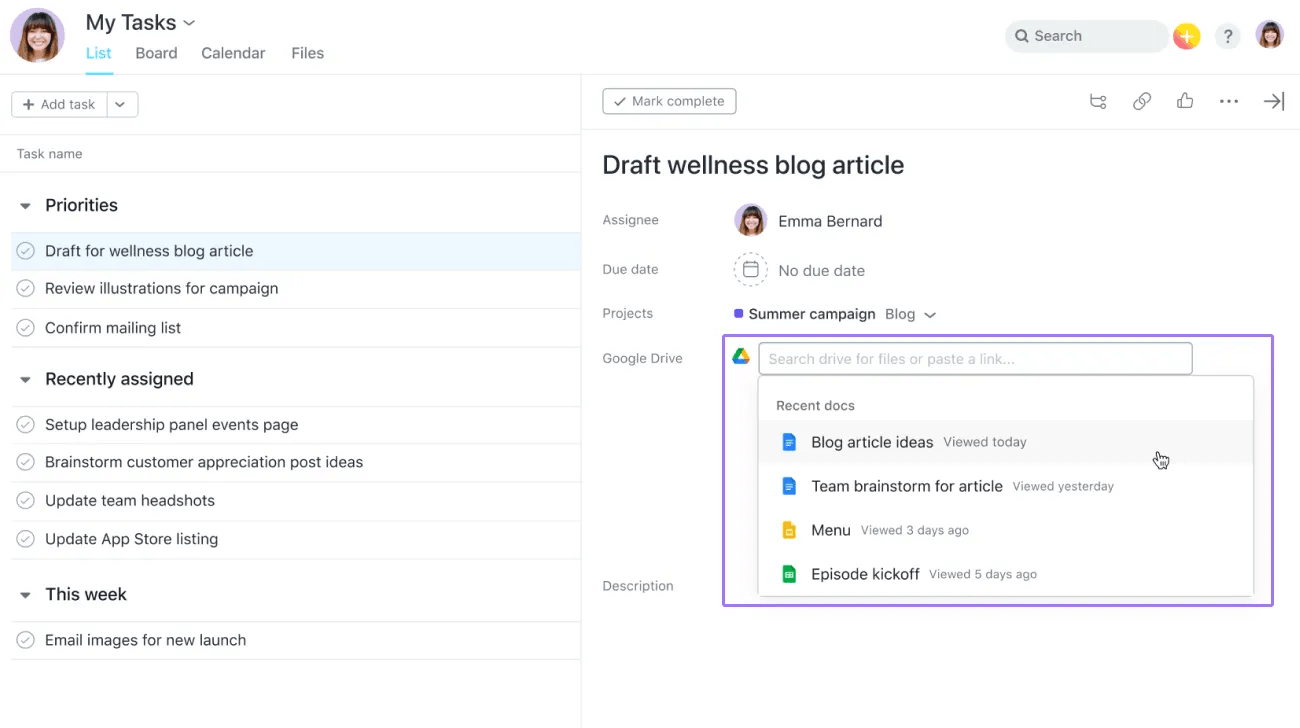
Easily attach your files from My Drive to your Asana tasks by clicking the paperclip icon at the top of the task pane.
Select Google Drive and paste the URL of the file or type the file's name. You will be prompted to authenticate if you haven not yet done so.
Learn more about attaching Google Drive files to your Asana tasks here.
Note
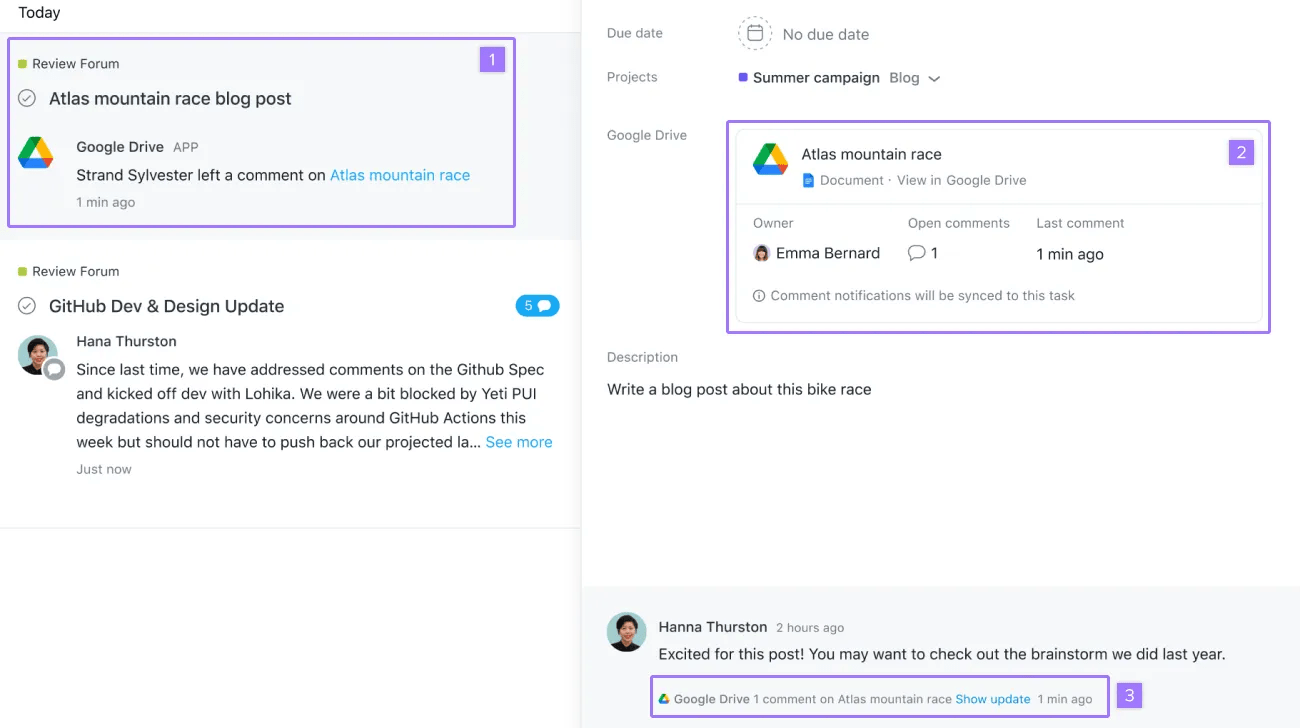
Receive notifications when new comments are added to your Google Docs, Sheets, or Slides, and see a snapshot of document status within Asana tasks.
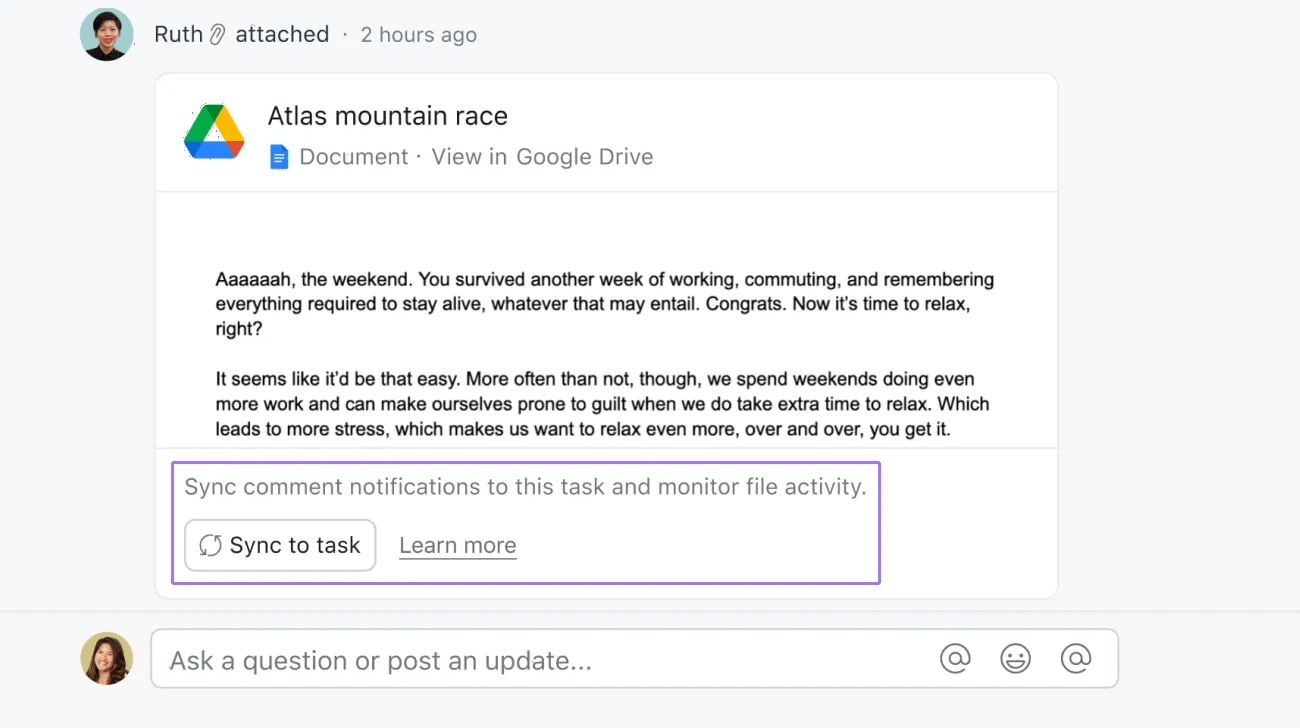
To sync your document for comment notifications, click Sync to task on an existing Google Drive attachment.
You can also sync a document for comment notifications by adding the Google Drive app to your project
Create tasks in Asana directly from emails in Gmail.
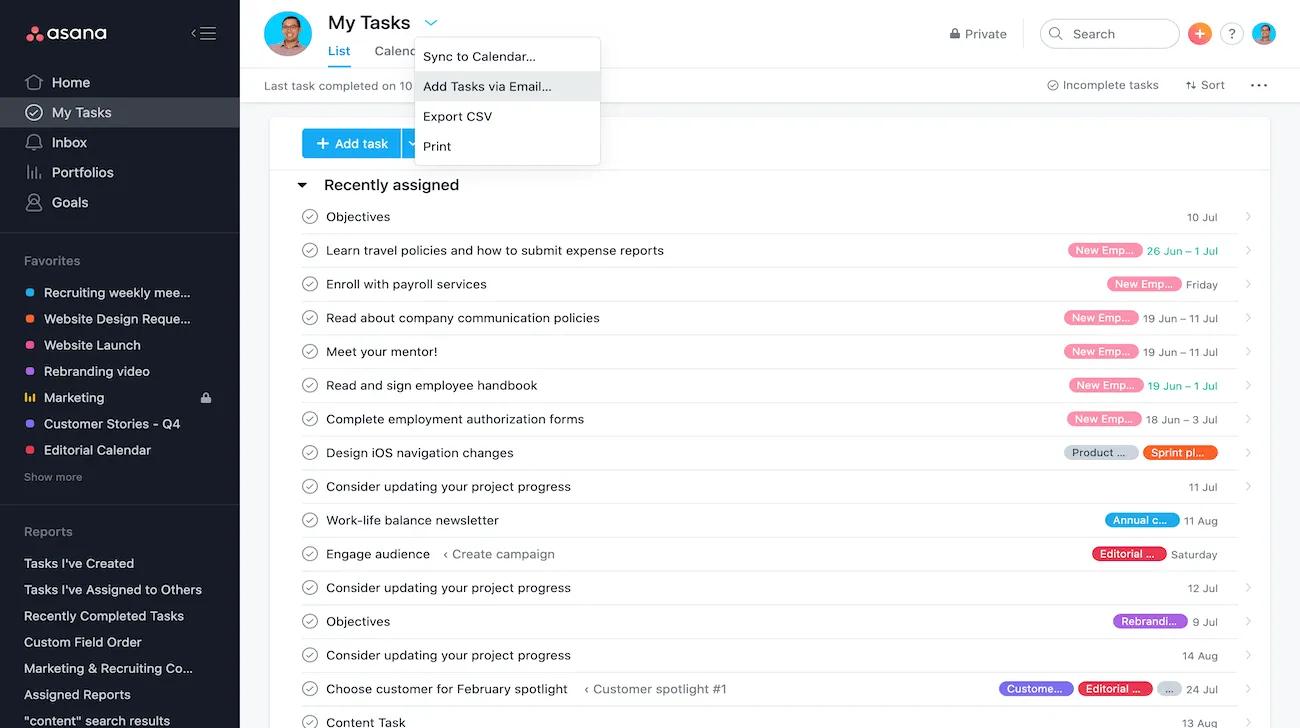
From My Tasks or any project, click the project actions dropdown and select Add Tasks via Email to find an email address you can use to create tasks via email.
Learn more about creating tasks in Asana via email here.
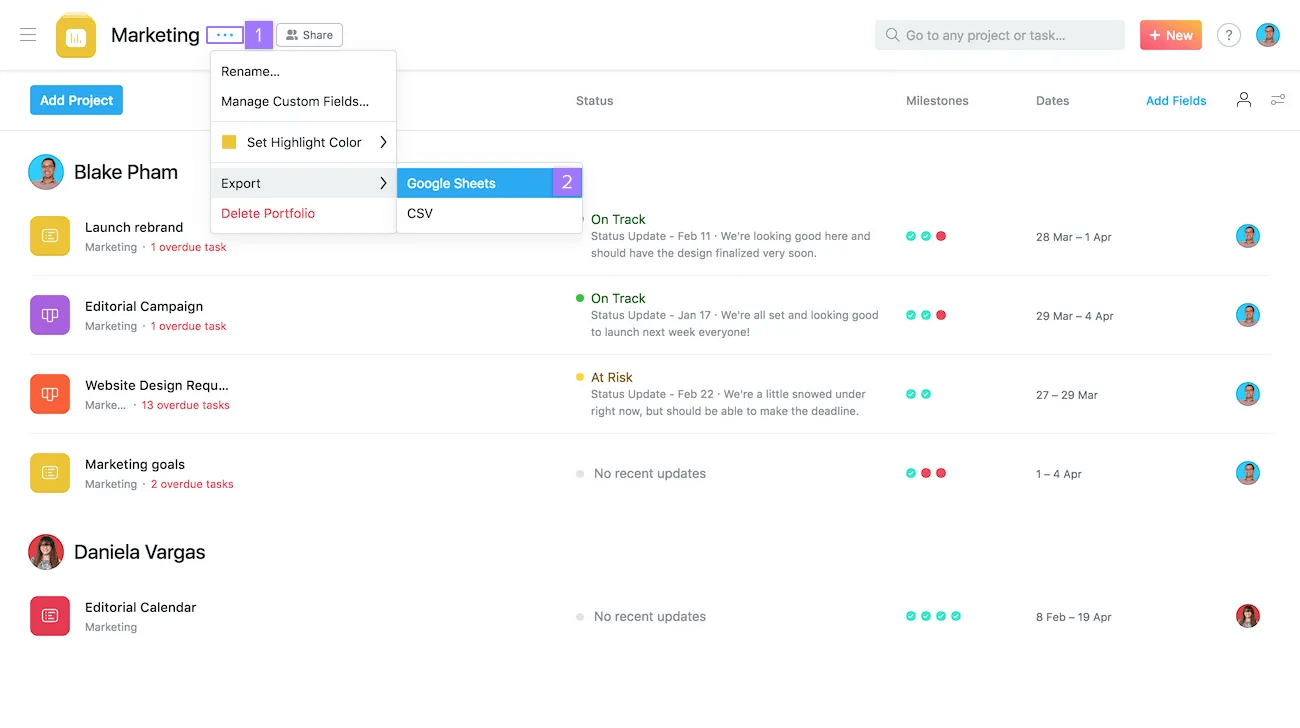
Once you've created a portfolio, you can export it to Google Sheets at any time.
Automatically create tasks in Asana from Google Forms responses.
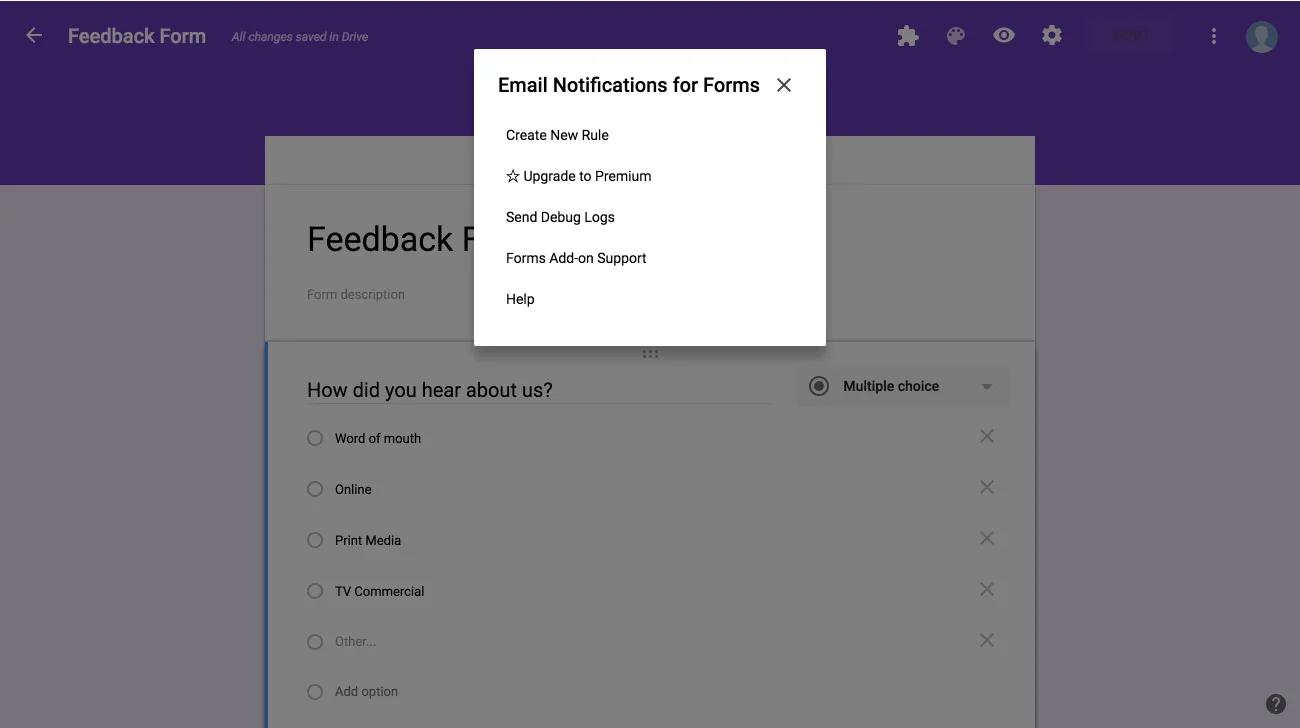
This integration requires a Google Forms plug-in and works in conjunction with our Gmail integration.
Learn more about sending Google Form submissions into Asana here.
Quickly and easily create tasks in Asana from any web page in Chrome.
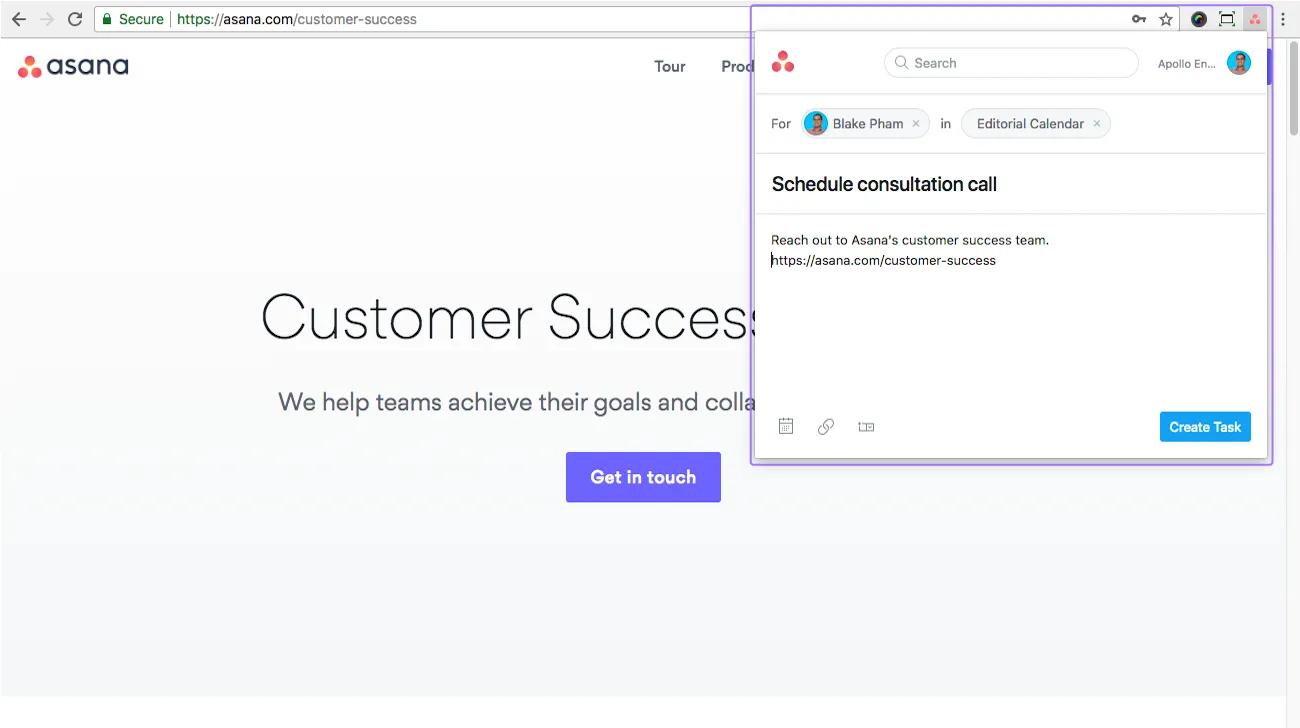
With the Chrome extension installed, click the Asana icon near the top right corner of your Chrome window to create a task.
We are in the early stages of collaborating with Google on an integration with Hangouts Chat - the new intelligent messaging app built for teams in Google Workspace. Stay tuned to the Asana Blog.
Like what you see? Get started with a free Asana trial today. Try for free.

