Products





AI Platform


Asana Foundations
Company Type
No articles found for this topic.
No articles found for this topic.

Visit our pricing page for more information.
It's time to stop digging around in your email inbox for to-dos and important details and instead turn your emails into trackable work in Asana that you can manage from start to finish.
With Asana for Outlook, you can use each tool for what it was designed to do — communicate in Outlook and manage work in Asana, so your team knows what they need to do and by when to get work done on time. With this Asana for Outlook, you can convert your emails into actionable work by turning them into new tasks or comments in Asana without switching between tools.
An Office 365 subscription and access to Microsoft AppSource are required to use Asana for Outlook. In addition to the Outlook Web App, we support the Outlook 2021 Windows to the latest version of the Desktop app and the Outlook 2019 Mac desktop app to the latest version. For subscription Office versions (i.e., Microsoft 365) on Windows, we support the combination of Windows 10 1903 and Office 365 16.0.11629 each to their latest version.
Note
Starting February 17, 2025, Microsoft started to turn off Exchange Online Tokens by default. For the Asana Outlook Add-In to work properly, you'll be prompted to grant Asana permission to parse the content of your email and its attachments, so they can be imported into Asana.
This new add-in is available to everyone with access to Microsoft AppSource and uses Asana and Outlook. To install the Asana add-in:
Go to the Microsoft Marketplace and click Get it now.
Follow the instructions to add the Asana add-in to your Outlook inbox.
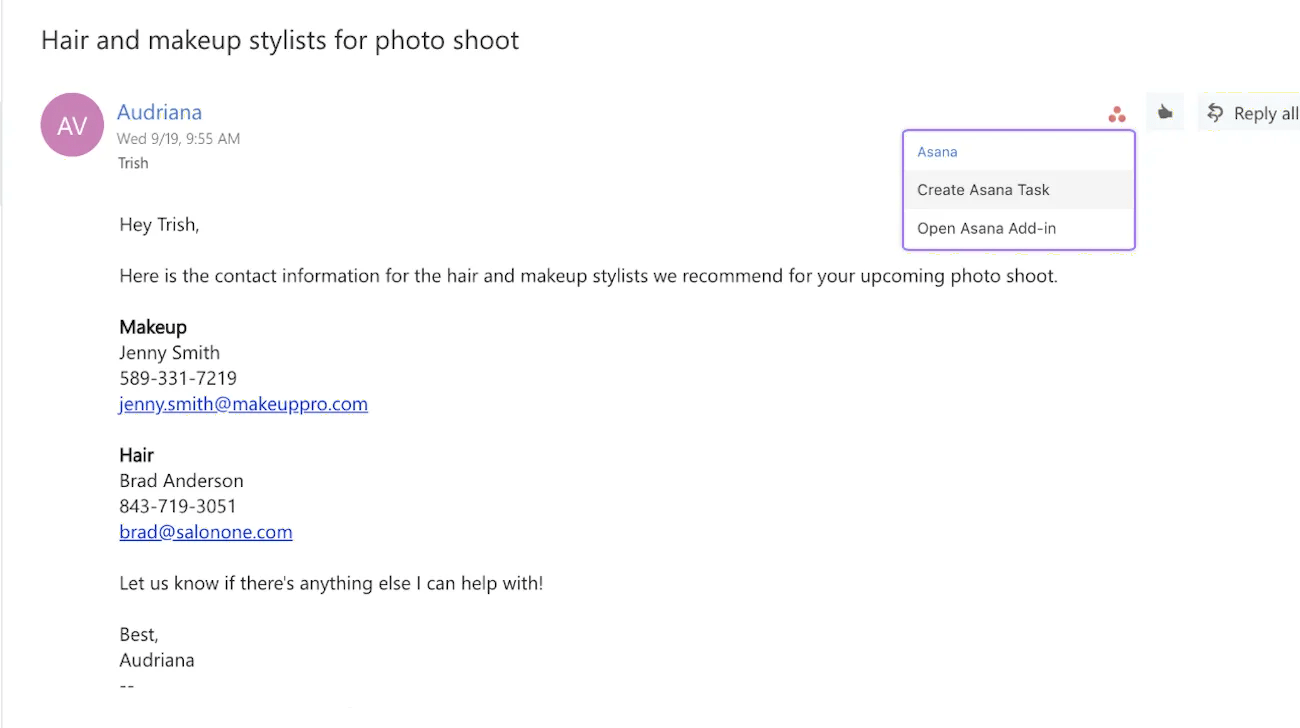
Once you've done that, you will see Create Task and Open Asana Add-in buttons with the Asana logo in the top bar of your Outlook inbox.
Admins will see the option to install this for everyone in their organization.
As action items come in via email, like reviewing work from your agency or a request for design assets from a partner, you can now create tasks for them in Asana right from Outlook. You can then assign the new task to yourself or a teammate, set a due date, and add it to a project, so it’s connected to other relevant work.
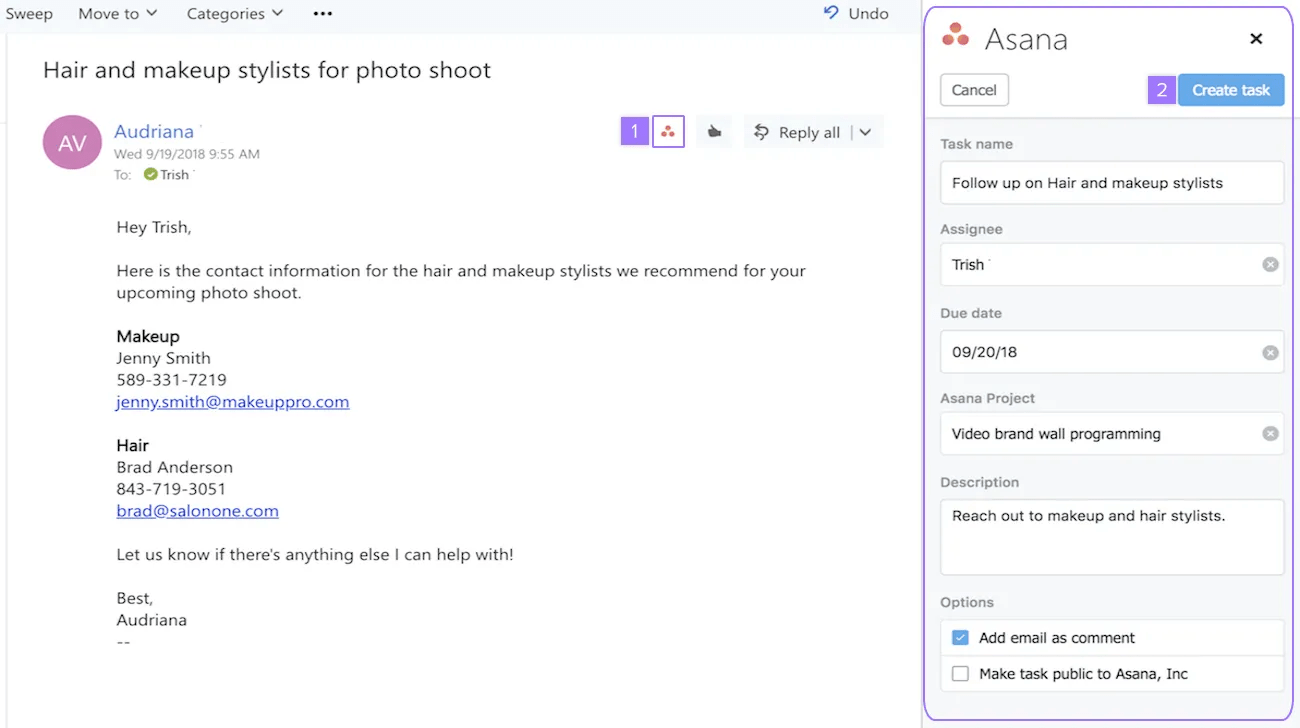
It's currently only possible to set a due date for a task at creation time. It's not possible to add/adjust a due date for existing tasks.
Your entire team probably isn’t copied on every email chain that includes information they need to do their jobs. But without these details and context, they can’t effectively do their work.
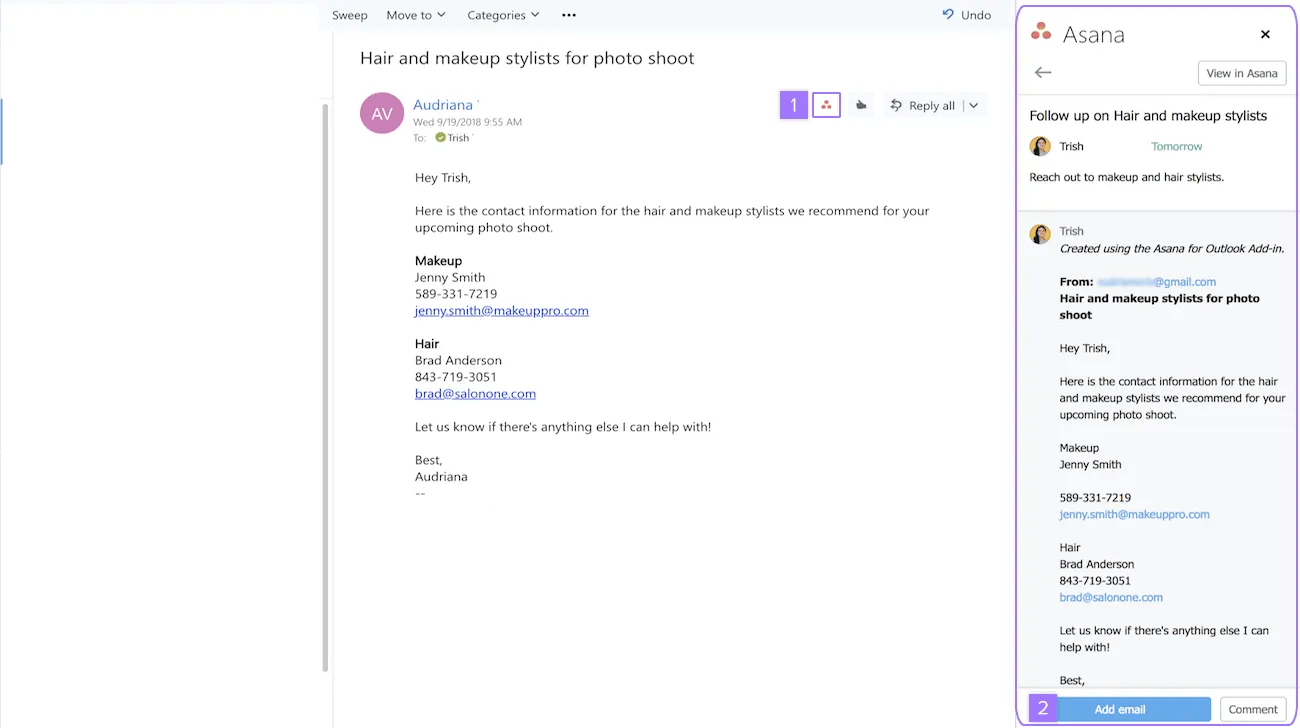
Whether it’s a proposal from an agency, an email from a candidate with their contact information, or another team at your company requesting design resources, you want your entire team to have the right information to do their job. Instead of switching between tools to copy and paste this information, simply add the email to an existing Asana task as a comment right from Outlook.
From the Asana for Outlook add-in settings, you can switch between workspaces and organizations or simply log out.
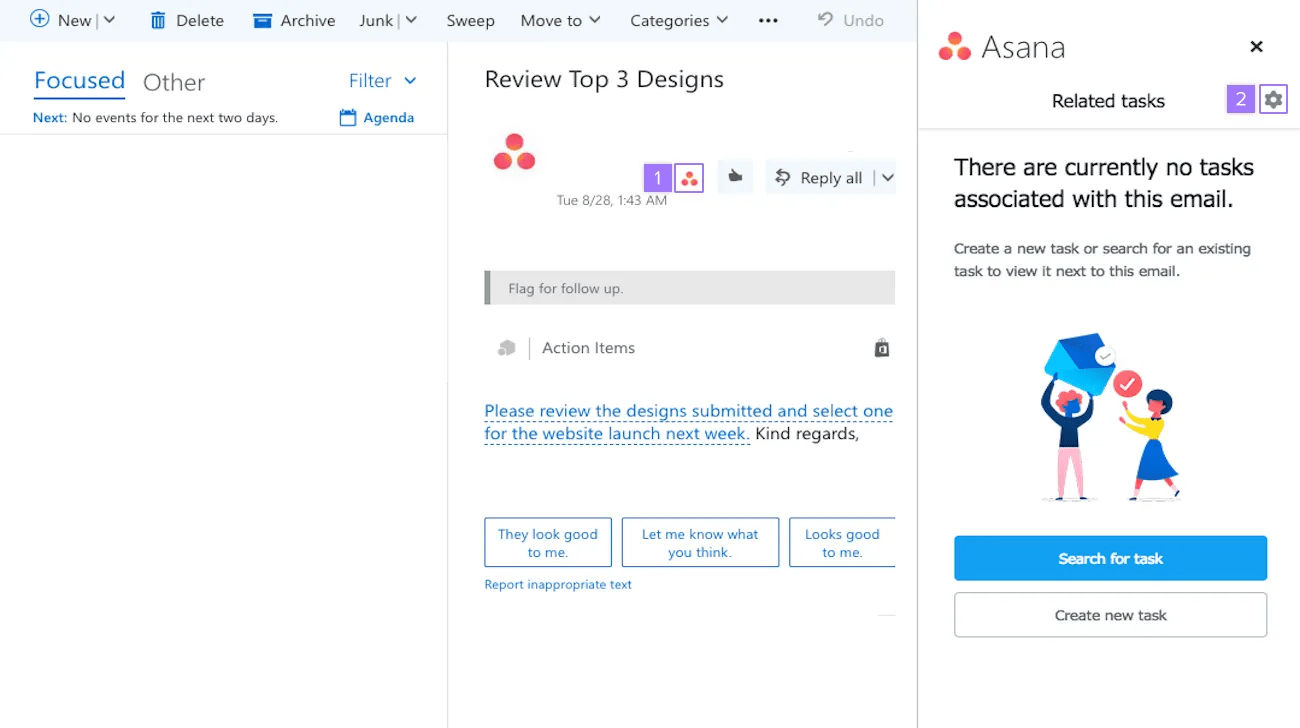
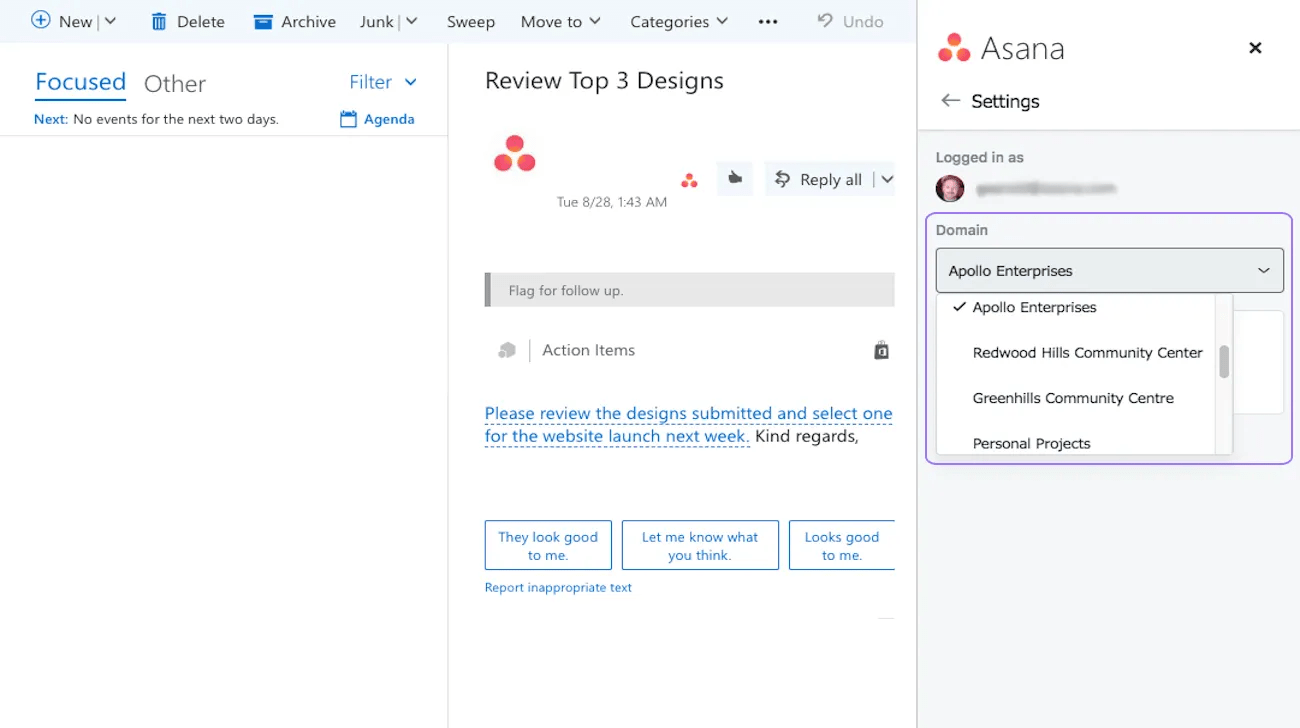
From here, you can switch between your Asana domains or simply log out.
You need an Office 365 subscription and access to Microsoft AppSource. The add-in supports Outlook Web App, Outlook 2021 Windows to the latest Desktop app version, and Outlook 2019 Mac desktop app to the latest version.
You can only set a due date when creating a new task. It's not currently possible to add or adjust due dates for existing tasks through the add-in.
Starting February 17, 2025, Microsoft began turning off Exchange Online Tokens by default, so you'll be prompted to grant Asana permission to parse the content of your email and its attachments so they can be imported into Asana.
Click the Asana icon at the top of the email, click "Open Asana Add-in," search for the task you'd like to add the email to, and then click "Add email."
Looking for a better way to manage your work? Get started with a free Asana trial. Try for free
Need Outlook integration tips? Ask the Community.

