Products


AI Platform


Asana Foundations
Company Type
No articles found for this topic.
No articles found for this topic.
In This Article

Visit our pricing page for more information.
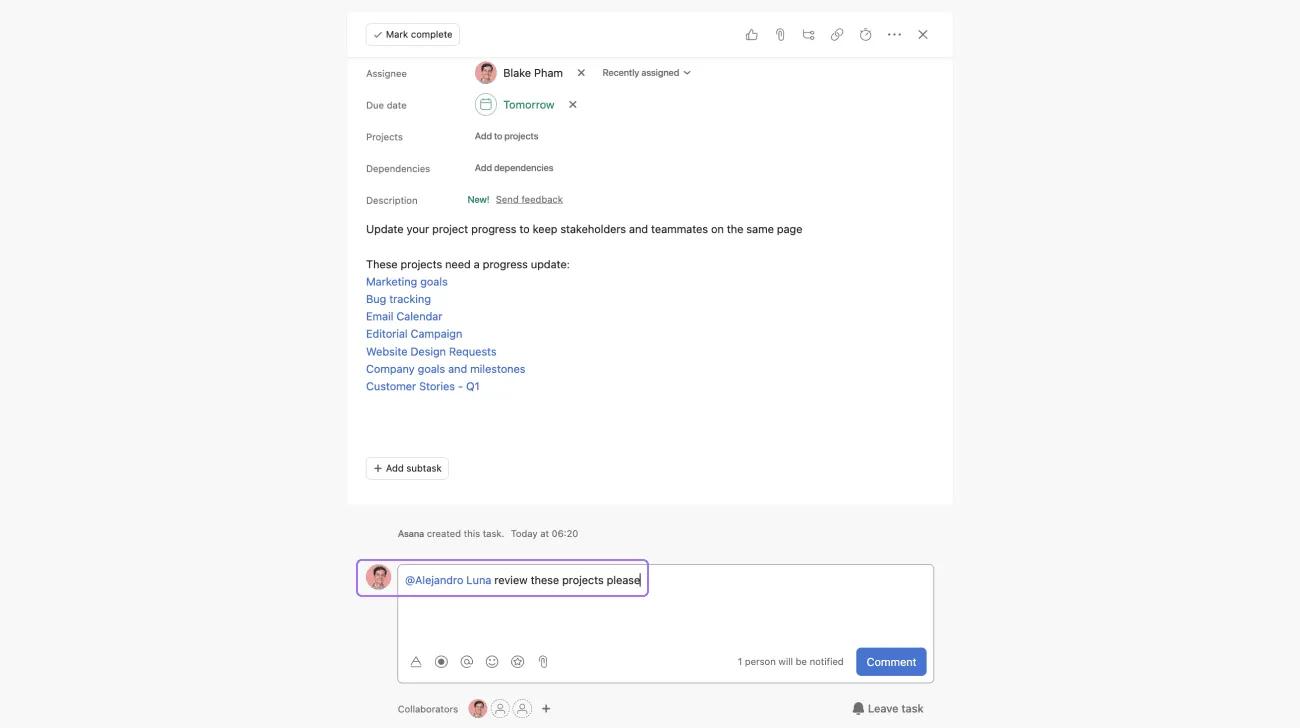
Type @, then start typing the name of a task, project, message, or person.
@mentioning creates a link to projects, messages, teammates, or tasks from any description or comment field in Asana.
Linking to background information—@mention another task, project, or message so their previous work history and context are immediately accessible. Your teammates won’t have to search for this information either.
Calling out related tasks—If one task is related to another, you can @mention the other task in a comment or task description so teammates are aware of other relevant work that is happening.
Address a comment to a specific teammate—@mention your teammate in a task or conversation to add them as a follower. They’ll get a notification and can direct their attention to your comment.
Type Tab + P and use the + button that appears to add the task to as many projects as needed. If a task is updated, the changes are reflected in both projects (since it's the same task, but listed in two projects).
You want to discuss a task in a meeting—Add the task to your meeting project and keep it in the original project. Then you won’t forget to discuss it and can see it in context with work occurring around it.
The task is relevant to more than one project—Add tasks that require a handoff or work from two teams to both teams' projects. Then everyone can track progress, without duplicating information or discussions about the task.
Your task relates to a high-level goal or milestone—Track goals in a project with your team or company. When you have a project that tracks the steps you will then take to achieve that goal, you can keep the goal task in your goal project, as well as the project tracking your initiative.
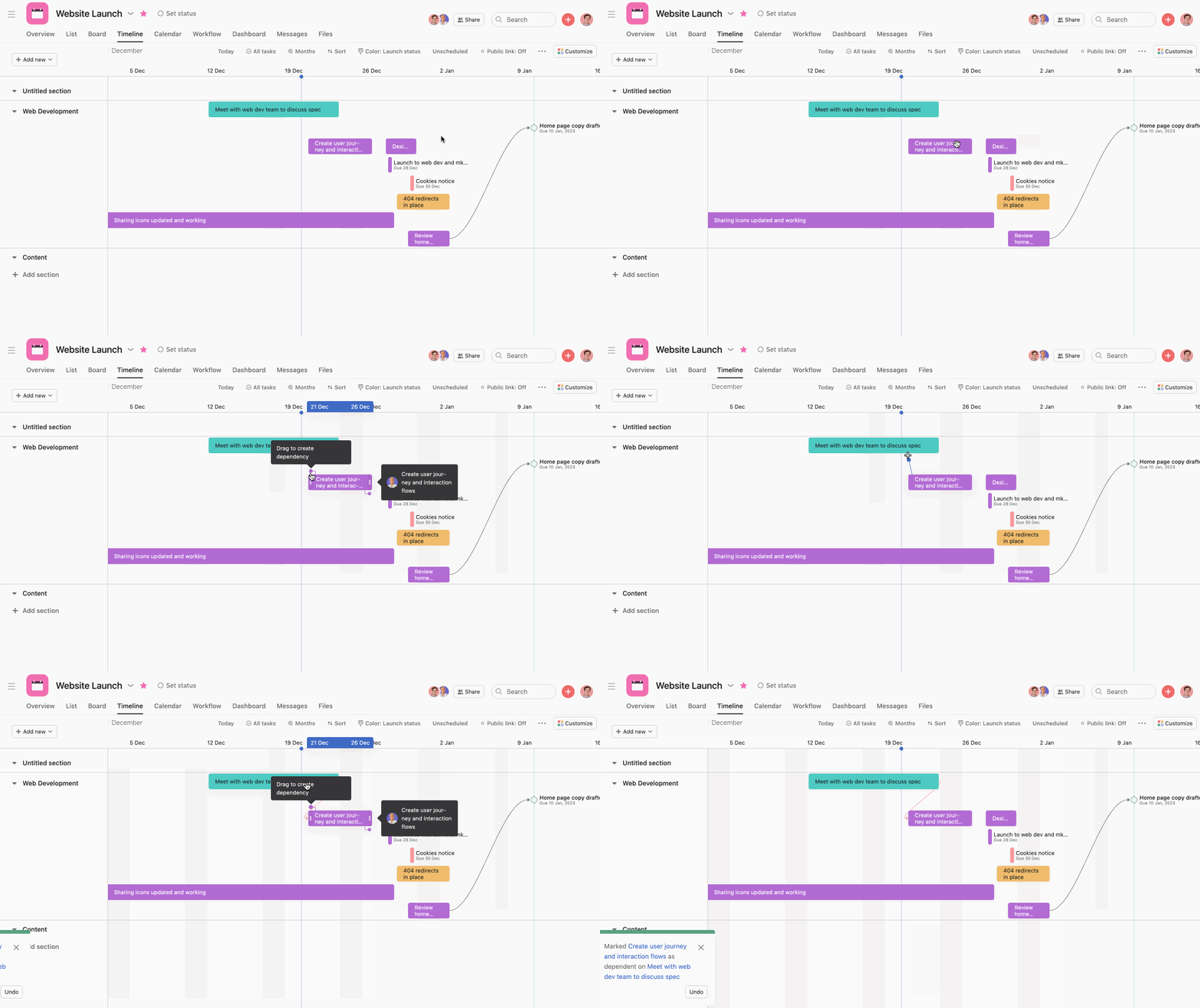
For smoother, clearer handoffs, mark tasks as dependent on one another. Teammates will know who they might be blocking, and who they're waiting on. You can set them within the task, or easily drag and drop them in timeline view.
Note
If the due date gets changed on the first task, you’ll receive a notification so you can update the due date for your dependent task accordingly.
Adding custom fields to a project means you can track even more information in each task. Create different kinds of custom fields to capture structured information and more easily track progress, status, cost, workload, priority, and many other data points about your organization's projects and work.
Use custom fields if you:
Your team might be used to making requests and outlining project requirements in docs and email. But this information is often disorganized and incomplete, causing confusion and slowdowns, if not just falling through the cracks. Instead you can create forms to standardize the request process. When submitted, forms connect to a specific project to capture the information you need up front, and track it easily in one place.
Forms can be submitted by anyone—even if they don’t use Asana—by sending them the form link. Once submitted, the form details turn into a task in your project so it can get prioritized.
Asana helps you manage and coordinate your work, but you probably use a variety of tools to get things done across Google Workspace apps, Microsoft, Slack, Adobe Creative Cloud, and more.
That’s why Asana integrates with top tools and apps to keep everything connected, reduce duplicate work, and make collaboration more seamless. Integrations are especially powerful with email and messaging tools to keep conversations actionable. With the Gmail Add-on, Outlook app, or Slack integrations, you can turn conversations into a task without having to switch tools. And for creative, the Adobe Creative Cloud integration enables them to see and action Asana tasks right in Illustrator, Photoshop, or InDesign.
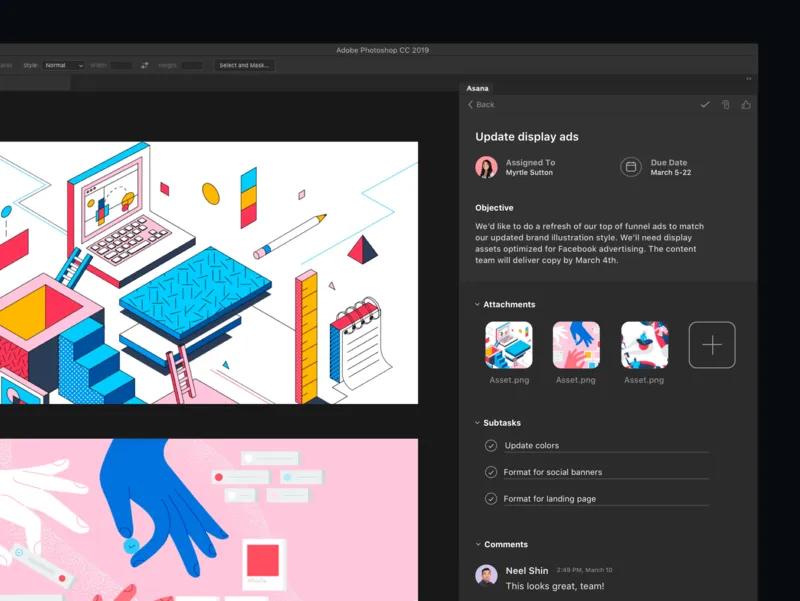
See all Asana integrations on the apps page.

