Products


AI Platform


Asana Foundations
Company Type

Visit our pricing page for more information.
Every project is unique, but they all fall into one of three categories that can help you set up your work more effectively. Understanding which "blueprint" your project fits into makes it easier to choose the right features and organize your work for success.
Project blueprints are frameworks that help you identify the best way to structure your work in Asana. There are three main types:
Deadline-bound projects are probably what you think of when you hear "project." They're like a checklist where tasks happen in sequence and everything builds toward a final deliverable or due date.
Set milestones for major markers
Mark key progress points with milestones to help your team see major achievements and stay motivated.
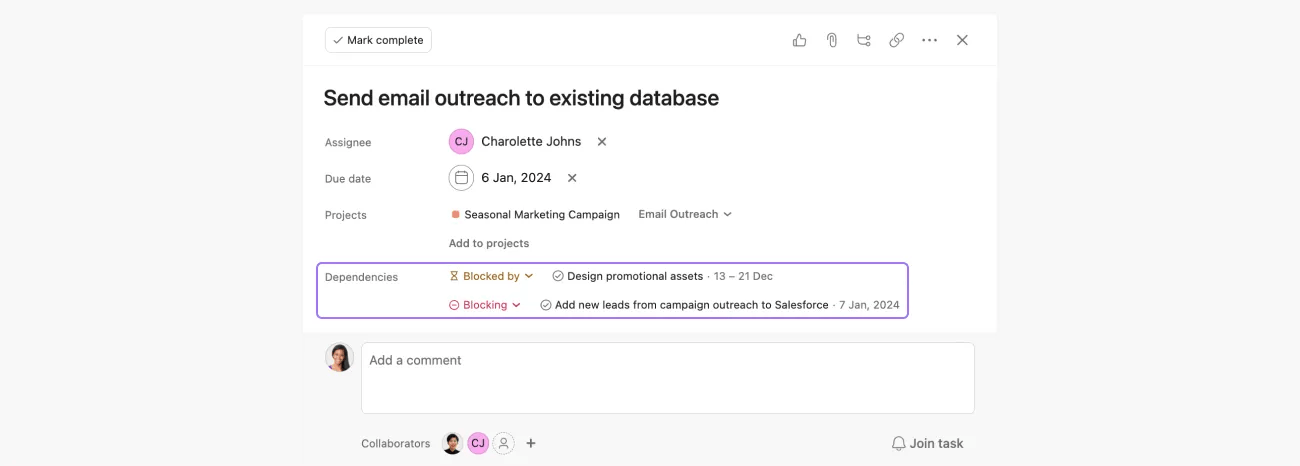
Use dependencies for sequential handoffs
Draw dependencies to connect work as you create your project plan. Dependencies refer to the connections between tasks that dictate the sequence in which activities should be executed. With task dependencies, you can mark a task as blocking another task, or blocked by another task. If you spot a timing conflict, you can adjust the due date on the timeline. Your team will receive notifications when blocking tasks are completed.
Create templates for repeatable projects
If you run similar projects regularly, save time by creating custom templates you can reuse. To convert a project to a template, use the drop-down next to the project name and click Save as template.
When to use this blueprint:
Choose deadline-bound when your project has a clear start and finish, with work that needs to happen in a specific order.

In the example above, you can see the project is organized by:
Ongoing processes are evergreen workflows where the same type of work moves through multiple stages repeatedly. Unlike deadline-bound projects, these never really end - they're more like pipelines that work constantly flows through.
Add forms for work intake
Create forms so people can submit requests directly into your project with all the information you need. With forms, you can standardize how work gets kicked off for your team, gather necessary information, and ensure that no work falls through the cracks. You can use forms with internal and external teams to collect and consolidate information and minimize back and forth.
Set up automation rules
Use rules to automatically move tasks between stages, assign work, or update fields when certain conditions are met.
Create task templates
Standardize how work gets created by using task templates that include all necessary fields and subtasks.
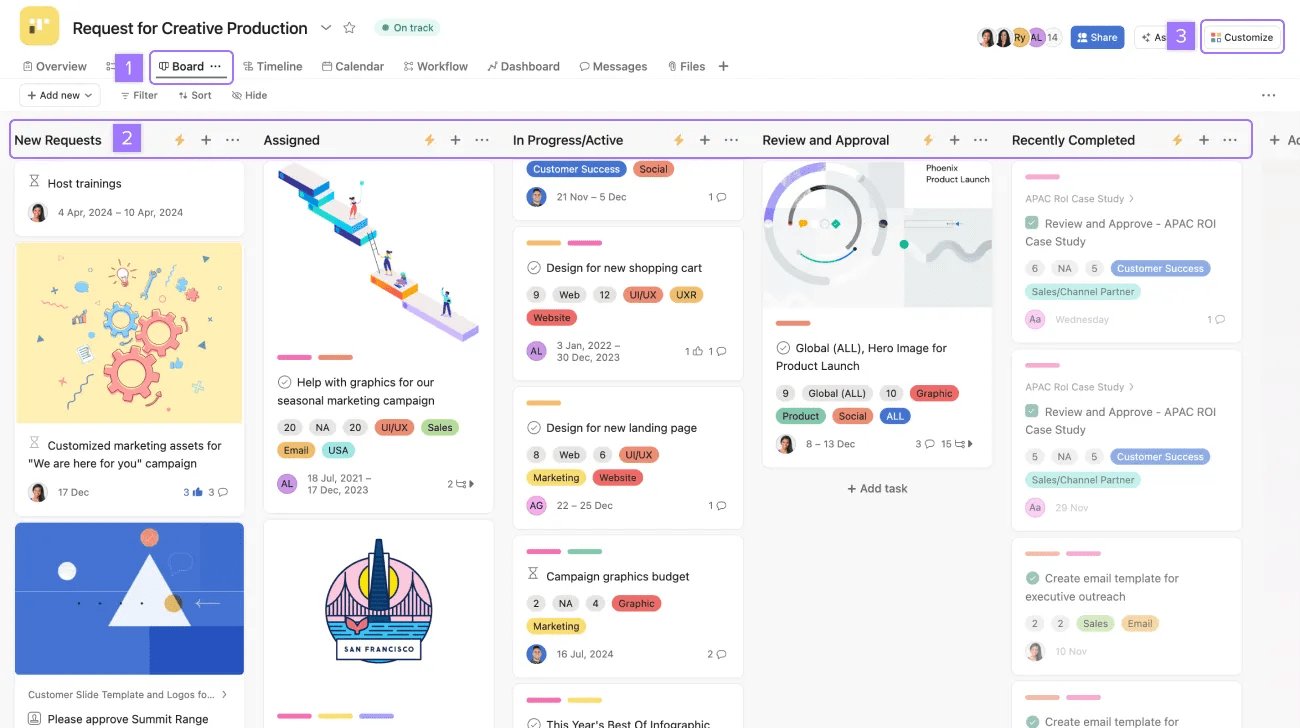
Visualize with board view
Board view works especially well for ongoing processes since you can see work moving through different stages.
When to use this blueprint:
Choose ongoing processes when you handle the same type of work repeatedly, and each piece follows similar steps from start to finish.
Jamie is the Creative Producer at Phoenix Corp. The Events team often submits design requests for images. Jamie sets up a project in board view to streamline and automate their team's creative request intake process.
Reference projects are for capturing and organizing information rather than managing actionable work. They're like digital filing cabinets that help you store and find important information.
Choose your preferred view
Pick the project view that makes the most sense for your information (list, board, timeline, or calendar).
Use tasks for static items
Each task can represent a piece of information, document, or resource you want to track.
Organize with sections and custom fields
Group related items using sections and add custom fields to make information easy to filter and find.
Link to related work
Connect your reference project to active projects and tasks where the information is relevant.
When to use this blueprint:
Choose reference projects when you need to organize information, resources, or long-term plans that people will refer back to over time.
Join a live training session on Managing projects in Asana.

