Products


AI Platform


Asana Foundations
Company Type
In This Article

Visit our pricing page for more information.
This article will guide you through the steps to set up an effective bug tracking project in Asana. Using templates, importing data, and customizing your setup will help you manage software bugs efficiently.
There are a few ways to create a bug tracking project. Below are some ways to get started quickly:
If you want to track bugs around specific features, products, or pages, you can create separate projects for each, so bugs are always submitted to the right place.
If you've used our bug tracking template, you’ll already see that the project contains a few custom fields, but you may wish to change them or add more. To do so, just click the Customize button at the top of your project, then + Add field.
Custom fields help you track key details on each task, and then filter and sort your project—like spreadsheet columns. Fields like source and priority can help your team make sense of feedback and ensure fixes get actioned. Learn more about custom fields here.
To quickly gauge high priority bugs, sort your project by custom fields so you can easily assign tasks out for teammates to fix.
Bug reporting is vital to fix issues and learn more about customer needs—but that isn’t possible if you track it in different ways or places. Instead, create a bug tracking form that’s directly connected to your project. The form ensures bug information is captured uniformly, so your team has all the details necessary to tackle them.
To really streamline your bug tracking with forms, use forms branching to connect the details provided with the custom field values in your project.
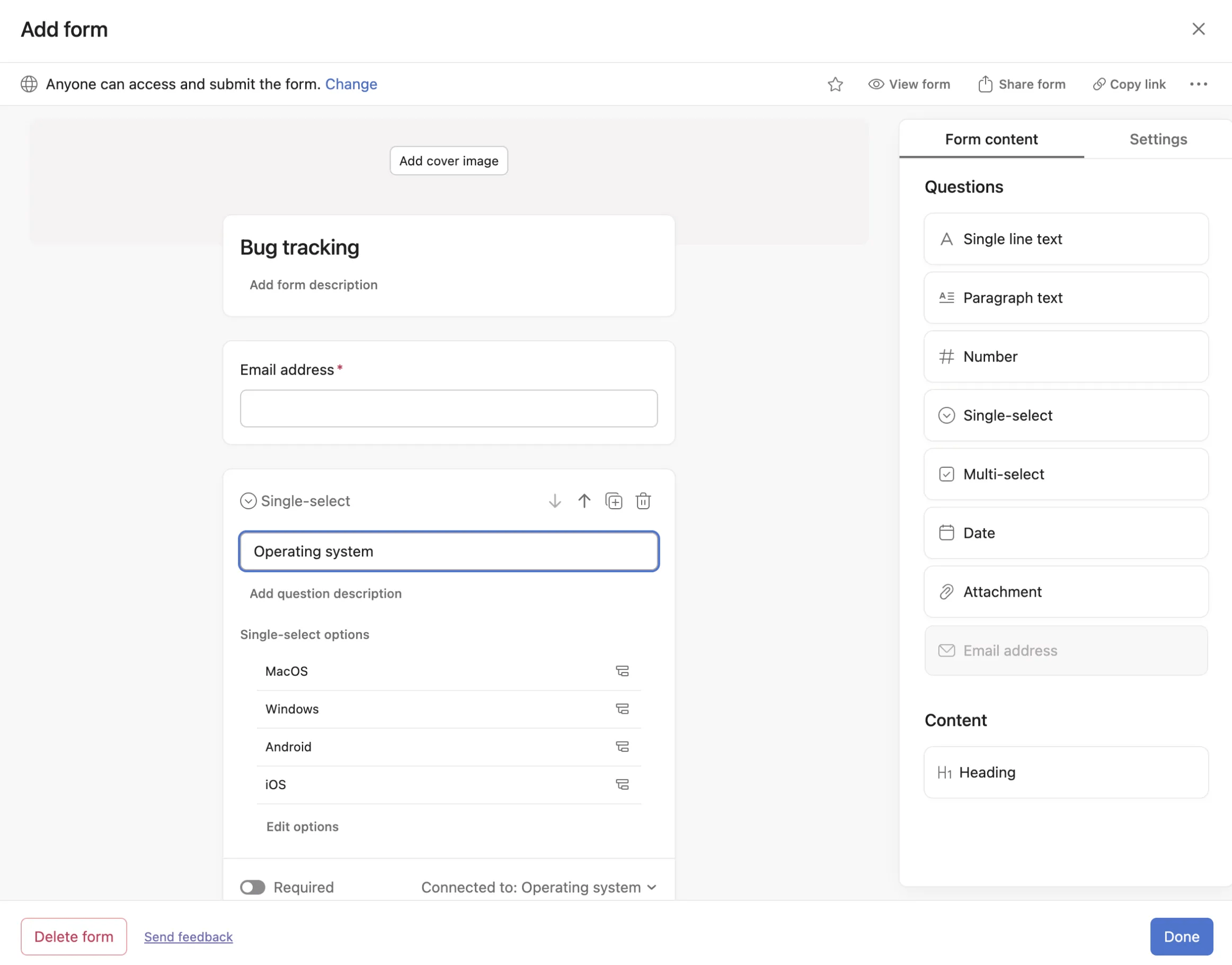
Forms can be submitted by anyone—even if they don’t use Asana—by sharing the form link with them. Your customer-facing teams won’t have to rely on email and customers will feel heard, without your team managing an unruly inbox. If you'd prefer to turn off form sharing, you can do that too.
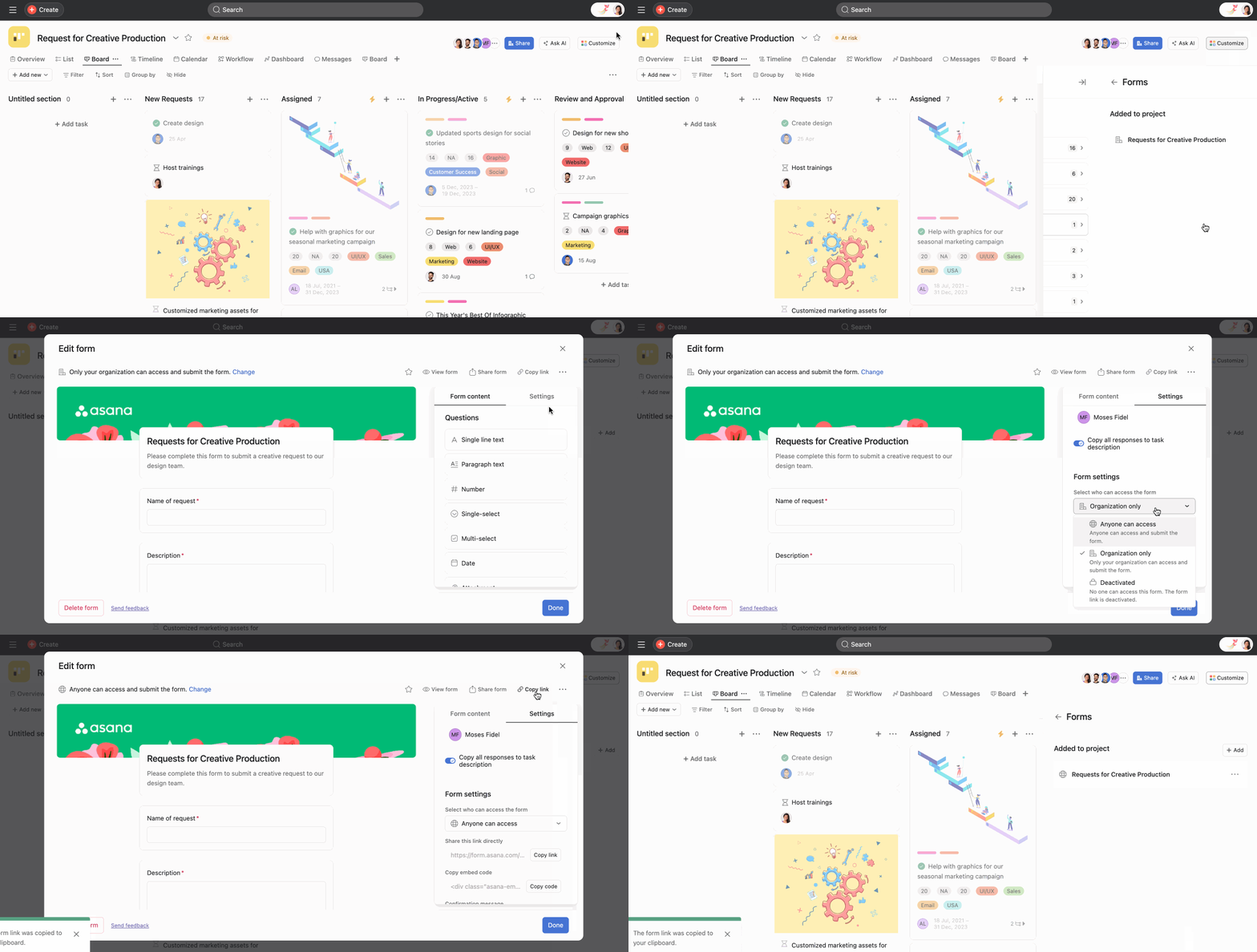
If you get a lot of bugs reported via chat or email, you can always send the link to your form, but you also have the option of using integrations to quickly turn them into actionable tasks.
If you've received a bug report via email, use the Asana for Gmail, Outlook, or other email client add-ons. For bugs reported via chat, try the Asana for Slack integration.
To ensure that incoming bug reports are triaged and evaluated on a regular basis, you can choose a default assignee for each form submission. Otherwise, you can assign a team member a recurring task to remind them to triage bug submission tasks regularly.
During the triage, if the same bug has been reported already, they can merge the tasks to eliminate duplicate tracking.
Not all feedback needs immediate action, but if it does, the task can be assigned to the relevant team member and given a due date. The task will already have all the necessary context for the assignee, and the expectations will be clear for everyone.
This saves teams a lot of time going back and forth about what’s happening—and customers are happier to see that issues are resolved faster. Don't forget to use time tracking for even more insights to inform your SLAs.
Learn more about bug tracking on our blog, or see how Quora streamlines their bug tracking process using Asana. Get started with Asana's bug tracking project template here.

