Products


AI Platform


Asana Foundations
Company Type
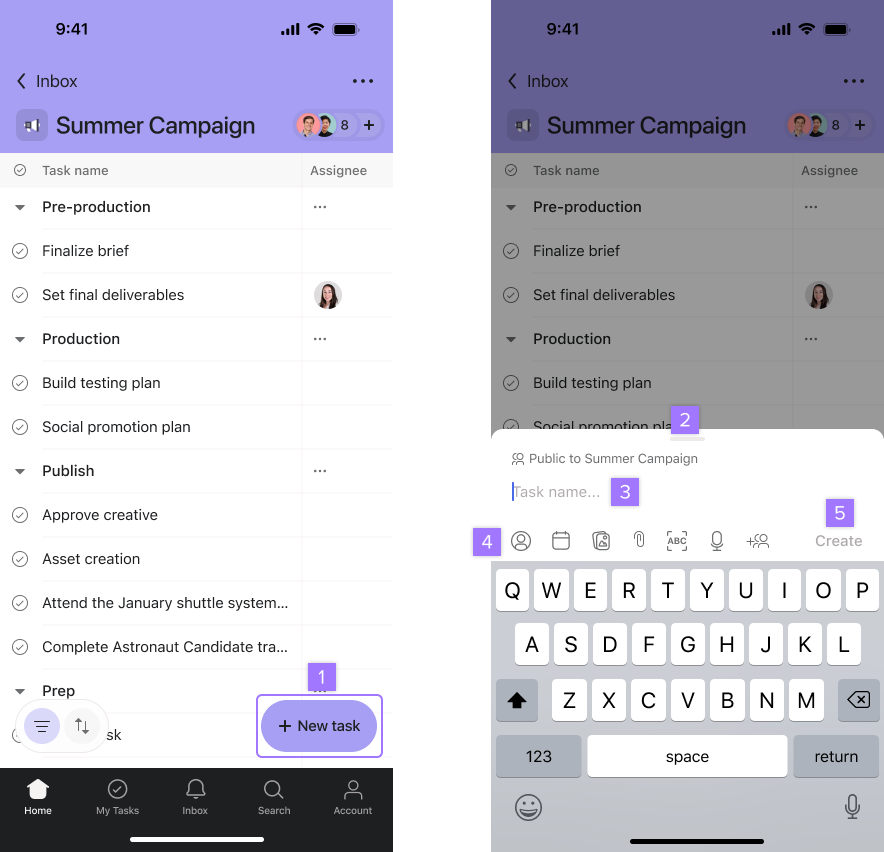
With Asana for iOS, you can organize your tasks for the day and communicate with your team from anywhere. This article will focus on how to create tasks and projects on iOS. Download the Asana app for your iPhone and iPad from the App Store. Asana's mobile app is only compatible with iOS 16 or later.
You can access your My tasks, projects, messages, inbox, and search, and more from your iOS device. The web and iOS apps update in real-time, so your tasks and conversations sync automatically no matter what device you’re using.
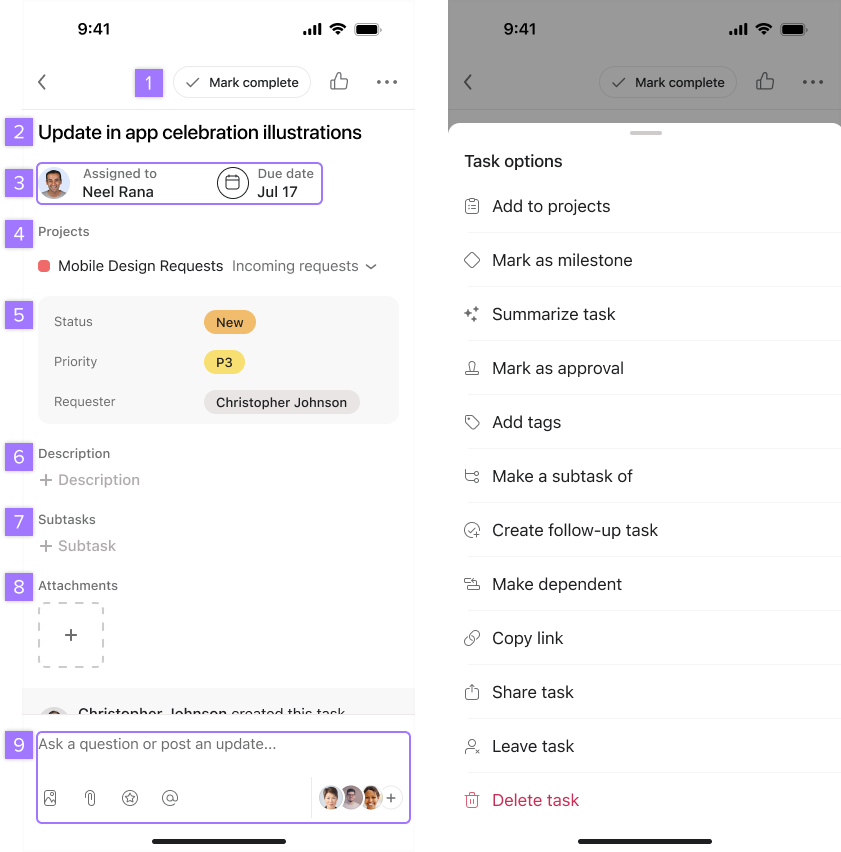
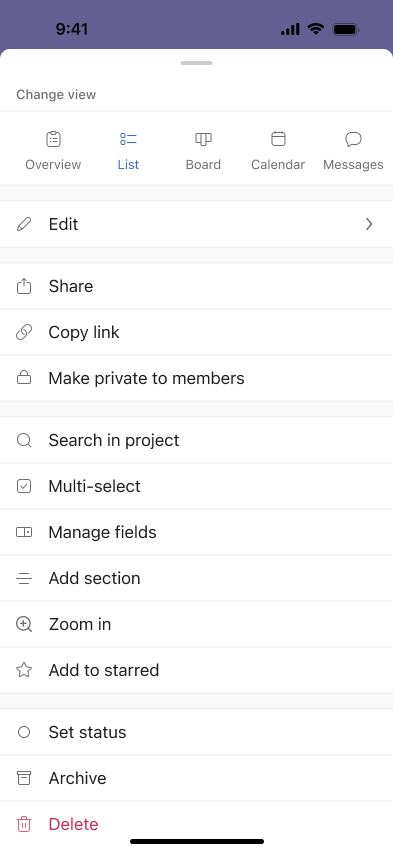
Tapping on the three dot icon at the top will open the more options screen.
Create tasks using voice input on iOS. Asana mobile can transcribe audio into text and create tasks based on the results of the transcription.
To create a task with voice recognition, you can either:
The task will automatically be created once the audio recording stops. You will see a notice on the screen to confirm it.
You can create a task with audio for up to 1:30 minutes. Asana mobile will use the first line of the transcribed text for the title of the task, and the full transcription will be displayed in the task description. The transcription will be limited to the language configured on the iOS device and may not be available in all languages.
You will be able to specify other information relevant to your task before creating it, like marking a due date, editing the description, or including someone from your team or organization as an assignee.
You can easily identify tasks created via voice recognition and also play the audio recorded. The original audio will be attached to the task, with the option to reproduce it and a notice will be displayed for tasks created with voice recognition on iOS. You can remove the original audio from a task by tapping on it.
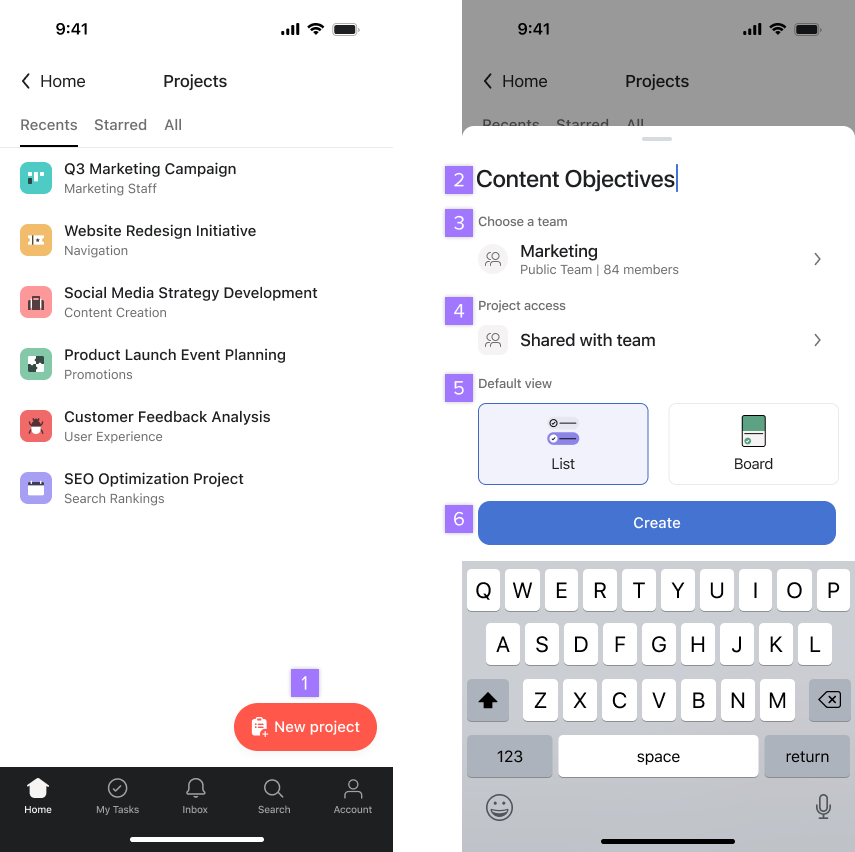
To view a project’s details, click on the three-dot icon on the top right of the screen.
The project overview tab allows you to track a project's progress easily from your iOS device. By streamlining project information and key actions, the overview tab empowers you to stay productive and informed while on the go.
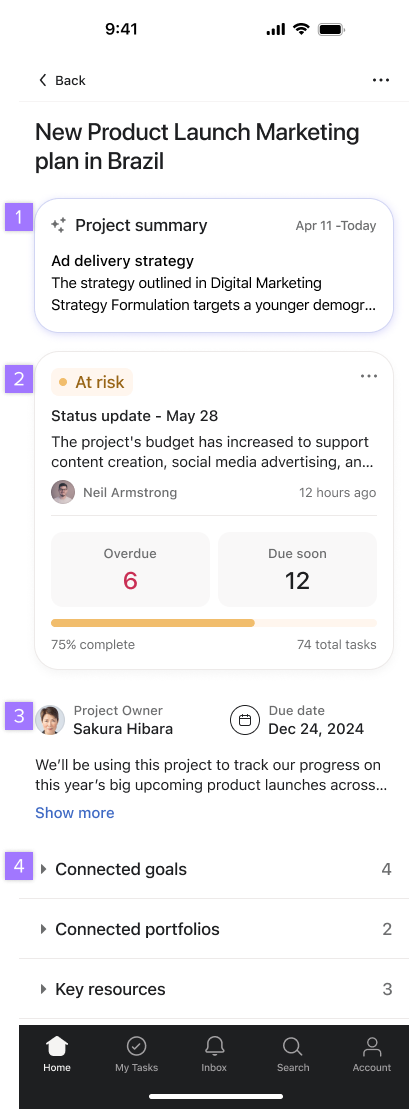
From the overview tab you can view:
Project smart summaries on the Asana iOS app provide a quick, high-level overview of progress on a project, making it easier for team leads and project managers to stay informed. Tap on the summary to read the full details.


