Products


AI Platform


Asana Foundations
Company Type
No articles found for this topic.
No articles found for this topic.

Visit our pricing page for more information.
When building out a project we may know the order in which tasks need to be completed well in advance, but the exact dates and timing of deliverables may not be so easy to predict - especially if planning months in advance.
We can use dependencies to block tasks, meaning assignees won't accidentally begin work before they're due to start, avoiding wasted time and energy. We can also use dependencies within workflows, so that when tasks are no longer blocked, rules can move work forward automatically.
In the example below, Diana is working on some Japanese-language assets for an upcoming launch. Chris is working on the same project, but he designs the landing page for the event, and will use some of Diana's assets when building this out.
Chris can't actually begin work on his part until he has the deliverables from Diana, so he creates a dependency - using Diana's task to block his own.
To create a dependency, follow these steps:
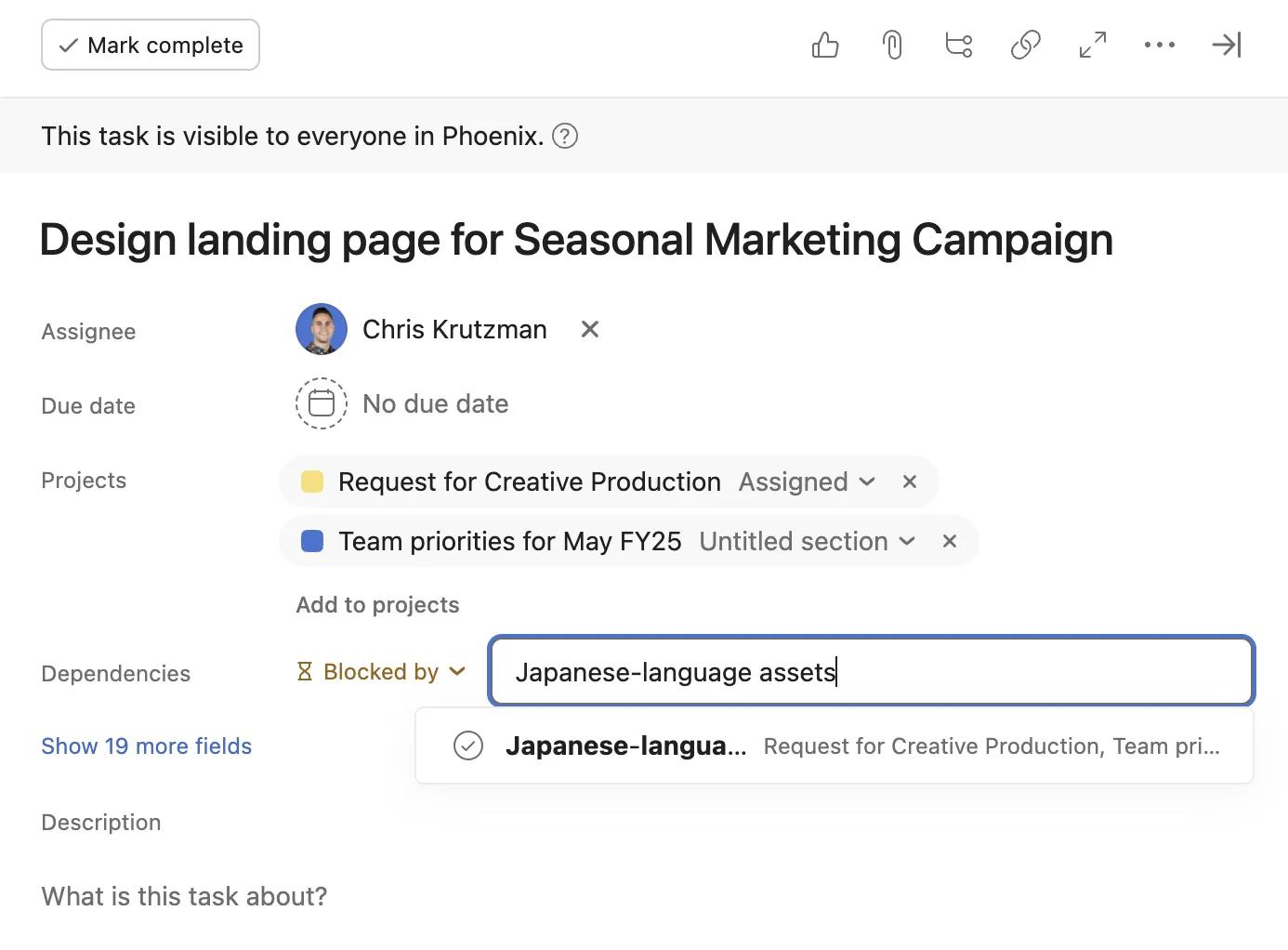
The result is that one task now blocks another. A visual indicator that a task is blocked is the small hourglass symbol which replaces the usual checkmark beside a task name. Dependency details are also present in the task details pane.
Next, create a rule which uses the dependency change as a trigger. This way, Chris doesn't need to constantly monitor the status of the blocking task to find out when he should begin his work.
To set up the rule, follow these steps:
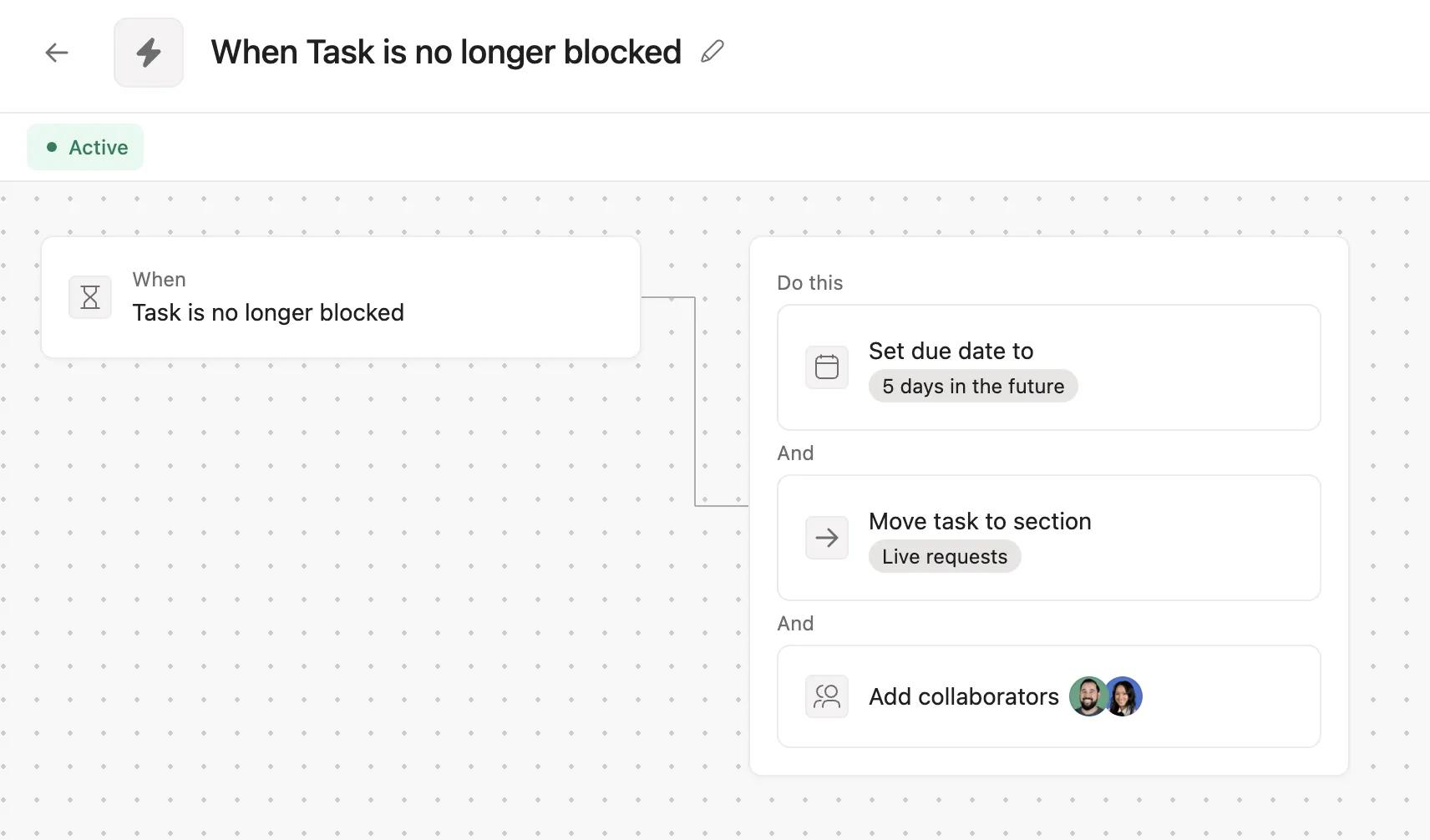
The result is that when a task in the project is no longer blocked, the rule will automatically set a due date, move the task to the relevant section, and add the necessary collaborators.
In this case, when Diana completes her Japanese-language assets task, the task assigned to Chris will receive a due date among other updates, and Chris is informed through inbox notifications as well as spotting the task in his My tasks list.
A small workflow like this can reduce the need for manual oversight significantly, enabling team members to focus on their other tasks and be informed automatically when it's time for work to begin.

