Products


AI Platform


Asana Foundations
Company Type

Visit our pricing page for more information.
The Asana Chrome extension is a powerful tool that streamlines work intake, maintains a central source of truth, and simplifies cross-functional collaboration. With this extension, you can create tasks directly from Gmail threads or any webpage, edit existing tasks, and share details with collaborators, all without leaving your browser.
This helps operationalize work by creating structured tasks from organic conversations, cuts down on time spent duplicating information across tools, and ensures everyone is working with the most up-to-date information as work progresses or changes.
The Asana Chrome extension is fully supported in the Chrome browser and is compatible with the Microsoft Edge browser.

Note: The Asana Chrome extension is also compatible with Microsoft Edge browser.
If you are prevented from installing a Chrome Extension to your browser due to IT restrictions, please reach out to your IT administrator to grant you permission to install the extension.
You can create tasks from any webpage as follows:

When creating a task, you can add an assignee, due date, project, project section, and task collaborators.
When you create a task, we auto-fill the webpage title as the task title and add the link to the webpage in the task description.
As work progresses or project scopes change, you can quickly update existing tasks directly from any webpage. This ensures that everyone is working with the most up-to-date information in Asana.
You can search for tasks from anywhere in Chrome, making it easy to find and update relevant information as new work context arises. You can search for any Asana task while viewing ongoing work content and edit this task to reflect this updated context.
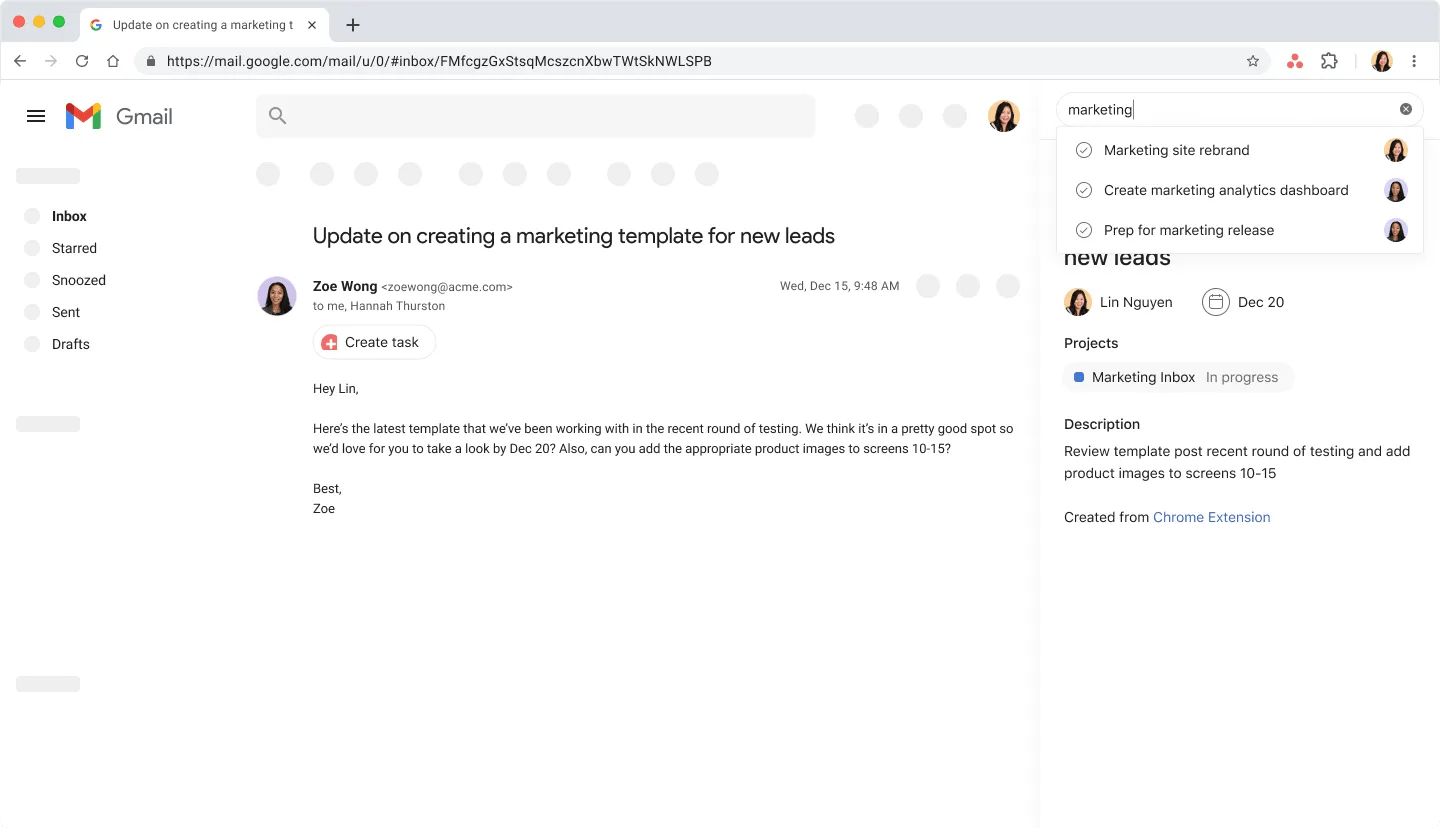
When you copy the link of an Asana task, you can paste it into a Google Doc, Sheet, or Slide to convert it into a Google smart chip. The link will automatically be converted into a Google smart chip, providing a convenient way to reference and access tasks within your documents.

If you are using the Chrome extension in Gmail, use this shortcut to streamline your intake workflows with Asana:
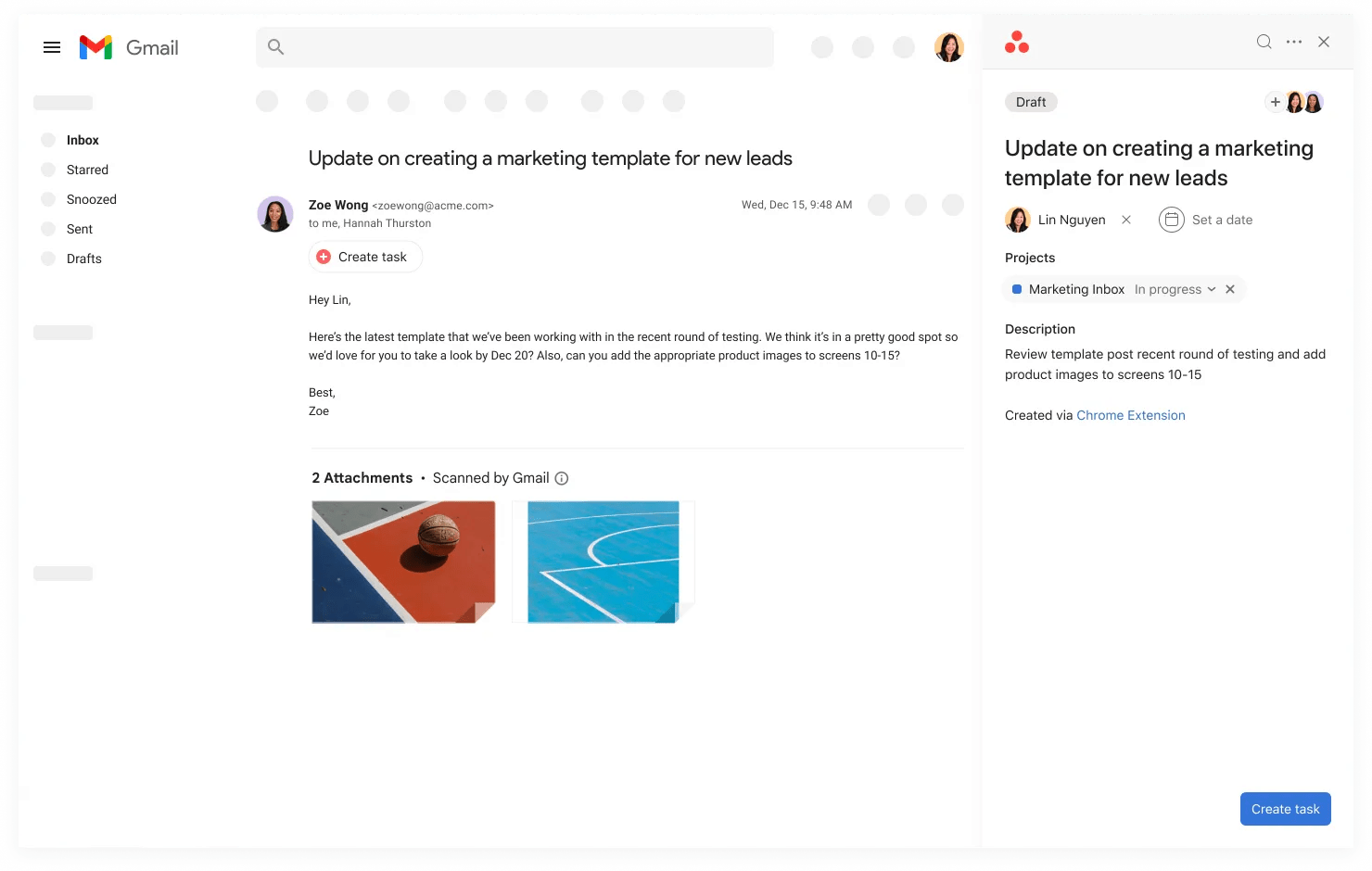
Use the Create task shortcut above the email body to conveniently create tasks. By using this shortcut, we auto-fill the email title and email recipients (to and cc) into the task title and add collaborators respectively. These fields can be modified before finishing the task.
You can install the extension from the Chrome Web Store here or search “Asana” in the Chrome Web Store.
Yes, you can create tasks from any webpage by highlighting the desired text, right-clicking, and selecting Create task in Asana.
When creating or editing a task using the extension, you can add collaborators directly within the task creation/editing window by clicking the + button on the top right of the window. This allows you to share task details with relevant stakeholders, keeping everyone aligned on objectives and progress.

