Products


AI Platform


Asana Foundations
Company Type

Visit our pricing page for more information.
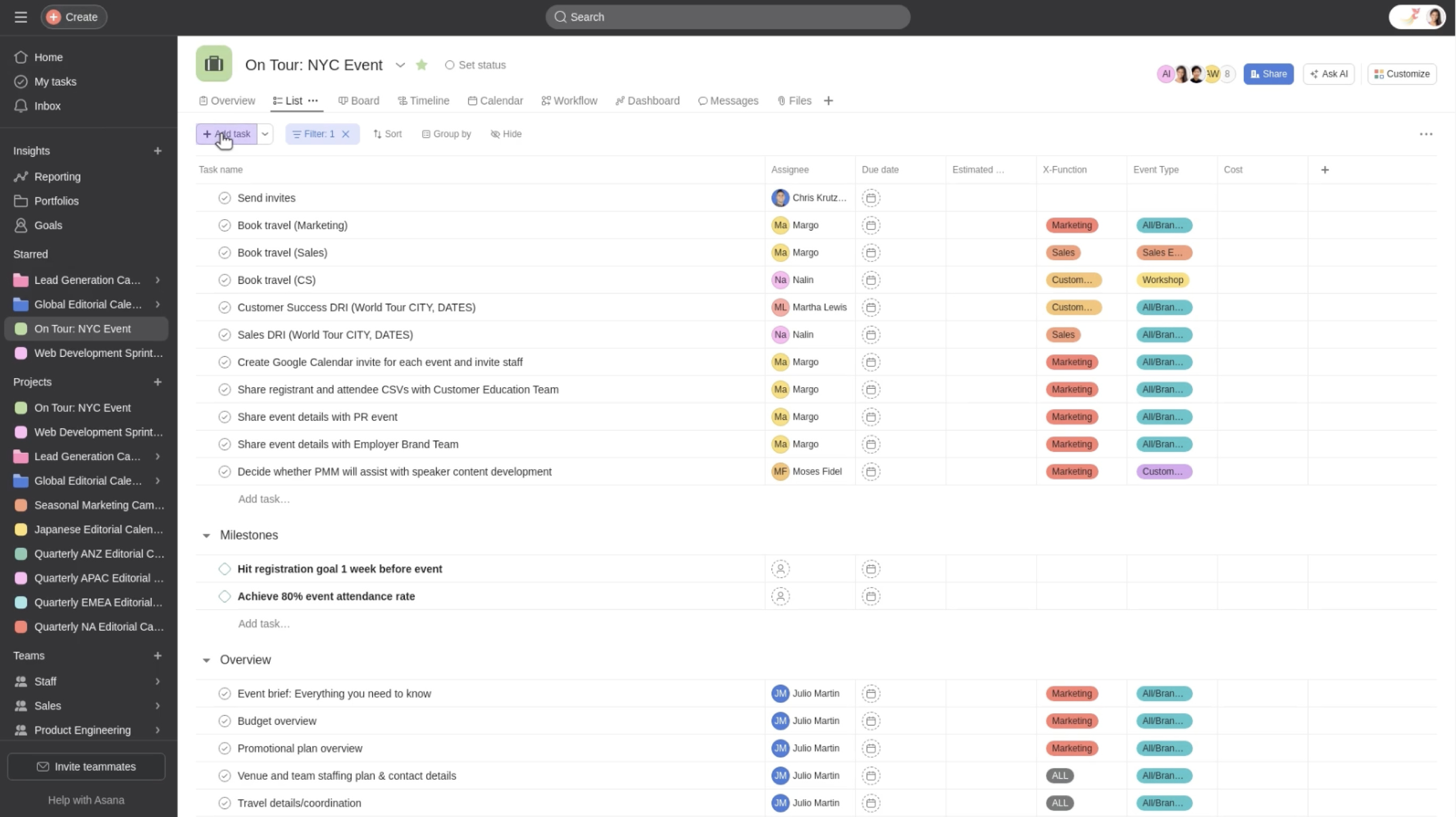
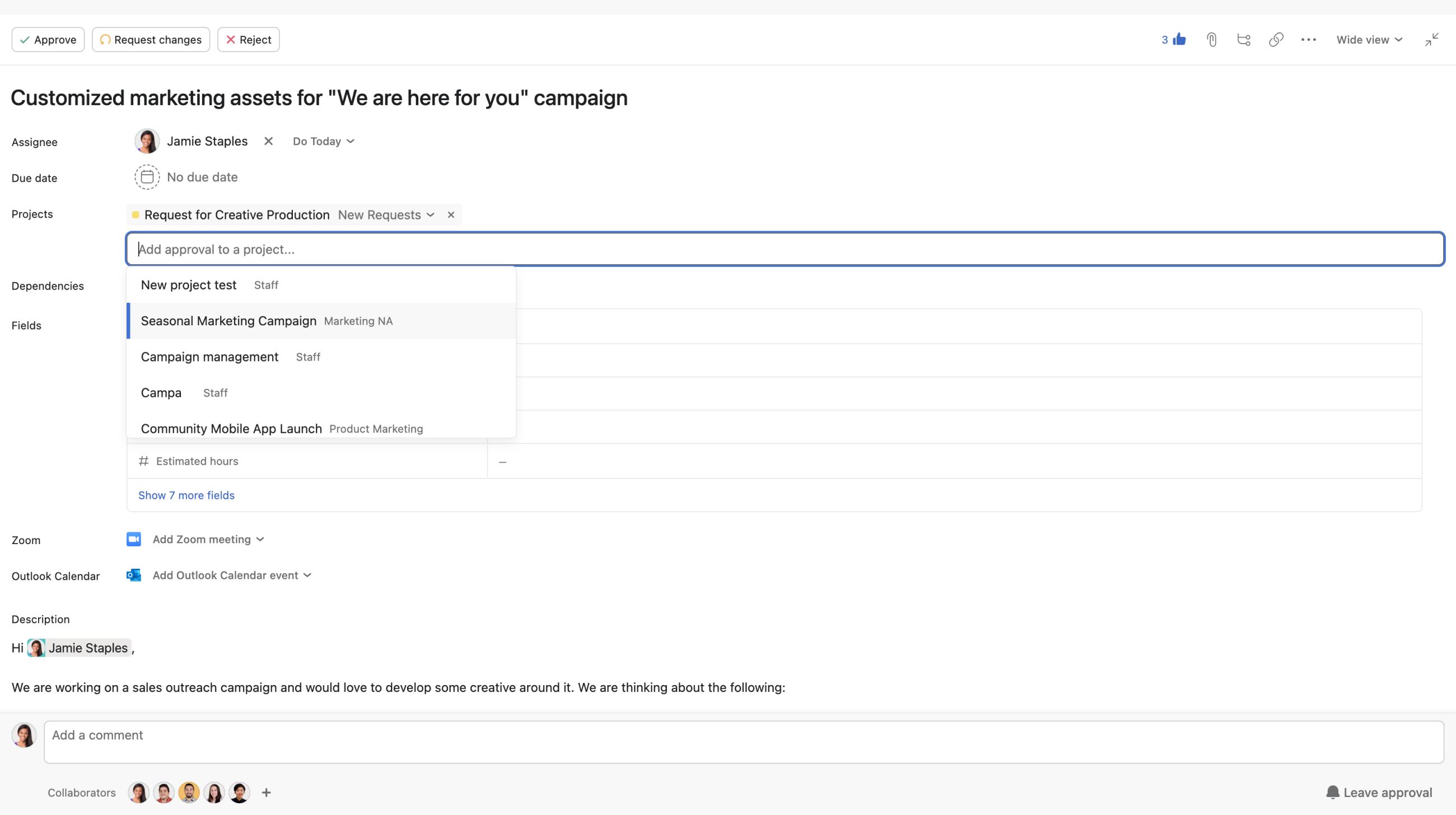
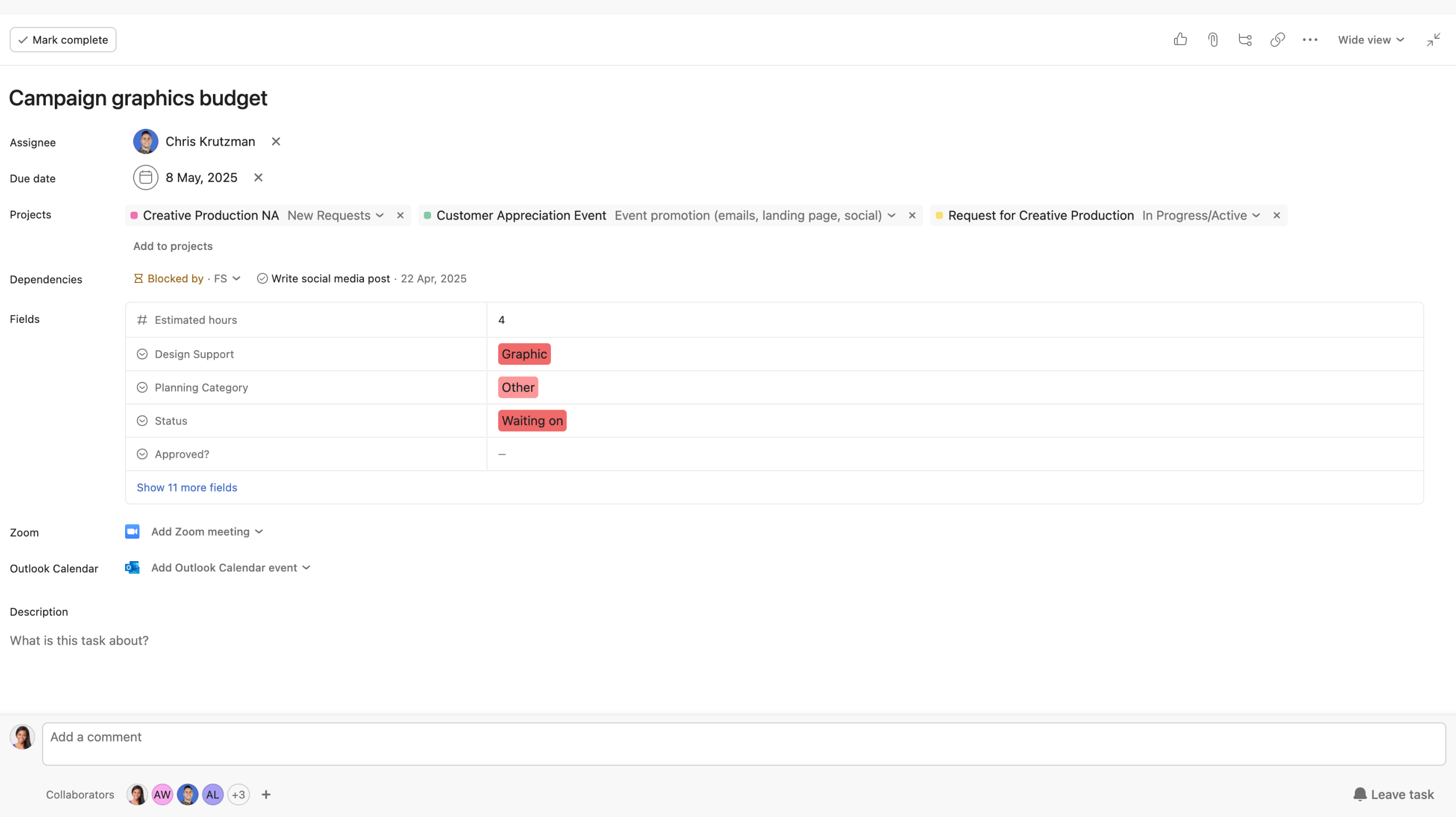
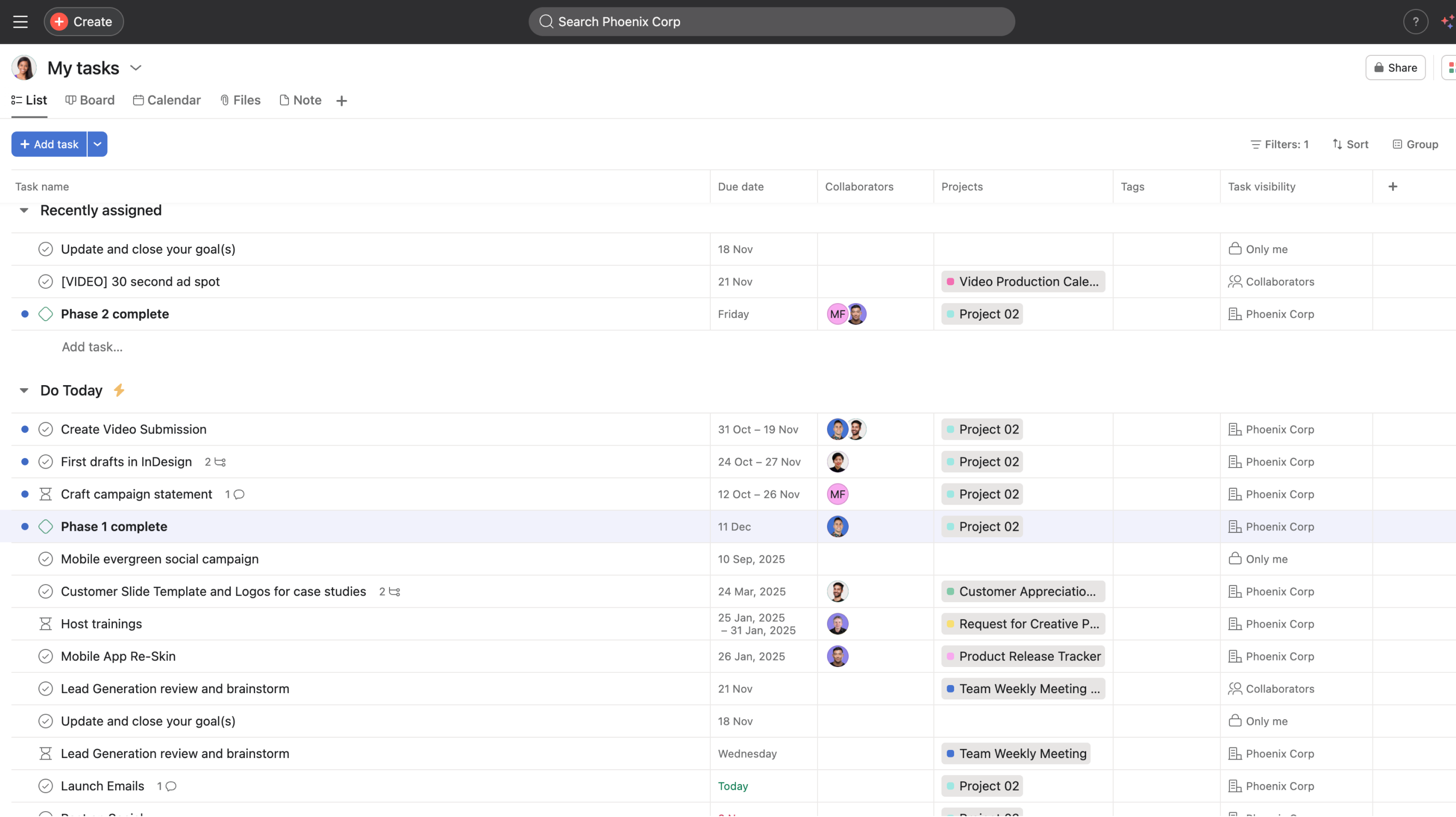
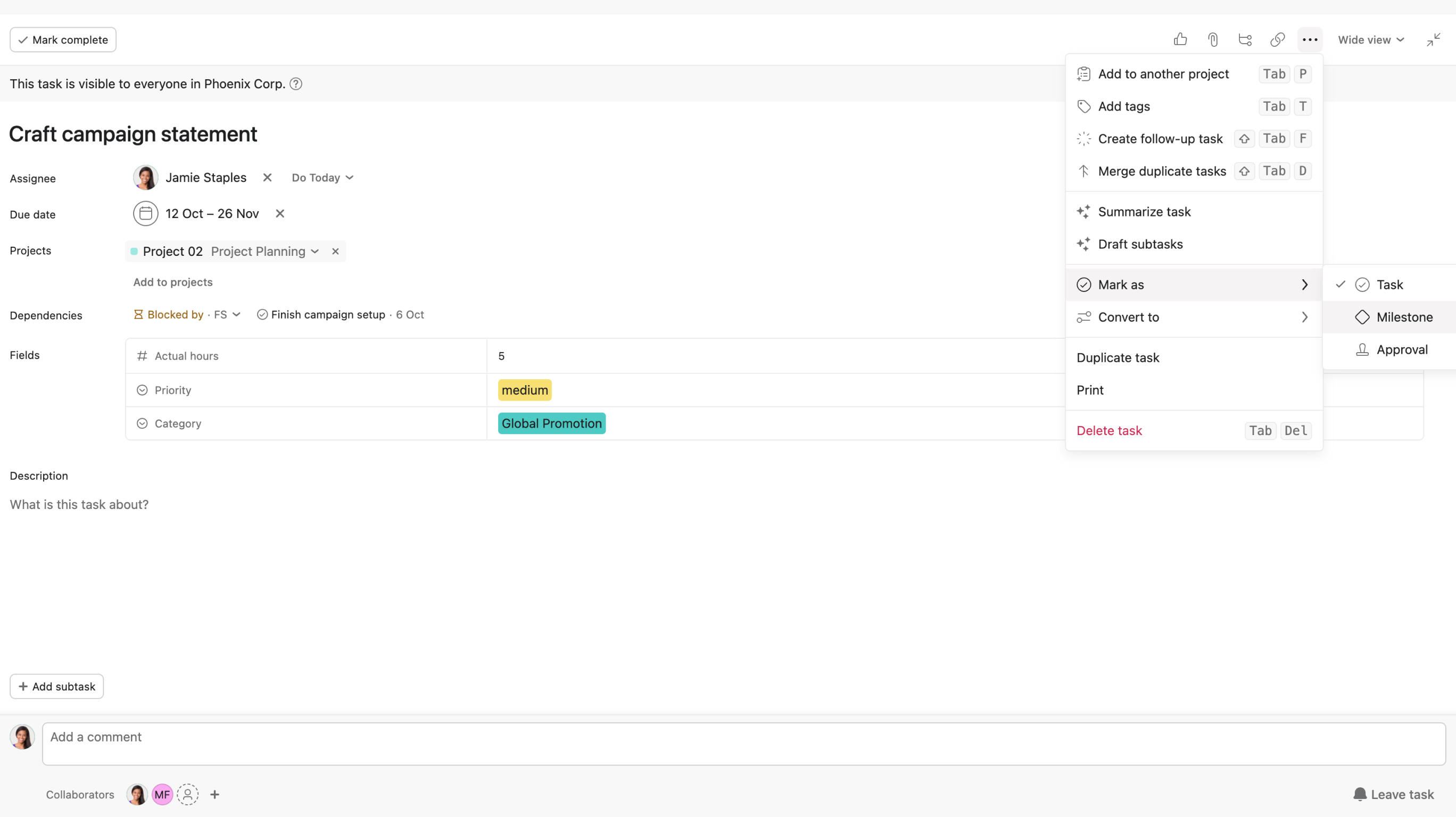
In this video, we will show you how to multi-home tasks in Asana, enabling a single task to be part of multiple projects simultaneously, ensuring seamless updates across all projects.
Like what you see? Get started with a free Asana trial today. Try for free
9 videos