Loading

How to use approvals

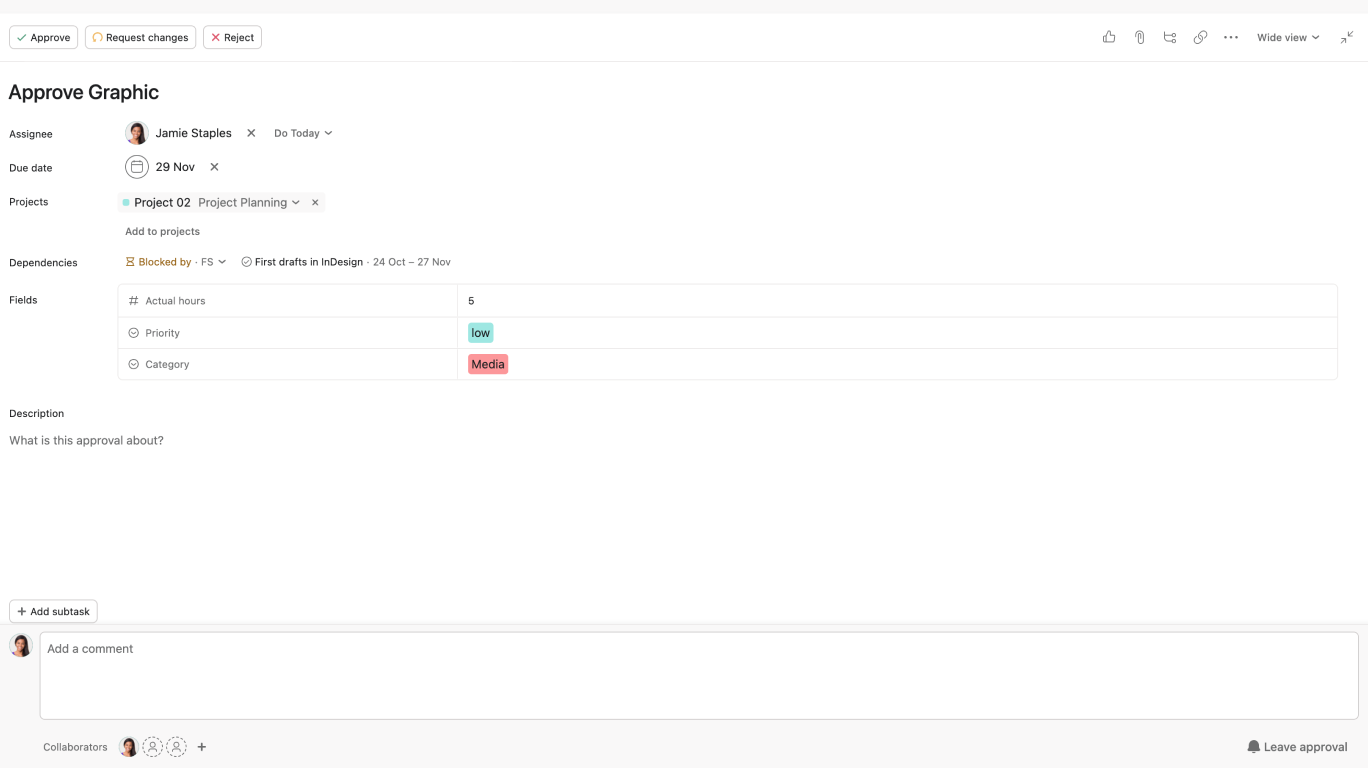
In this video, we’ll show you how to use Approvals in Asana. Approval tasks allow users to quickly get feedback on requests or assets that need approval, making decision-making faster and more efficient.

Key steps covered:

  • Marking a task as an approval to receive feedback.
  • Completing approval tasks by marking them as "Approved", "Request changes", or "Reject".
  • Identifying approval tasks in My Tasks and Projects by their status icon.

Why use approval tasks in Asana?

  • Streamline decision-making by using approval tasks for requests or deliverables.
  • Ensure clear outcomes with approval statuses.
  • Track the progress of approval tasks using visual cues: green for approved, orange for changes requested, and red for rejected.

Learn more about approval tasks in Asana:


Like what you see? Get started with a free Asana trial today. Try for free


Next up
Loading
How to Use Approval Tasks in Asana