Products


AI Platform


Asana Foundations
Company Type

Visit our pricing page for more information.
Available on Asana Advanced, Enterprise, and Enterprise+ tiers, as well as legacy tiers Business and Legacy Enterprise.
Visit our pricing page for more information.
Approvals are a type of task in Asana that helps users quickly hear back about their request or asset that needs approval. Approvers can easily see what’s needed of them and have a clear action to take. Requesters get clear feedback on what has or has not been approved.
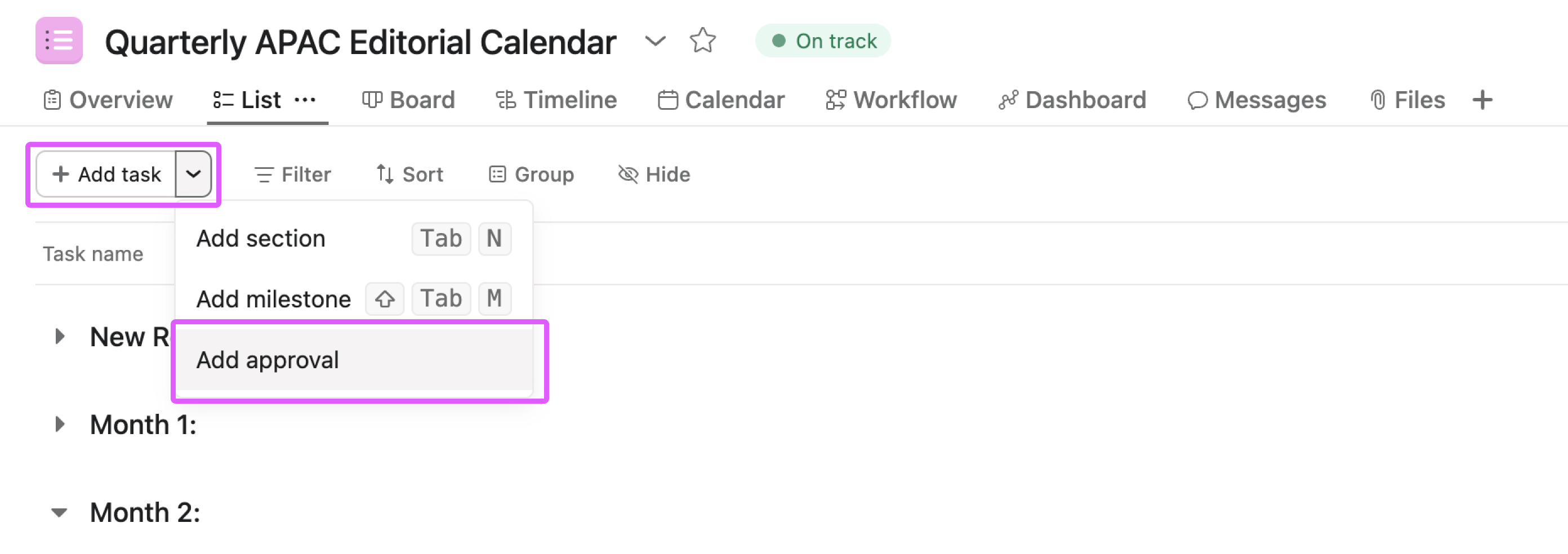
The quickest way to create a new approval task is to use the + Add task button in the top-left of your project, and select Add approval.
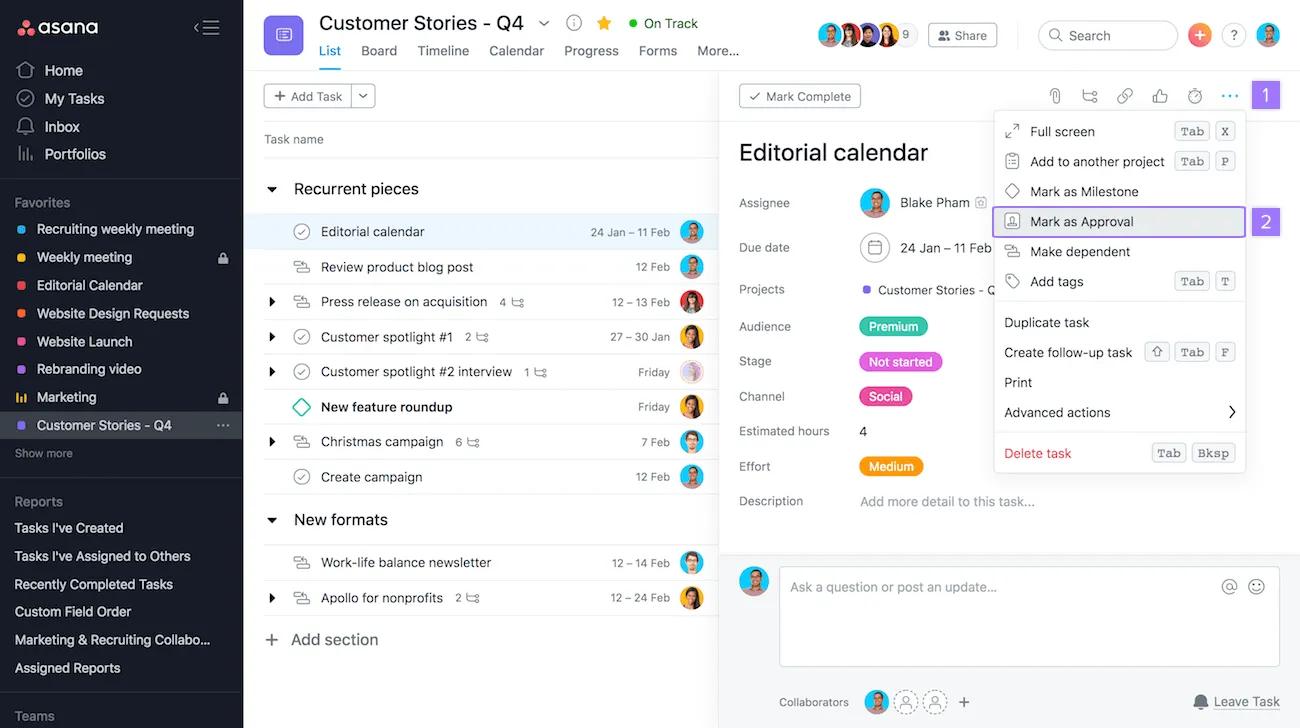
You can also mark an existing task as an approval at any time.
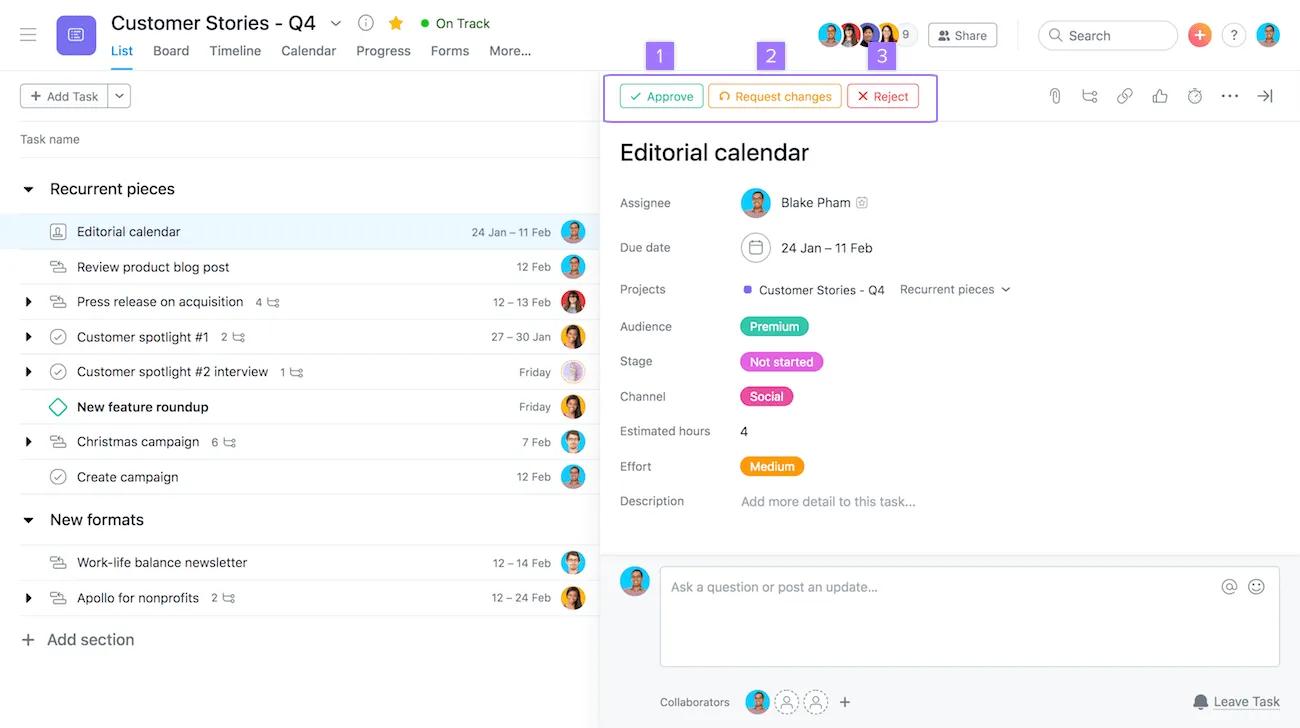
There are three ways to complete an approval.
Note
Incomplete tasks are "pending" approval.
An approval task can be identified in My Tasks and projects by the approval icon. It will be empty if incomplete, green if approved, orange if changes are requested, and red if rejected.
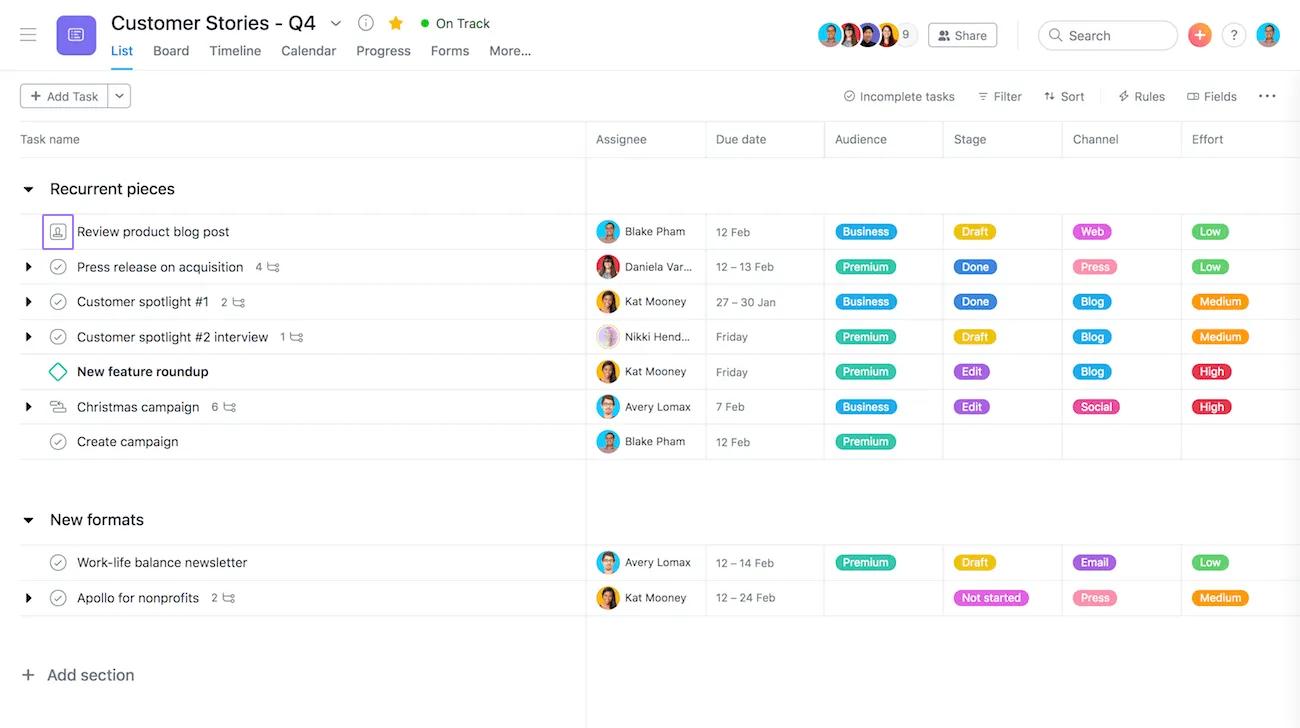
You can mark an approval as Approved, Request changes or Reject by clicking the square icon from your project's list view.
Click the three dot icon in the task details pane, select "Mark as approval," add instructions in the task description, attach any files that need approval, and assign the task to the approver with a due date.
Approvers can choose from three options: "Approve," "Request changes," or "Reject," and should use comments to provide additional context explaining their decision.
Create task dependencies to ensure work happens in the right order, set up an advanced search report for approvals assigned to you, reassign tasks when changes are needed, use custom fields to track approval status, and automate workflows with rules that assign tasks and set due dates when moved to "Awaiting Approval."
You can use proofing to leave feedback directly on PDF, PNG, JPG, GIF, and BMP files, with comments anchored to specific points in the image that automatically create actionable subtasks.

