Products


AI Platform


Asana Foundations
Company Type
We're committed to making Asana accessible to everyone so teams can achieve their best results. You can learn more about Asana’s commitment and get a copy of our VPAT at asana.com/accessibility.
We provide full support for NVDA on the latest version of Google Chrome. We test with JAWS and NVDA screen reader users.
We’re open to any questions or feedback. Please visit our survey and include details about our site, web app, desktop app, or mobile apps you’re trying to access and the kind of assistive technology you’re using (e.g., VoiceOver on Mac).
Colorblind mode allows Asana users who are affected by deuteranopia and protanopia (red-green colorblindness) to better distinguish between different project and status update colors.
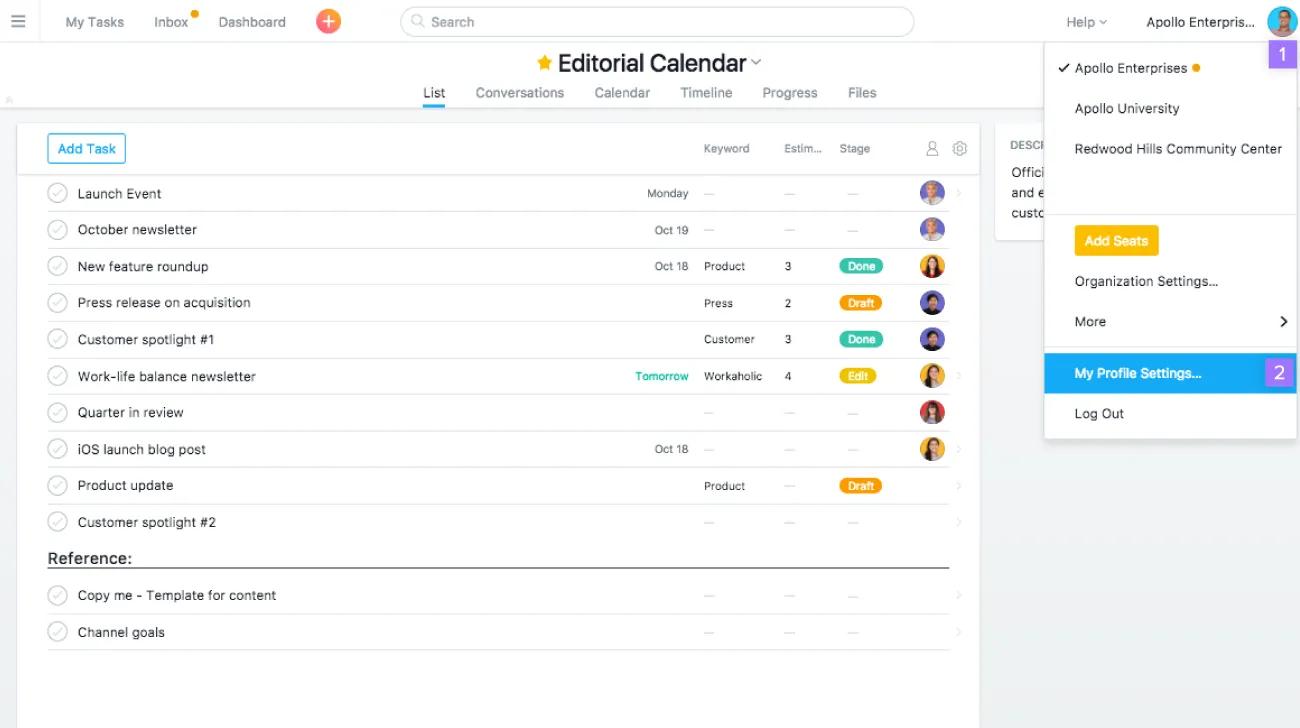
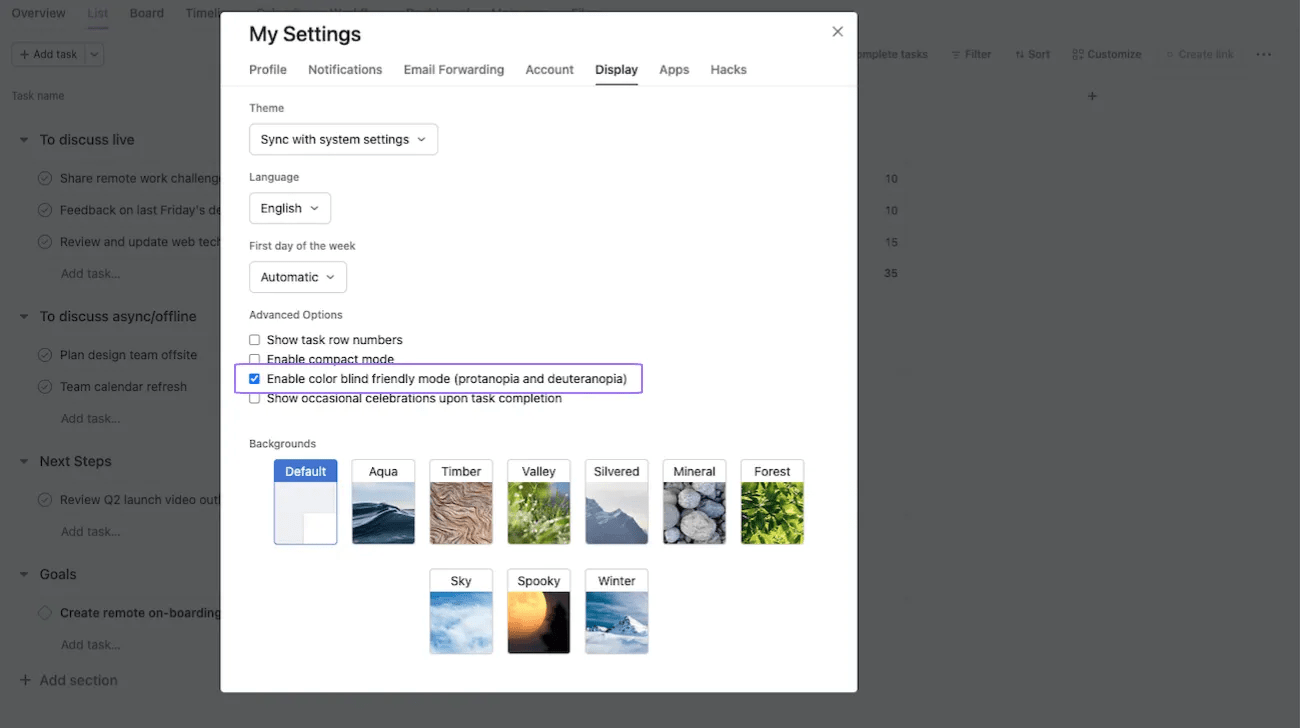
Navigate to the Display tab and select the Enable colorblind friendly mode (protanopia and deuteranopia) checkbox. You should see colors changed immediately.
Dark mode is a color scheme that uses a dark background with lighter text. It allows you to view Asana according to your own display preferences.
First click on My settings.
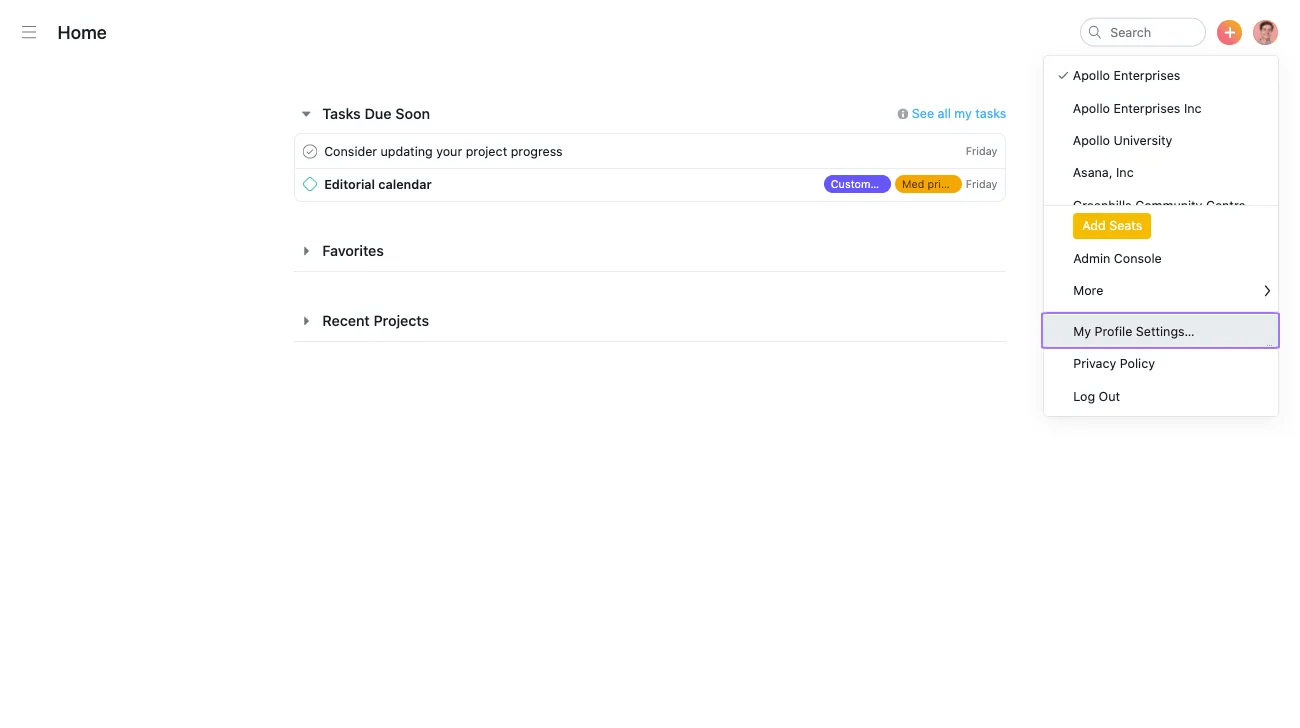
Then navigate to the Display tab and choose Dark from the list of themes.
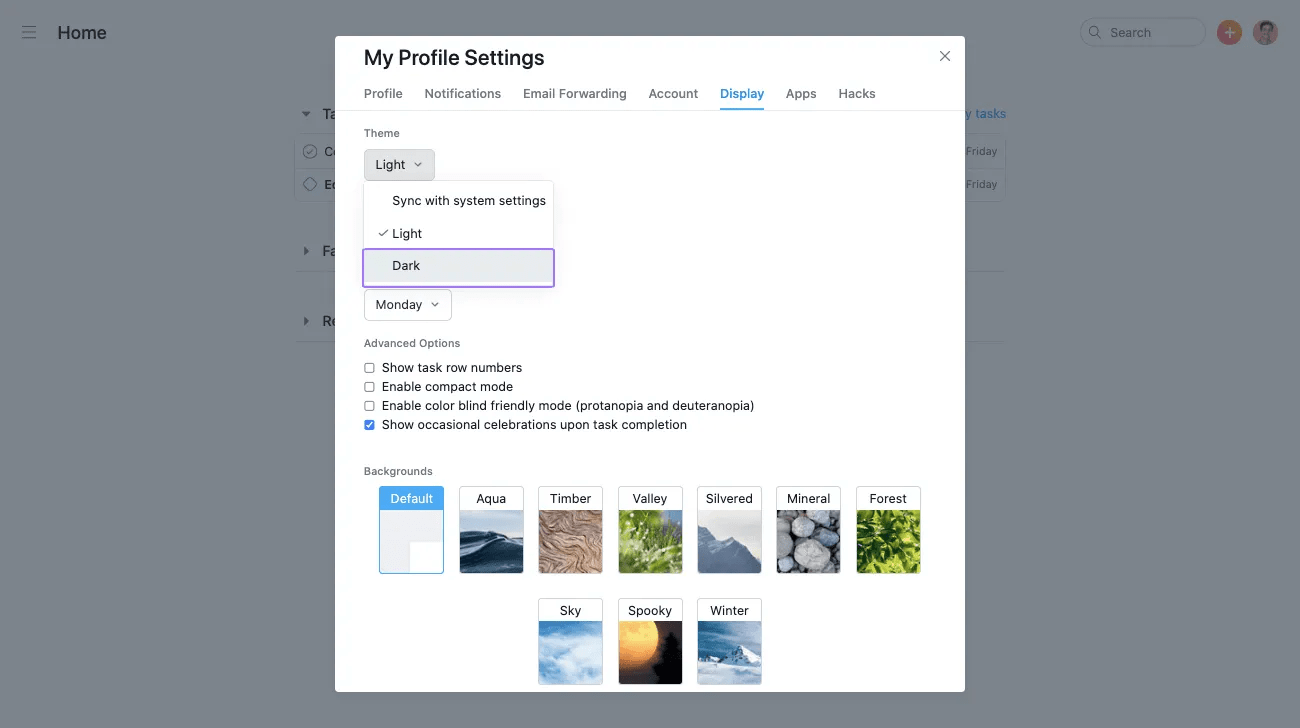
Dark mode will then be enabled.
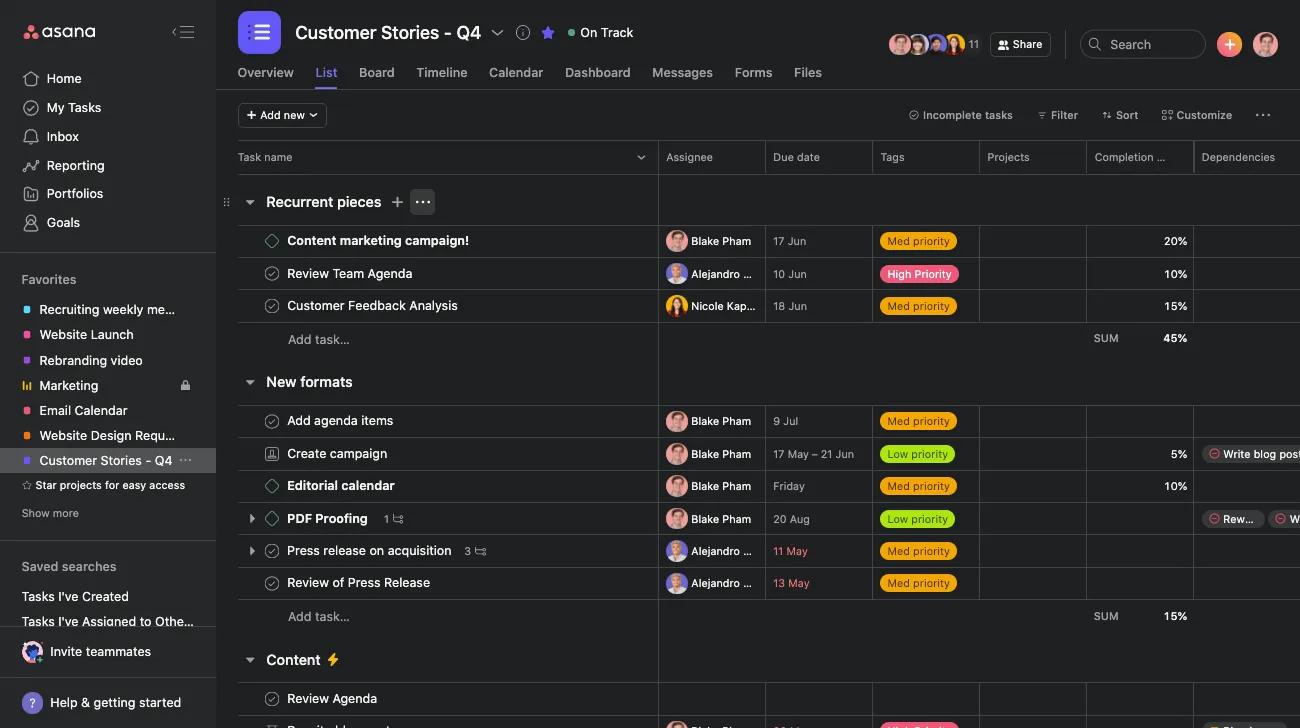
VoiceOver is a gesture-based screen reader that allows you to use the Asana iOS app without having to see the screen.
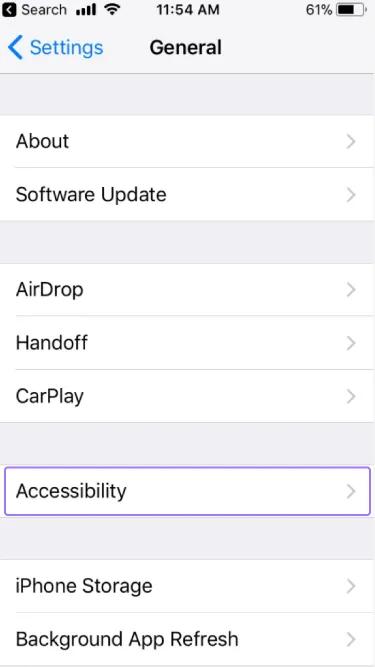
To enable VoiceOver, go to your General Settings on your iOS device and click Accessibility.
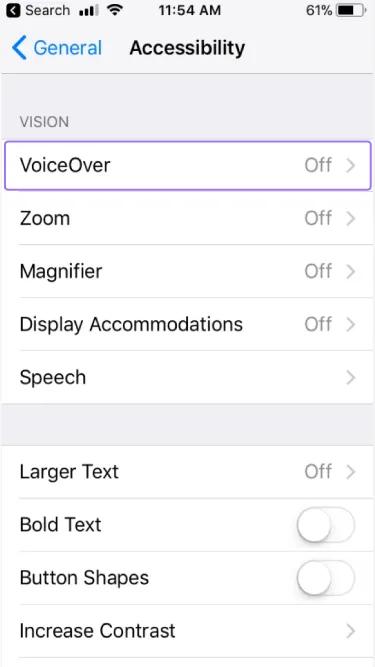
Click VoiceOver in the Accessibility menu.
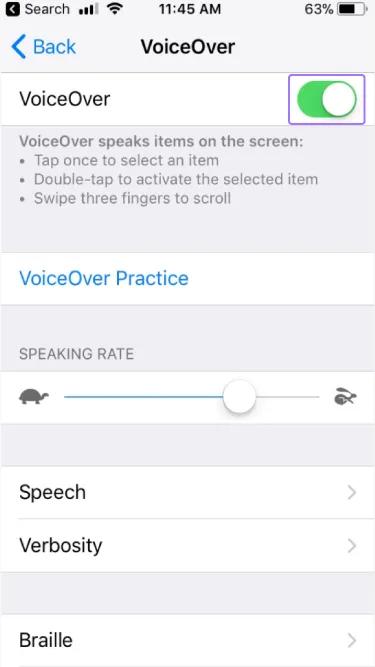
Click the VoiceOver switch to enable VoiceOver mode.
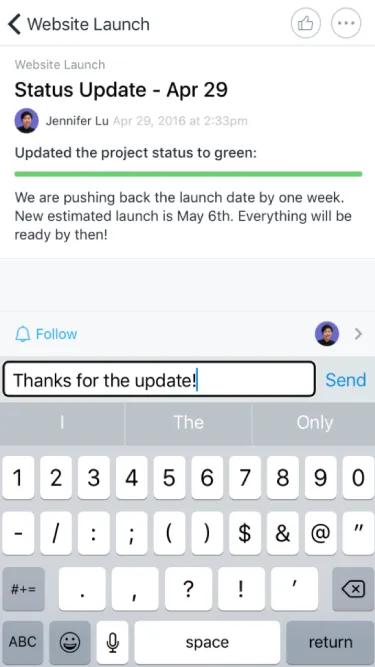
You can then receive updates and create tasks using VoiceOver capabilities.
Create tasks in Asana from anywhere using Siri. This integration works in the multiple languages supported in Asana.
Note
You must have iOS version 11.0.0 or higher to use Siri task creation.


