Products


AI Platform


Asana Foundations
Company Type
No articles found for this topic.
No articles found for this topic.

Visit our pricing page for more information.
Previously, the ability to edit a custom field’s settings in Asana was binary: it was either limited to a single individual or open to all project members.
Limiting edit access to a single person was oftentimes too restrictive. On the other hand, when a custom field was added to the field library, extending edit access to all members of the organization, this offered insufficient control.
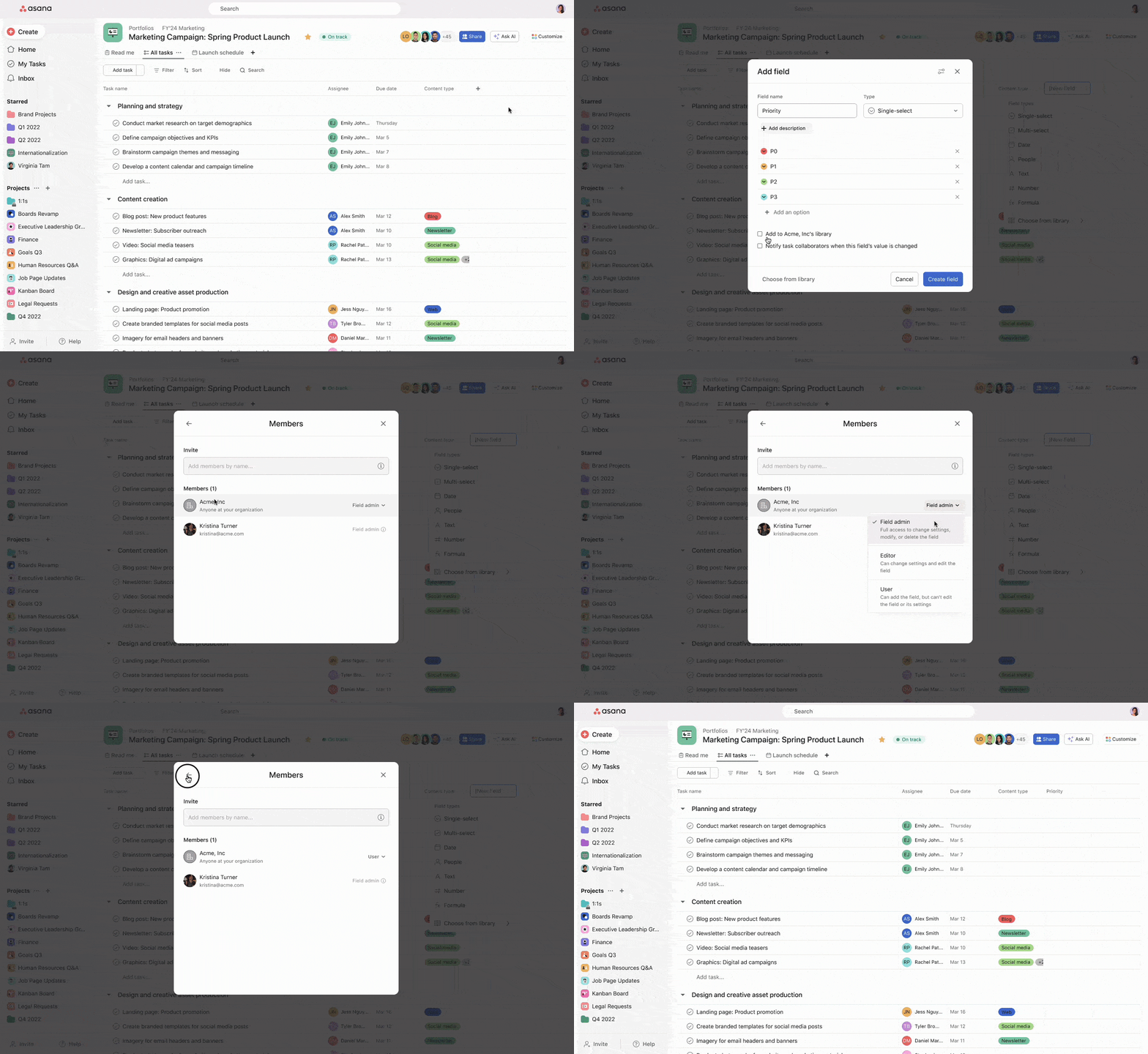
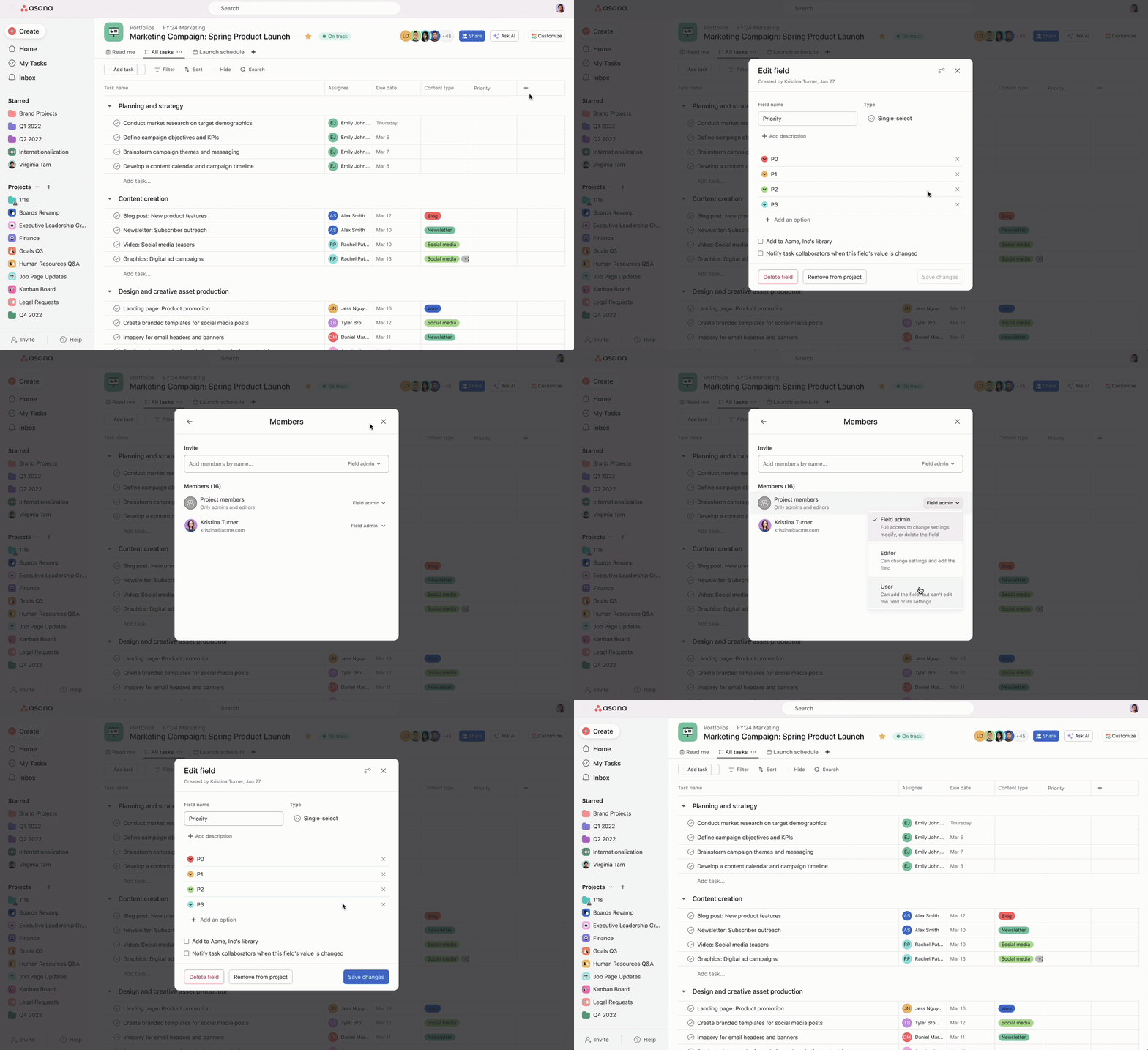
To address this, Asana has introduced more granular access levels for custom fields, allowing for access settings to be tailored to individual users. These are Field admin, Editor, and User. This update also allows Field admins to invite other organization members to the field to help manage the field as field admins or editors.
Some organization members may need comprehensive control over a custom field, including the power to delete the field, or add additional members to help manage it. These individuals should be granted Field admin access.
Others, whose requirements are limited to editing custom field options, would be assigned Editor access.
The majority of organization members, who may not need to alter the custom field itself, would receive User access. This allows an individual to interact with the field, add it to projects and portfolios if it is global, but still safeguard against edits like renaming or deletion.
This enhanced approach aims to balance flexibility and control within Asana, tailoring access to suit varied roles within a project, thereby improving both efficiency and security.
See the table below for a detailed description of the custom field access levels and the permissions granted to each role.
| Permission | Field admin | Editor | User |
| Can find a global field in the organization's field library | ✅ | ✅ | ✅ |
| Can add a global field to projects and portfolios | ✅ | ✅ | ✅ |
| Can see a field in a project or portfolio it has been added to | ✅ | ✅ | ✅ |
| Can edit the field's title and description | ✅ | ❌ | ❌ |
| Can delete the field | ✅ | ❌ | ❌ |
| Can add or remove the field from the organization's field library | ✅ | ❌ | ❌ |
| Can manage field notifications | ✅ | ✅ | ❌ |
| Can change the field's options and colors | ✅ | ✅ | ❌ |
| Can edit formula inputs | ✅ | ✅ | ❌ |
| Can remove the field from a project or portfolio* | ✅ | ✅ | ✅ |
| Can invite new members to a field | ✅ | ✅* | ❌ |
| Can adjust access levels of other field members | ✅ | ✅ | ❌ |
| Can remove themselves from a field | ✅ | ✅ | ✅ |
*Editors can invite new members to a field at an equal or lower level, meaning they can invite others as Editors or Users, but not Field admins.