Products


AI Platform


Asana Foundations
Company Type
No articles found for this topic.
No articles found for this topic.

Visit our pricing page for more information.
Tags allow you to give tasks additional context or to group similar tasks for easy viewing. You might use a tag to track the state of a task or to categorize them. Tags on a given task will appear under projects.
Note
If you are on a paid Asana plan, we recommend using multi-select custom fields instead of tags for most use cases. They offer greater visibility, access controls, and flexibility. Tags are best suited for users on Asana Personal who do not have access to custom fields.
Click the tag's name to view a full list of tasks associated with that tag.
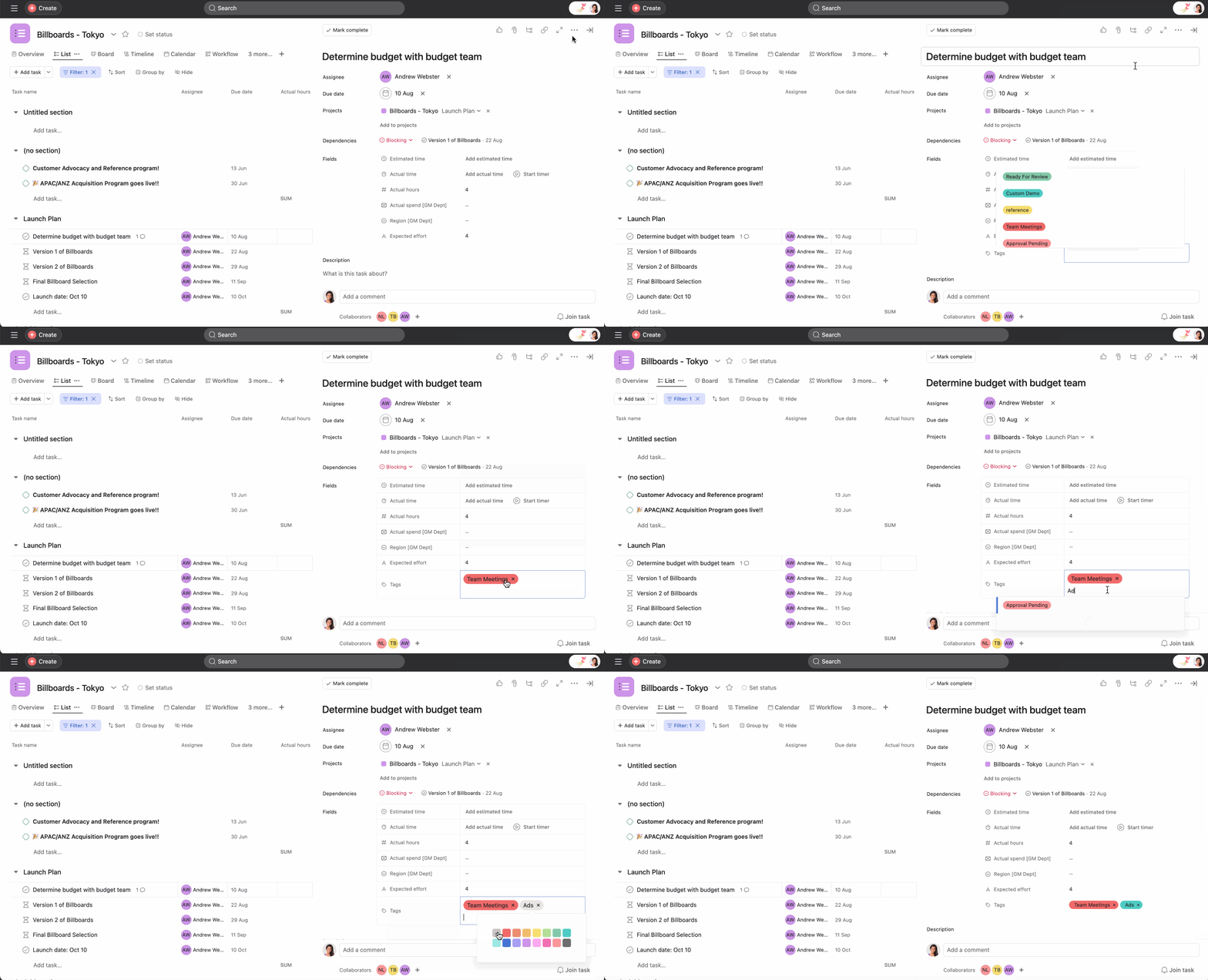
Press
Tab+Tto focus on the tag field.
To remove a tag from a task, simply hover over the tag's name and click the X icon.
Click the tag's name, and you will navigate to another page with a list of tasks associated with the tag.
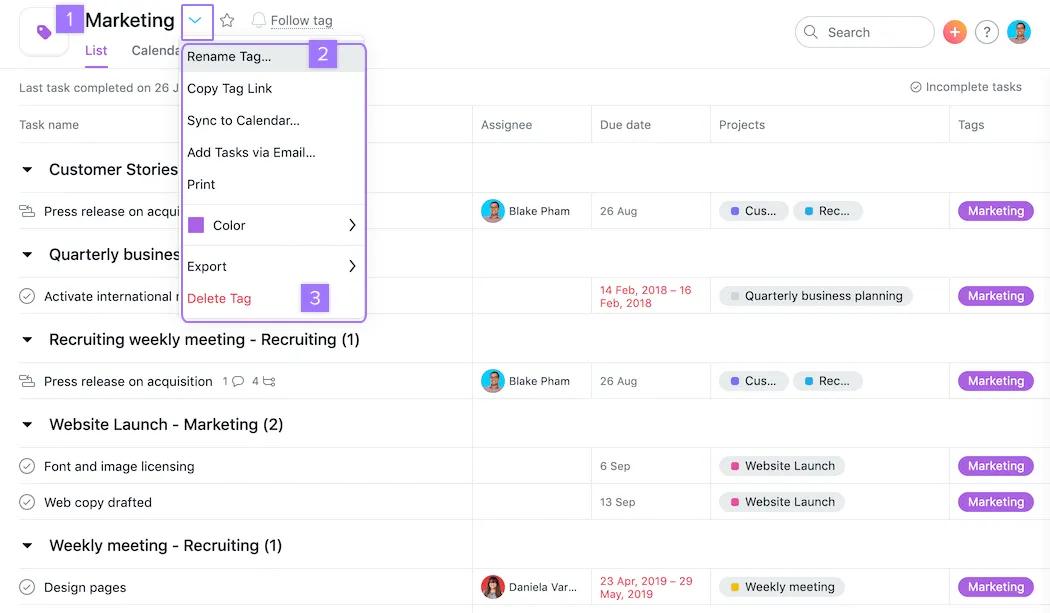
Once a tag is deleted, all tag followers will get an email notification about the deletion with the tag ID. If it was deleted by mistake, anyone can contact us with the ID to have the tag restored.
Custom fields are available on Asana Starter, Advanced, Enterprise, and Enterprise+ tiers, as well as legacy tiers Premium, Business, and Legacy Enterprise.
Tags and custom fields allow you to categorize, filter, and denote information in Asana. For paid plans, we strongly advocate for custom fields for standard use across an organization because they are more visible and robust. Tags are more informal and work best for free users or for genuinely ad-hoc use cases. Here are some scenarios to help you decide:
Tags let you add context to tasks or group similar tasks together, making it easier to track task states or categorize work.
Use tags for flexible, ad-hoc categorization when you're not sure what needs to be tagged, and use custom fields when you need to track standard information across all tasks in a project.
Only the assignee and collaborators of a private task can search for tags associated with that task.
Tag followers receive an email notification with the tag ID, and Asana support can restore the tag if it was deleted by mistake.
Learn the basics of task management in our Getting started with Asana webinar. Register now

