Goals help teams stay focused on what matters most by connecting daily work to company objectives. With Asana Goals, you can set measurable targets, track progress automatically, and keep everyone aligned on priorities.
Related articles
What are goals in Asana?
Goals in Asana are measurable objectives that help you track progress toward important outcomes. You can create different types of goals:
- Objectives: High-level strategic goals for your organization
- Key results: Specific, measurable outcomes that support objectives
- Individual goals: Personal targets for team members
Goals can be measured manually (you update progress yourself) or automatically (connected to sub-goals, projects, or tasks that update progress as work is completed).
Creating a goal
Creating measurable goals means you can track progress and provide motivation for individuals and teams.
Step 1: Choose your goal type
- Click the Goals tab in your sidebar
- Select Create goal
- Choose from:
- Start from scratch for custom goals
- Use a template for common goal types like OKRs or quarterly targets
Step 2: Set up goal details
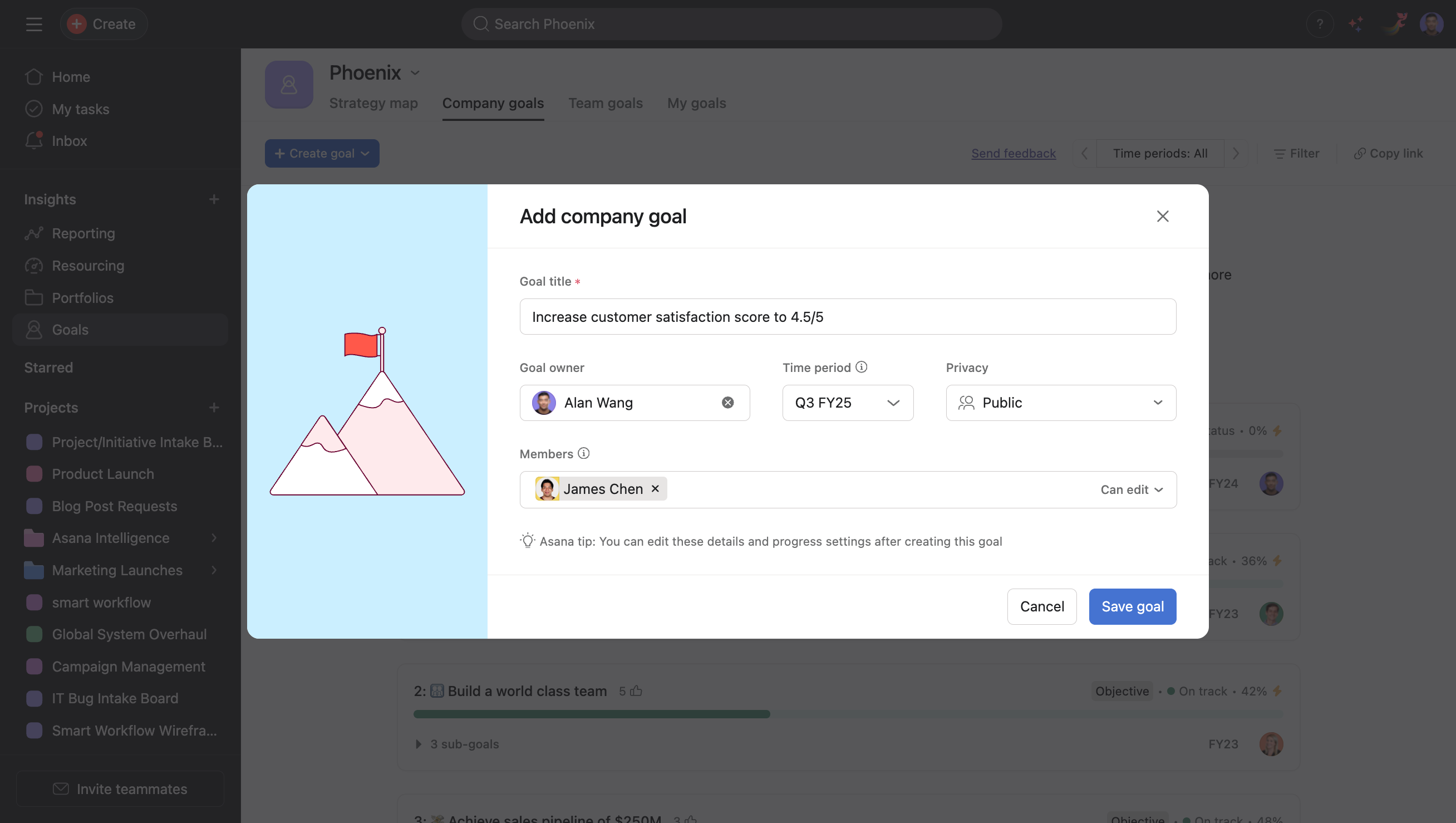
Goal title: Use clear, specific language that describes the outcome of the goal. For example, "Increase customer satisfaction score to 4.5/5."
Owner: Assign someone responsible for the goal's success.
Time period: Set quarterly, half-yearly, or annual goals.
Privacy: Choose who can see your goal.
- Public to organization: Visible to the organization
- Private: Visible to its owner and members
Step 3: Choose a progress source
- Click the drop-down arrow next to the project's name
- Click Edit progress settings
- Select the progress source and then their appropriate measurement method
Organizing goals with hierarchy
Creating sub-goals
Break large objectives into smaller, manageable pieces:
- Open your main goal
- Click + Connect a sub-goal
- Set up the sub-goal with its own measurement and timeline
Linking goals to company objectives
Connect individual and team goals to broader company priorities:
- In your goal settings, select Parent goal
- Choose the higher-level objective this goal supports
- Your goal now contributes to the parent goal's progress
Reporting and insights
Goal dashboards
Create custom views to monitor progress:
- Go to Reporting in your sidebar
- Select Create dashboard
- Click Add custom chart
- Select Goals from the Report on drop-down
- Choose what data to report on
Status reporting
Keep stakeholders informed with regular updates:
- Monthly reviews: Detailed analysis with next steps
- Quarterly assessments: Comprehensive goal evaluation
Best practices for goal success
Writing effective goals
- Be specific: "Increase website traffic by 25%" vs. "Improve website performance"
- Make them measurable: Include numbers, percentages, or clear completion criteria
- Set realistic timelines: Allow adequate time while maintaining urgency
- Assign clear ownership: One person should be accountable for each goal
Maintaining momentum
- Review regularly: Schedule regular goal check-ins
- Celebrate milestones: Acknowledge progress to maintain motivation
- Adjust when needed: Update targets if circumstances change significantly
- Learn from outcomes: Analyze what worked and what didn't for future goals
Additional resources
Learn more about goals with the resources below:




