Products


AI Platform


Asana Foundations
Company Type
No articles found for this topic.
No articles found for this topic.

Visit our pricing page for more information.
We're really sorry you're leaving, but here's how to cancel your Asana subscription and other options you might also want to consider.
Asana allows free users to stop using the service at any time and paid users to cancel their paid plan at any time, with such cancellation taking effect at the next renewal date.
If you’re looking for personal or basic task management, you can at any time downgrade back to Asana Personal. If you choose to downgrade, the downgrade will take effect at the end of your current subscription period, and at that point you will lose access to paid features.
Your ability to downgrade, adjust, or cancel your plan is subject to the Subscriber Terms or the applicable subscription agreement separately entered into by the parties.
You can find more information in our Subscriber Terms.
A billing owner, admin, or super admin can cancel the subscription of a paid organization, division, or workspace at any time:
It's easy to cancel your subscription. To cancel a paid plan that you subscribed to online,
Billing owners and admins of manually invoiced subscriptions who wish to adjust or cancel their plan for their upcoming renewal term should select Contact support from the Billing tab of their admin console.
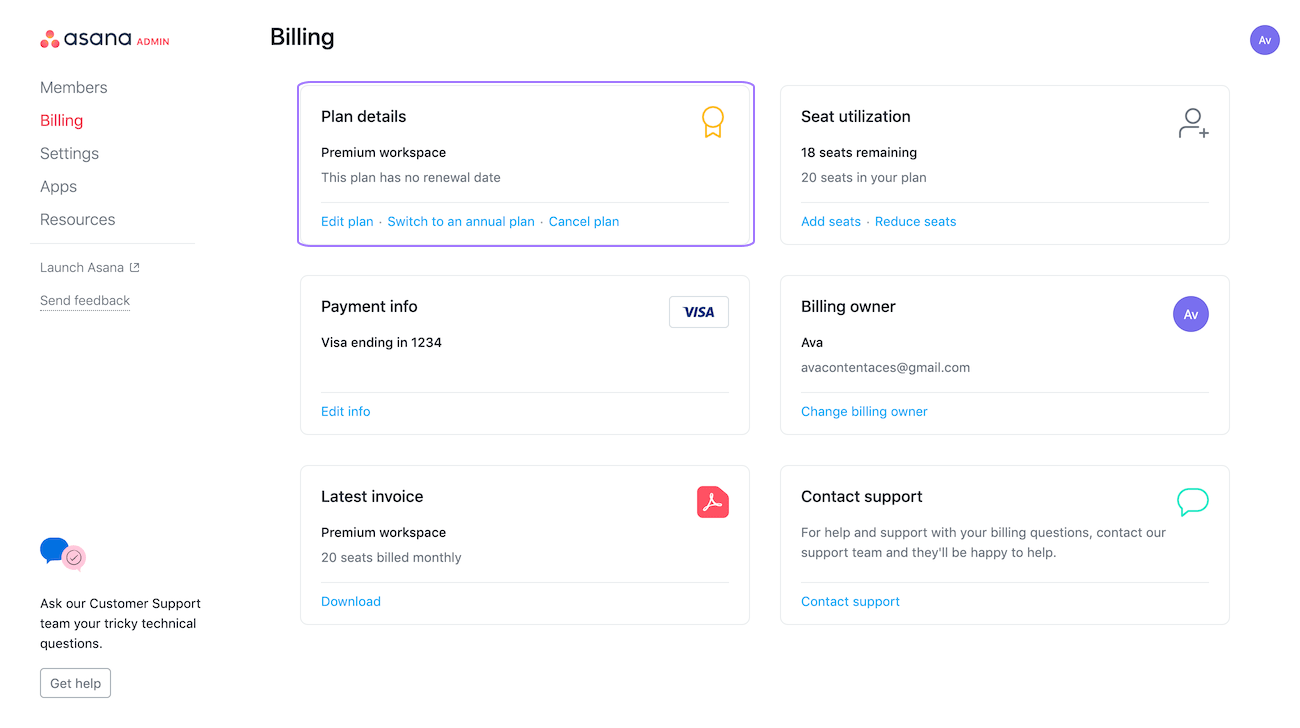
You can access your billing page for your workspace through your workspace/organization Admin Console.
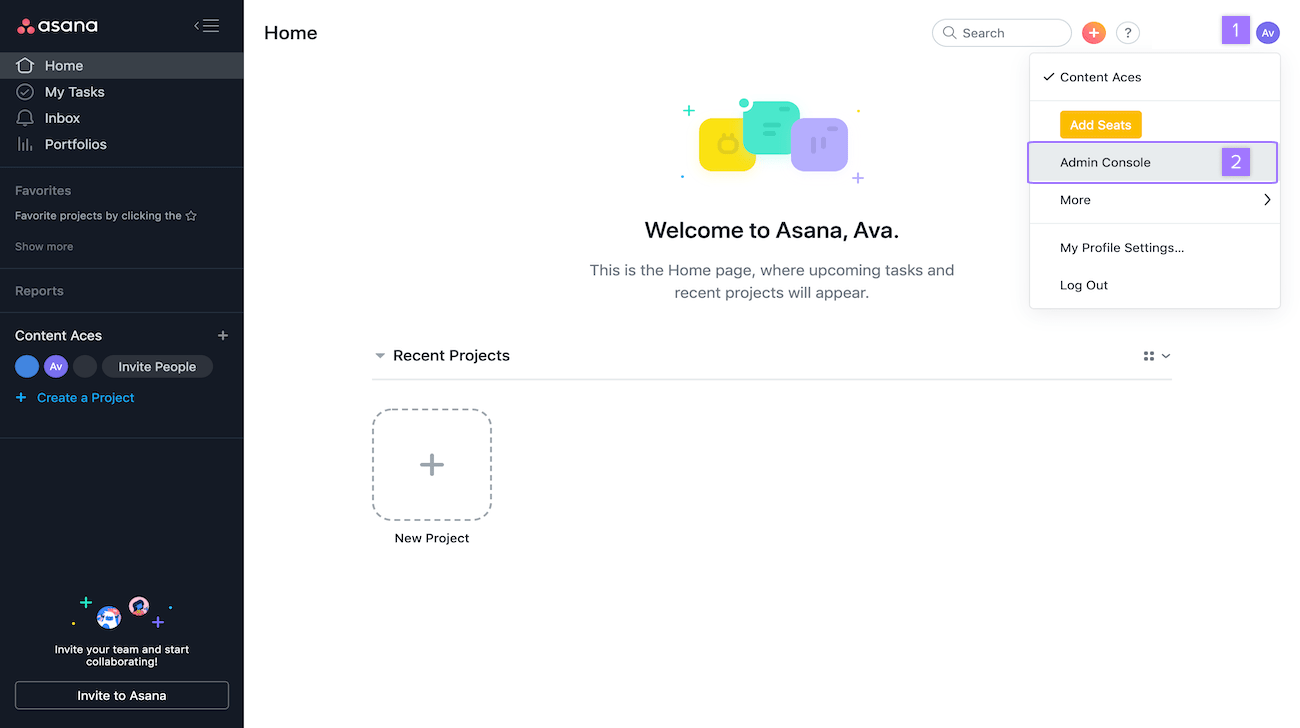
Once you click on Admin console navigate to the Billing tab.
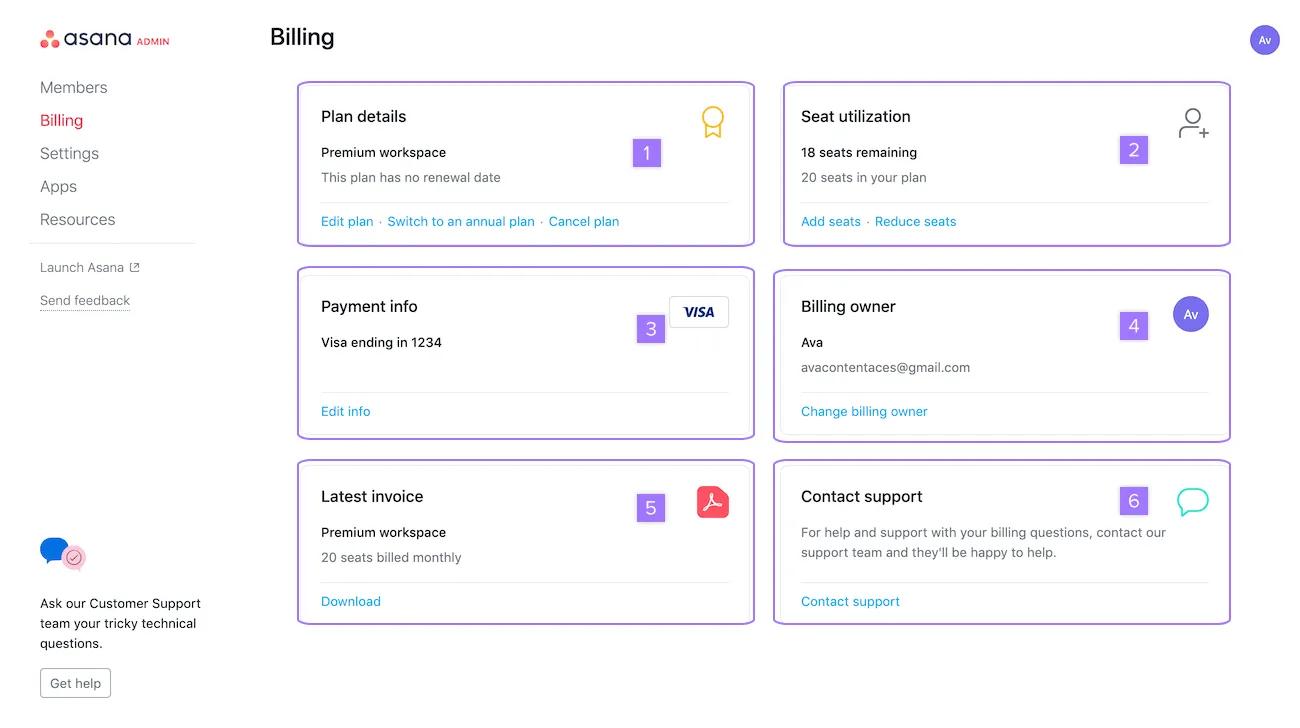
Upgrading or downgrading will not result in any data loss whatsoever. You will, however, lose access to all paid features if you downgrade from a paid plan to a free Personal plan.
To cancel a trial that has started, follow the same steps for paid tiers above but click Cancel trial. You can cancel at any time during the trial period. If you cancel on or before your trial expiration date, your account will not be charged.
After canceling, and when you reach your plan renewal or trial expiration date, you will revert to the Asana tier you were using before starting the trial. Canceling your trial will result in the trial expiring on its renewal date so that you won't be charged, but you will still have access to paid features for the duration of the trial period.
If you require a trial to be removed immediately, even if you haven't added payment information, please contact our Support team. Be aware that trials that do not have payment information expire without any cost to you. In this case, feel free to let the trial run its course.
The billing owner, admin, or super admin of a manually invoiced subscription who wishes to adjust or cancel their plan for the upcoming renewal term should Contact billing through the Billing tab of their admin console. If you wish to add a payment method, you can now do so via the Billing tab.
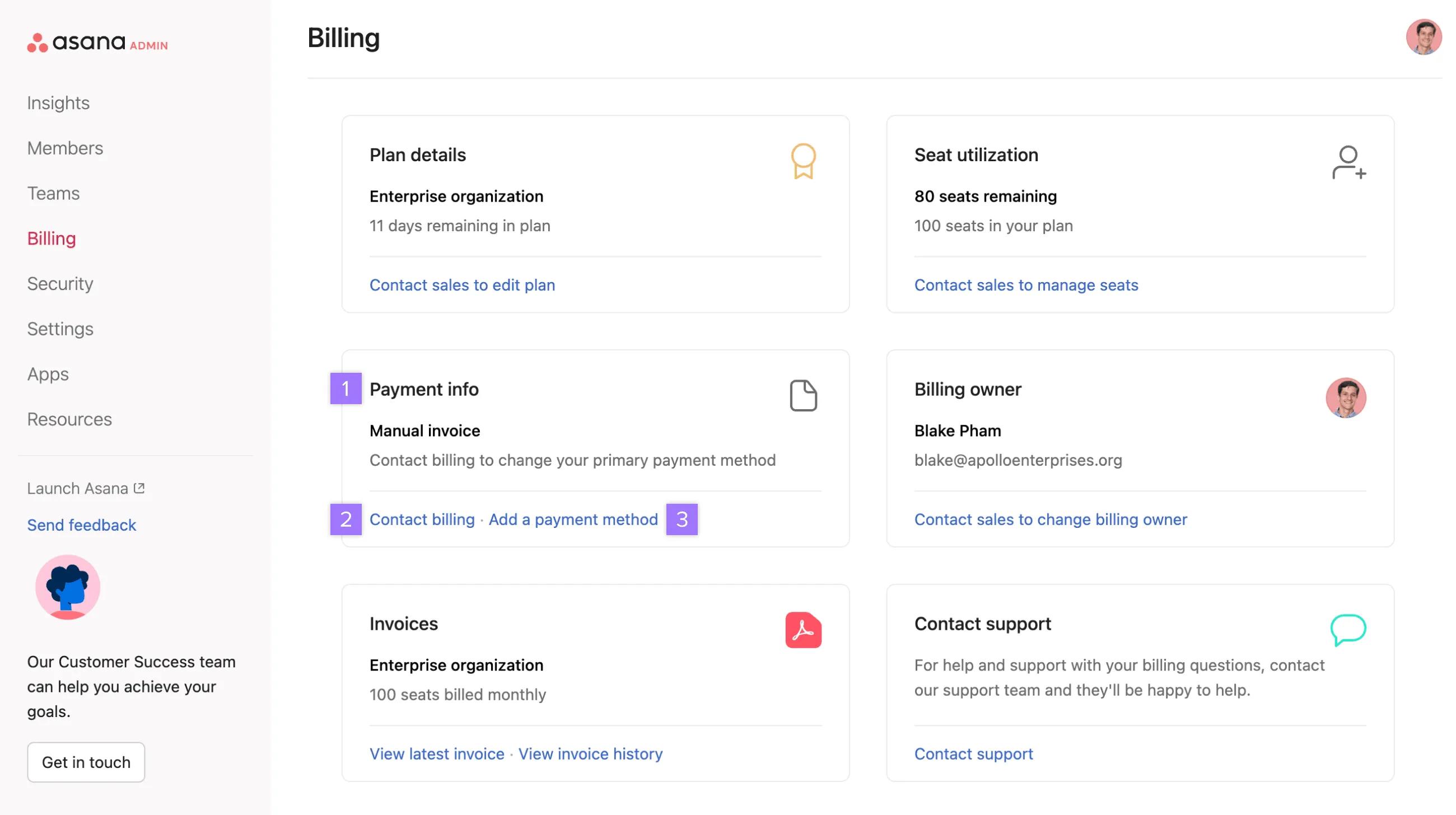
Navigate to the Billing tab.
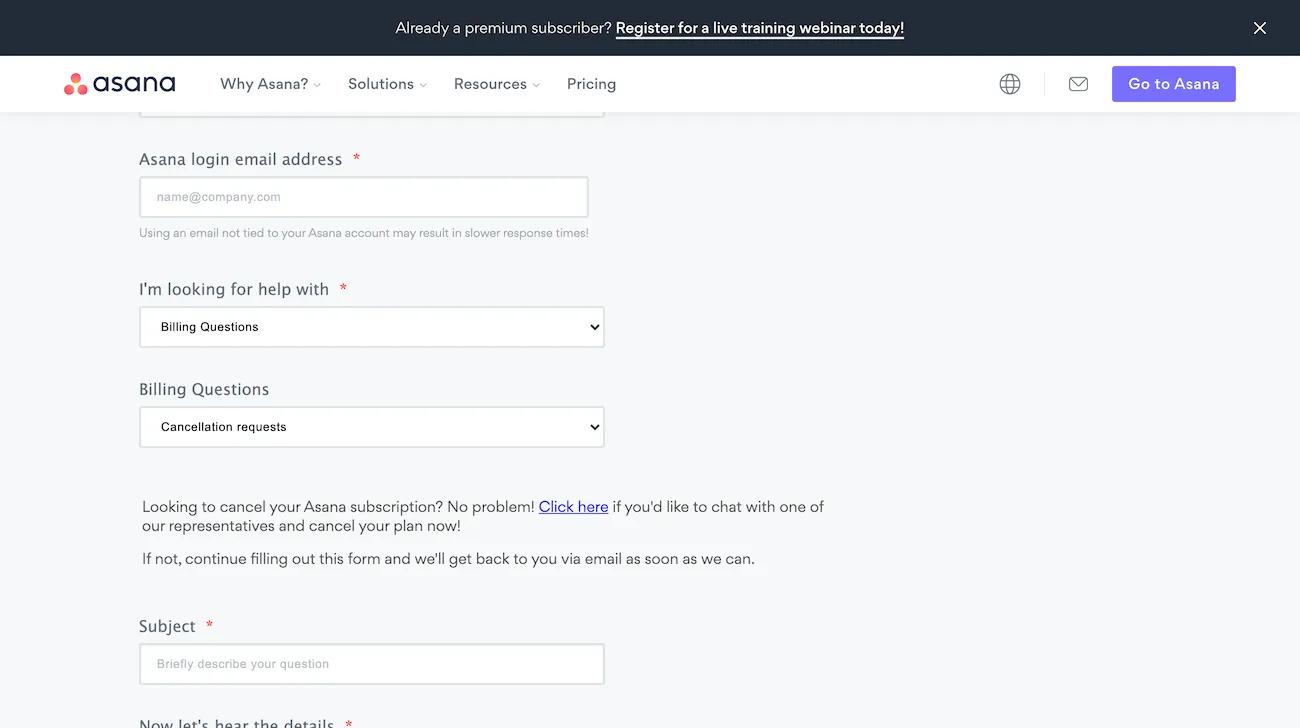
Use the support form to contact our support team about canceling your plan. Your request creates a support case and our team will follow up by email with next steps.
Here's what happens when you downgrade to a free Asana Personal plan:
Note that downgrading from a higher paid tier to a lower paid tier (Advanced to Starter) will not result in the same loss of paid feature access. In this case, only access to Advanced features would be removed, and Starter features would still be available. See the Compare all features section of our pricing page for a breakdown of features by tier.
Paid plan cancellations take effect at your next renewal date, not immediately. You'll continue to have access to paid features until the end of your current billing period.
Yes, if you cancel on or before your trial expiration date, your account will not be charged. You'll still have access to paid features for the duration of the trial period even after canceling.
Your data is not deleted when you downgrade, but you will lose access to paid features such as rules, goals, and portfolios. You can export projects and tasks that use paid features to a CSV file.
A billing owner, admin, or super admin can cancel the subscription for a paid organization, division, or workspace at any time through the Admin console.

