Helping your team send less email
Just about everybody is used to email, and it can be hard to break old habits. But it's important for your team to understand when to use Asana and when to use email, and to enforce the conventions you set—otherwise you'll be stuck with the same problems. Our conventions tips and example workflows below can help you get started as you transition certain things from email to Asana.
Use email integrations to turn conversations into action
The easiest way to move work into Asana is to turn emails into tasks—especially if you correspond with anyone outside your organization (like a contractor, agency, or customers). That way, you can keep your email inbox for correspondence, and use Asana to manage and prioritize work. This is fast and easy with our email integrations.
Try the Asana for Gmail or Outlook apps
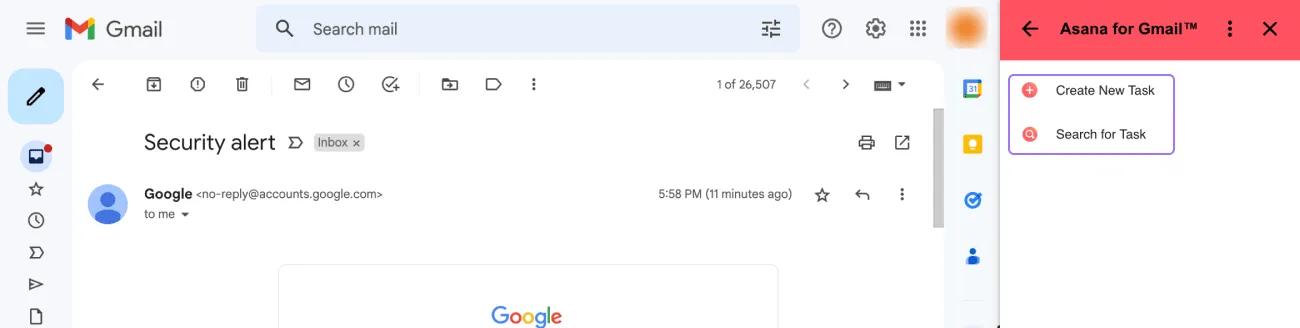
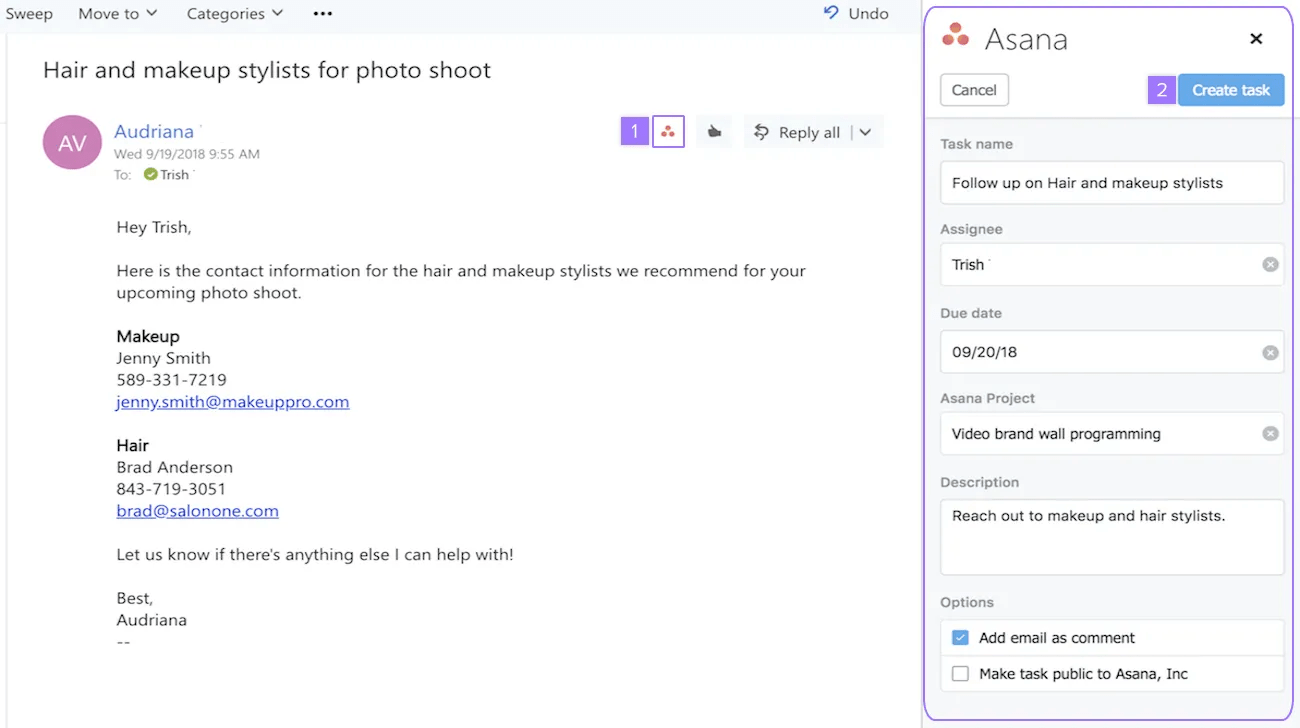
If you’re using Gmail and Outlook, try the Asana for Gmail Add-on or Asana for Outlook app to turn emails directly into tasks, assign tasks to teammates, set due dates, and add the task to a project—without leaving your email inbox. It makes your workflow lightning fast.
For example, if a customer emails you to request a training session for their team, you can turn their ask into a task directly with the integration. This turns it into a trackable task, with all the context from the email so you can prioritize it with other work, attach any documents you might need so they’re handy for the training, and not forget when it is.
Turn emails into Asana tasks
If you don't use Gmail or Outlook, you can still forward any email to x@mail.asana.com and it will automatically go to My tasks. For more detailed instructions, check out our Help article about forwarding emails to Asana.
 Note
Note
You can also try other email integrations like Newton.
Manage email from Asana
Asana can also send you emails about new notifications. We recommend keeping this turned on until you’re in the habit of using Asana and checking your inbox daily. It’s also helpful if you simply work in email a lot, because you can take action on tasks from your inbox. Notification emails from Asana allow you to:
- Comment on the task—reply with your comment in the email body
- Assign the task—reply with your teammate’s email address in the To: field
- The first email address will be interpreted as the assignee, all others will be interpreted as collaborators.
- Add a collaborator—reply with your teammate’s email in the CC: field
Note
If you’re receiving too many email notifications or don’t need them anymore, turn them off in Settings.
Example workflows between Asana and email
Now that you understand how Asana and email can work together, here are some ways to maximize your productivity in each:
General tips:
- Instead of sending teammates requests or questions via email, try assigning them tasks. Add anybody you would CC as a task collaborator so they stay looped in.
- Use task comments instead of writing and replying to emails. That way, all the information about the work stays with it in context. Use a thumbs up to say thanks or show that you saw a comment.
- Attachments can be hard to find and manage in email. Attaching them to Asana tasks keeps them right where you need them as you start to work on something.
- If you need to follow up on an email, use an email integration or forward the email to create a reminder task in Asana instead of tracking it elsewhere.
Communications:
- Invite guests—If there’s a lot of back and forth between you and someone outside of your Asana domain, consider inviting them to Asana as a guest to make communications and action items more direct and trackable.
- Private communications—Use messages to communicate directly with a person or team privately while still being able to reference other work in Asana by @mentioning it.
- Status updates—You can @mention teammates, tasks, and projects within Asana in your update. Teammates can comment on the update instead of starting long email threads where attachments and responses can get lost.
Specific projects:
- Campaign planning—If you’re working with an agency, you can turn emails into approval tasks so the reviewer has it on their radar and it's clear when it's approved.
- Creative requests—If someone from your organization sends you an email asking you to create or design something for them, use integrations or forwarding to turn it into a task, and track it with other work in your requests project. Then you can prioritize the request relative to other work and make sure the same work isn’t happening elsewhere—something you can’t do in email.
- Event planning—If a vendor gets back to you with a quote or event specs, you can turn the email into an Asana task in your events project to discuss with your team.
- Design critiques—Instead of giving and receiving feedback via email, you can use proofing to leave comments directly on an image, so it’s contextual and easy for the creator to reference.
How each team uses Asana and email together will vary, but the hope is that Asana can help reduce the number of emails you send to your team. And for all the emails you do send and receive, you can easily move between Asana and email to stay updated and productive.
Note
It's no secret—Asana offers free trials. Start yours today. Try for free.