Access to a team in Asana is contextual, and there are a few permission settings that affect who can access a team, its public projects, and team messages.
Related articles
How to share a team
Membership by Request team
There are two ways to share a Membership by Request team:
- Invite new team members - inviting someone to a membership by request team will grant them access to that team's public projects and team messages.
- Change to a public team - changing to a public team means all organization members will automatically be able to access that team's public projects and team messages without having to be approved. Organization guests still won't be able to join or even see a public team in their sidebar.
There are two ways to invite someone to a membership by request team:
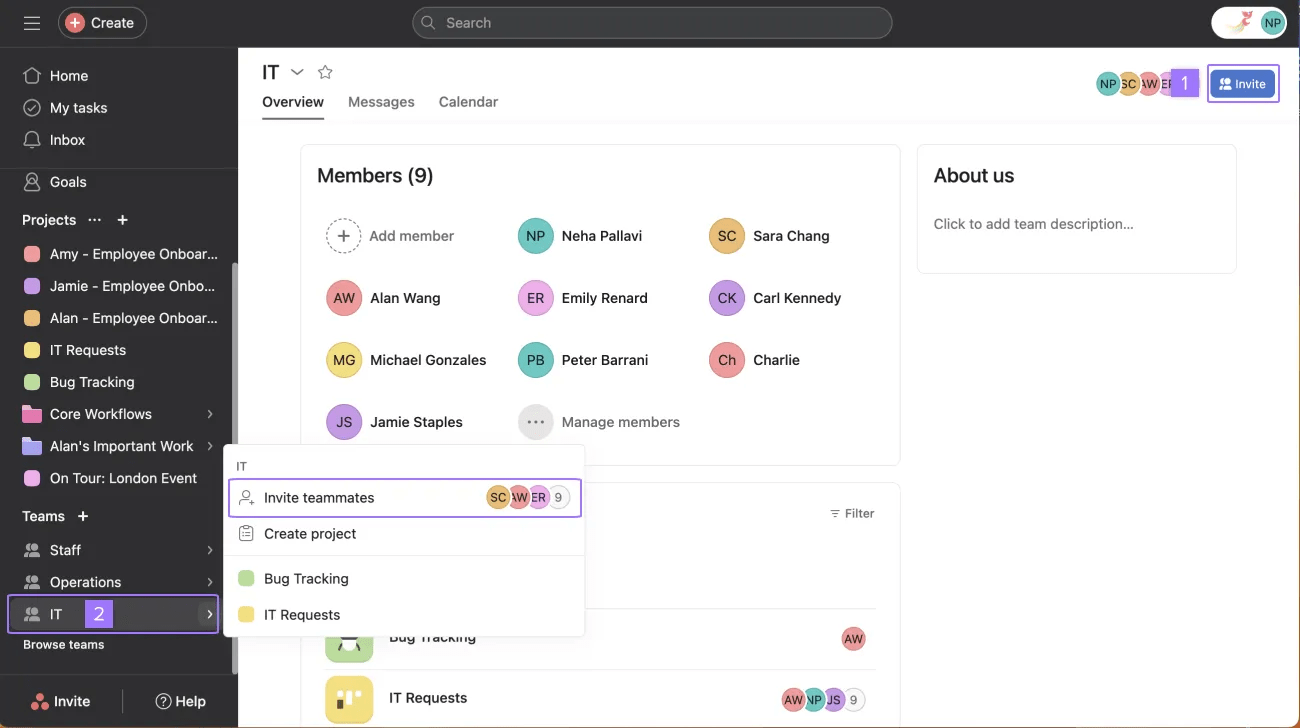
- Click the + from the header
- Click the + icon from the sidebar and click Invite teammates
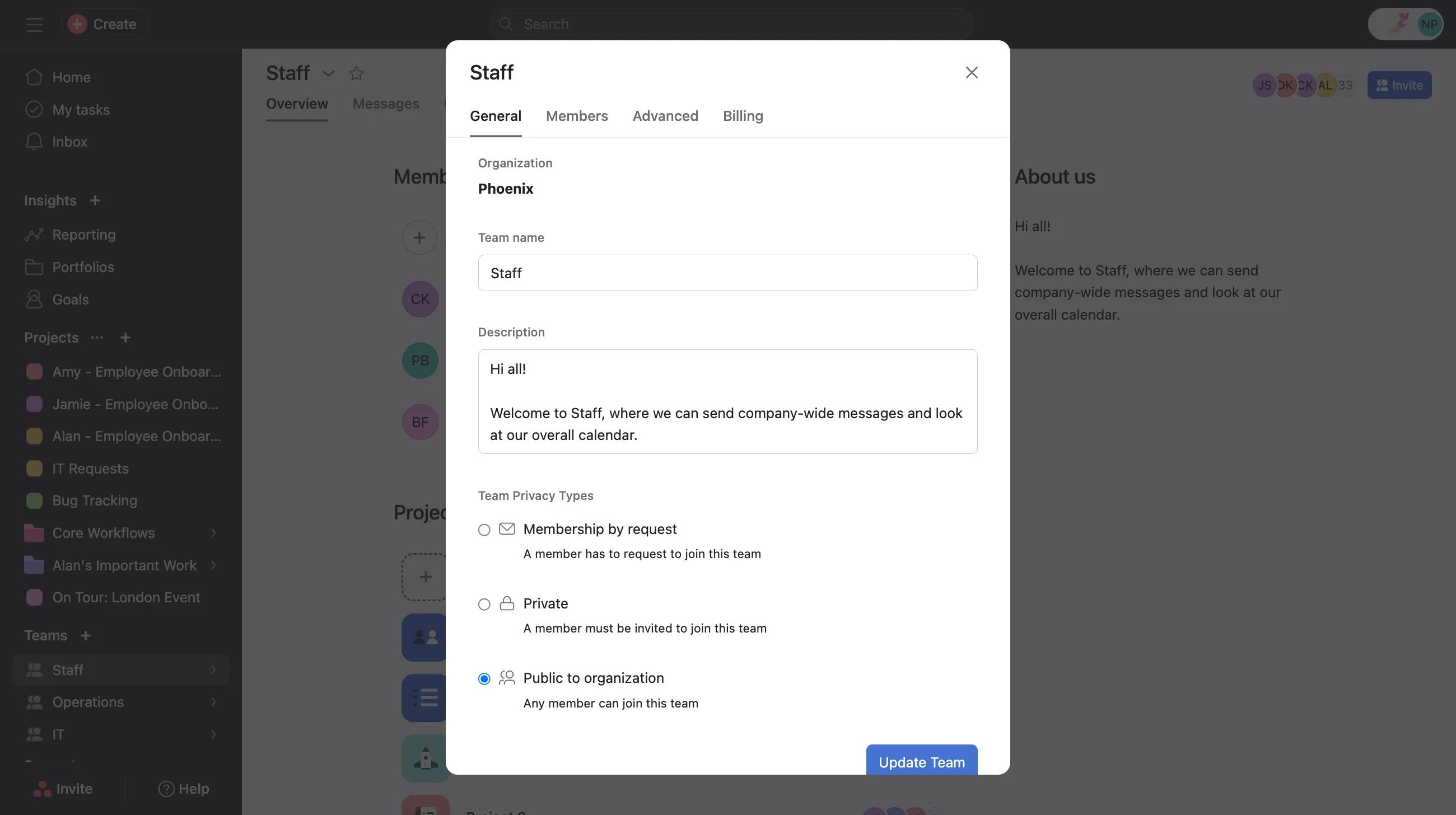
To change to a public team:
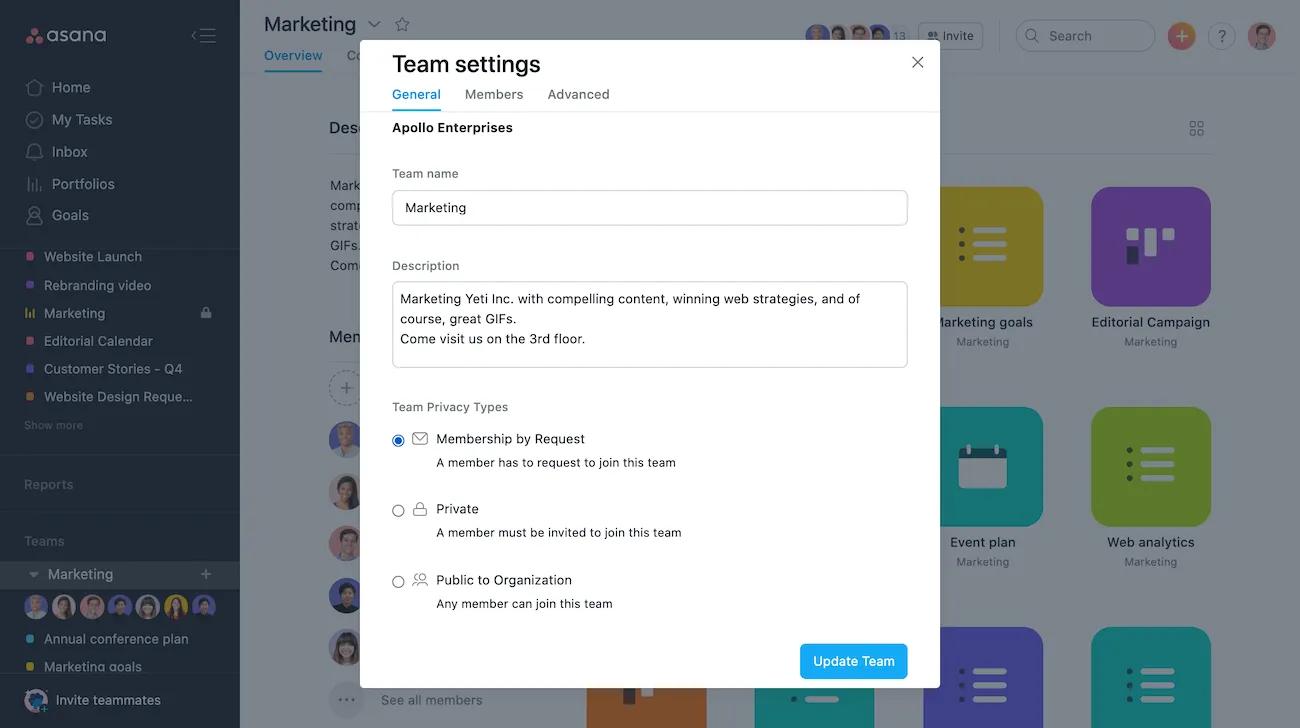
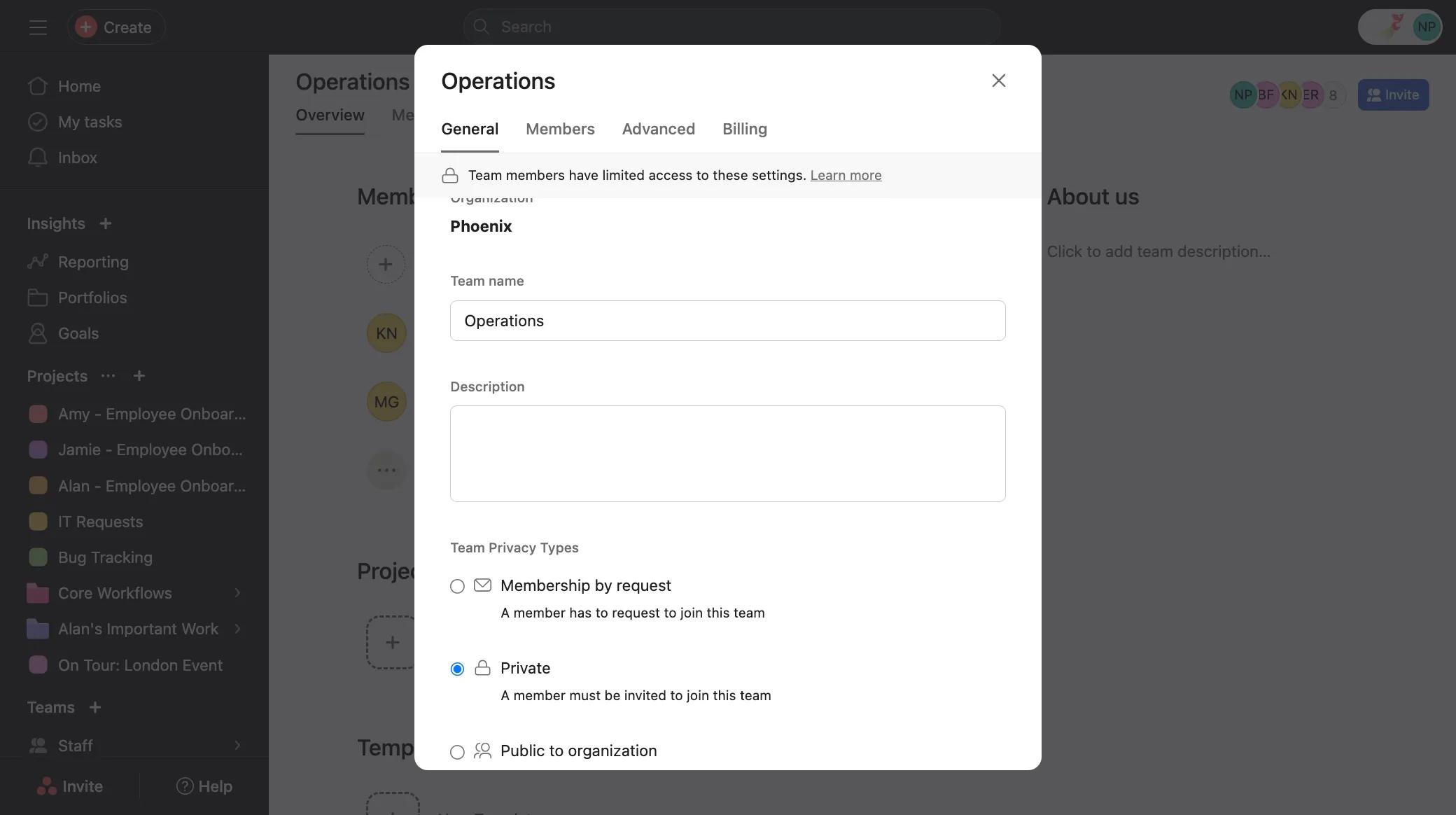
Navigate to the Settings tab of the team settings and select Public to organization, then click the Update team button.
Private team
There are three ways to share a private team:
- Invite new team members - inviting someone to a private team will grant them access to that team's public projects and team messages.
- Change to a membership by request team - changing to a membership by request team means all organization members can request to join that team from their sidebar, but their request must be approved before they can access that team's public projects, team messages, attachments in curated work, and notes. Organization guests still won't be able to request to join or even see a membership by request team in their sidebar.
- Change to a public team - changing to a public team means all organization members will automatically be able to access that team's public projects and team messages without having to be approved. Organization guests still won't be able to join or even see a public team in their sidebar.
There are two ways to invite someone to a private Team:
- Click the + from the header
- Click the + icon from the sidebar and click Invite teammates
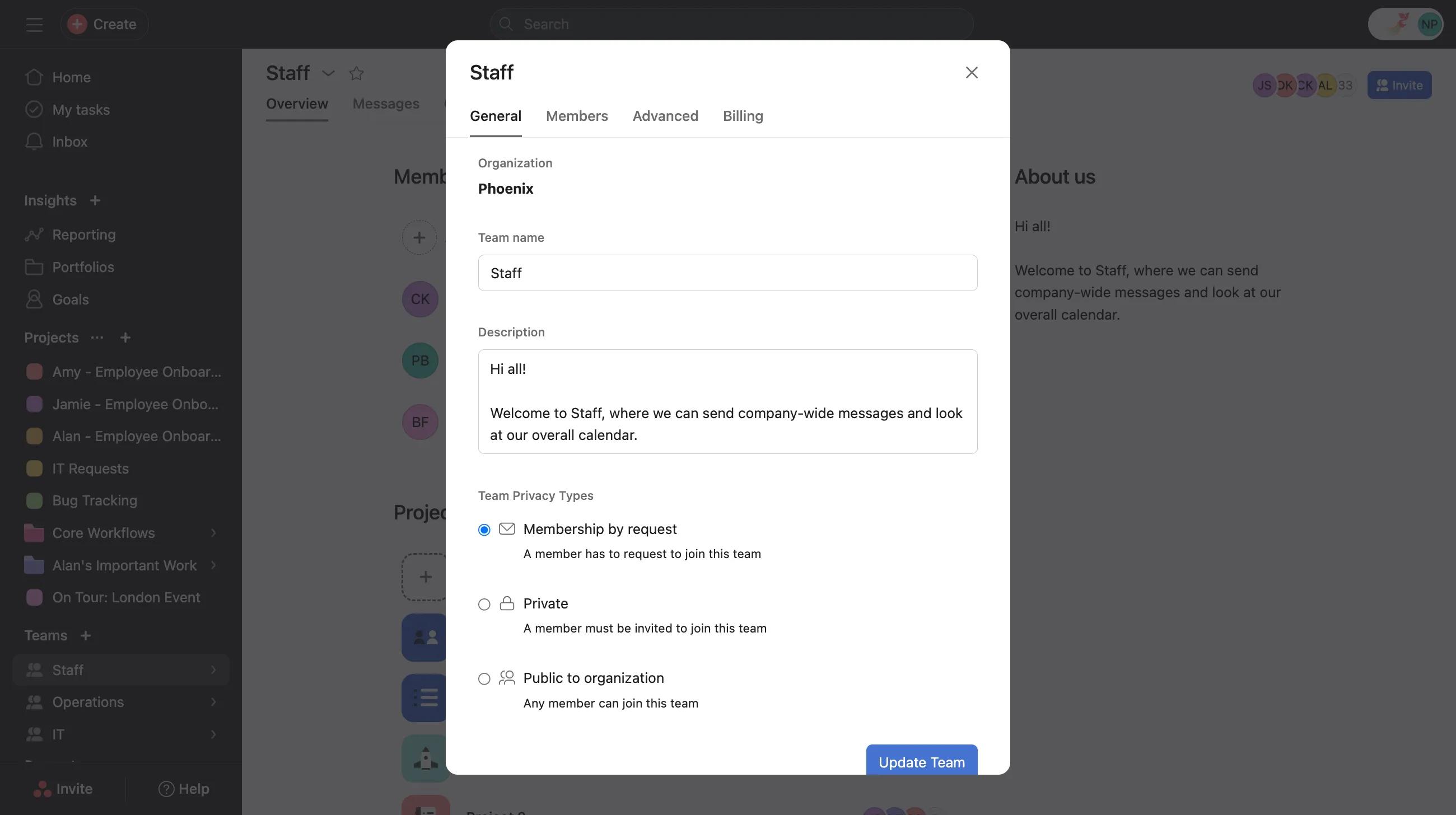
To change to a membership by request team:
Navigate to the Settings tab of the team settings and select Membership by Request , then click the Update team button.
To change to a public team:
Navigate to the Settings tab of the team settings and select Public to organization , then click the Update team button.
Public team
Public teams are discoverable and can be joined without approval by any organization memnber. Organization guests will need to be explicitly invited to a public team in order to gain access to it:
- Invite organization guests - inviting an organization guest to a public team will grant them access to that team's public projects and team messages.
There are two ways to invite someone to a public team:
- Click the + from the header
- Click the + icon from the sidebar and click Invite teammates
How to limit access to a team
Limit access to a membership by request team
There are four ways to limit access to a membership by request team:
- Deny someone's request to join the team.
- Remove an existing team member - removing someone from a membership by request team will take away their access to all of that team's projects, both public and private, as well as team messages.
- Change to a private team - changing to a private team means other organization members will no longer be able to request to join that team from the sidebar.
- Require team admin approval - a team admin can require that any invitations to the team must first be approved. This is available only to Enterprise and Enterprise+ tiers, as well as legacy tier Legacy Enterprise customers.
To deny access:
- Navigate to the Team settings from the team name in your sidebar. If someone has requested to join the team, Approve Pending Members will show.
- Click Deny to deny the person access to the team.
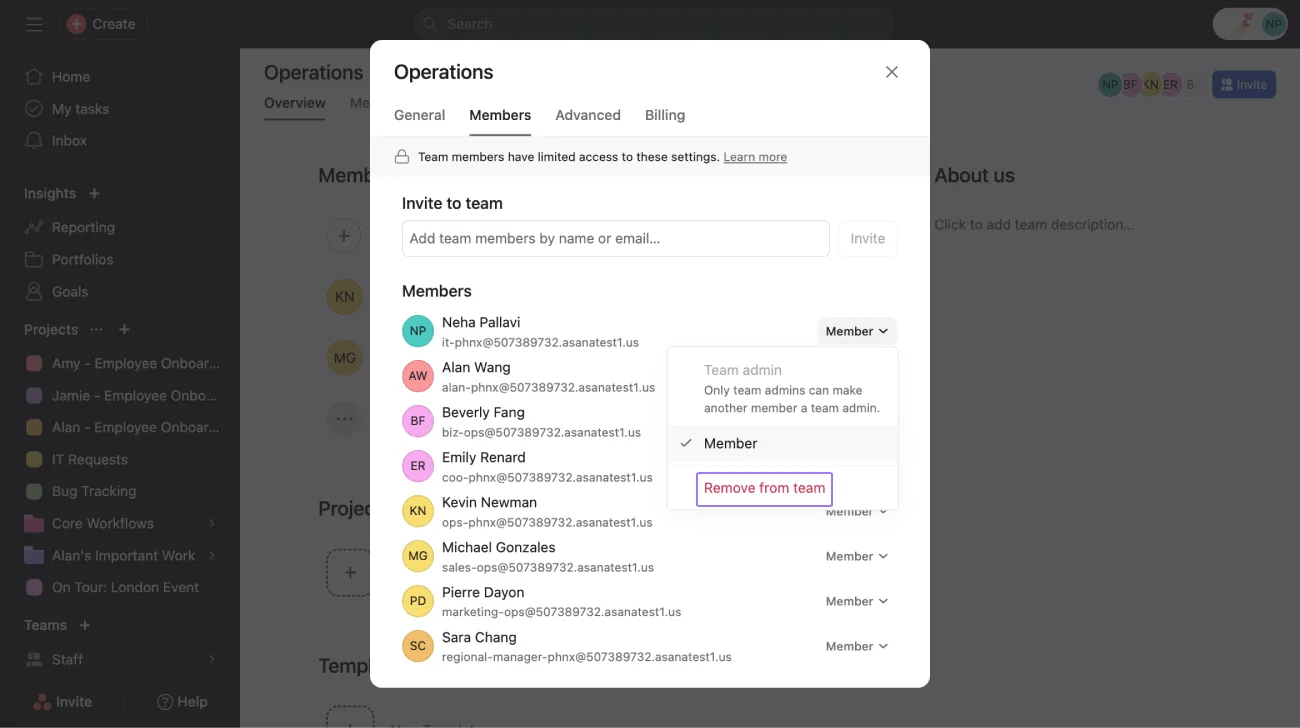
To remove a team member:
Navigate to the Members tab of the Team Settings, then hover over the team member's name and click the Remove from team button.
To change to a private team:
Navigate to the Settings tab of the Team Settings and select Private, then click the Update team button.
Private team
There are two ways to limit access to a private team, since private teams can only be accessed by invitation:
- Remove team members - removing someone from a private team will take away their access to all of that team's projects, (both public and private), team messages, attachments in curated work, and notes.
- Require team admin approval - a team admin can require that any invitations to the team must first be approved. This is available only to Enterprise and Enterprise+ tiers, as well as legacy tier Legacy Enterprise customers.
To remove a team member:
Navigate to the Members tab of the Team Settings, then hover over the team member's name and click the Remove button.
Public team
There are four ways to limit access to a public team:
- Remove organization guests - removing an organization guest from a public team will take away their access to all of that team's projects (both public and private) and team messages.
- Change to a membership by request team - changing to a membership by request team means all organization members can request to join that team from their sidebar, but their request must be approved before they can access its public projects and team messages.
- Change to a private team - changing to a private team means other organization members will no longer be able to request to join that team from the sidebar, and cannot discover the team either.
- Require team admin approval for guests - a team admin can require that any guest invitations to the team must first be approved. This is available only to Enterprise and Enterprise+ tiers, as well as legacy tier Legacy Enterprise customers.
To remove a team member:
Navigate to the Members tab of the Team Settings, then hover over the team member's name and click the Remove button.
You can technically remove an organization member from a public team, but since that team is public, they can just join again without being approved to restore their access to its public projects and team messages.
To change to a membership by request team:
Navigate to the Settings tab of the Team Settings and select Membership by Request , then click the Update team button.
To change to a private Team:
Navigate to the Settings tab of the Team Settings and select Private, then click the Update team button.