Products


AI Platform


Asana Foundations
Company Type
No articles found for this topic.
No articles found for this topic.

Visit our pricing page for more information.
Available on Asana Enterprise and Enterprise+ tiers, as well as legacy tier Legacy Enterprise.
Visit our pricing page for more information.
Admin announcements let you send important communications to members in your organization. Admins can easily create and publish announcements for Asana users in their domain. This allows members of your organization to have clarity and stay up to date with company-wide announcements.
Admins can:
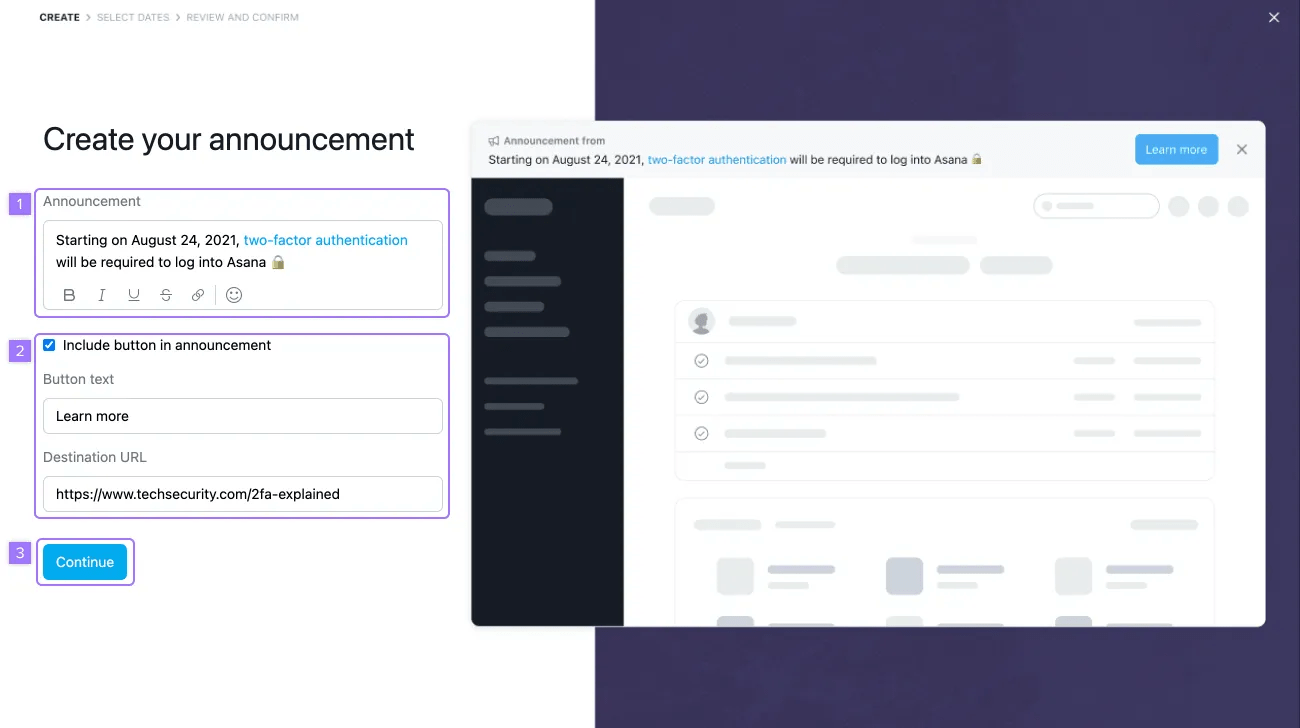
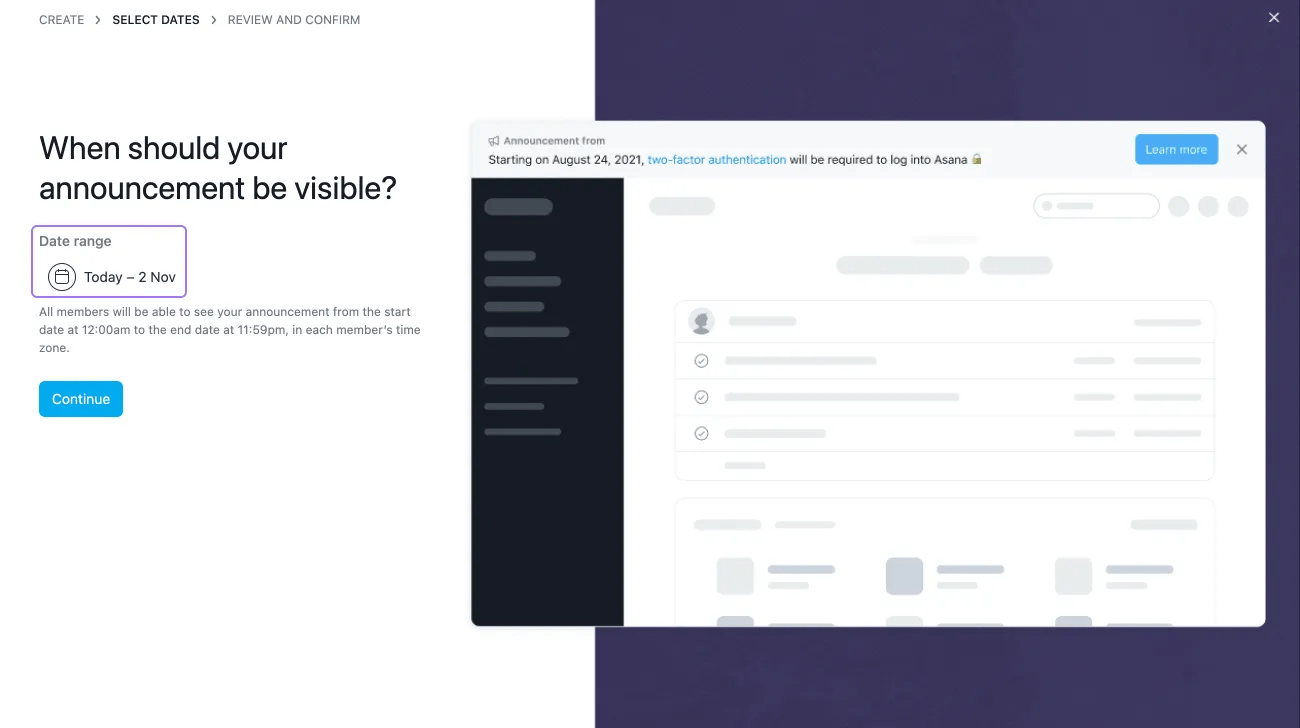
To schedule your announcement, click into the Date range field.
Select the start and end dates for your announcement and click Done.
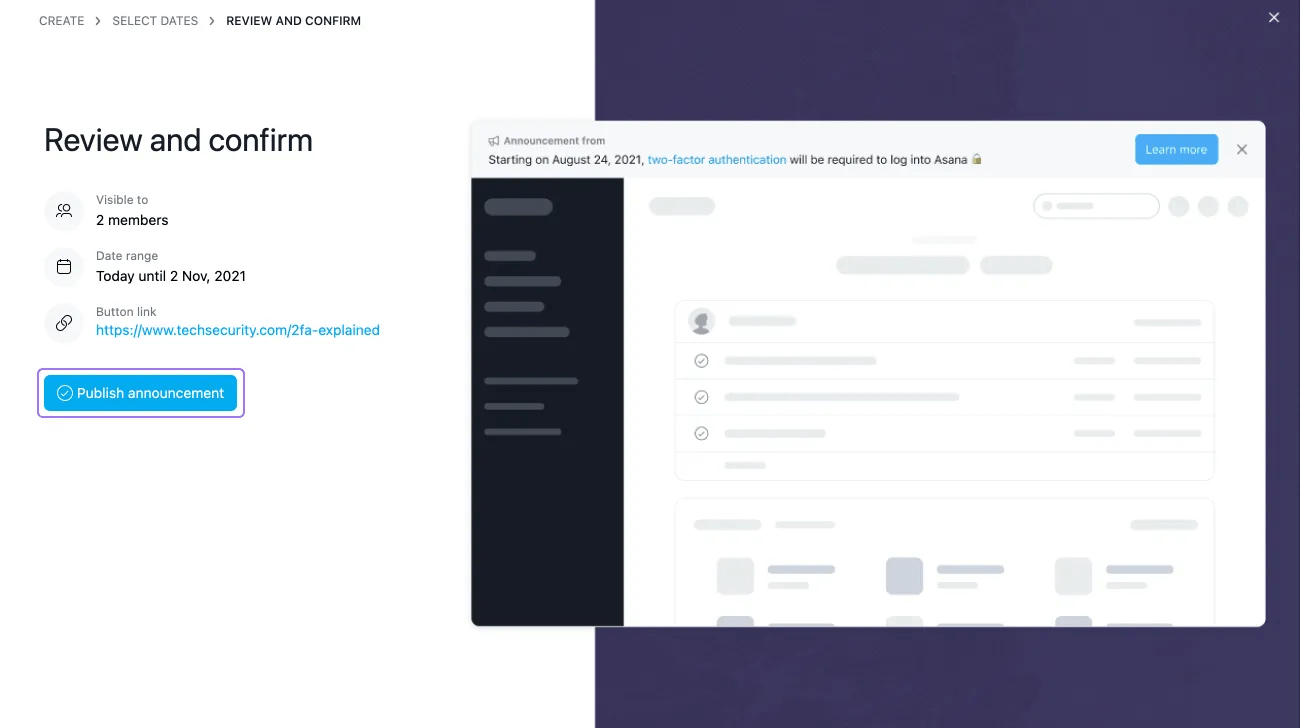
After reviewing your announcement, click on Publish announcement. The announcement will be visible a few minutes later.
Asana displays only one announcement banner at a time across the top of the screen. When multiple banners are active, Asana follows an order of precedence to determine which banner is shown, meaning your admin announcement may not appear if a higher-priority banner is already present.
Note
Admin announcements will be sent out organization-wide. Announcements cannot be sent out to select teams or groups.
Your announcement will appear as a banner across the top of the screen for all users. This will be visible on every page in Asana until a user dismisses the banner by clicking on the X icon.
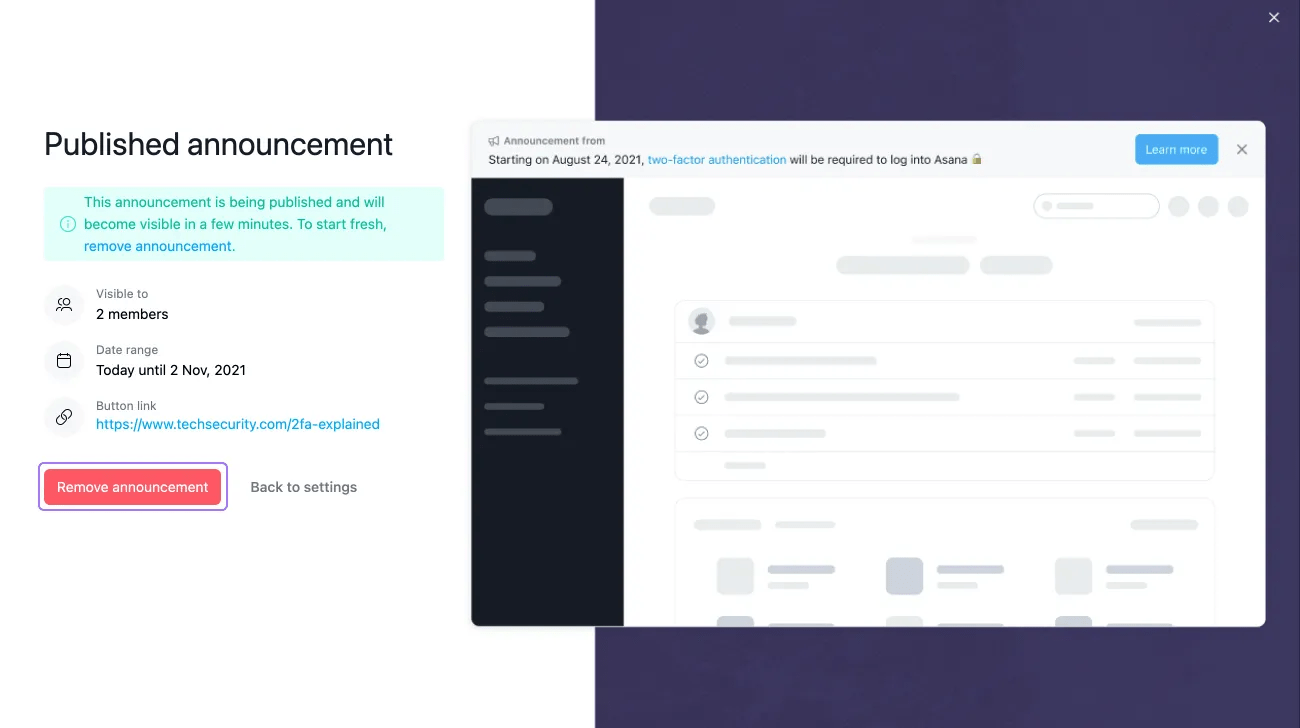
To remove an announcement, go back to the Admin console and click on the Settings tab. Click on Admin announcement, and then click on Remove announcement.

