Products


AI Platform


Asana Foundations
Company Type
No articles found for this topic.
No articles found for this topic.

Visit our pricing page for more information.
Managing your pipeline effectively isn’t only about growing it, but also maintaining the opportunities that already exist. Using Asana for pipeline management is an easy way to keep track of account data, notes, and action items to keep everything moving forward - all in one place. This article will provide valuable insights and practical tips to enhance your pipeline management in Asana.
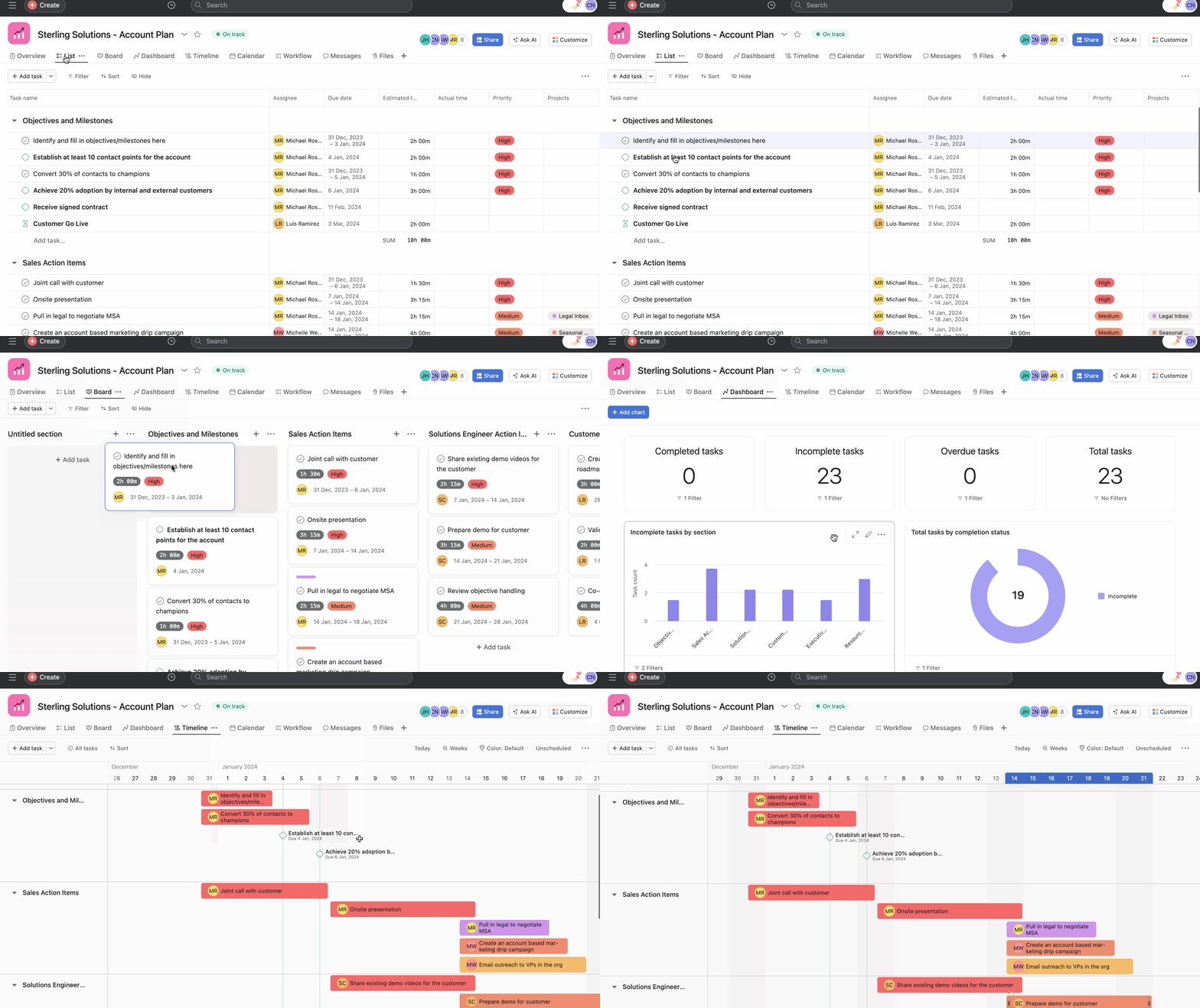
There are multiple ways to create a pipeline in Asana. To help you get started quickly you can use Asana's pre-designed template and tailor it to your team's unique needs. Alternatively, you can also import your existing pipeline tracking spreadsheet directly into Asana.
Track your sales pipeline progress with flexible views, native integrations, and automated rules so you can not only manage current opportunities but grow new ones. Get started using pipelines in Asana with these tips:
Asana offers multiple project views including list, board, Gantt, and timeline, each catering to different project types and personal preferences.Using different project views you can zero in on new leads, top accounts, or at-risk opportunities.
Use custom fields to add important data to your tasks such as estimated opportunity value, lead status, and more. Using custom fields, you can filter every view by opportunity size, priority type, account owner, and beyond. You can also use these custom fields across different projects for advance search reports, to track any work at risk, compare multiple projects, and ensure priorities are on track.
Automate processes so you never miss another opportunity. Pair your sales pipeline with rules, to automate your work, reassign tasks, or update custom fields when certain triggers happen. For example, use rules to add collaborators to a task whenever the lead status changes, or to update the task’s priority if the estimated value custom field is edited.
To help streamline work across your business tools, Asana integrates with many tools including Salesforce so you can create a transparent intake process, remove bottlenecks, and create actionable tasks for all of your stakeholders. With Asana for Salesforce, you can automate crucial sales workflows so you never miss an important step.
Communicate with task comments, @mentioning teammates asking questions and attaching relevant files, crosslinking helps for contextual communication. You can also use status updates to consolidate updates and keep stakeholders informed.
Adding your pipeline projects to a portfolio, allows you to get a birds-eye view of multiple projects at the same time. Share portfolios with stakeholders for quick updates on project statuses, as the portfolio owner you can choose to make your portfolio private to members only, or public to your whole organization via the portfolio privacy settings.
You can design pipelines for various processes and projects, such as editorial calendars, bug tracking, event planning, marketing campaigns, referral tracking, account management, and more.

