Products


AI Platform


Asana Foundations
Company Type

Visit our pricing page for more information.
Mobile data controls are available on the Asana Enterprise+ tier, as well as legacy tier Legacy Enterprise. Mobile app management is available on the Asana Enterprise and Enterprise+ tiers, as well as legacy tier Legacy Enterprise.
Mobile app management is not available on Division plans.
Add additional security to the Asana mobile apps (iOS and Android) to protect your organization’s data while enabling your team to work and collaborate from anywhere.
Super admins can manage the following mobile data controls for their organization:
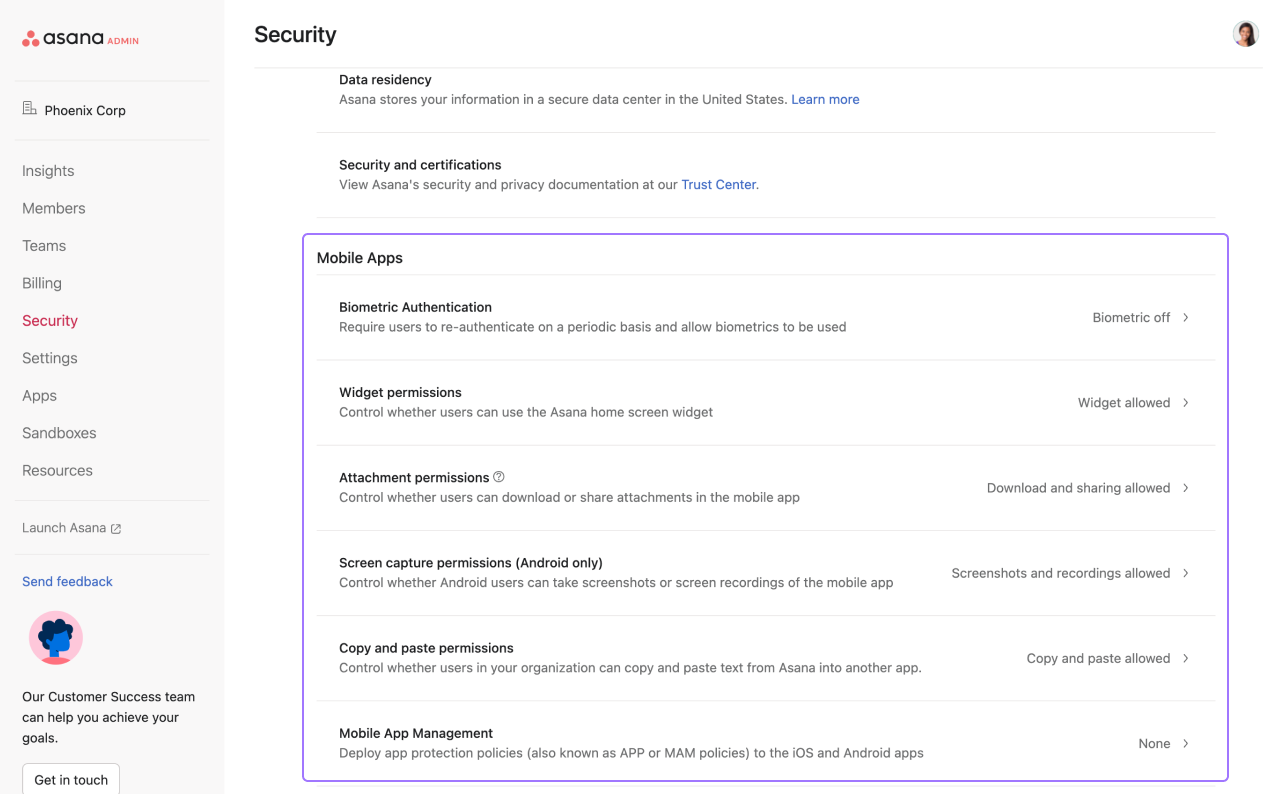
By activating biometric authentication, you can allow users to unlock Asana on mobile devices using their fingerprint or facial recognition. You can set the frequency at which users will need to re-authenticate. Device passcode will be used in the event biometrics are unavailable.
Restrict the Asana home widget on mobile devices, so users are unable to view tasks directly from the phone’s home screen.
Restrict downloads or the ability to share attachments in Asana on mobile devices.
This data control is available on Android only.
Choose whether users in your organization can take screenshots of the mobile app.
Limit copy and paste permissions in the mobile app.
Available on the Asana Enterprise and Enterprise+ tiers, as well as legacy tier Legacy Enterprise.
Asana's Microsoft Intune integration enables IT admins to protect corporate data by applying security policies like restricting downloads, restricting data transfer between apps, and requiring PIN or biometric authentication.
The integration applies to Asana’s iOS and Android mobile apps, and is not relevant to Asana’s desktop app. To set up the integration via the mobile application management settings, follow these steps:
After you've added Asana in Intune, assign it to your users by following the instructions detailed here.
This fix is necessary because Asana is not a managed app until after the user logs in, so we need to enable redirecting from a managed app (Edge) to an unmanaged app (Asana).
Symptom: “Something went wrong. The Application couldn’t be opened” when clicking “Continue to app” during the login process.
Fix: Ensure the exemption configurations are set up correctly.

