Products


AI Platform


Asana Foundations
Company Type
No articles found for this topic.
No articles found for this topic.

Visit our pricing page for more information.
Bring your organization’s strategy to life by connecting your top-level goals to the projects and tasks that make them real.
In Asana, company and departmental objectives live in Goals so everyone can see what matters most and how success is measured. Goals can be manual or automatically updated from supporting work.
Large objectives require multiple teams. Break the company goal into sub-goals—each with its own owner and metric—that roll up to the parent goal’s progress.
A goal is only as strong as the projects that support it. From a project’s Overview tab, scroll down to Connected goals, click Add goal, and add the relevant goals. Project progress then contributes to goal progress.
Don’t reinvent the wheel for each initiative. Create a “Strategic Initiative” template with standard sections (e.g., Discovery, Delivery, Launch), task templates, custom fields (e.g., Impact, Effort, Owner department), and default collaborators. Save your project as a template and share it across teams.
To create a project template from an existing project:
When your operating model evolves, update every active initiative at once. Bundles let you package sections, rules, custom fields, and task templates, then apply them to many projects—retroactively if needed. Use bundles to add new phases (e.g., Security review) or standard automation across your projects.
Workload allows you to view your team’s capacity, who is nearing capacity, and who can take on more work. Being aware of your team’s capacity helps you keep your projects on track and ensure that no one on your team is overwhelmed. You can access workload from your portfolio by clicking the Workload tab.
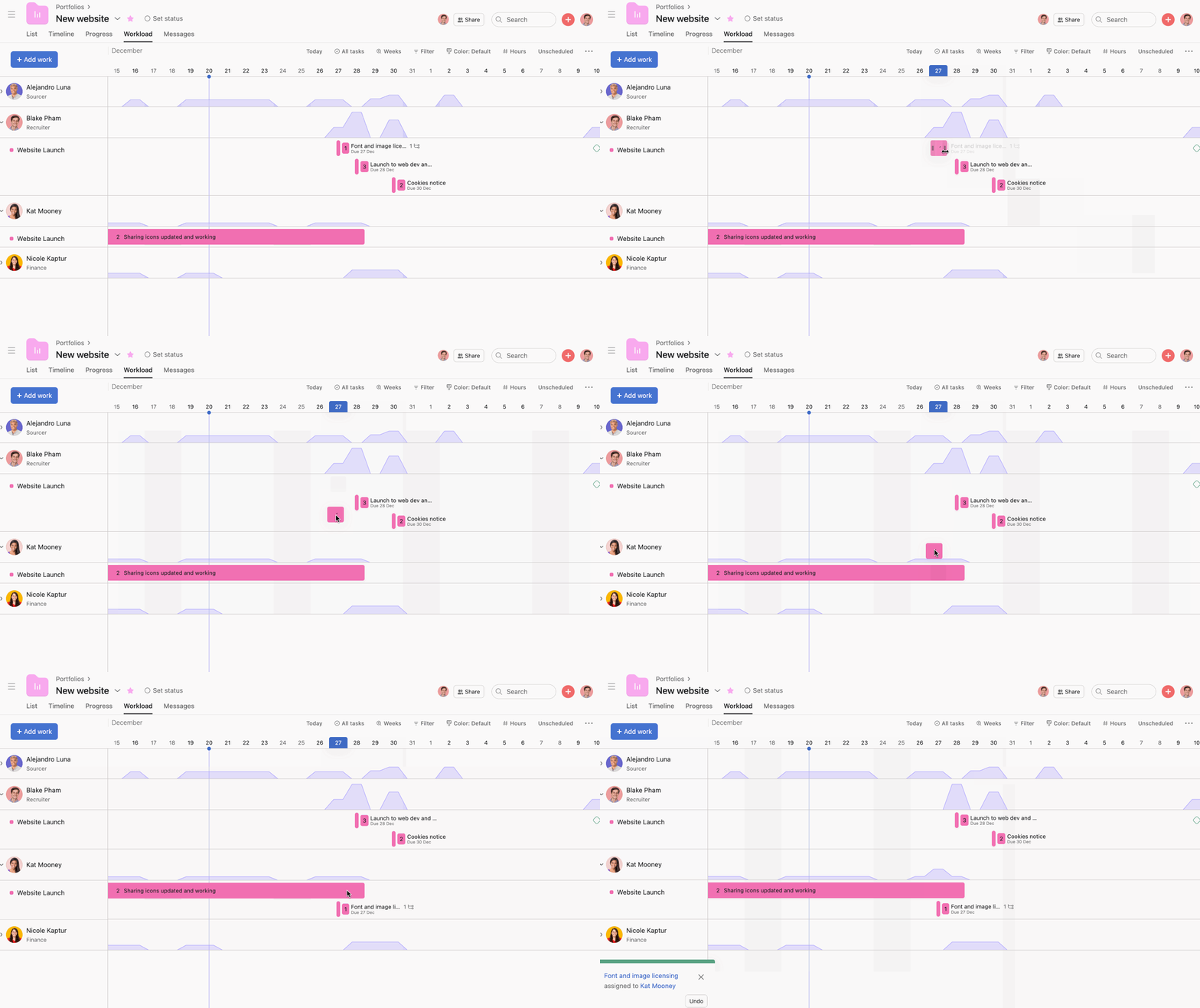
If a member of your team is nearing capacity, you can drag and drop tasks to reschedule them or reassign them to another team member.
Portfolios make identifying if a project is off track or at risk easy. If the PMO sees a project at risk, they can click the project and see which tasks are overdue and which are blocked.
Group all projects that support your goals in a Portfolio to get a single, real-time dashboard of Status, Progress, Owners, and Dates. Use fields and filters to focus executive reviews.
Status updates provide stakeholders with pertinent and timely information about the progress of a project.
From the portfolio view, the PMO can see the different status updates for all projects. To read these updates, click on the status custom field and read the last and previous updates.

