Products


AI Platform


Asana Foundations
Company Type

Visit our pricing page for more information.
Whether you're simply trying to find a task you assigned to a colleague last week or preparing for reviews by gathering a record of your work, Asana keeps all of your work together and helps you make sense of it quickly with search.
To search in Asana use the search bar in the top bar. You’ll get a list of corresponding objects such as tasks, projects, portfolios, messages and goals that match your search term. Search is great when you're trying to quickly find something in Asana.
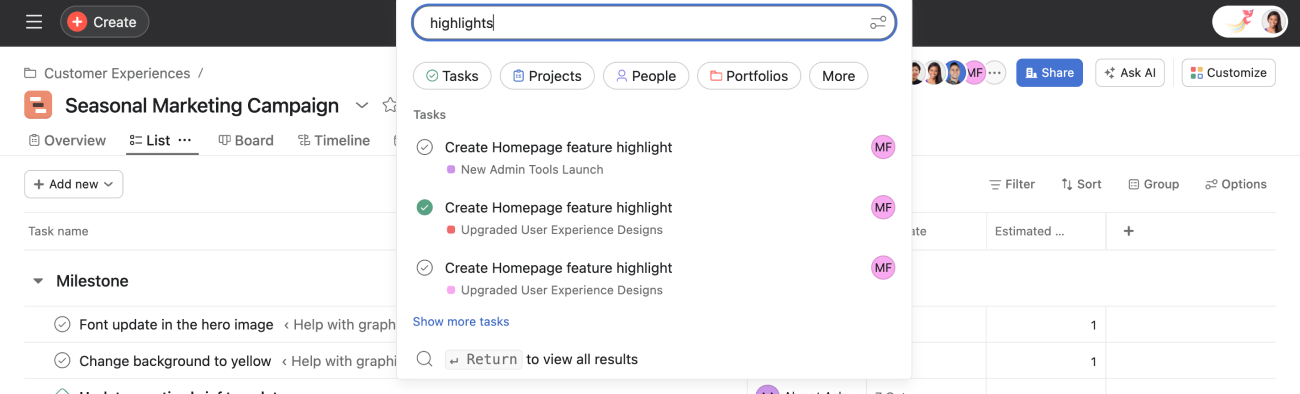
When basic search returns too many results, you can use advanced search to refine your search criteria. You can search anything from completion date and assignee to custom fields, task creator, and more. By searching across more criteria, you find exactly what you need.
If there's something you search for often, you can save the search by clicking the star icon next to the name of the search. The saved search will automatically update every time you open it.
How you track your work in Asana is up to you, but there are ways to make it more easily searchable so anyone can get complete, organized results.
Note
It's no secret—Asana offers free trials. Start yours today. Try for free

