Products


AI Platform


Asana Foundations
Company Type
No articles found for this topic.
No articles found for this topic.
In This Article

Visit our pricing page for more information.
Requesting feedback on work before it proceeds to the next stage is a common workflow. For example, you may need a legal team to review marketing copy before it gets published. This article outlines how to set up a simple automation using rules to automatically request reviews on tasks when needed.
First, you'll need to add a custom field to your project to indicate which tasks require review. For this example, we'll use a custom field called Needs review with the options Yes and No.
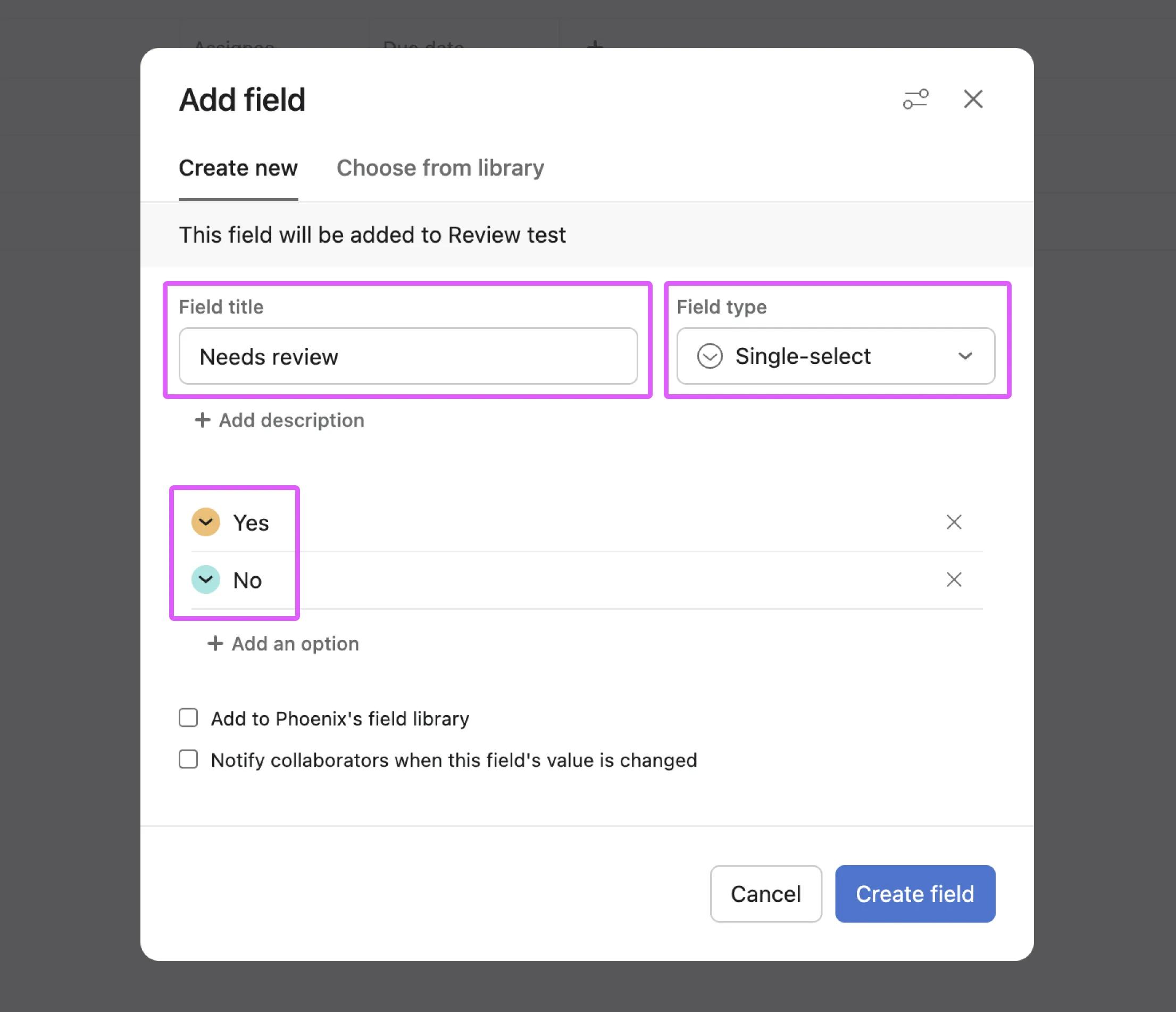
Now that the custom field is added to the project, it's possible to indicate which tasks require review and which don't, with a couple of clicks. This also means we can use the custom field value as a trigger for a rule.
Next, we'll set up a rule which reassigns the task, adds a comment asking for review, and sets a due date. All of this is performed automatically when the Needs review field value is set to Yes.
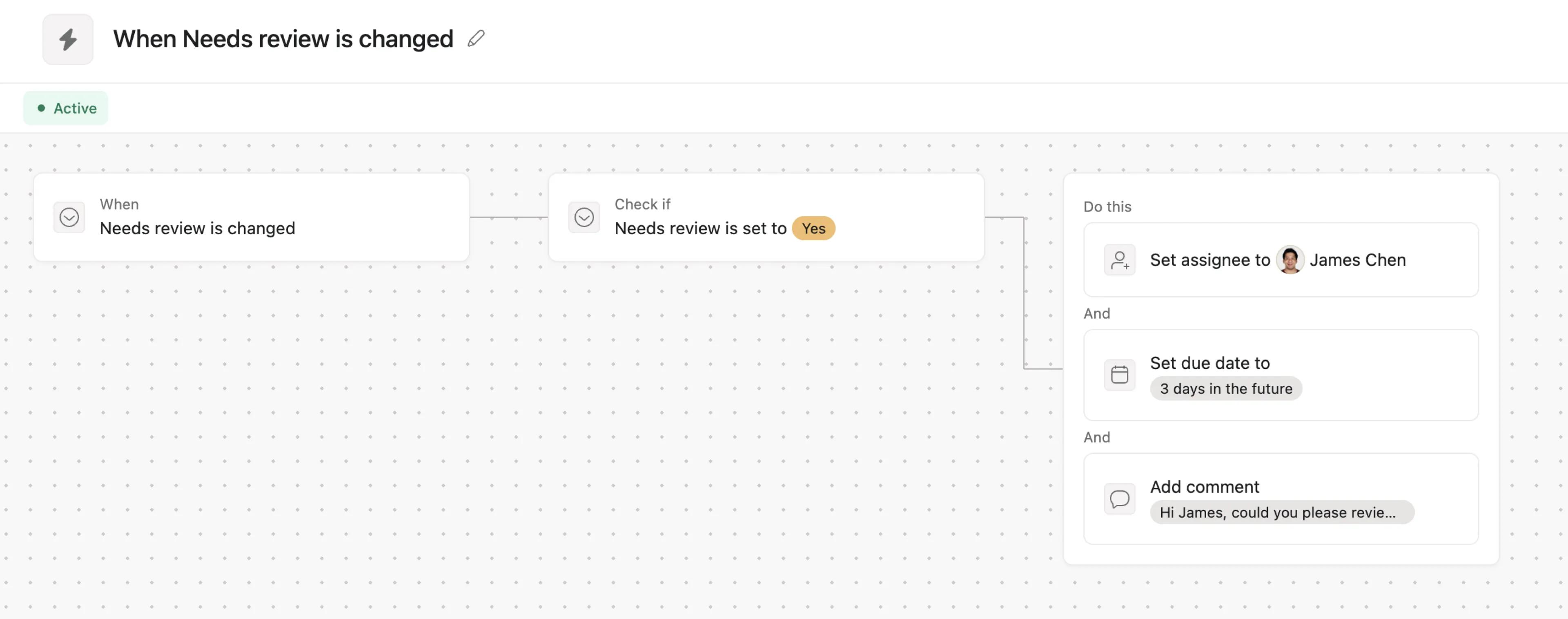
Now when any project member sets the Needs review field to Yes, the rule will automatically add a comment requesting review and take any other configured actions. Reviewers can then provide feedback via comments or by updating the task details as needed.
See the below example. Alan has simply changed the Needs review field value and Asana has automatically chosen the assignee, due date, and added a comment.
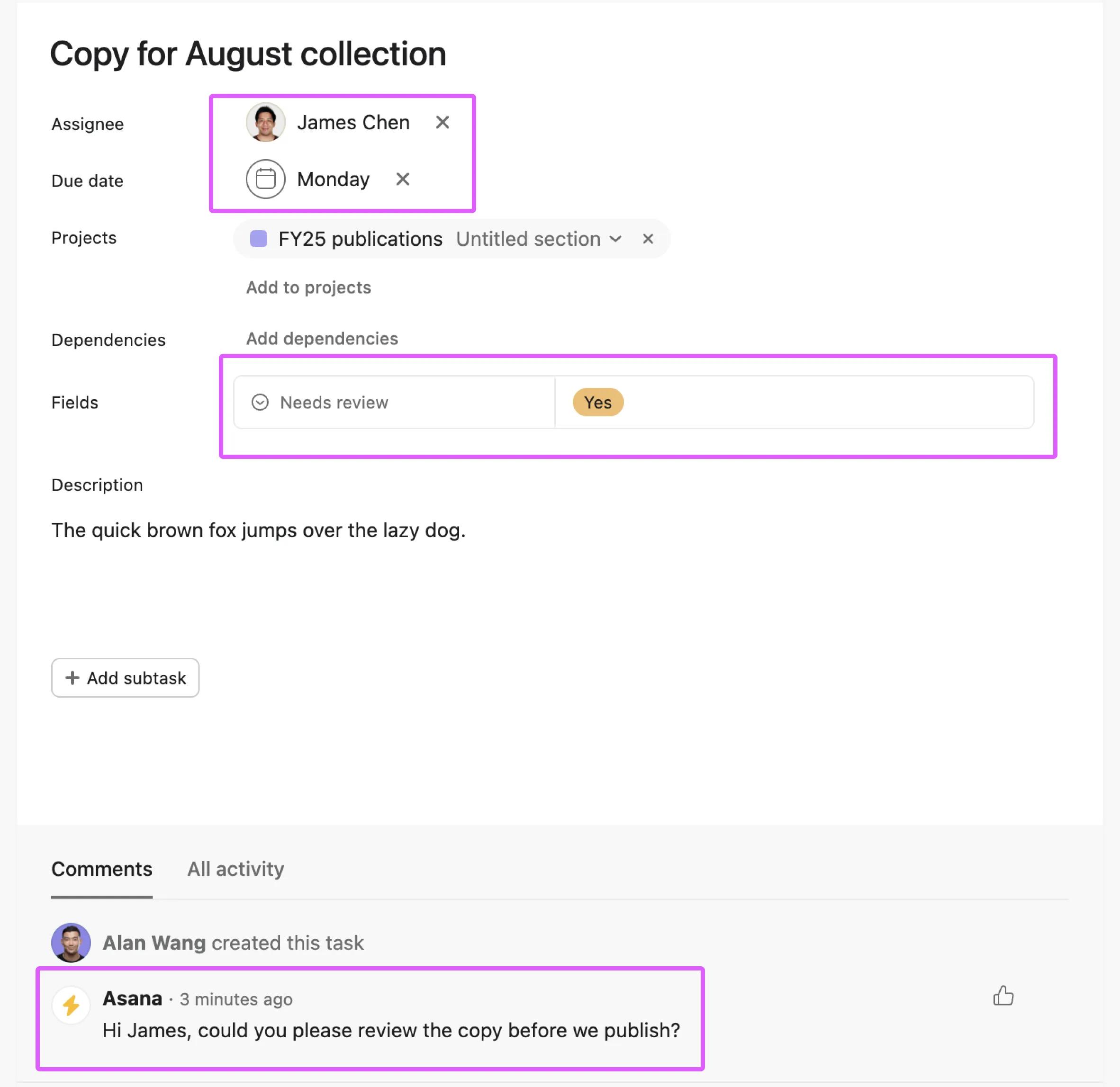
You can continue to build on this automation by adding further rules to move the task to the next stage once the review is complete. This simple automation helps streamline the review process by automatically notifying reviewers when their input is needed, without requiring manual intervention. It provides a standardized way to request reviews across your organization.

