Asana has updated how projects work with teams. Projects no longer need to live inside a team, giving you more flexibility and helping keep team pages focused on relevant, shared work.
What are teamless projects?
Previously, every project in Asana belonged to a single team. With the teamless experience, projects can exist independently and be shared intentionally A project can now:
- Exist without being housed in a team
- Be shared with one or more teams
- Be shared directly with individual people
Create a project without a team
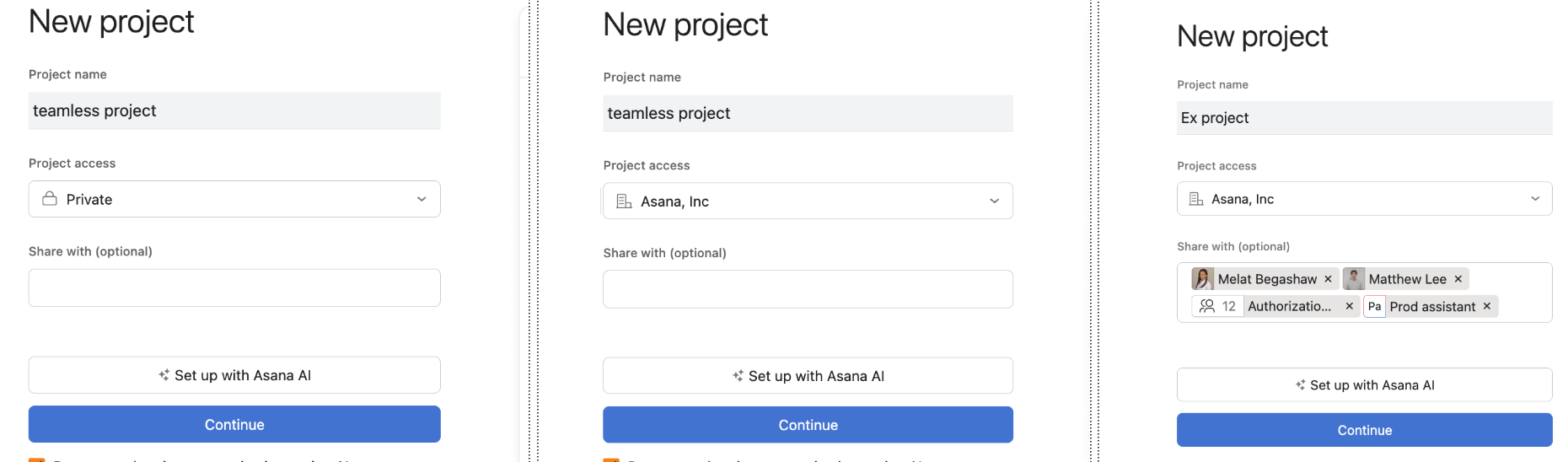
When creating a new project, adding a team is optional.
To create a teamless project:
- Click + Create → Project
- Choose a template or start from scratch
- Optionally:
- Add individuals and/or teams as project members during creation
- Or, skip selecting a team and just go straight to a project
Associating a project with a team without giving access
Projects can be associated with a team without granting access using the Associated team field, located in project details. You can update this field at any time to reflect the team a project is connected to.
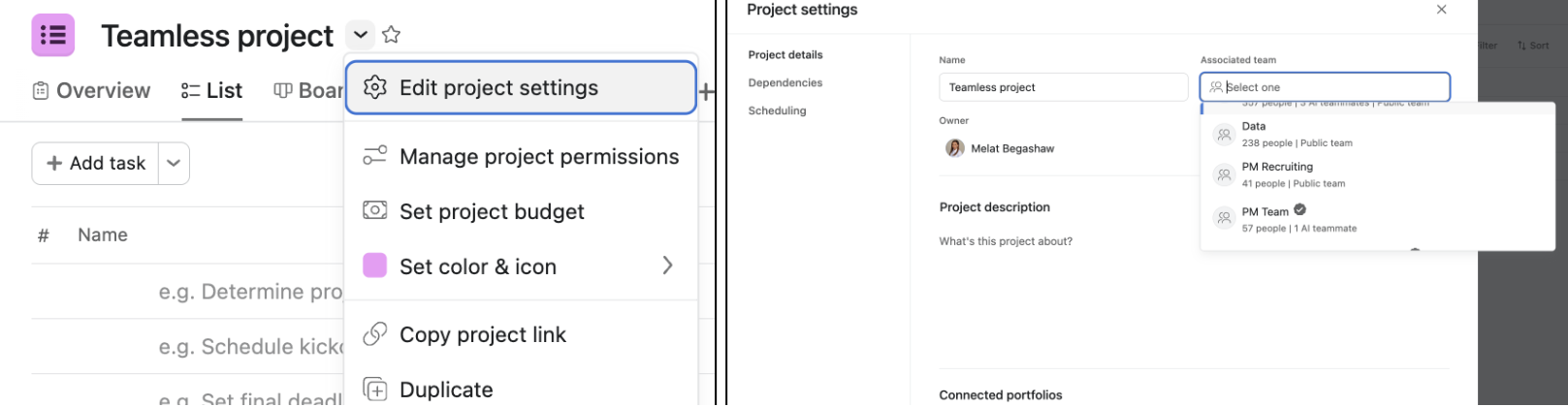
This preserves the historical connection between a project and its former container team.
You can continue to:
- Filter projects by team
- Group projects in views and reports
- Maintain continuity for existing workflows and reporting
The Associated team field:
- Reflects organizational context only
- Does not control permissions or access
- Does not automatically share the project with that team
Access is still managed explicitly by sharing the project with people or teams.
Find your projects
Project Browser
- The Project Browser shows all projects you have access to—whether or not they’re shared with a team.
- If a project isn’t on a team page, you’ll still find it here.
Team pages
- Team pages display projects relevant to a team based on two signals: access and context.
- A project will appear on a team page if it is:
- Shared with the team (access-based) or
- Associated with the team (context-based)
Frequently asked questions
Why don’t I see a project on my team page anymore?
Team pages may not show every project you have access to. If you don’t see a project where you expect it, check the Project Browser to find all projects available to you.
Does this change who can access my projects?
No. Access only changes if you explicitly share or unshare a project with people or teams.
Can a project be associated with a team but not shared with it?
Yes. The Associated team preserves context but does not grant access.
Can a project be shared with multiple teams?
Yes. When shared with multiple teams, it will appear on each team’s page.



