Products


AI Platform


Asana Foundations
Company Type
In This Article
Available on Asana Advanced, Enterprise, and Enterprise+ tiers.
Smart goals, powered by AI, revolutionizes your goal-setting process. It not only helps you write more effective goals but also standardizes them across your organization, all based on industry best practices.
Asana AI will analyze your existing goal by looking at the current title, description, and supported subgoals or related work, and provide you with suggestions for improvement.
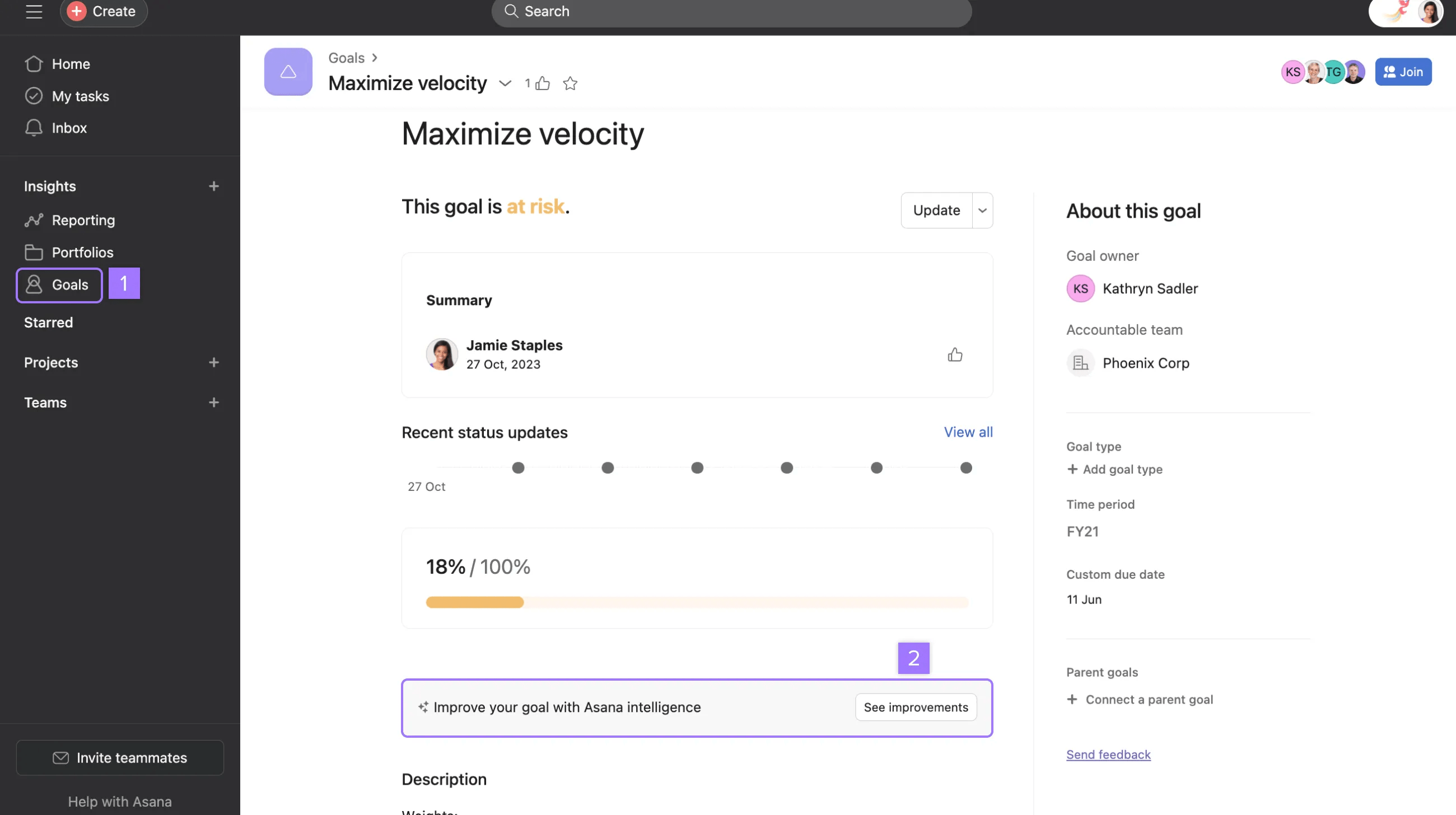
Asana AI will then provide you with a series of suggestions that you can implement if you’d like. These suggestions will help you turn your existing goals into smart ones, making them more specific, measurable, achievable, relevant, and time-bound.
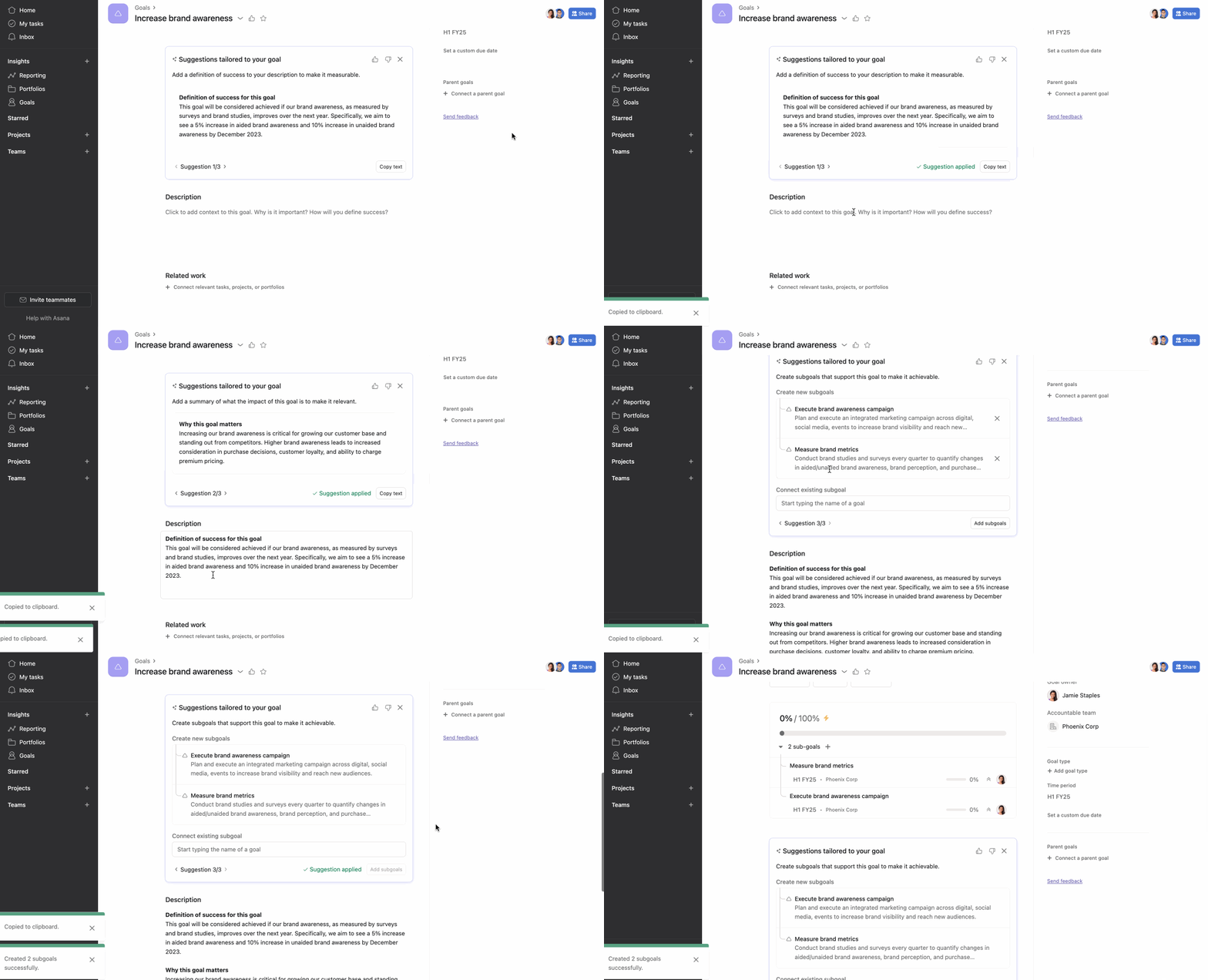
You can review the suggestions and apply them by clicking the Copy or Add buttons.
These suggestions will be based on the content of your goal and may include:
By applying these suggestions from smart goals, you can drive goal standardization across your organization.
In this video, we will show you how to use Smart goals to improve the quality of your goals and standardize them across your organization.


