Products


AI Platform


Asana Foundations
Company Type

Visit our pricing page for more information.
Forward emails to Asana to turn them into actionable tasks without leaving your email inbox. You can create both tasks and messages by sending emails to Asana. Please note that you can only forward emails to Asana with a maximum size of 30 MB.
Get started with a free Asana trial today.
| Email field | Task field: |
|---|---|
Email to x@mail.asana.com | Task in My Tasks |
| Additional address added in the To: field | Task collaborators |
| CC'd email recipients | Task collaborators |
| Email subject | Task name |
| Email body | Task description |
| Email attachments | Task attachments |
| From | Task collaborator |
Note
Please note that x in 'x@mail.asana.com' is not a variable.
Asana Gov clients should use @mail.asana-gov.com when composing or forwarding emails to create tasks.
To create tasks in your My Tasks via email, send an email to x@mail.asana.com. By default, x@mail.asana.com will create a task in the workspace or organization associated with your email address chosen in the Email Forwarding tab.
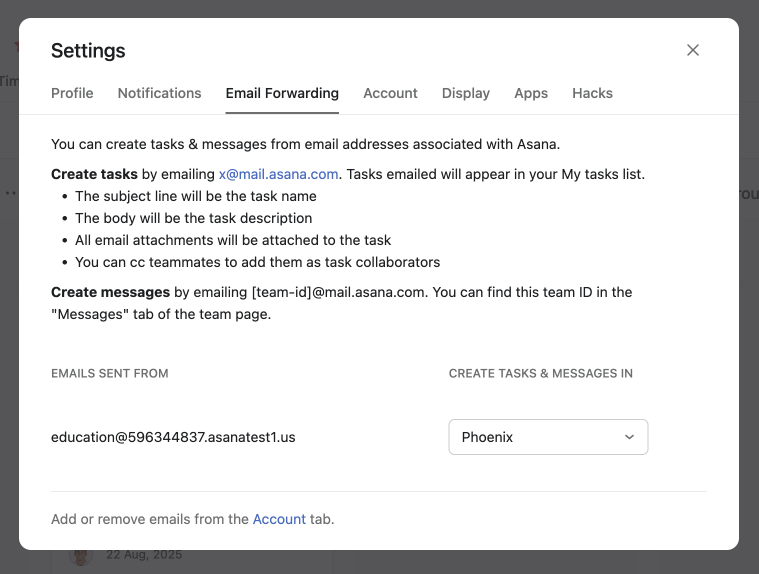
From the Email Notifications tab you have the option to Add more email addresses to your account. When adding an additional email address to your Asana account, note that adding an email address that is already associated with a different Asana account will result in both accounts being merged. This is an irreversible change.
See how others use email effectively with Asana in the forum.
You can send emails to create tasks directly in any Asana project, assuming you have the relevant project permissions.
Every project in Asana has a unique email address, that can be used to create tasks in that project.
You can manually identify your project's email address by using the project's unique ID:
https://app.asana.com/0/projectID/list)To create a task in your project via email, send an email to x+projectID@mail.asana.com. For example, if your projectID is 12345678, you would email x+12345678@mail.asana.com.
Create tasks straight from your email inbox with the Asana for Gmail add-on or Asana for Outlook integration.
Please note users can only create tasks in project's that they are already a member of unless both the project and the team are public. In this case users can create tasks without becoming a member of the project.
You can post messages to your teams or projects by sending an email.
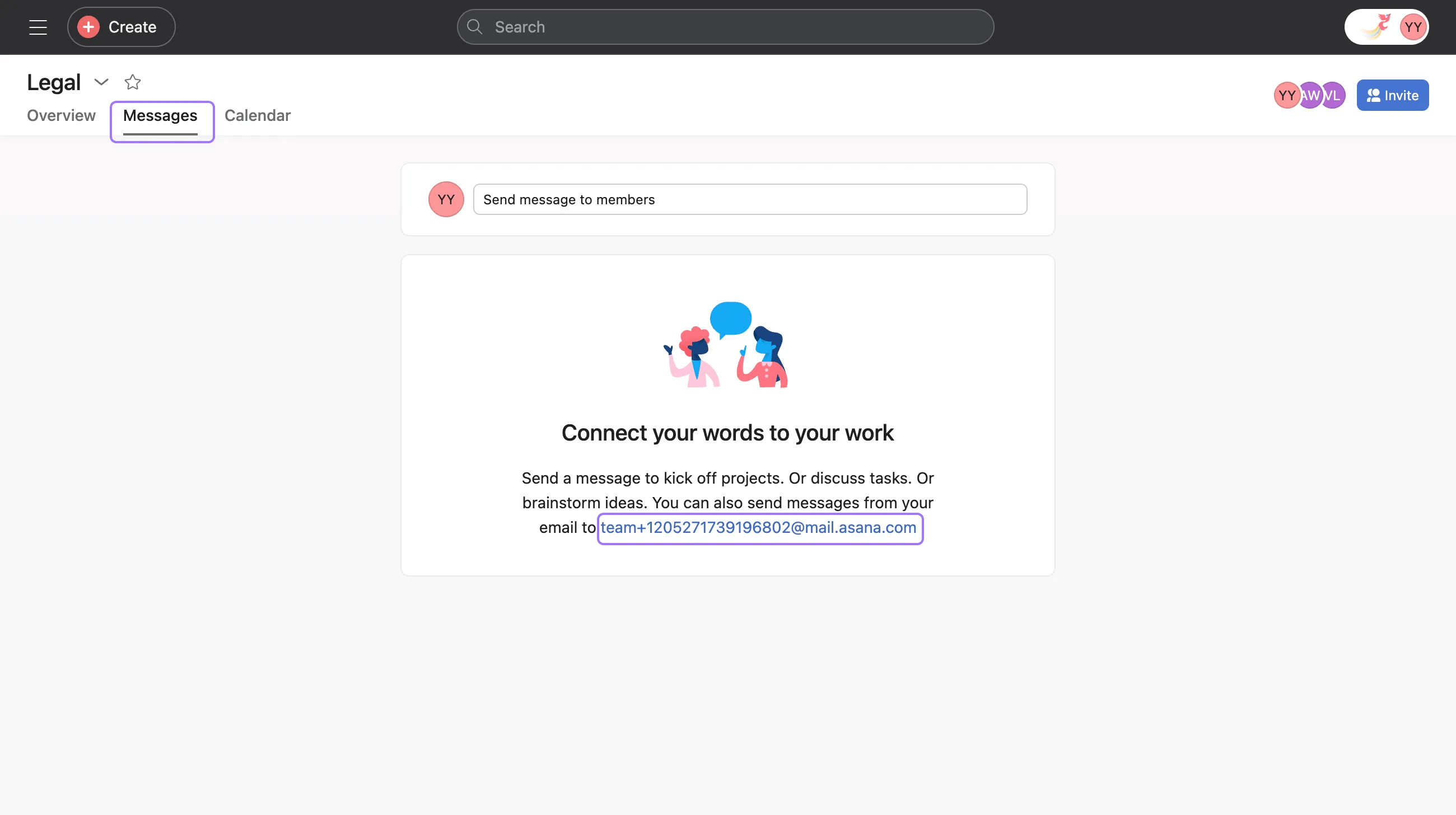
At the bottom of every team's messages page, there is an email address listed. The email address for any team message is team+teamID@mail.asana.com

At the bottom of every project's messages page, there is an email address listed. The email address for any project message is project+projectID@mail.asana.com
Send an email to this address to create a post in that team or project. You can also CC other people to add them as collaborators to your message.
In organizations, you can only send message posts via email from your company email address.
For example, if you were in the acme.com organization, you can only post a message via email by sending a message from your @acme.com email address, even if you have other email addresses attached to your user account.
Ensure that everyone you include in the CC or To fields have access to your workspace, organization or project in Asana, and that you use the email address associated with their Asana account. If they do not have access, you may receive a notification indicating that your task could not be created.
If you want to create tasks in Asana for emails you regularly receive, you may want to automatically forward them. To auto-forward emails to Asana:
Now, every time forwarder@ receives an email, it will be forwarded to the Asana project and assigned to the forwarding account. These tasks can then easily be reassigned.
To ensure that your account is safe from potential phishing and email spoofing, we require that the mail server that sends your emails is properly configured for your email domain. The server must be configured so that the domain of the envelope address matches the domain of the from address. If this is not the case, you will receive an error message indicating that these addresses are misaligned and will need to contact your mail server admin to resolve this.
To email a task to a project, send an email to x+projectID@mail.asana.com
To email a message to a project, send an email to project+projectID@mail.asana.com
To email a message to a team, send en email to team+teamID@mail.asana.com
Asana Gov clients use a different email domain to send tasks to Asana. Instead of @mail.asana.com, Asana Gov clients should use @mail.asana-gov.com when composing or forwarding emails to create tasks. For example, to email a task to your My Tasks as an Asana Gov user, forward your email to x@mail.asana-gov.com, where x is your unique Asana Gov email key.
To email a task to a specific project in Asana Gov, use the format x+projectID@mail.asana-gov.com.
Like what you see? Get started with a free trial today.

