Products


AI Platform


Asana Foundations
Company Type

Visit our pricing page for more information.
Read-only links are a shareable, view-only link that you can create for your timeline, list, calendar, and board views in projects with team only and shared with organization privacy settings within Asana organizations. They are not available in workspaces. Read-only links dynamically reflect the latest updates on projects and provide a living source of truth for all cross-functional teams to stay aligned.
Read-only links are available for list, board, calendar and timeline view.
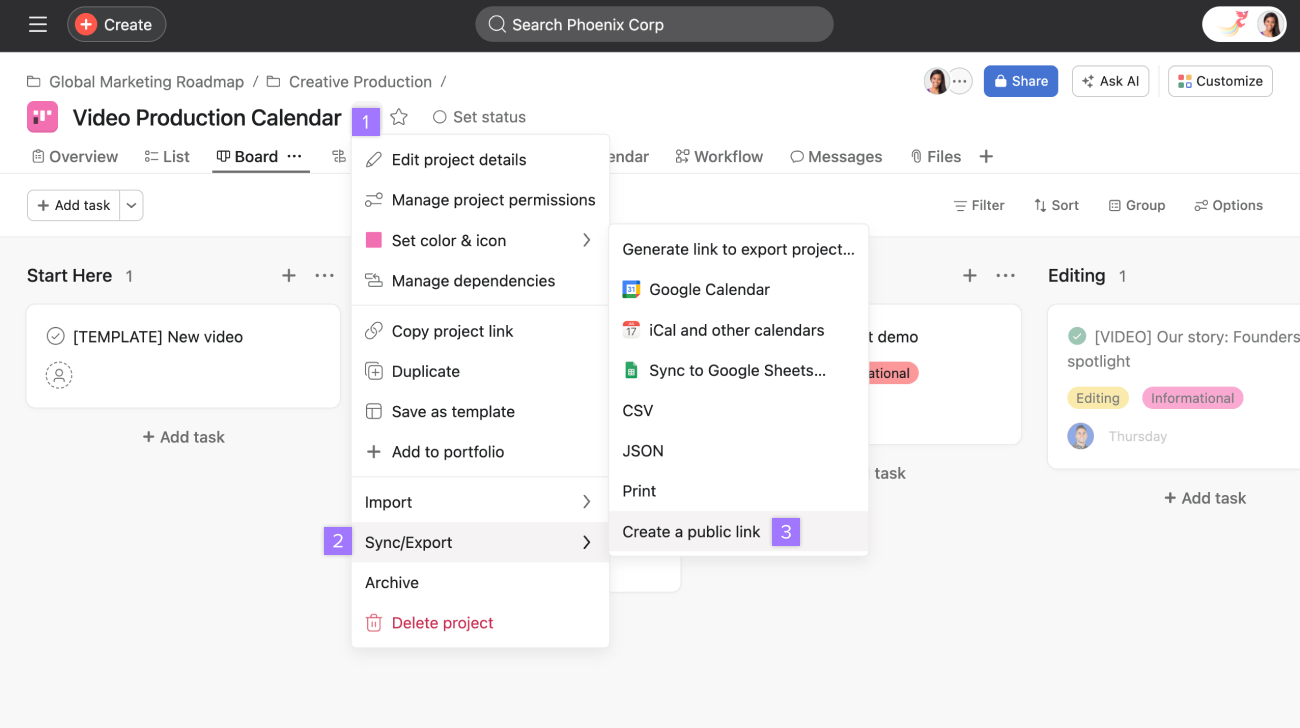
To create a public link, navigate to the project in question and click on your desired view.
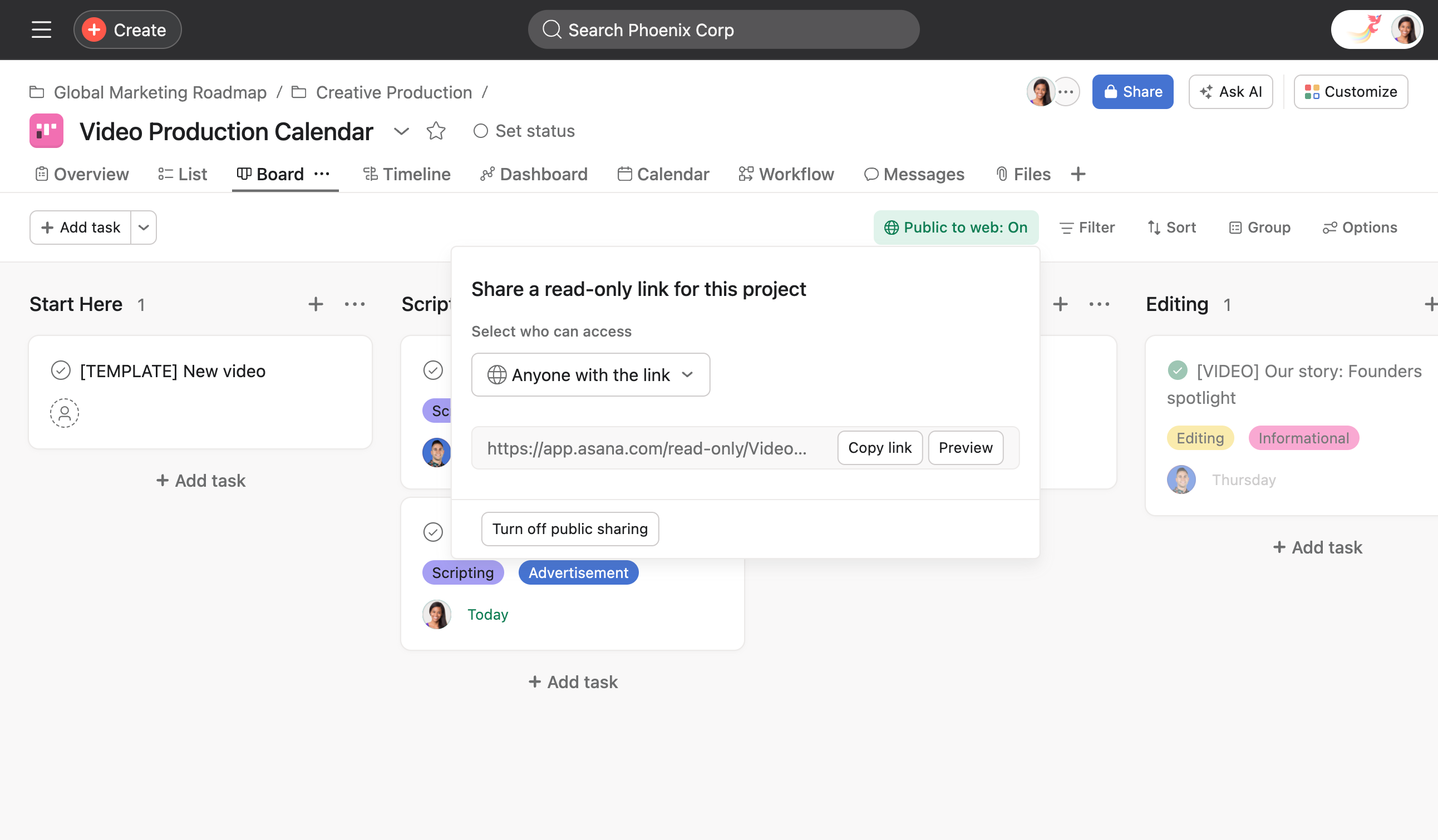
Preview your link before sending to see what it will look like for recipients.
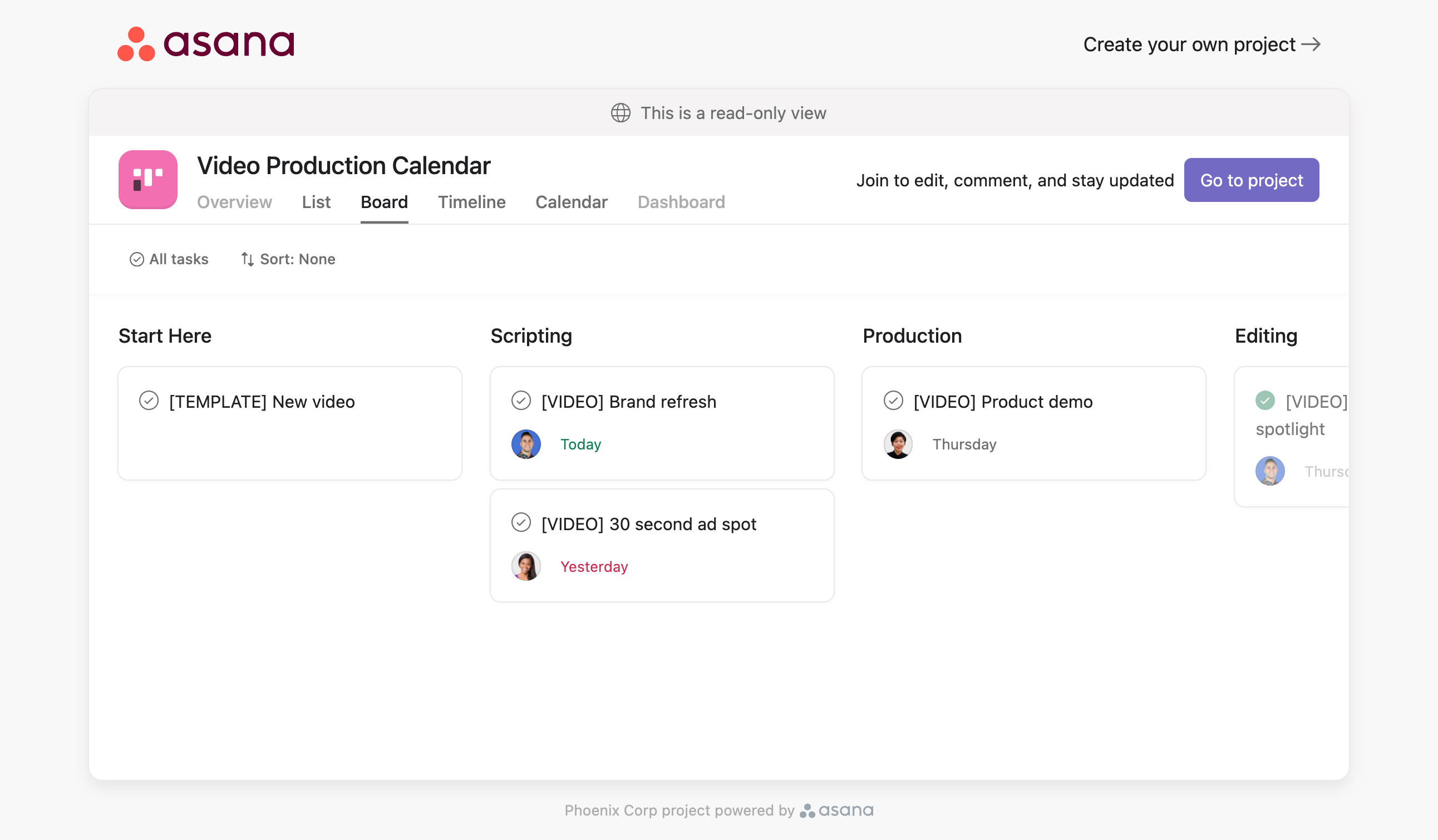
Click on Preview and a window will then open showing you a preview of your link. Previewing the link will offer you the option to join the project.
You can deactivate your shareable link at any time. This makes it inaccessible to anyone with the link. To do so, click Turn off public sharing. Next, confirm the deactivation by clicking Deactivate link.
If the read-only view is re-created, the link is refreshed meaning anyone with the old link will not be able to access it.
Admins can access link sharing permissions in the Security tab of their admin console.

Billing owners for paid team plans can contact our Support team for further clarification.
This feature allows super admins and users to restrict read-only link access to people within their organization.
The benefit is that super admins have the option to implement enhanced data security for their domain. Super admins of Starter, Advanced, Enterprise, Enterprise+, and legacy tiers Premium, Business and Legacy Enterprise organizations may still disable the read-only link feature for their entire domain, meaning users will not be able to create or share read-only links with anyone.
Super admins of Enterprise, Enterprise+ and Legacy Enterprise organizations may set one of two access permission options for read-only links for their entire domain.
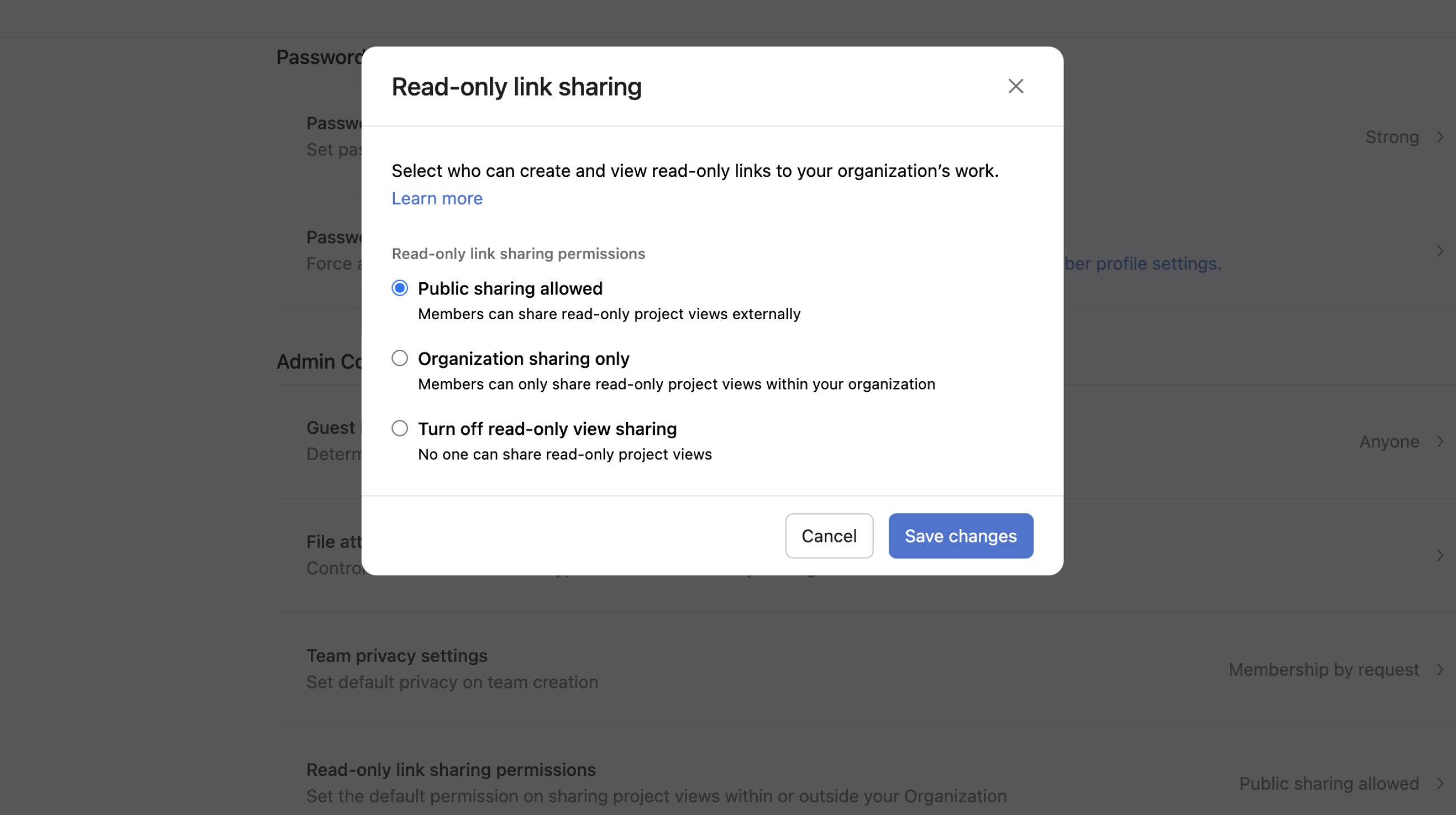
New and existing read-only links will be set to organization only, requiring authentication before access is granted. The authentication method required depends on which method the super admin has set for the domain (Google SSO, any SAML identity provider such as Okta, or none at all).
If no authentication method has been set, anyone attempting to access a read-only link must log in to Asana or sign up for Asana with their organization email address to gain access. This is the preferred option if restricting access to organization members only is required.
Users will not have the ability to make read-only views public to those outside the organization.
Note
Changing this setting to organization only could disrupt existing read-only links that have already been shared outside the organization. Before making the change, we recommend notifying team leads and providing some lead time to review and adjust workflows as necessary.
Based on the settings configured by users for individual projects, read-only links in the domain may be set to public with no authentication required, or organization only with authentication required before accessing a read-only link.
This is the preferred option when users in the domain have a mix of internal and external use-cases for read-only links, such as regularly needing to share a read-only view of their project with an external partner, a consultant, or prospective client.
With this option set, permissions for newly created views will be organization only by default, but project members have the option to make views public.
Users with Starter, Advanced, Enterprise, Enterprise+, and legacy tiers Premium, Business and Legacy Enterprise subscriptions can set access permissions for read-only links on a project-by-project basis.
Users can access these settings when the super admin enables domain-wide read-only project view sharing permissions for members.
This feature gives project members the option to implement additional security in cases where read-only views contain sensitive information or are intended for internal use only. The default permission setting for all newly created views is People in your company.
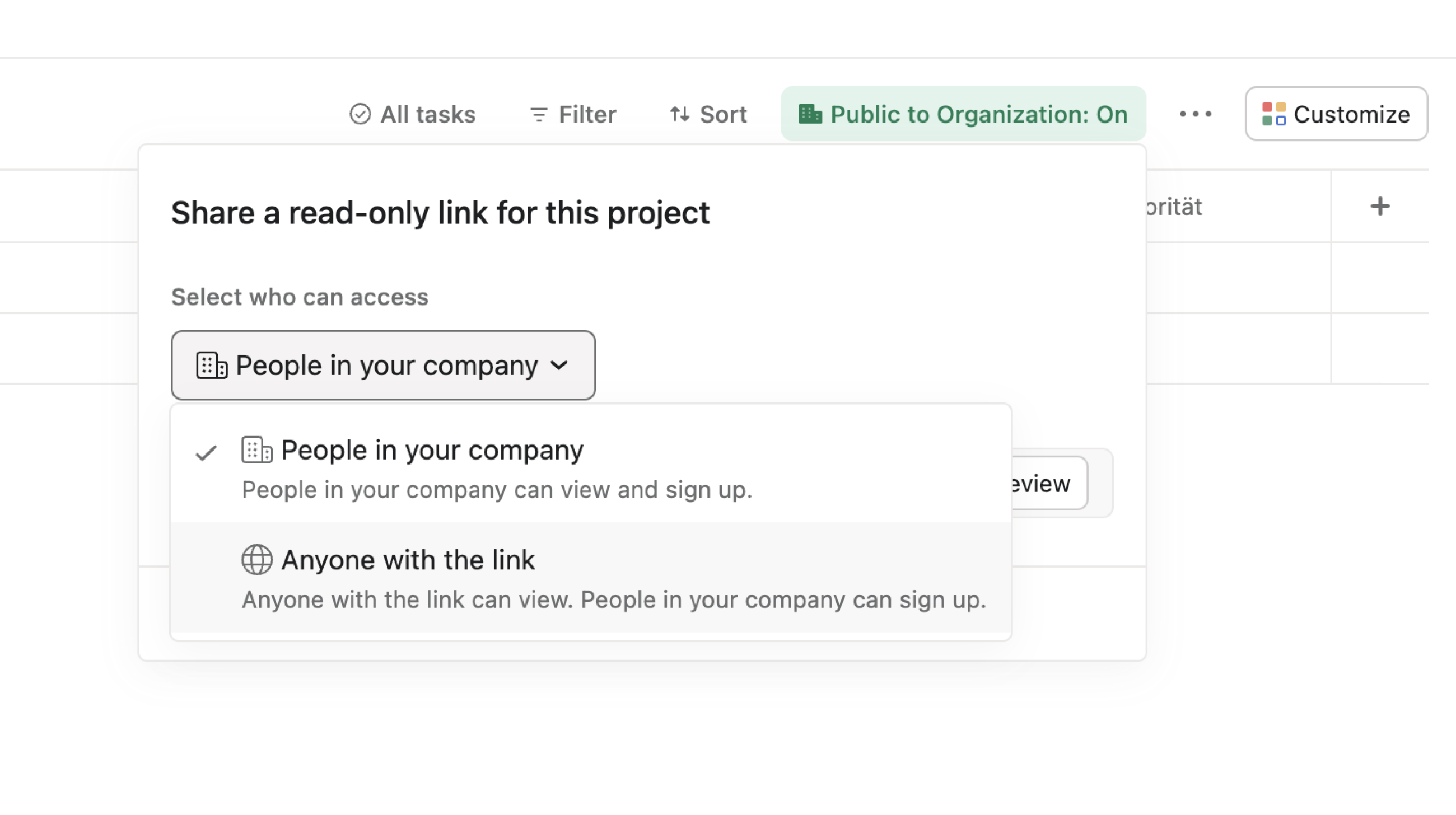
When this option is selected, the project read-only link will be internal-only, requiring the recipient of a read-only link to authenticate themselves before accessing the read-only view. The authentication method required depends on the method set for the domain (Google SSO, any SAML identity provider such as Okta, or none at all).
If no authentication method has been set, anyone attempting to access a read-only link must log in to Asana or sign up for Asana with their organization email address to gain access. This is the preferred option if restricting access to organization members only is required.
When this option is selected, the project read-only link will be public, with no authentication required to access the read-only view. This is the preferred option if read-only links will be shared externally, such as with clients, vendors, or members of the public.
Recipients of read-only links with organization only permission settings can access the view by authenticating themselves.
People in your organization who have an Asana account can authenticate themselves by signing into their Asana account.
People in your organization who do not have an Asana account can authenticate themselves in one of two ways:
First, ensure people in your organization have access to Asana via your domain's identity provider (e.g., Okta, Google SSO). Once this is set, they can authenticate themselves upon receiving a read-only link. This does not require signing up for an Asana account. Read-only link recipients that authenticate with the identity provider to access the link are not considered full members and, therefore, cannot impact billing unless they go on to complete their sign-up.
By signing up for an Asana account with an email address in the company domain, if the organization does not have an identity provider enabled.
Link recipients receiving a read-only link with Anyone with the link permission settings can access the read-only view without authentication.
The number of tasks shown in a read-only link is limited to a maximum of 200. Sorts and filters can be used to maximize the number of relevant tasks within this limit.
Like what you see? Get started with a free Asana trial today. Try for free.

