Products


AI Platform


Asana Foundations
Company Type

Visit our pricing page for more information.
Tasks represent actionable steps or to-do’s to make it clear who’s responsible for what by when—but they can also represent ideas and reference items. Subtasks break up the work of a task into smaller parts and function like independent tasks with all the same fields as a parent task, but are embedded within a parent task.
If you are the project owner, the system will assign you a task to update your project's status. In the task description, you should find a link to the corresponding projects you are the owner of.
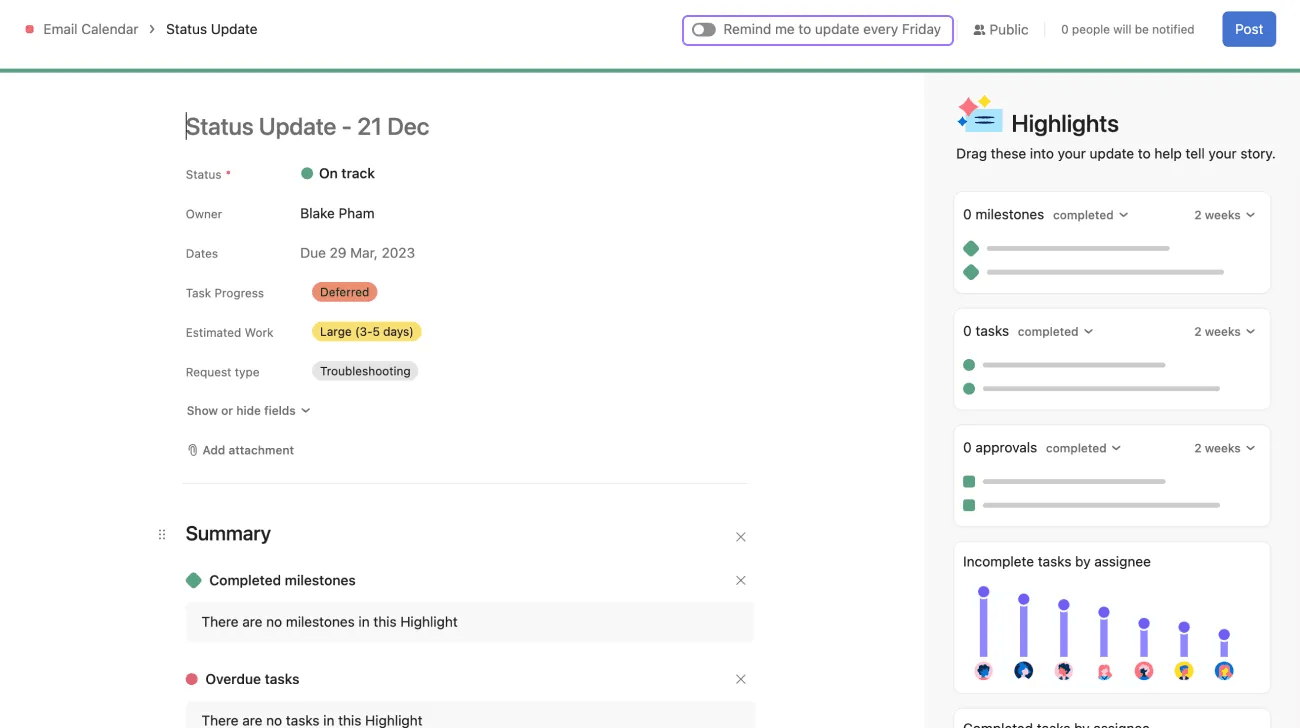
Open the project, navigate to the Status Update page, and turn on or off the Remind me to update every Friday toggle.
Tasks and projects that the former employee held as private will no longer be viewable. Tasks that were public or were associated with a shared project will remain accessible but may become unassigned.
A project with the private to members privacy setting will be created for the admin containing both public and private tasks previously assigned to the former employee.
Comments the former employee made on tasks will still be visible on both tiers, but their profile photo will be gone, and their name will not be clickable.
Note
Deprovisioned employees will no longer see your company's workspace or organization at the top bar of their Asana account and will no longer have access to its projects and tasks.
Subtasks do not inherit the projects, tags, nor the assignee of their parent tasks.
Subtasks act as independent tasks to their parent task.
Subtasks need to have a due date and be added to the project manually to appear on your project calendar.

