Products


AI Platform


Asana Foundations
Company Type
No articles found for this topic.
No articles found for this topic.

Visit our pricing page for more information.
This article presents a practical approach for controlling how tasks are added to projects. This can be a key step in managing and protecting an established workflow. Since adding a task often triggers crucial workflow rules, it's vital to prevent these rules from being accidentally activated by incomplete or unintended tasks.
To minimize this risk, employ a strategic mix of project permission settings and forms, designed to collect information from the right people in the right way.
First, we'll adjust the project's permission settings to allow only a select few people to edit the project details, including tasks. This step ensures that others cannot add tasks to the project. Then, we'll introduce a form to sidestep this limitation, permitting the addition of tasks only if they include all the necessary information required for the workflow. This can be an important step in assigning work automatically with custom fields.
The first step involves changing permission settings, both the default project permissions as well as permissions settings for individual project members.
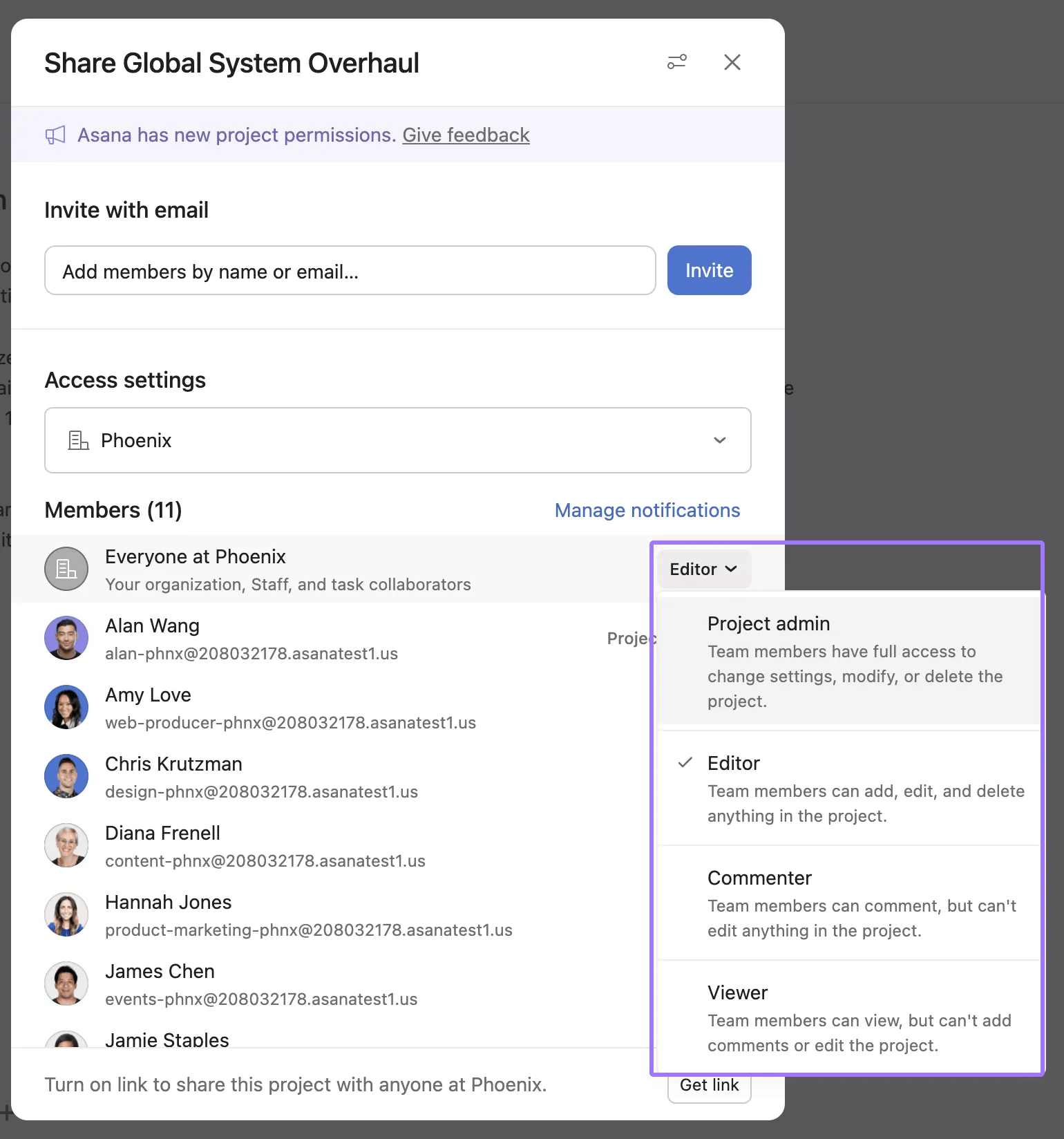
The result is that now, only those who need access to edit project details may do so. Everyone else is restricted from editing any part of the project. Temporarily, they cannot add tasks to the project in any way. Adding a form to the project will allow those without edit access to add tasks to the project via form submissions only, which can be tailored so that they capture all the relevant information before any work begins, or any workflow is triggered.
The first step of controlling how tasks are added to the project involved restricting edit permissions to a select group of members. The next move is to enable a controlled method for others to contribute tasks without granting them edit rights, thus preserving the integrity of the workflow.
To do this, create a form in the project:
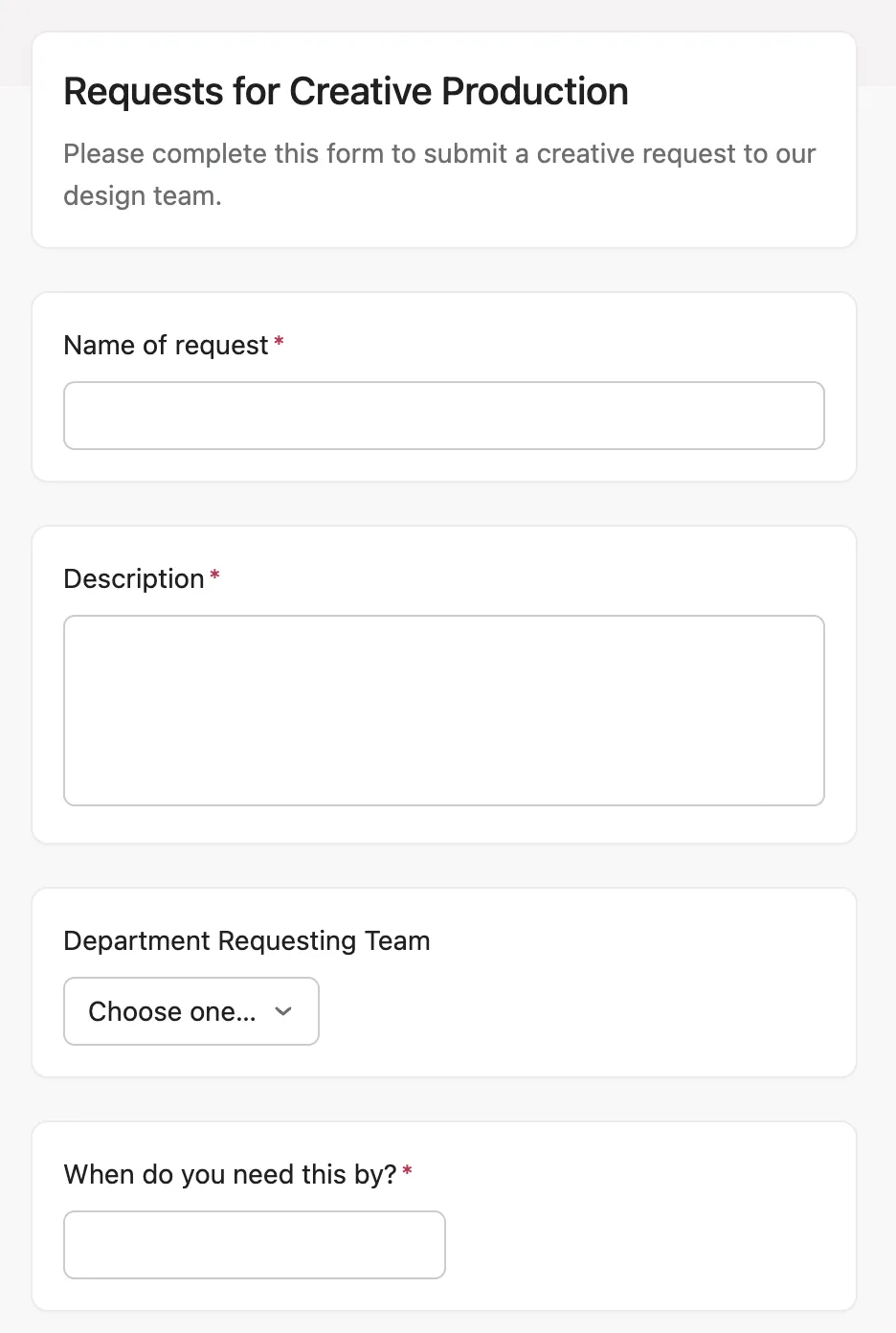
The result is that organization members and guests who previously could not add a task to the project due to their commenter or viewer permissions, can now add tasks in a controlled way via the form.
This method can be used as a starting point for many workflows which involve the addition of a task to a project, where existing tasks and workflow components must remain undisturbed.

