Products


AI Platform


Asana Foundations
Company Type

Visit our pricing page for more information.
This article covers how to import tasks to projects in Asana and how to export projects using JSON or CSV.
You can import tasks to a project in Asana using CSV.
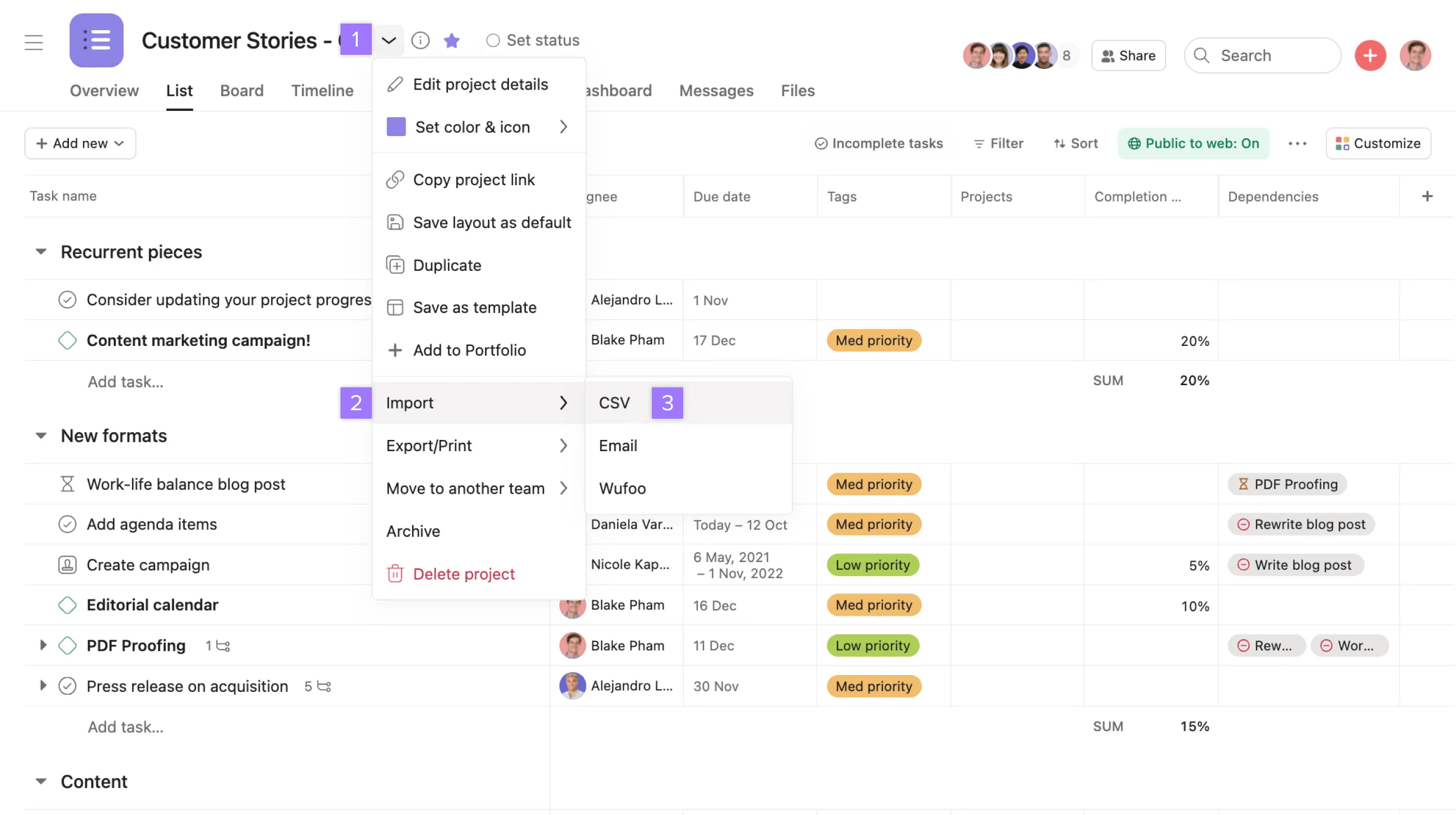
Select the project header drop-down menu next to your project‘s name, hover over Import then choose CSV.
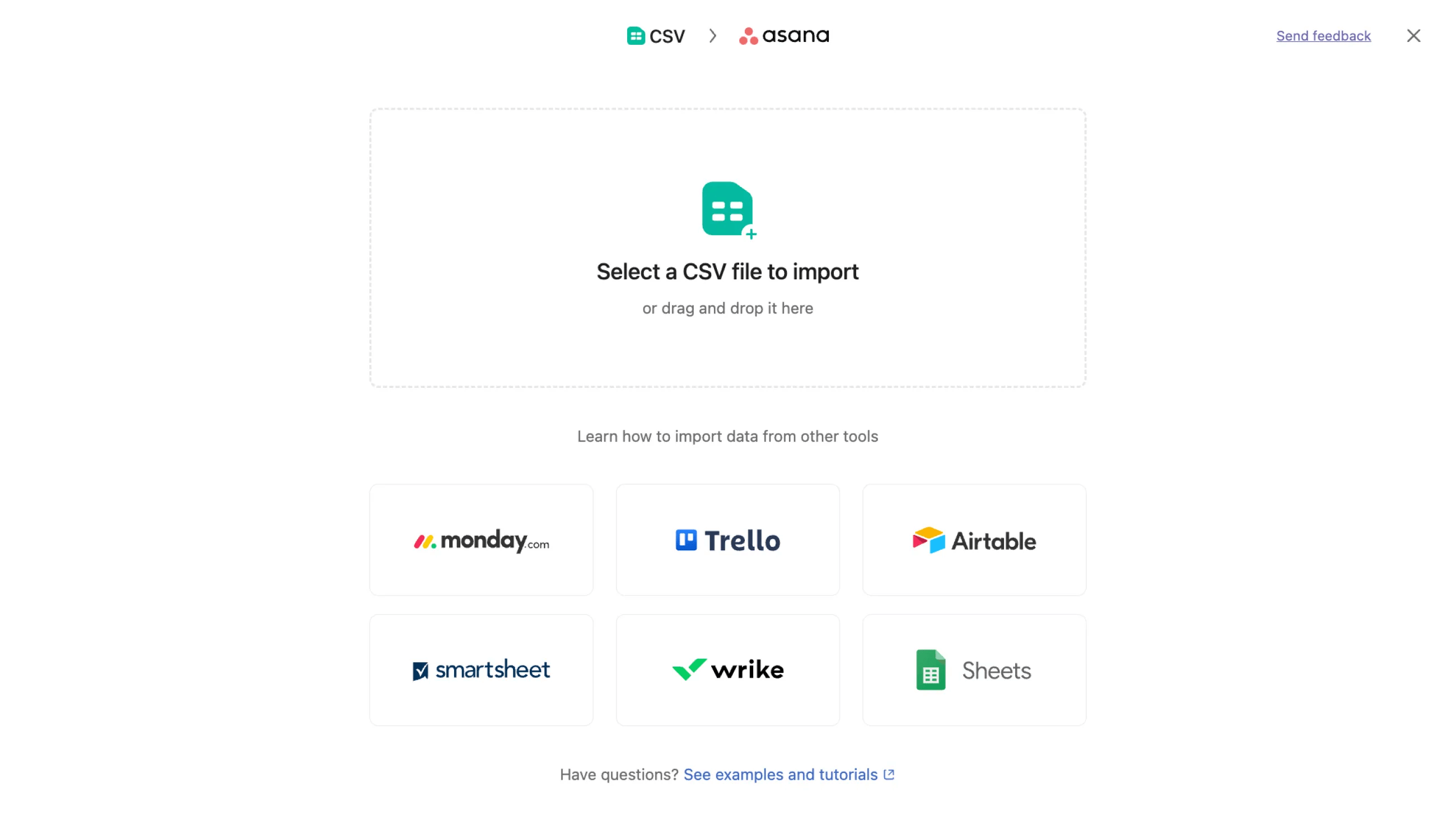
Follow the instructions provided, choosing the project to which you'd like to add your CSV file and the organization it lives in.
To import tasks into an Asana project, you can copy and paste a list of task names into a project. It can be multi-selecting tasks or copying lines of text. Asana will automatically create a new task after each line break.
Note
Note that our Support team cannot offer assistance with third-party tools as they are not developed by Asana.
You can export your project to the text-based file formats JSON or CSV.
Projects can be exported from Asana to maintain data backups, analyze project information in spreadsheet tools, share information with external stakeholders, meet documentation requirements, or integrate project data with other business systems. Sometimes work needs to be accessed or managed outside of Asana, whether for analysis, sharing, or using different tools.
Aside from projects, you can also export a Search View or your My Tasks.
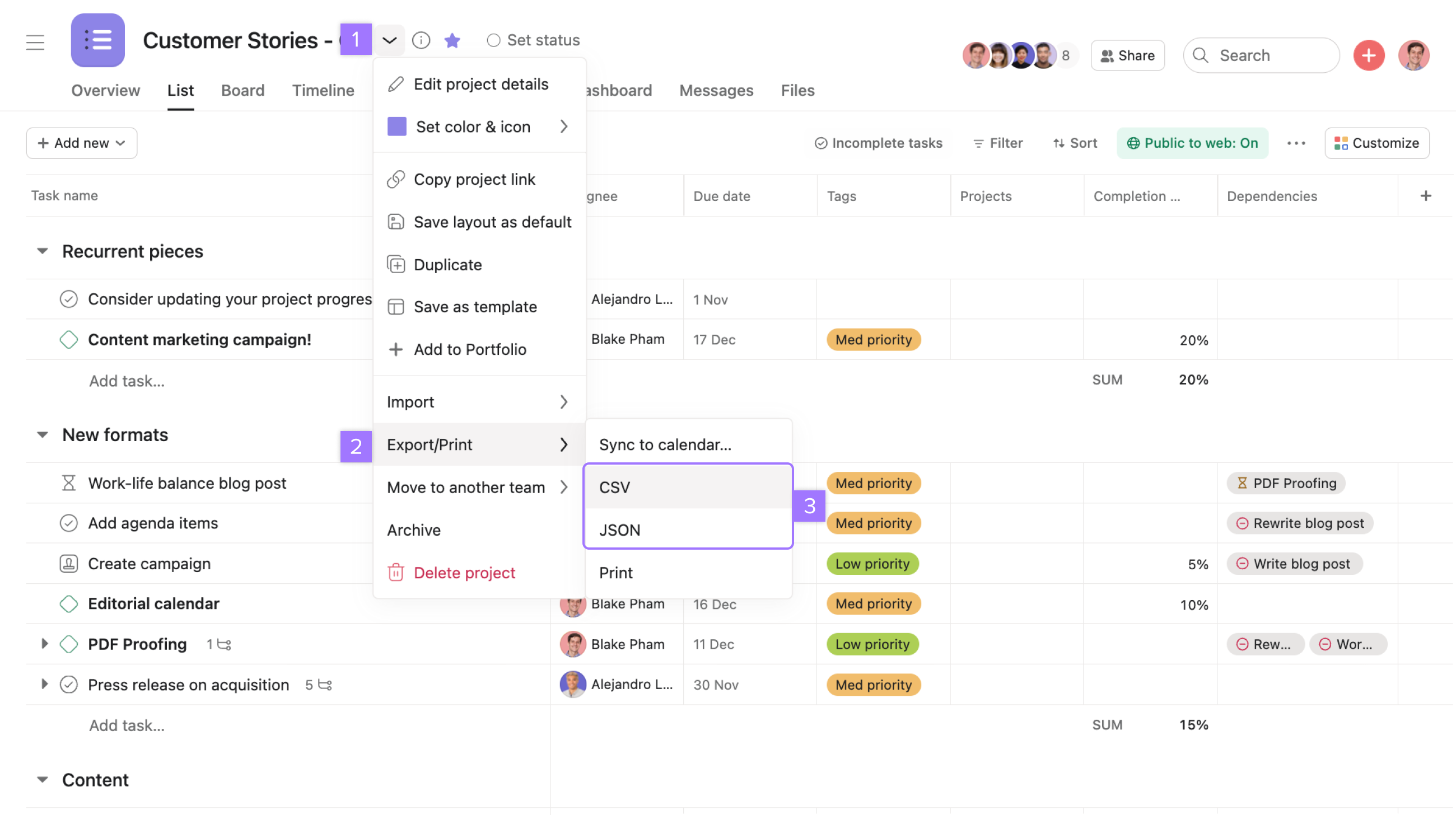
Learn more about exporting projects here.
You can export Asana projects to JSON or CSV file formats.
Yes, you can import tasks using CSV files or by copying and pasting a list of task names directly into a project—Asana automatically creates a new task after each line break.
Besides projects, you can export Search Views and My Tasks from Asana.
Projects can be exported to maintain data backups, analyze information in spreadsheet tools, share with external stakeholders, meet documentation requirements, or integrate data with other business systems.
Need help with imports or exports? Ask the Community.

