Products


AI Platform


Asana Foundations
Company Type
No articles found for this topic.
No articles found for this topic.

Visit our pricing page for more information.
Available on Asana Advanced, Enterprise, and Enterprise+ tiers, as well as legacy tiers Business and Legacy Enterprise.
Visit our pricing page for more information.
Proofing lets stakeholders leave specific, actionable feedback on images so your team knows what needs to be done to complete their work. The ability to automatically create subtasks from annotations will make the process of giving and receiving feedback smoother and less frustrating and ultimately drive clarity about what changes need to be made.
You can comment on images and track next steps in subtasks to leave actionable feedback for your team and move work forward.
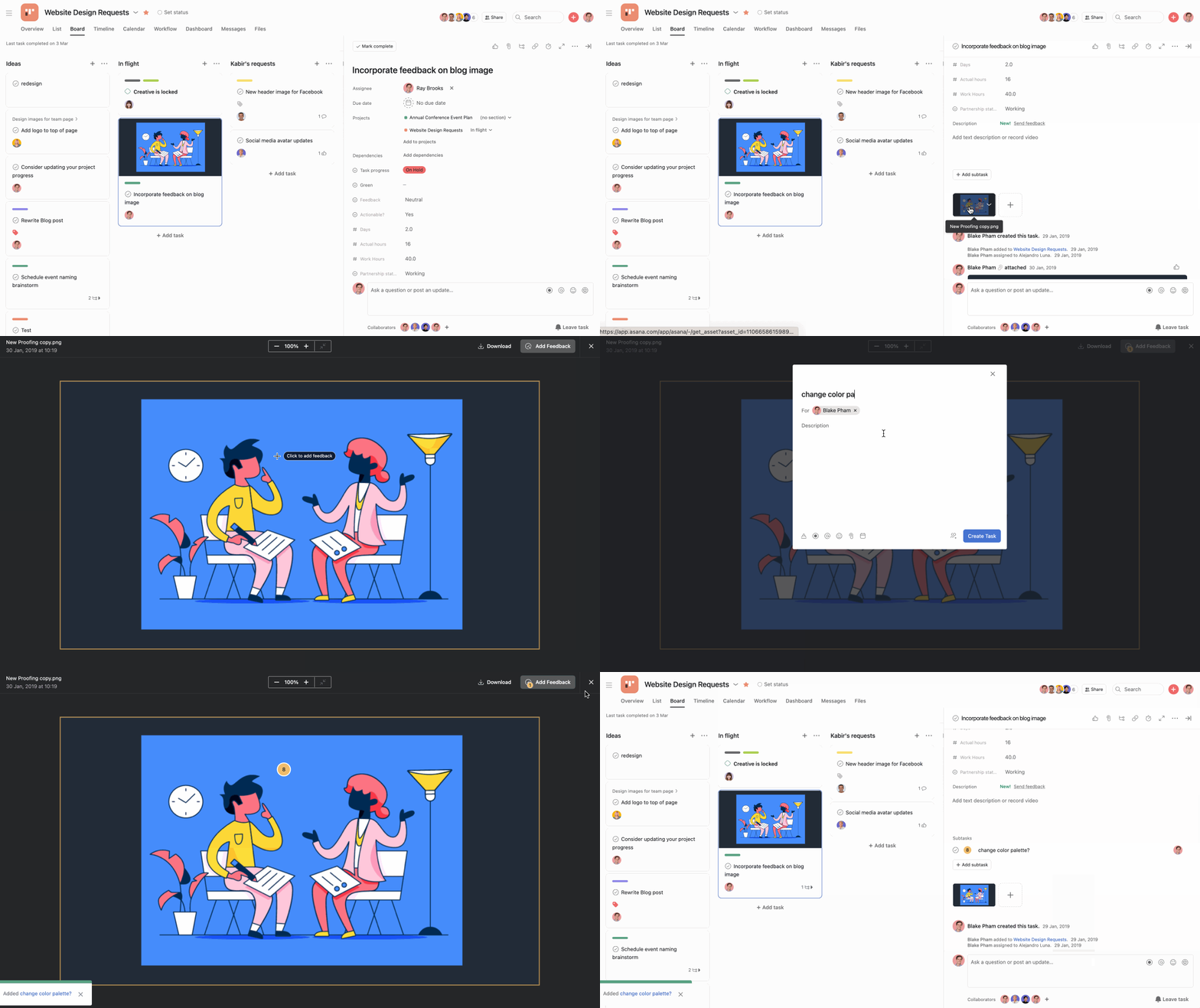
From the subtask, you can rename the subtask, add an assignee, assign a due date, and add a description for more detailed feedback.
Note
You can use proofing for PDF, PNG, JPG, GIF, and BMP files.
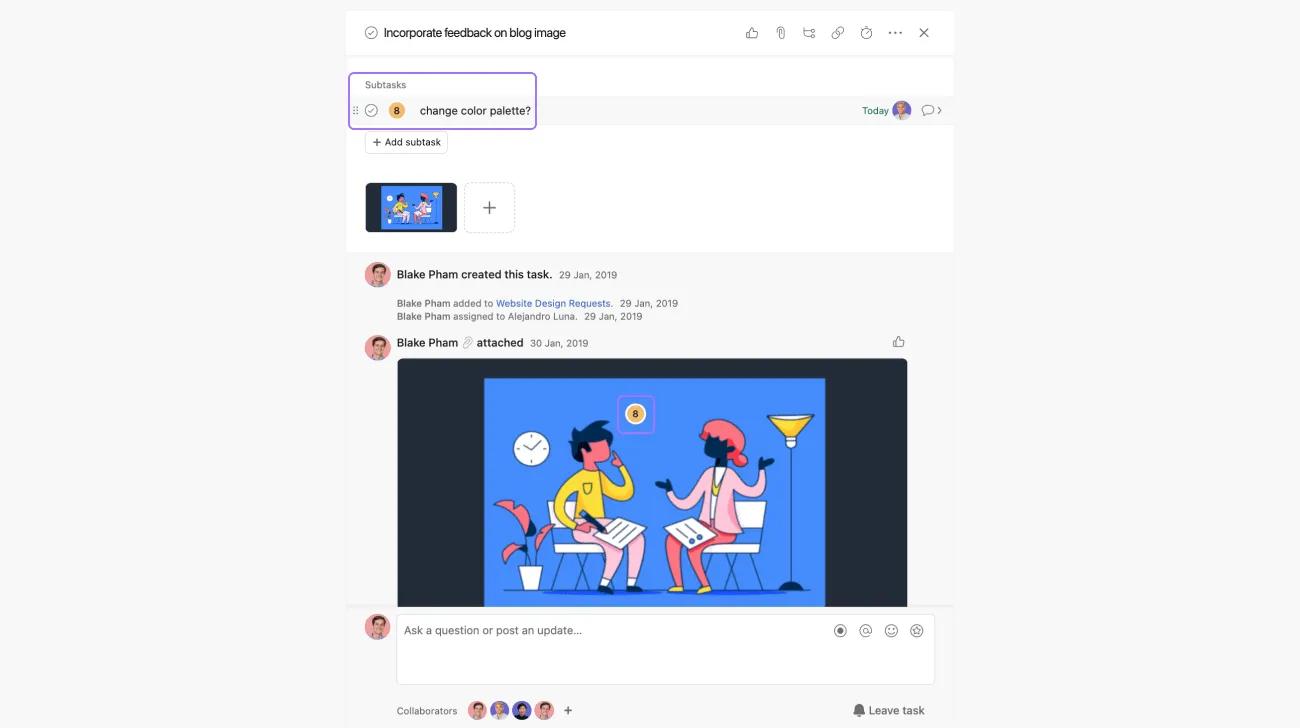
When you return to the parent task, you'll see any annotations listed as actionable subtasks and in the attached image.
You can also use proofing on PDF files. Your feedback will be marked as actionable subtasks.
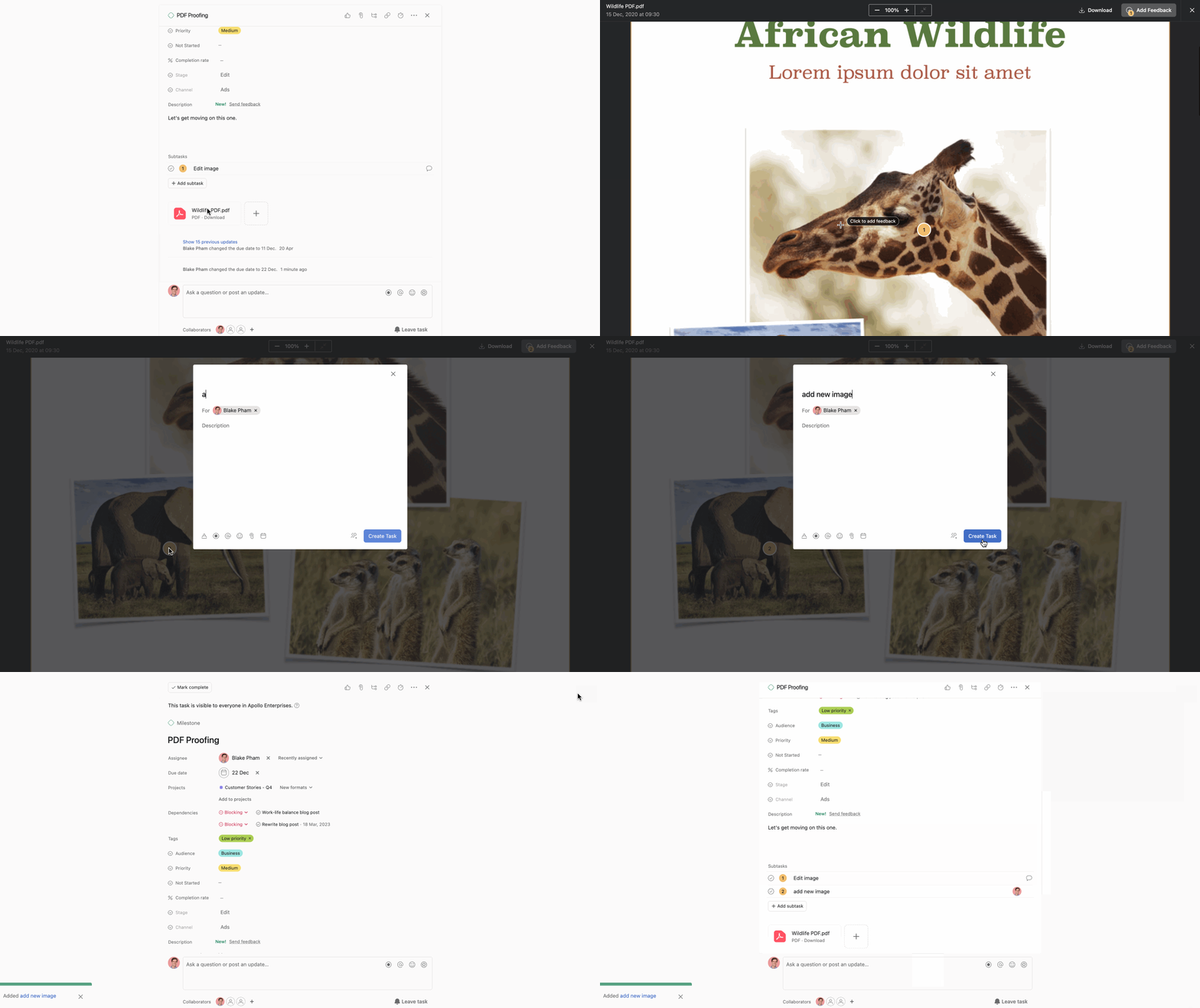
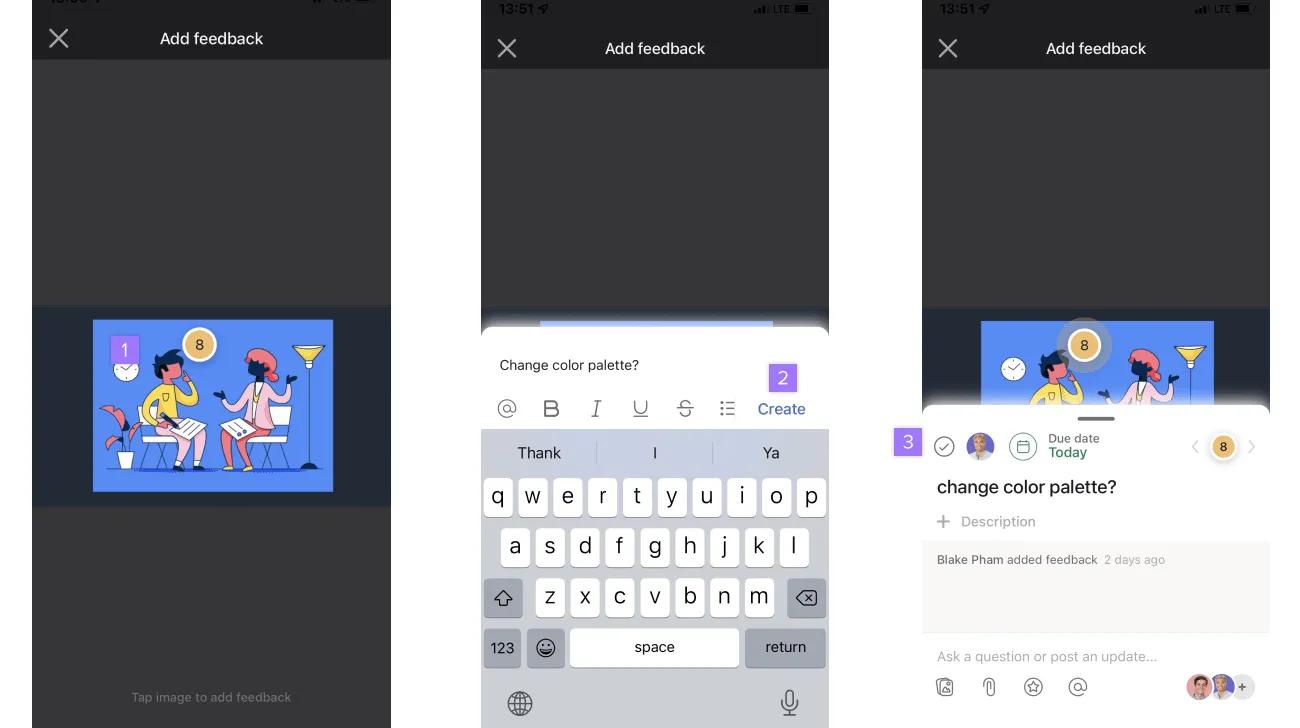
PDF Proofing is also available on IOS and Android.
Proofing is also available on the iOS & Android mobile apps on Asana Advanced, Enterprise, and Enterprise+ tiers, as well as legacy tiers Business and Legacy Enterprise.
Visit our pricing page for more information.
Start giving and receiving actionable feedback in one place. Get started with a free Asana trial. Try for free

