Products


AI Platform


Asana Foundations
Company Type

Visit our pricing page for more information.
Asana provides a centralized platform to plan, track, and execute work across the customer lifecycle, addressing these challenges and streamlining operations.
This article will guide you through setting up and using Asana for Sales and Account Management.
Account managers can use Asana to keep all client information in one place. By creating a dedicated project for each client, team members can track deliverables, log meeting notes, and store key documents
Begin by creating a project for Account Management:
Set up custom fields for key customer details such as account status, renewal dates, and priority levels.
Create sections for different stages of the customer lifecycle, such as; Onboarding, Active accounts, Renewals, and At-risk accounts.
Integrating Asana with Salesforce provides sales and account management teams a powerful way to bridge task management with customer data. This integration helps teams streamline workflows, track customer journeys, and ensure smoother collaboration between sales and post-sales functions.
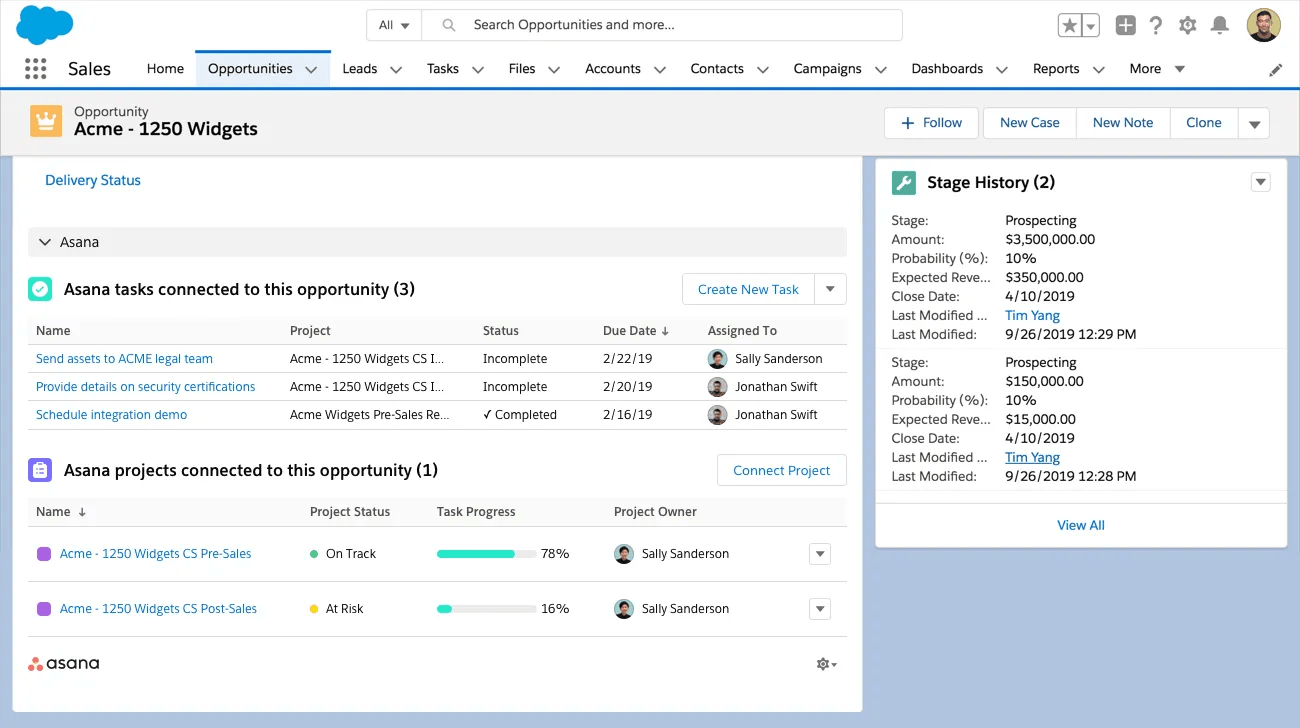
Sales teams can automatically trigger workflows in Asana based on actions in Salesforce and automate the creation of tasks and projects based on opportunity stage. You can create a project based on a template and create tasks automatically with information from salesforce. For example, when an opportunity reaches a certain stage in Salesforce, it can create tasks for follow-ups or a project for a specific team.
Sales teams often follow structured playbooks or standard processes for customer outreach and engagement. Asana allows you to create custom templates for these workflows, ensuring consistent execution.
If you have customer playbooks or sales motions that you repeat often, create custom templates to save time and ensure smooth handoffs.
Start with our sales project templates or customer success project templates to save time and get tips for organizing your own custom templates.
If you don’t use a CRM tool, you can try our account tracking template.
Make sure important customer details and action items don’t get lost in email. Asana's integration with email allows you to streamline their workflows by converting emails into tasks, enabling you to track work in one place. With tools like the Asana for Gmail or Outlook add-ons, you can create tasks directly from you email inbox.
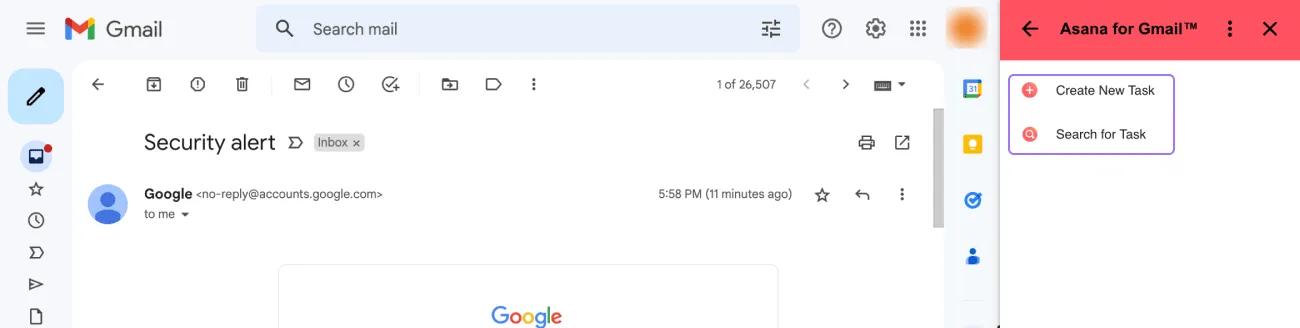
Learn more about the Gmail and Outlook integrations to directly turn email conversations into tasks and comments in Asana.
Customer onboarding is a critical time for your team to deliver value fast. One of the best ways to do that is by setting up a customer onboarding project.
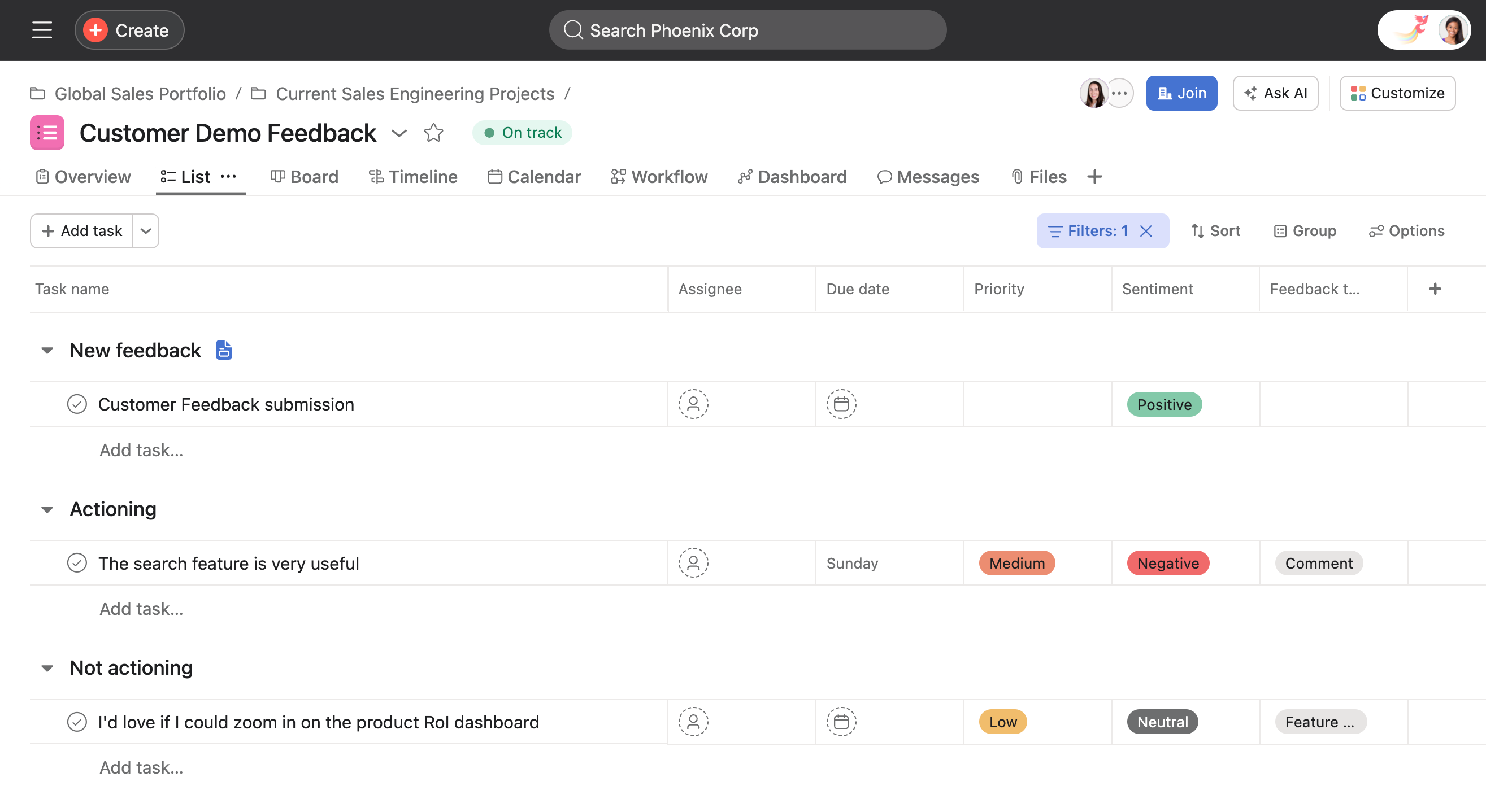
As your customer relationships deepen, you might receive relevant feedback to help you make improvements, squash bugs and plan a roadmap with more customer-driven insights. Here’s what that can look like in Asana:
By using these features effectively, sales and account management teams can boost productivity, maintain better client relationships, and close deals with greater efficiency.

