The team admin role exists within each team in Asana. Team admins have access to team management features within the context of their specific teams. They can control who can edit a team and the members/guests allowed onto a team. A team can have one, multiple, or no team admins.
Becoming a team admin
Users who create a new team automatically become the team admin. Team admins have control over the team and the role of team members.
Team admins can invite other users into the team and designate their role level within that team, either as a team member or another team admin. Only team admins can appoint others to be additional team admins or demote existing team admins back to team members. Super admins are an exception to this as they can act as team admins on any team, but only from within the admin console.
Team admins are not a requirement. If there is no team admin, team members can take any action within the team. However, if the team previously had a team admin who restricted the team members’ abilities, those restrictions will stay in place even if the team admin is removed. When a team does not have a team admin, any non-guest team member can claim the team admin role from inside the team settings modal. Please note, guests cannot become team admin. They can be invited to teams as a team member only.
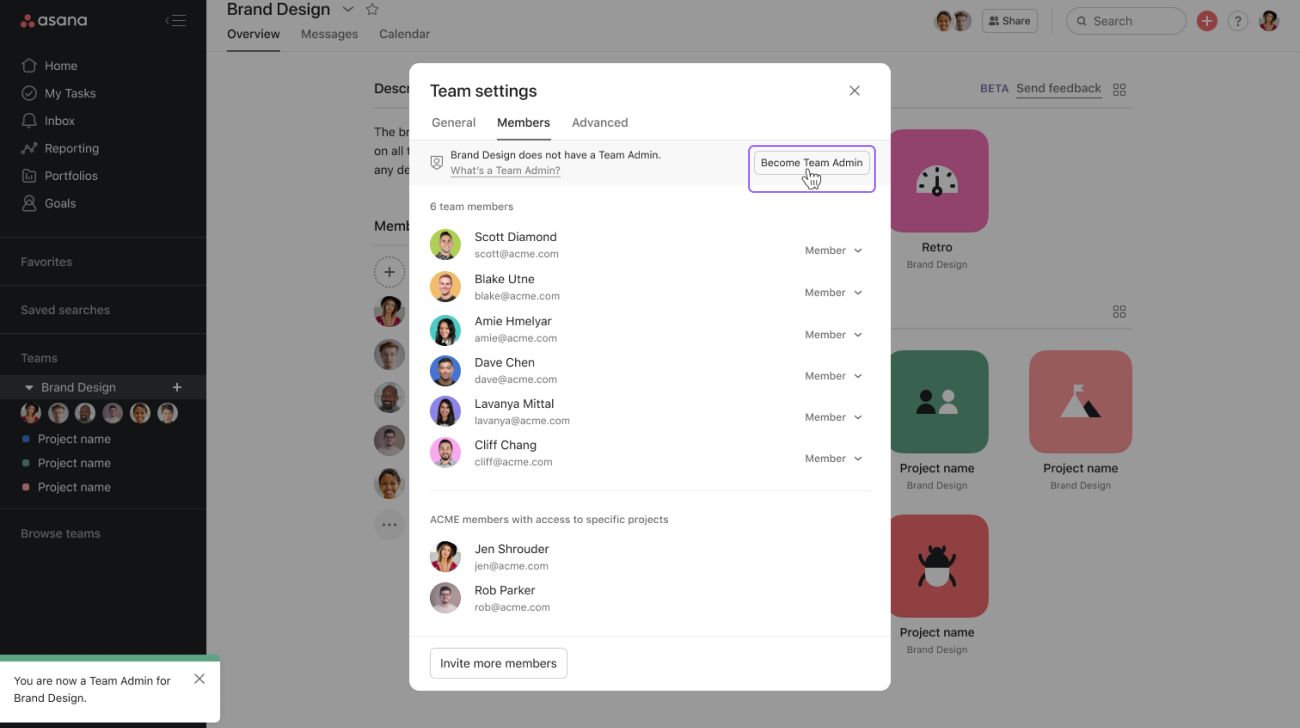
Team admin vs. team member
The following is a breakdown of how the permissions of team admins and team members differ.
Team admins
Team admins can take the following actions:
- Edit the team name and team description
- Edit the team privacy type or delete the team
- Edit a team member or team admins role within the team
- Add or remove any user
- Edit any of the permissions settings found on the advanced tab of the team settings dialog
Team admins cannot take the following actions:
- Remove the organization’s billing owner from a team if it is the only team the billing owner is a member of
- Make a guest of the domain another team admin
Team members
Team members can take the following actions if the team admin allows it:
- Edit the team name and team description
- Edit the team privacy type or delete the team
- Invite guests and members to the team, though these invitations may require a review and approval by a team admin first
- Remove other team members from the team
- Claim the team admin role (non guests) if the team doesn’t have a team admin already
Team members cannot take the following actions:
- All the same restrictions that apply to team admins, plus:
- Remove or demote existing team admins
- Promote a different team member to team admin
- Edit any of the permission settings found on the advanced tab of the team settings dialog
Editing permissions controls
Available on Asana Starter, Advanced, Enterprise, and Enterprise+ tiers, as well as legacy tiers Premium, Business, and Legacy Enterprise.
Visit our pricing page for more information.
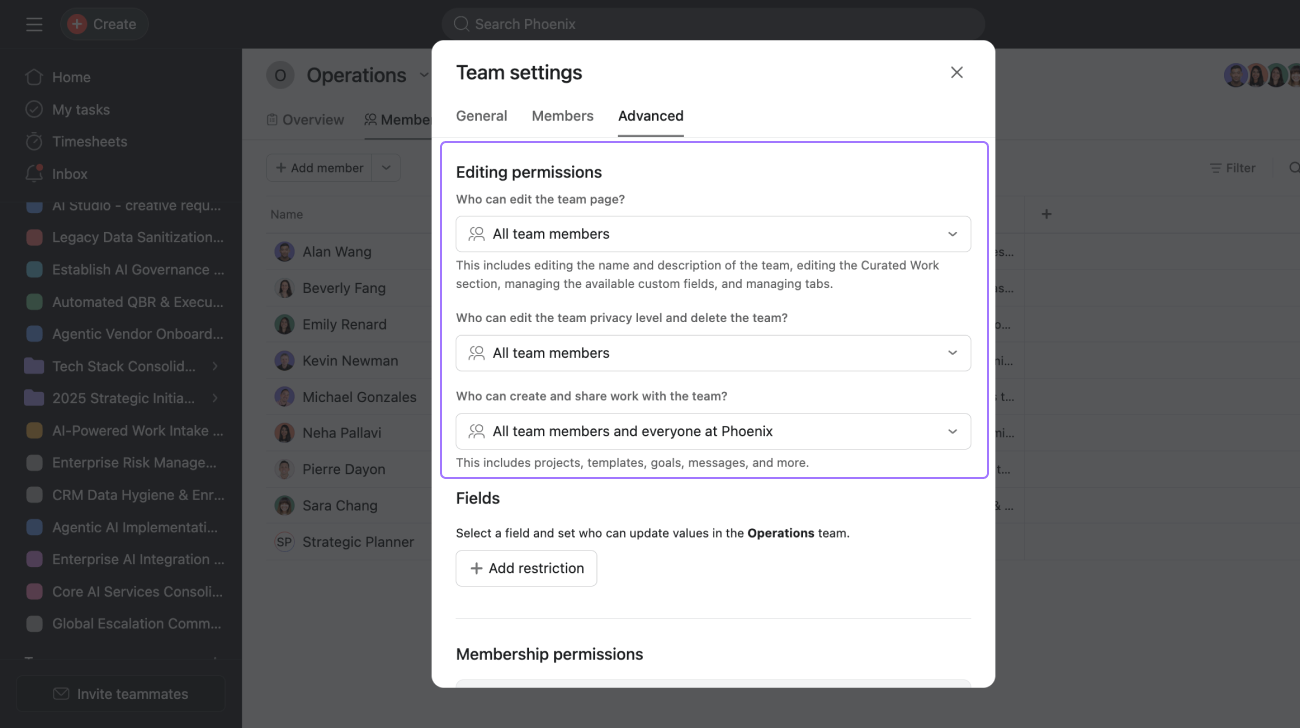
Team admins can manage the following editing permissions under the Advanced tab within Team settings:
- “Who can edit the team name and description?”
- “Who can edit the team privacy level and delete the team?”
There are two options for these settings: All team members or Team admins only
When a new team is created, these settings are set to All team members by default.
Membership permissions controls
Team privacy types
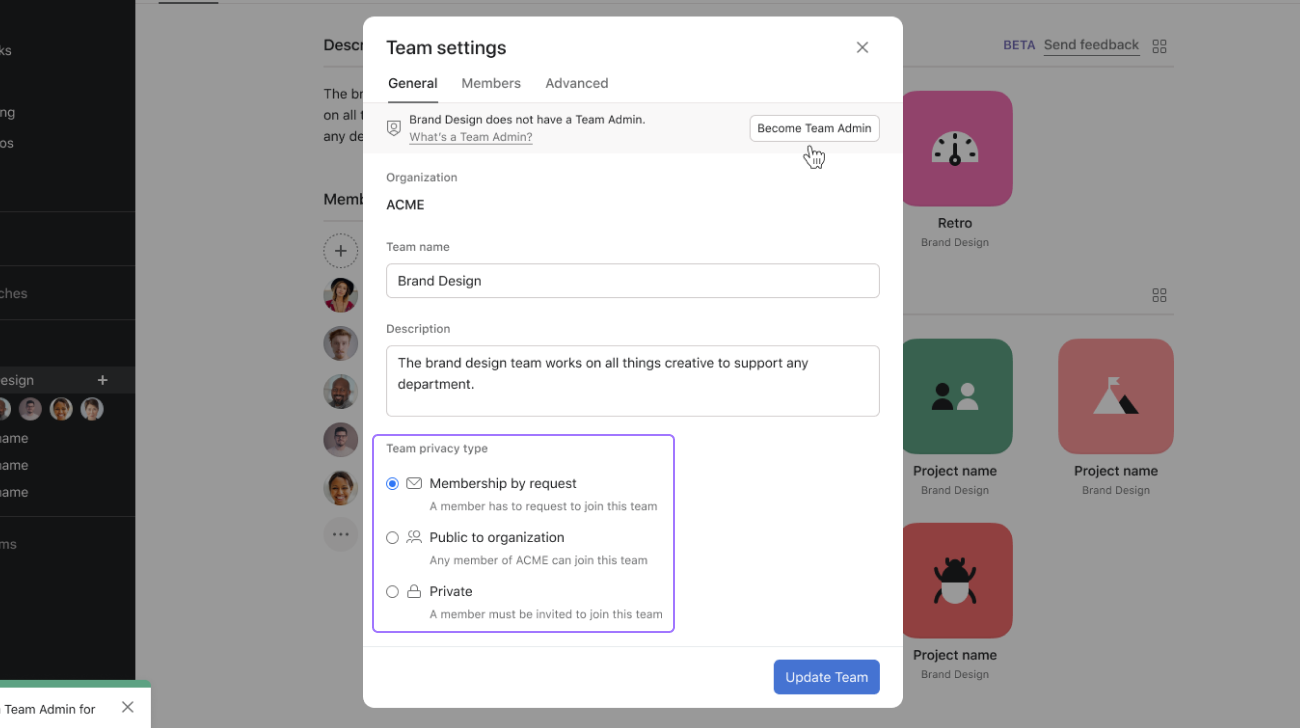
Teams can be set to one of three different privacy types:
- Membership by request
- Public to organization
- Private
Requests to join
This feature is available on all pricing tiers.
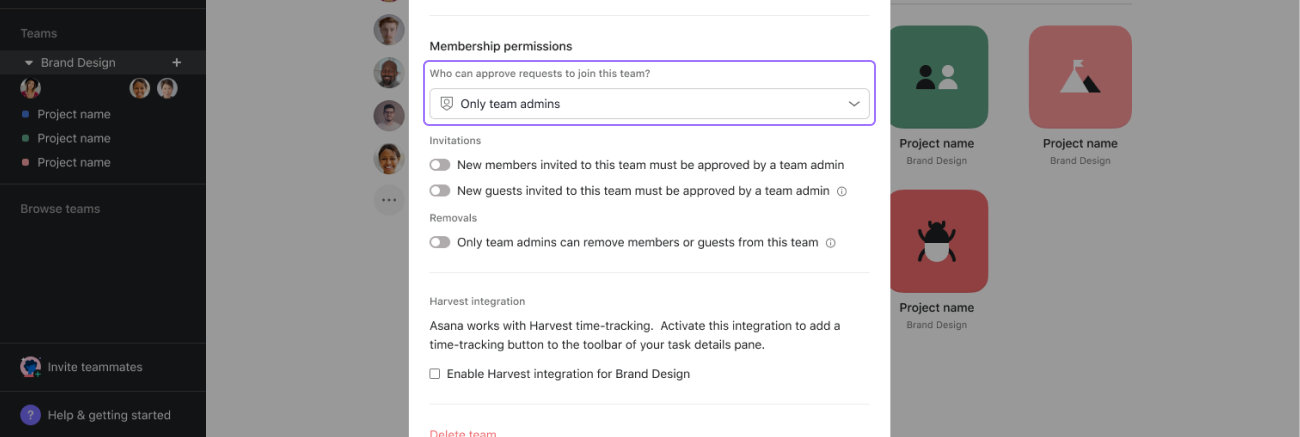
For membership by request teams, team admins can manage who can approve or deny requests to join the team using the Who can approve requests to join this team control.
- When the control is set to All team members, then all team members receive the notification and can approve/deny the request when an Asana user outside the team asks to join the team.
- When the control is set to Only team admins, only the team admins within the team receive the notification and can approve/deny the request when an Asana user outside the team asks to join the team.
Invitations and removals
Available on the Asana Enterprise, and Enterprise+ tiers, as well as legacy tier Legacy Enterprise.
Visit our pricing page for more information.
Team admins can also manage how users are added or removed from the team. On all team types (public, membership by request, and private), the following toggles can be found:
New guests invited to this team must be approved by a team admin
- When the toggle is turned off, team members can freely add guests to the team.
- When the toggle is turned on, team members must request to add guests to the team. A team admin must approve the request.
Important notes
- A domain member is a user whose email address matches one of your organization’s verified domains.
- A domain guest is a user whose email address does not match your organization’s verified domains.
Only team admins can remove members or guests from this team
- When the toggle is turned off, then any team member can remove any other team member (besides team admins) from the team.
- When the toggle is turned on, only team admins are allowed to remove other team members from the team.
Membership by request and private teams have one additional control that public teams do not have:
New members invited to this team must be approved by a team admin
- When the toggle is turned off, team members can freely add domain members to the team.
- When the toggle is turned on, team members must request to add domain members to the team. A team admin must approve the request.
Team privacy type and membership controls
Team admins on public teams cannot enforce team membership approval since domain members can easily search for and join public teams.
- When the team privacy type is changed from Membership by Request or Private to Public, the toggle for New members invited to this team must be approved by a team admin will be reset to off.
- Changing the team privacy type from Public back to Membership by Request or Private will not revert the toggle back to the on position.
Team admins and super admins
Within the admin console:
- Admins can act as team admins for any teams that they are already a member of.
- Super admins can act as a team admin in any team in Asana, regardless of their membership status to that team or its privacy type.
Unlike admins and super admins, team admins are not able to access the admin console.




