Products


AI Platform


Asana Foundations
Company Type
No articles found for this topic.
No articles found for this topic.

Visit our pricing page for more information.
Workflows connect the right people to the right information at the right time, helping teams to coordinate seamlessly on the work that matters. See how you can build a cross-functional workflow in Asana by reading the example below.
Here’s how Michelle, a Campaign Manager on the Marketing team, builds a cross-functional workflow in Asana to collaborate with colleagues from the Design and Legal teams at her company.
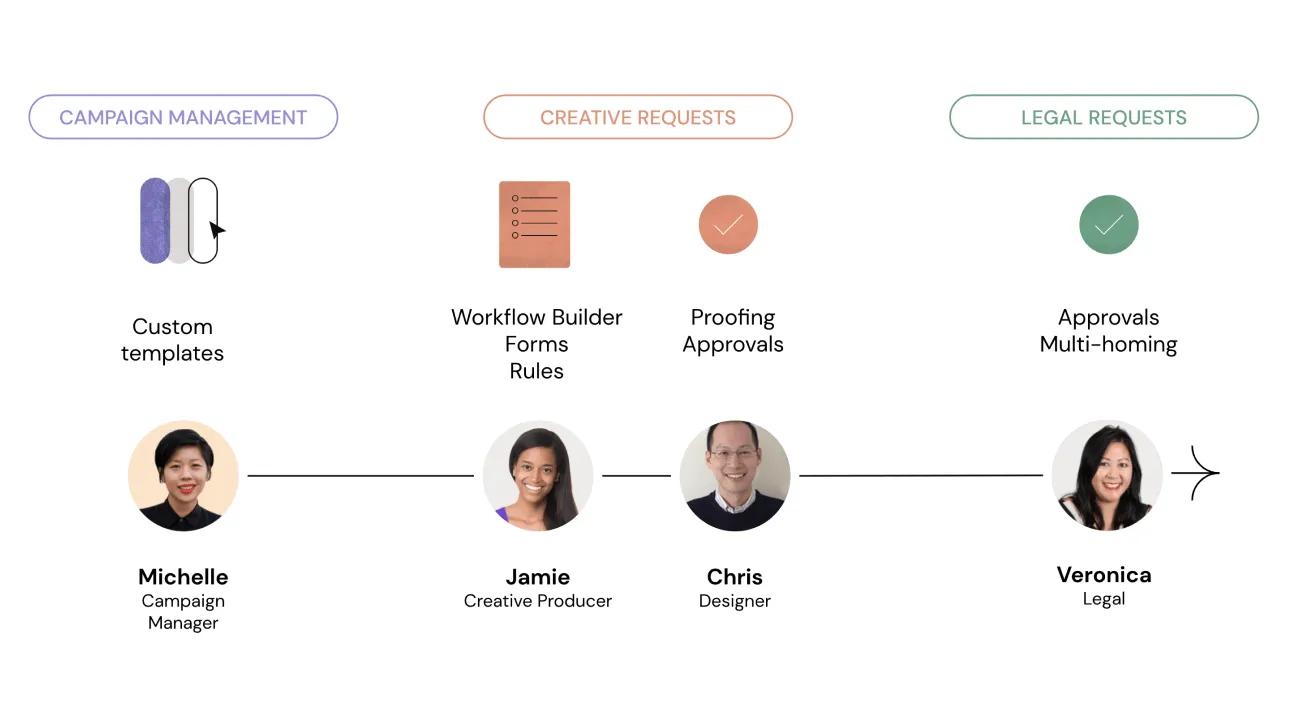
In a nutshell, Michelle is in need of an image for her next social media post, and needs to request this from the Design team. As well as that, the Legal team must review the visual asset before it is posted. Let’s take a look at how they did it.
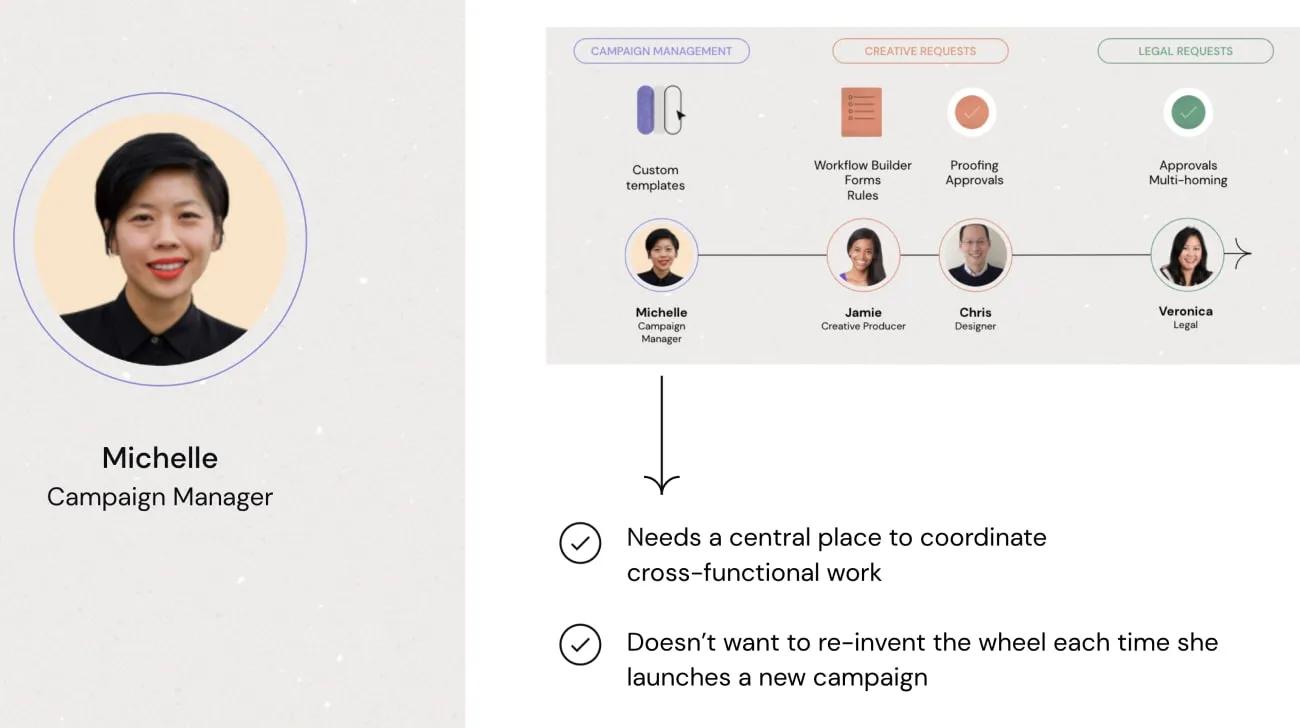
Michelle manages campaigns like this quite often. The process has been fine-tuned over time, so she uses a custom template that she has previously created to launch her marketing campaign. By creating a project with her custom template, Michelle already has all the tasks and milestones she needs to collaborate effectively with the Design and Legal teams. Before the project is created, she can choose to edit relative due dates, assign tasks to various project roles, or make changes to the project’s privacy settings. If she doesn't need to change anything, her project will be created in a matter of seconds.
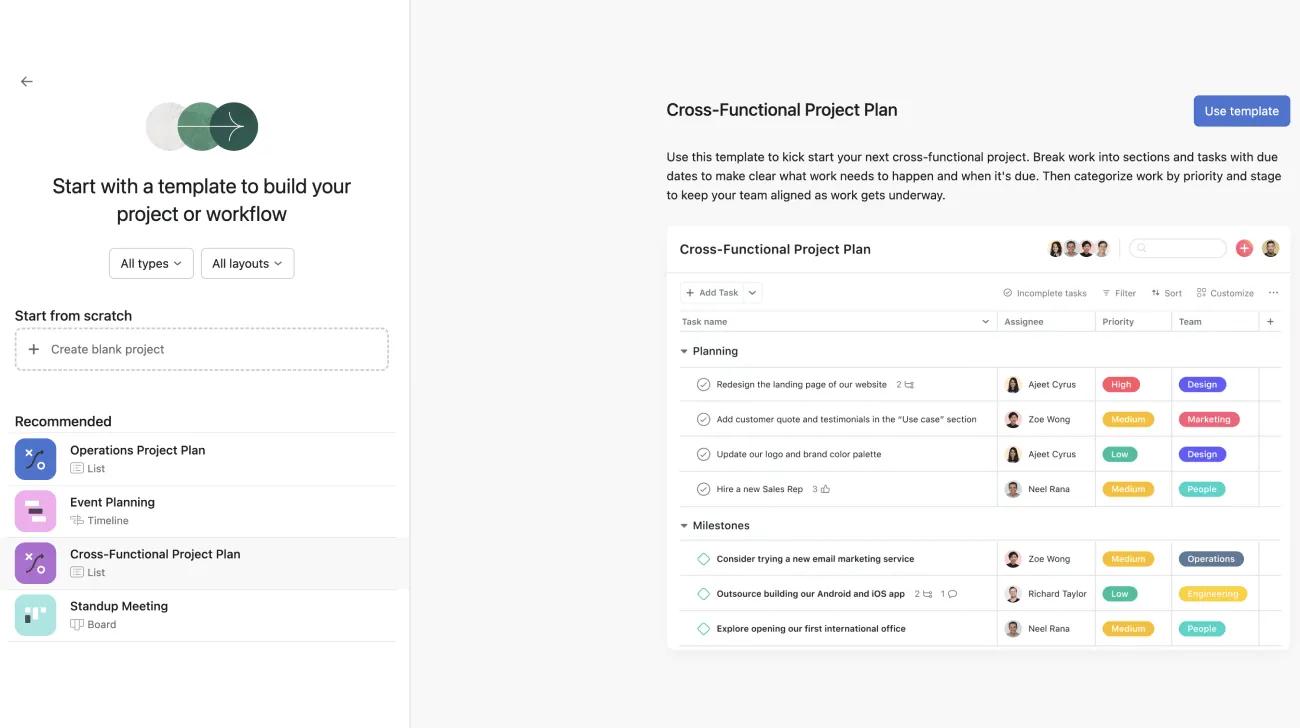
Since her campaigns generally take the same form, Michelle saves a lot of time by using the same custom template to build out her project instead of starting from scratch each time she needs to launch such a campaign. Vital work can’t fall through the cracks, because the same important tasks appear each time the custom template is used.
One such task is titled Submit creative request for social image. This task is assigned to Michelle automatically at project creation, and prompts her to request an image from the Design team. Helpfully, the Design team’s creative request intake form is linked in the task description every time. Michelle fills out the form, and the resulting submission is sent to the Design team’s intake project.
Through this intake form, Jamie, a Creative Producer on the Design team, takes in creative requests from across the company.
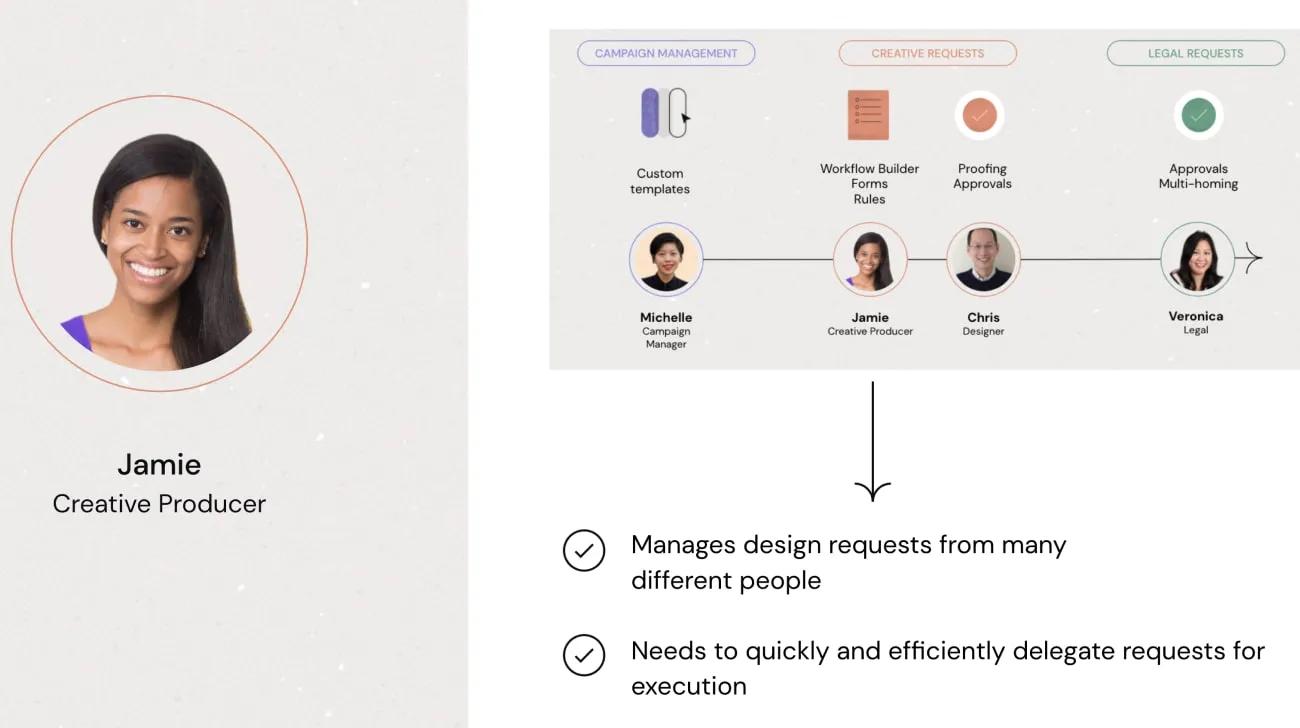
Jamie uses workflow builder to streamline requests and get them to the right people. The workflow lives in a single project, and each request will be a task that moves through different stages. A workflow helps to visualize the mechanics of how work is taken in, and which triggers and actions cause the work to move through certain stages, or sections, in the project.
Based on the selections that Michelle has made when filling out the form, Workflow Builder has allowed Jamie to rely on custom rules, custom fields, and custom field mapping in forms to delegate the work to the right team at the right time. Michelle has requested a particular type of visual asset, so Chris, a Designer, is assigned the task by the rule.
Through Jamie’s workflow, Chris ultimately receives Michelle’s request for an image.
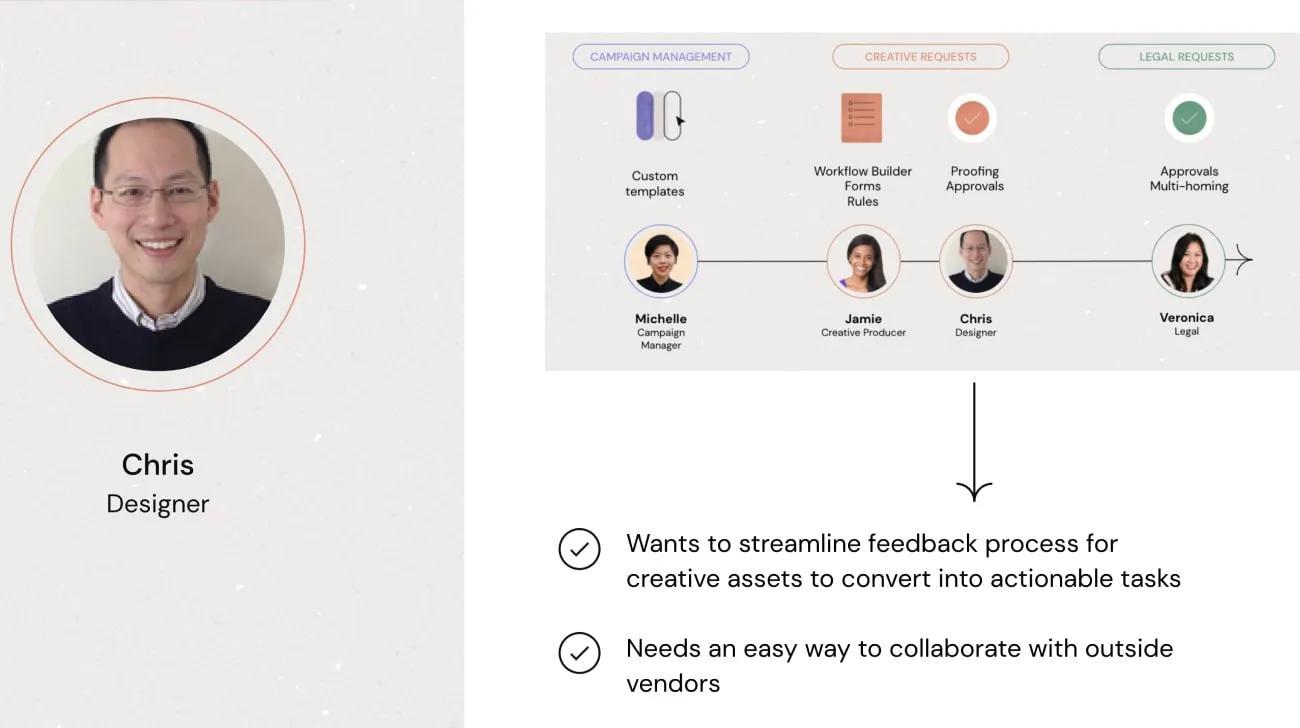
Chris will engage an outside vendor to provide the image, and will use the proofing feature to exchange feedback on the visual asset. Chris doesn’t need to set this up, however, because the workflow builder has already created a task for Chris and the vendor to collaborate on.
Once the asset is finalized, Chris assigns an approval task (automatically created by the workflow builder) to Michelle to get her approval for the image. Assuming Michelle approves the image, completing the task, the workflow dictates that the request is then multi-homed into the Legal team’s review project. Veronica, in Legal, also receives an approval task to give the final sign-off of the image, and when this is complete, Michelle is informed via a task created by another rule that her asset is ready to publish.
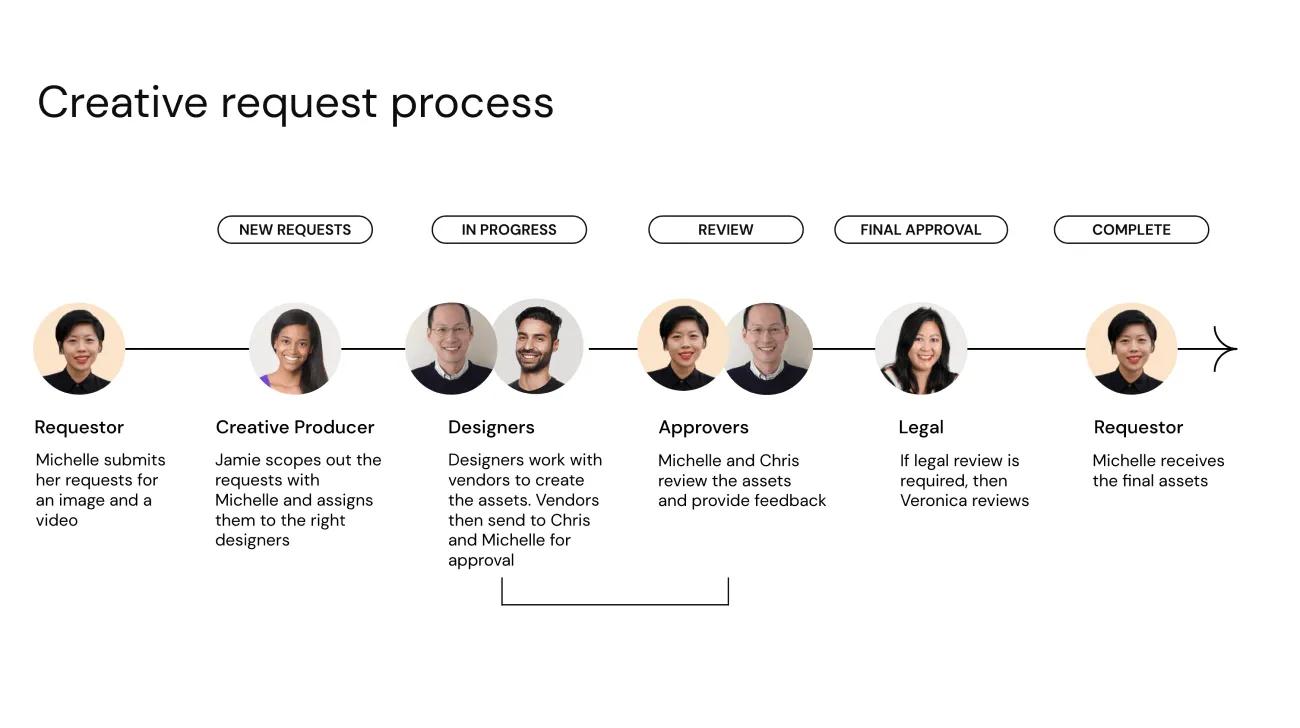
Without manually assigning tasks, explaining things over and over again, or letting any work slip through the cracks, Michelle and her colleagues from different departments have successfully completed their respective tasks and collaborated on an important project. She is ready to write her social media post and kick off her marketing campaign.

