Products


AI Platform


Asana Foundations
Company Type
No articles found for this topic.
No articles found for this topic.

Visit our pricing page for more information.
Here's how to automate how work is assigned and scheduled based on the priority of a task. This workflow uses a combination of custom fields and rules to achieve the desired result. This small yet important workflow can form a part of a larger, more complex workflow.
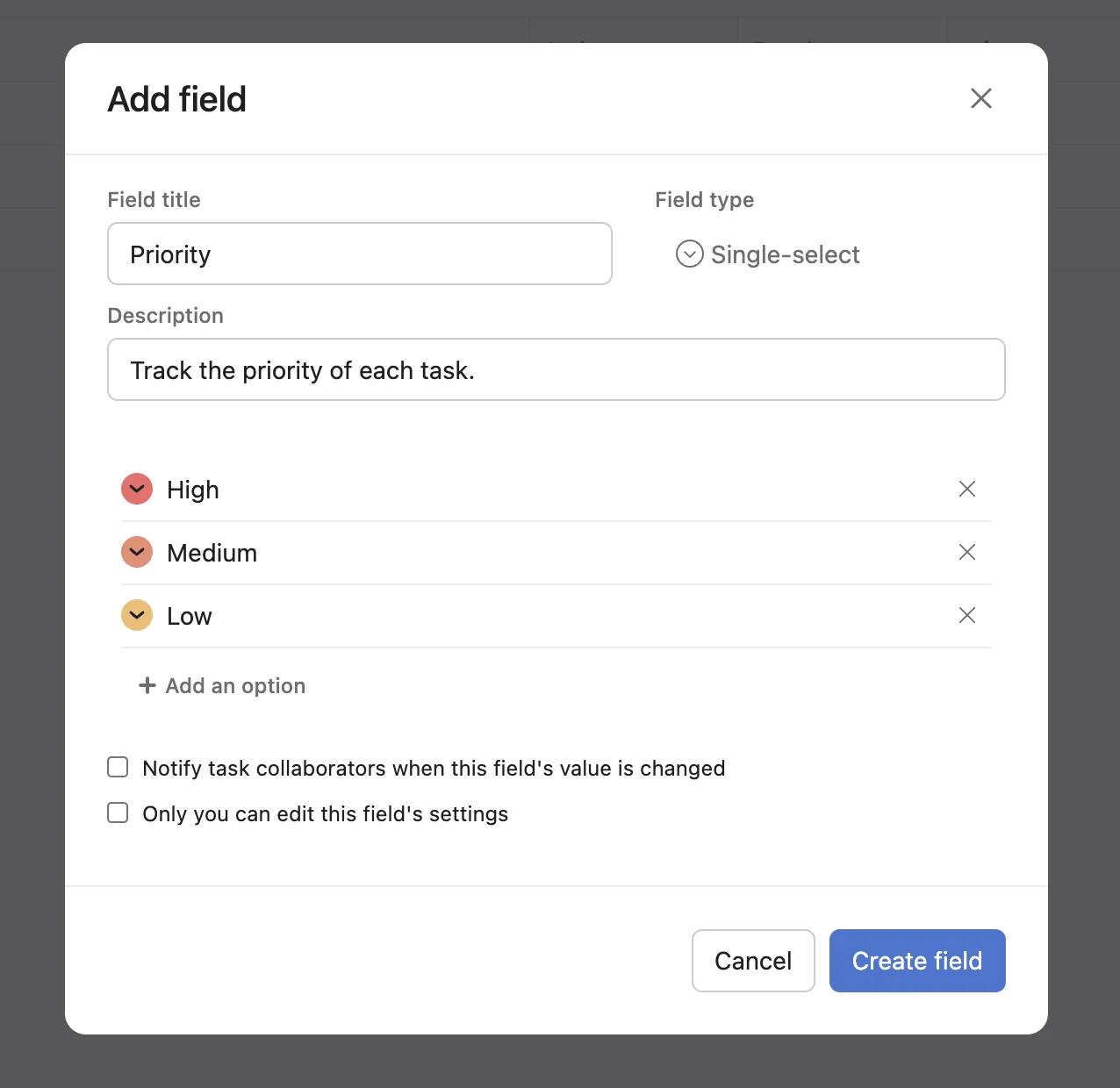
To get started, add a priority custom field to your project and set the custom field values to Low, Medium, and High.
Adding a custom field like this to your project means you can easily visualize the most pressing tasks at a glance. It also sets the stage for assigning and scheduling work automatically.
Create a rule to assign tasks to specific people and select due dates based on the chosen value for the priority custom field. Then, choose further actions such as adding comments, and moving tasks to different sections.

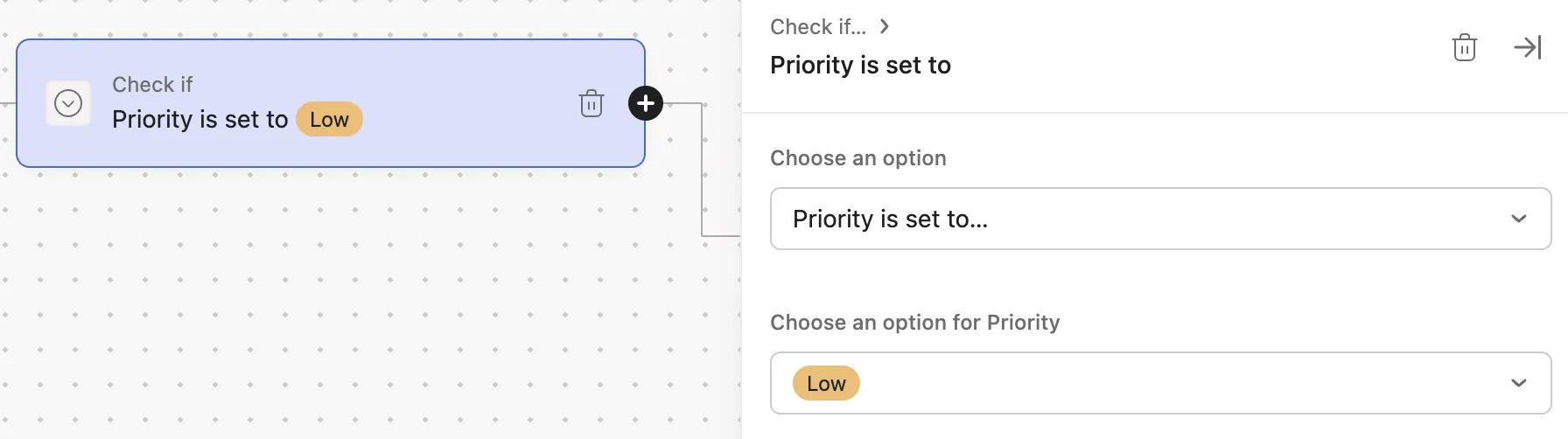
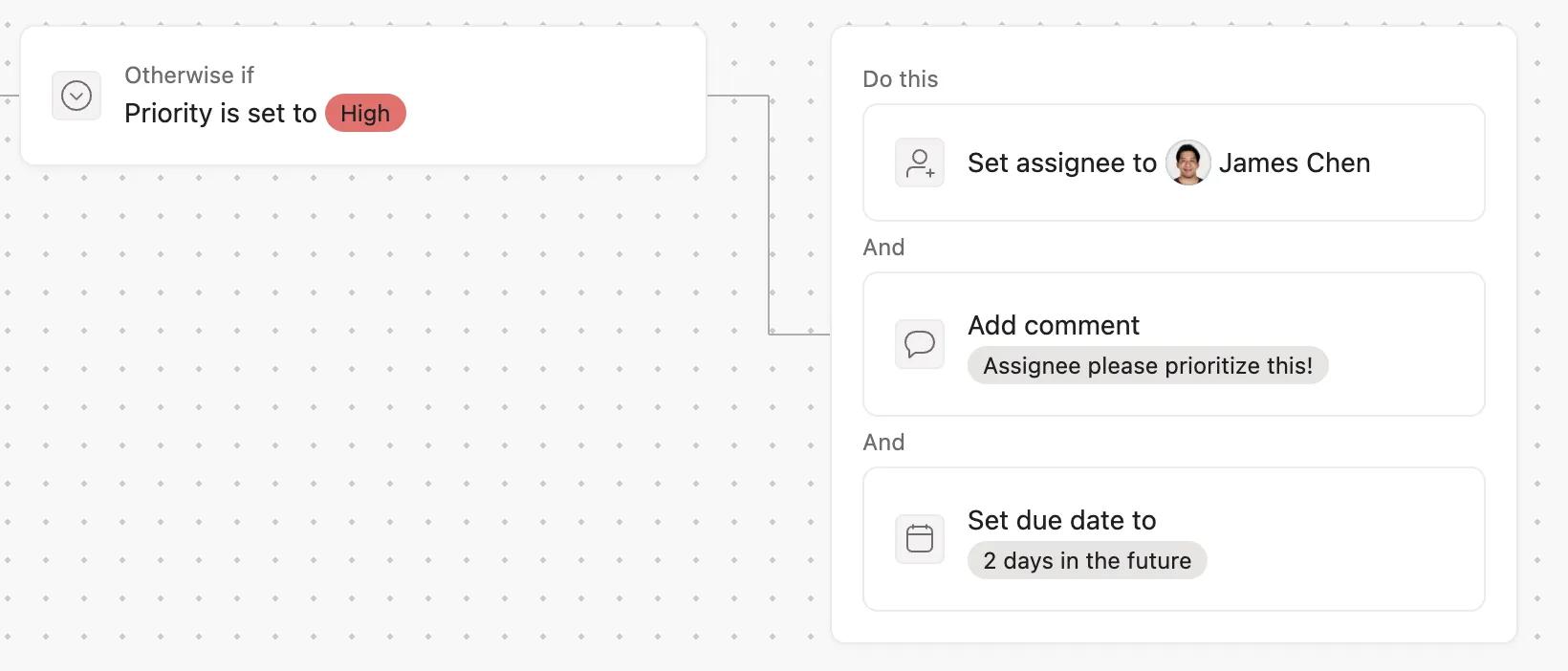
The rule will rely on a trigger and a condition working in tandem. The trigger in this case is that a task is added to the project. The condition is that the priority custom field is given a certain value. Only once the trigger and condition are satisfied does the rule run. When the rule runs, it takes certain predetermined actions. In this case, the rule assigns and schedules tasks based on priority, and may add comments or move tasks into certain sections.

The result is that when a task is added to the project, it receives an assignee and due date relative to its priority.
In this example, low priority tasks are added to the backlog and assigned to Chris who will review them periodically. Medium and high priority tasks are assigned to James. High priority tasks receive a due date set 2 days from the task creation time, and James is @mentioned in a comment to maximize visibility.
It's worth noting that depending on project permissions settings, a task may be added to the project in a number of ways, just as the custom field value may be set in various ways:
Tasks can be added via a form. Form submitters can be presented with a question whose answer is mapped to the priority custom field. Therefore when the form is submitted, the form submission appears as a task in the project, complete with the priority value selected when the form was filled out. The priority value need not be a direct question about how important the request is. Instead, the form creator may decide that certain types of request or requests for certain departments may be mapped to particular priority values.
Tasks may be added via a template task. A user with the appropriate access may create a task using the template, and can select a priority value, thereby triggering the rule.
Tasks may also be added manually, or via multi-homing. To trigger the rule in this case would require that a priority value be selected once the task is added to the project.

