Products


AI Platform


Asana Foundations
Company Type
No articles found for this topic.
No articles found for this topic.

Visit our pricing page for more information.
Portfolio saved views allow portfolio admins and editors to customize and save specific views of their portfolios. This feature enables users to quickly access tailored views with pre-set filters, sorting criteria, and layout preferences.
By saving these customized views as new tabs at the top of the portfolio, teams can access them quickly and focus on the most relevant portfolio information for their needs.
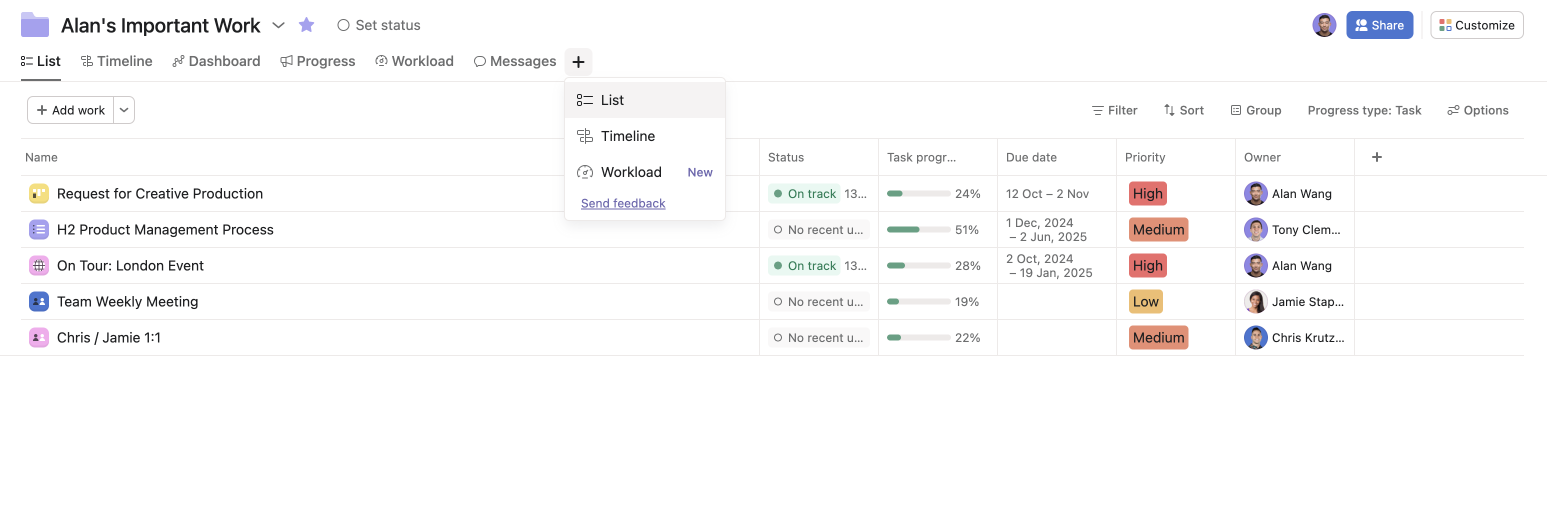
To create a portfolio saved view:
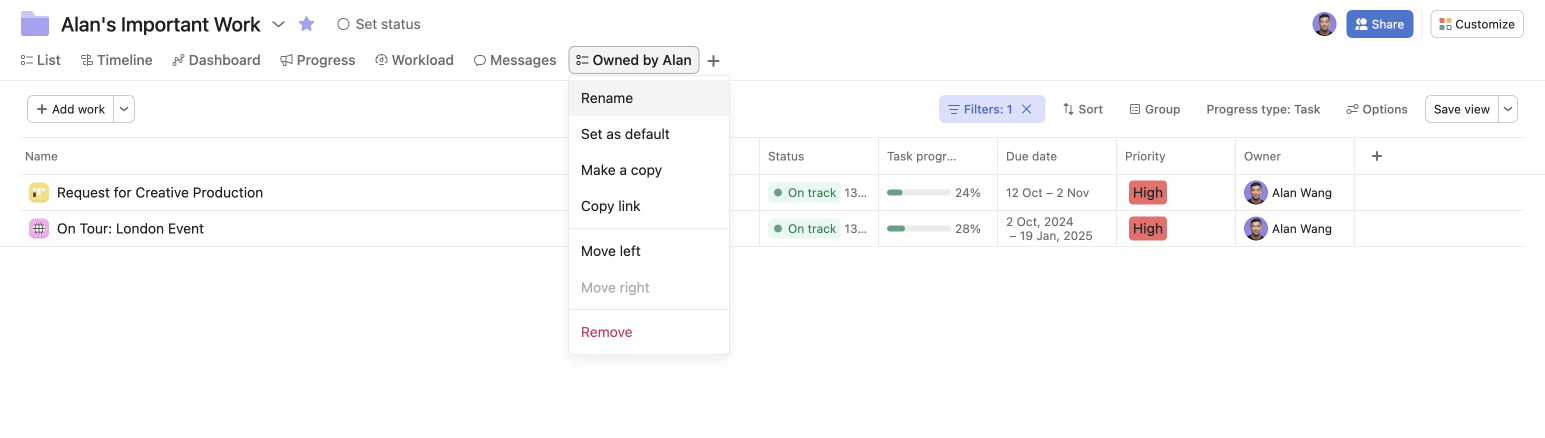
Set up multiple views by project status, to easily reference work that is On track, At risk, Off track or Not started.
Sort projects within your portfolio by a priority custom field to see work in priority order.
Use the dynamic filter Just my work and save as a new tab; every portfolio member will see the projects assigned to them when viewing this tab.
If you want to export the portfolio, the PDF export will apply to the active list view the user is viewing.
Users will not be able to add disabled tabs such as timeline tabs with over 250 items or timeline tabs with a nested portfolio.

