Products


AI Platform


Asana Foundations
Company Type
No articles found for this topic.
No articles found for this topic.
In This Article

Visit our pricing page for more information.
It's a good idea to invite your teammates to join Asana during your trial period. By getting your team involved early, you can test all the paid features together and see how they can improve your work processes before you buy.
Before inviting them, you might like to set up some sample workflows using rules, forms, or task templates.
The quickest way to invite others to Asana during your trial is via the Create button. The button is located in the top-left corner of Asana and can be accessed while working in any project, portfolio, or team.
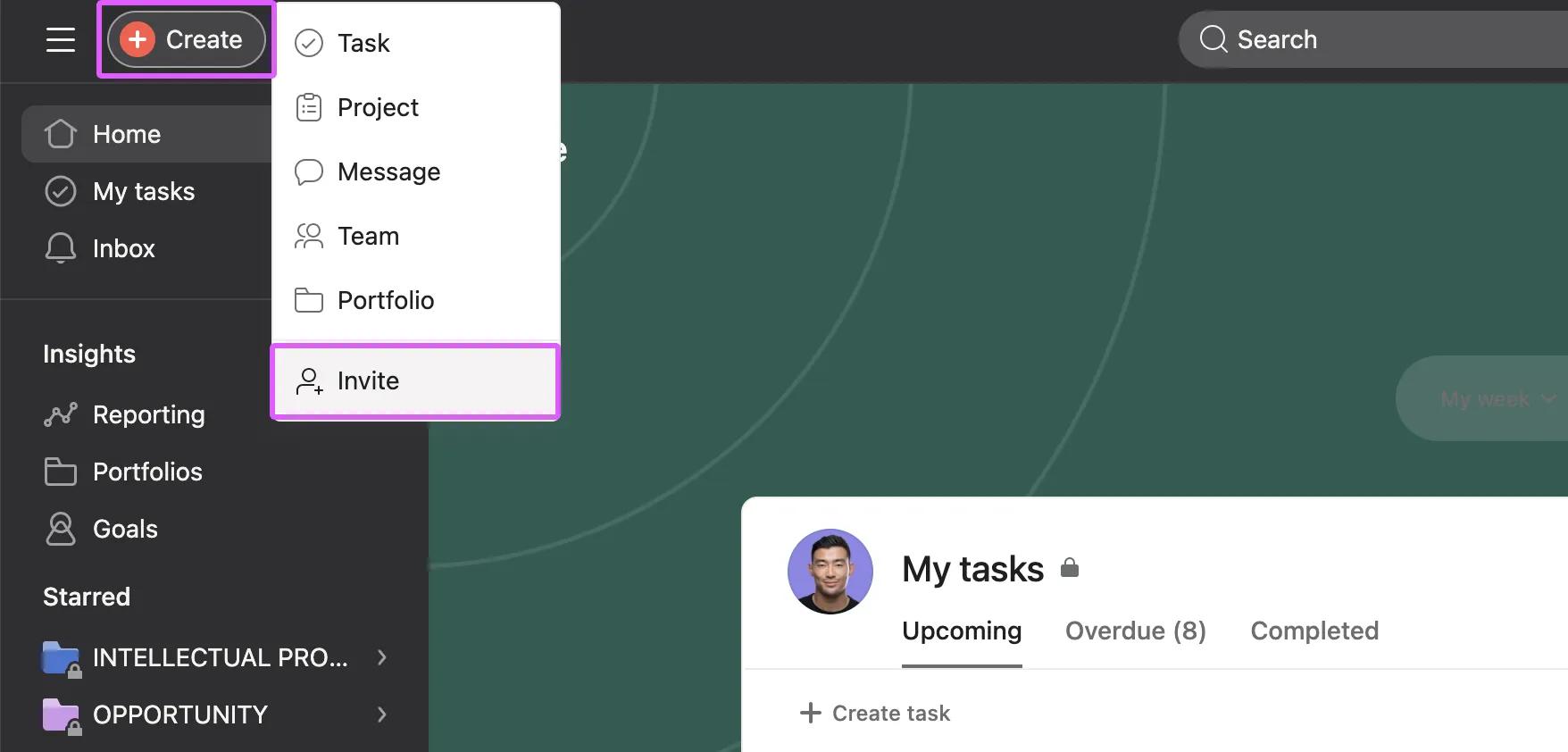
Invite the teams and colleagues that you usually work with. People who explore Asana with their teammates are more likely to figure out if it works for them.
Inviting your teammates via the Create button lets you choose specific teams and projects for them in advance. You may have set up some rules, templates, or workflows in specific projects and wish to test them out with your team. It's a good idea to list those projects in the Add to projects field when sending invites.
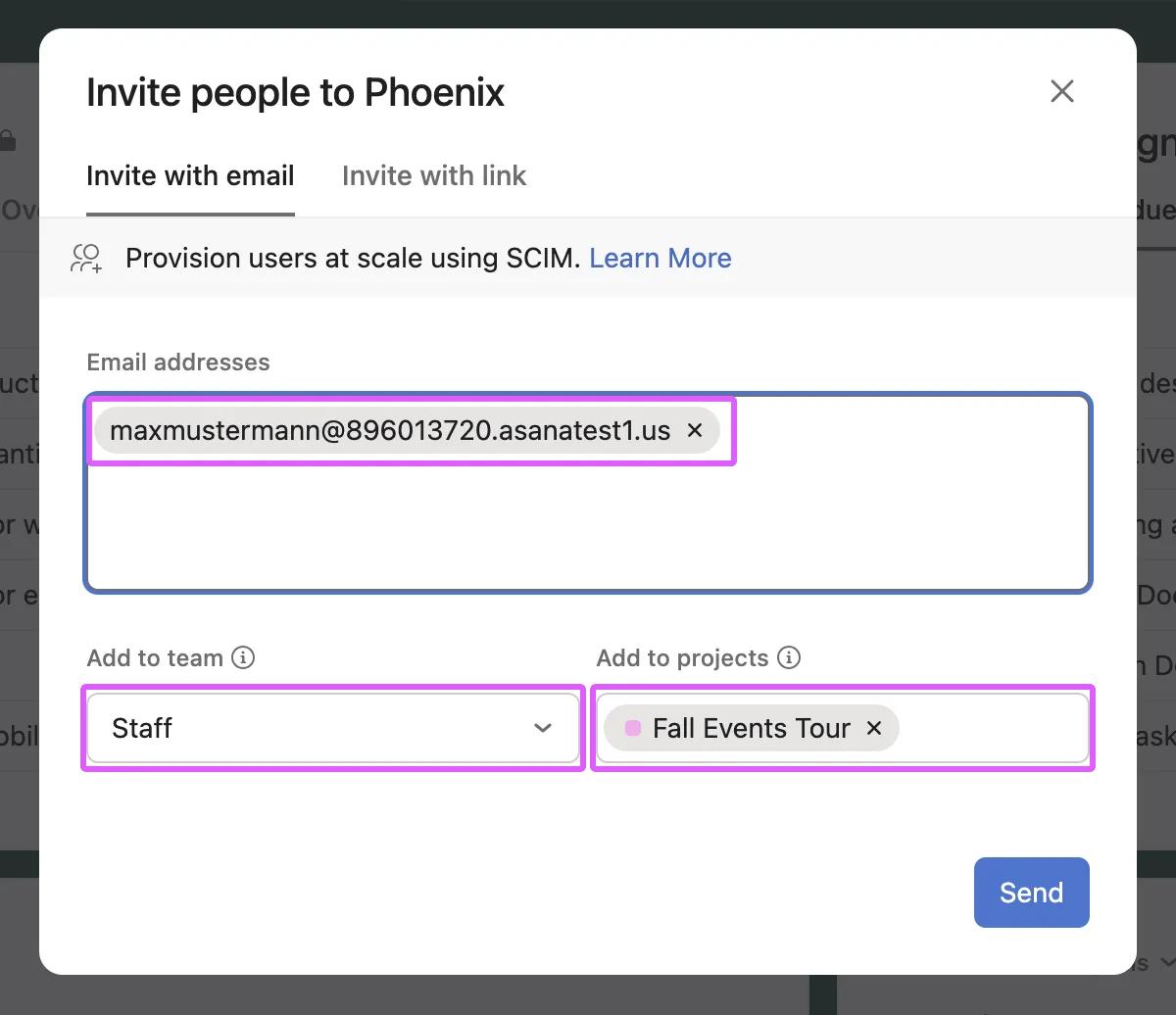
Your colleagues will be invited to join your Asana organization, placed in the correct team, and given access to the relevant projects. By selecting the team and projects for the invitees, you ensure a smooth collaboration experience during the trial phase. They will immediately have access to the paid features you want to explore and can enjoy testing out their usual workflows.

