Products


AI Platform


Asana Foundations
Company Type

Visit our pricing page for more information.
Domains that contain divisions are called mixed domains, because they can have a mix of free and licensed users in them. This article outlines how licenses are assigned and removed in these mixed domains.
Licenses are assigned directly to the user, meaning they’ll have access to paid features anywhere they go in Asana. Users can be added and removed from your division at any time via the admin console. For example, if a user needs to access Advanced features for a 3 month project, you can add them to your Advanced division and remove the user from the division later if they no longer have a need for Advanced features.
There are two primary ways licenses can be assigned:
When a licensed user shares an object (project, portfolio, or goal) with a free user or invites a free user to a team, the free user is automatically granted a paid license in the same division as the licensed user. Also, when a free user's request to join a team is approved by a paid user, that will automatically add a license to the division that user is in.
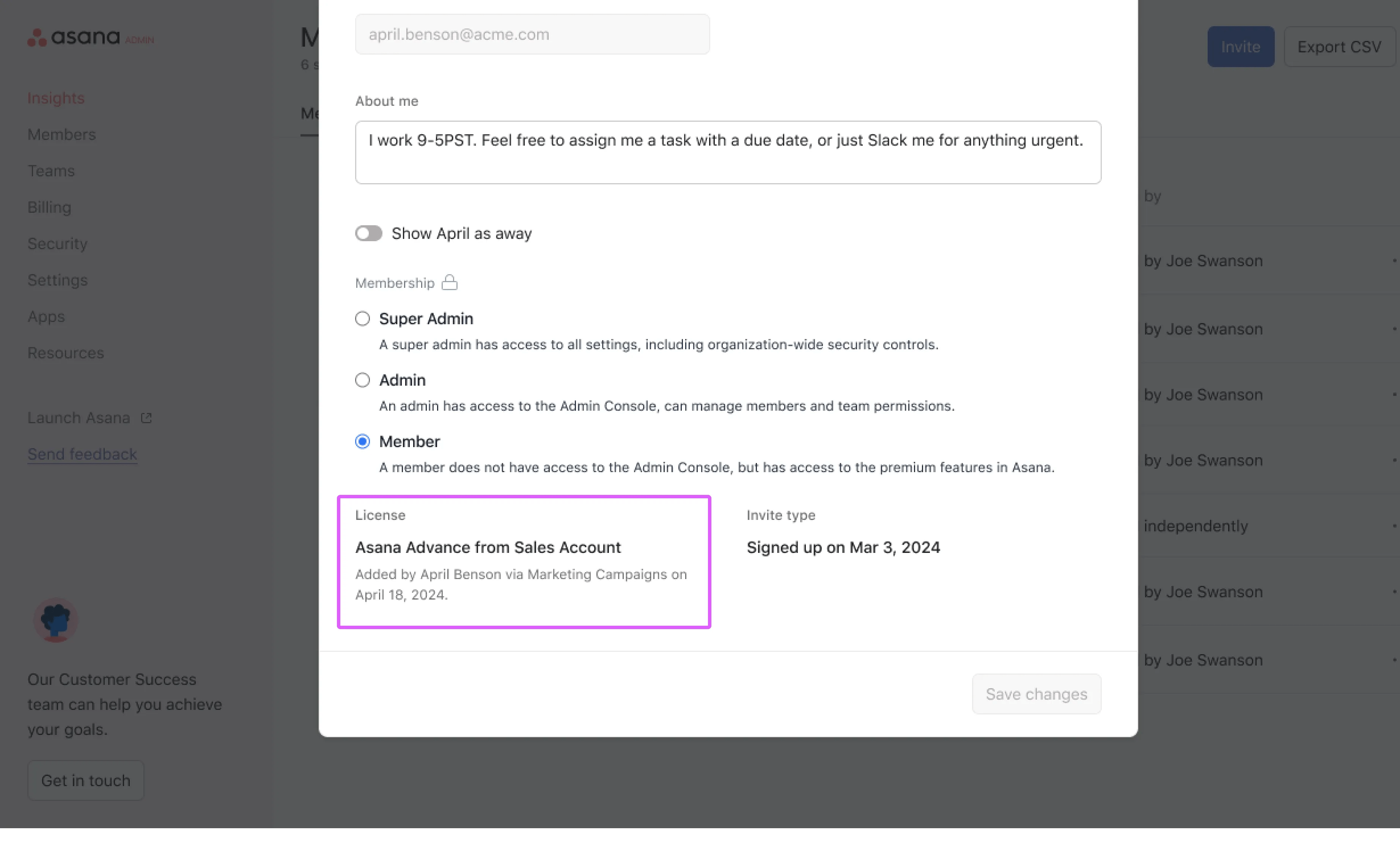
If you are ever wondering how a user ended up in your division, you can see this by viewing the license section at the bottom of the user’s profile settings page.
Admins and billing owners can remove a user’s license via the Members tab of the division admin console.
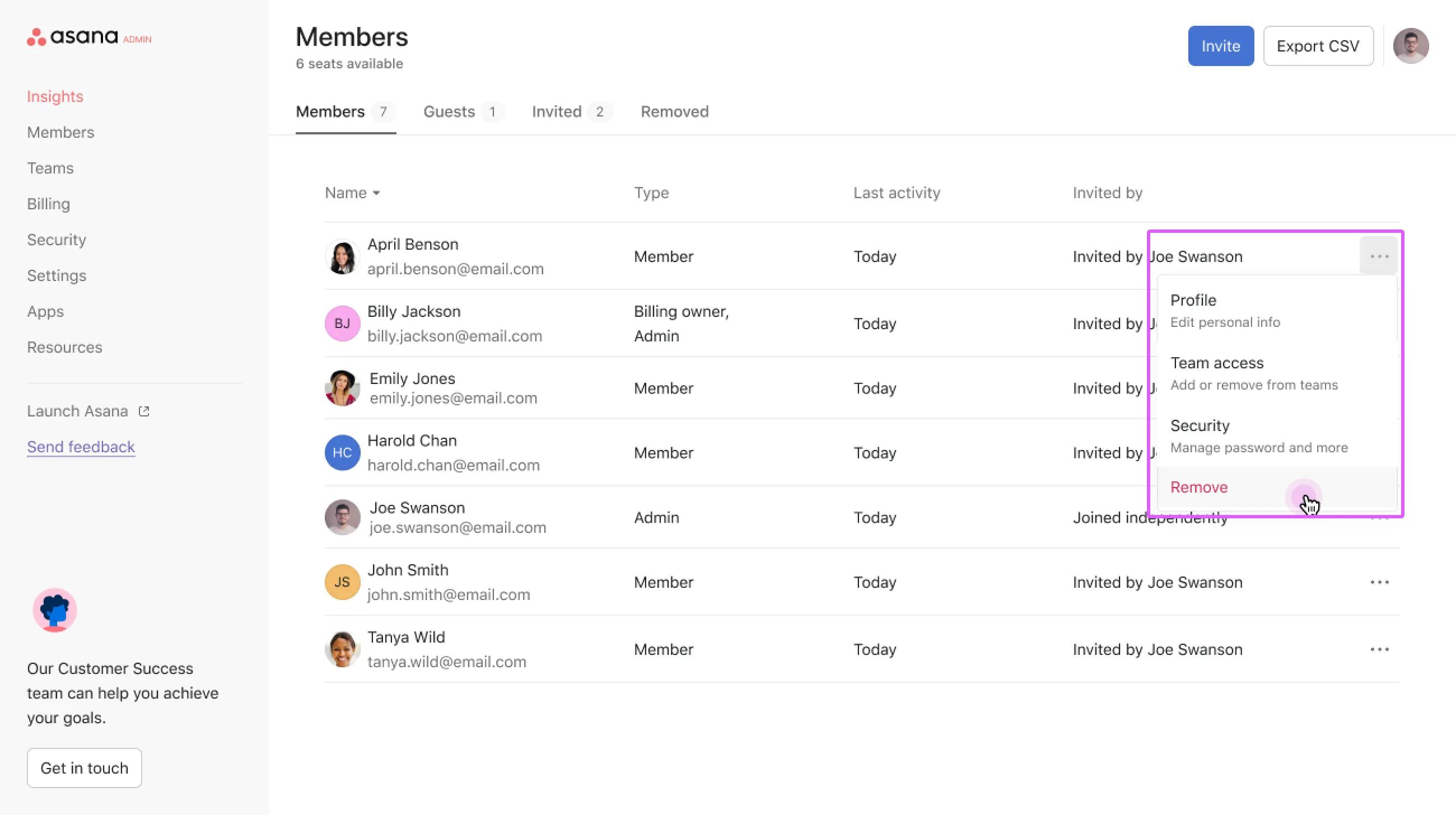
The first option removes the user from your bill. The user is still associated with the same objects they were shared with (teams, projects, etc).
Note
The user remains a member of the team, but they lose access to paid features.
The second option removes them from your bill and deprovisions them from the broader organization, meaning they no longer have access to Asana.
The Teams tab in the division admin console now mirrors the functionality of the organization-level admin console, providing comprehensive team management capabilities.
From the Teams tab, division admins can:
This enhanced Teams tab functionality allows division admins to assign licenses to all users in a team efficiently, as well as monitor team structure and membership. They can also maintain centralized control over team access and permissions.
Adding a user from a team does not remove them from your division. You need to remove them from the admin console as licenses are assigned to users directly.

