Products


AI Platform


Asana Foundations
Company Type
In This Article

Visit our pricing page for more information.
This article will help you find your way around Asana as well as to set up your display according to your preferences.
From your sidebar, click on your team to view the overview page. In the Projects section, click on Filter to show all archived projects within your team.
To find and manage your deleted items:
All deleted tasks, messages, and projects are stored here for 30 days. Once this period passes, or if an item is permanently deleted, it cannot be recovered.
For more details on restoring deleted work, see Recover deleted tasks, projects, and more.
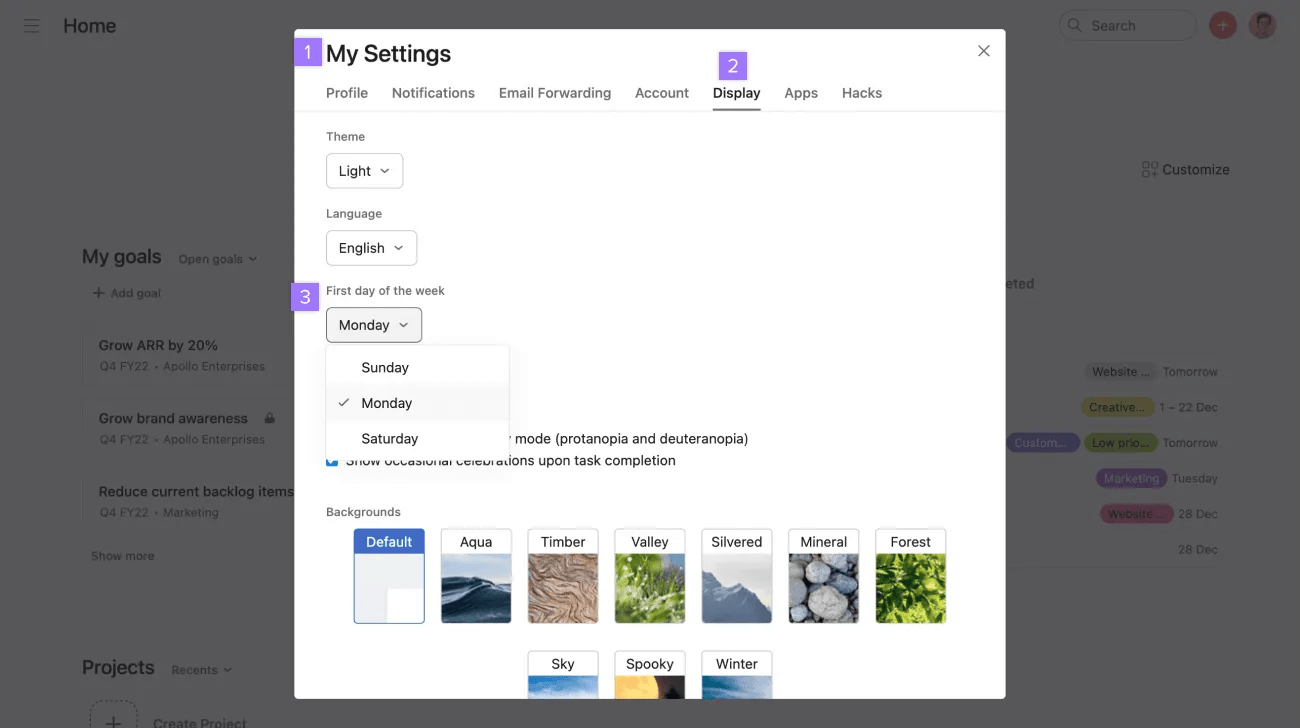
Asana is currently available in English, Traditional Chinese, Russian, Dutch, Polish, Italian, Swedish, Korean, French, German, Portuguese, Spanish, and Japanese. Switch language from the Display tab of My settings.
If you would like to adjust your calendar view so Monday is the first day of the week, access My settings, navigate to the Display tab and then select Monday in the drop-down.
You can add a link to a task description through the Insert link button and in task comment through the rich text button.
Asana’s clock is determined by your computer’s time zone setting. If you go on vacation or travel abroad and your computer time zone changes, your timezone in Asana will also change.
It is currently not possible to change the time settings for emails. As it stands, they are based on the PST time zone (Pacific Standard Time). This is 8 hours behind Coordinated Universal Time (UTC).
Under the General Data Protection Regulation act organizations that collect, maintain, use, or otherwise process EU residents’ personal data (regardless of the organization’s location) must implement certain privacy and security safeguards for that data. Asana has established a comprehensive GDPR compliance program. Read about the significant steps Asana has taken to align its practices with GDPR.

