Products


AI Platform


Asana Foundations
Company Type

Visit our pricing page for more information.
Managing a video production calendar effectively requires careful coordination across different phases such as scripting, production, and post-production.
This article will guide you through using Asana to streamline your video production process, from concept development to final delivery.
There are a few ways to create your video production calendar:
Note
Each task represents a video or asset being produced. This approach is ideal if you have a consistent video format and a limited number of production steps.
The videos your team produces will likely follow the same process. By creating a template task with subtasks to capture the entire video production workflow, you can ensure every creator is following the same steps. Once you’ve set up your template task, encourage creators to duplicate the task when they’re creating a new video task in Asana. For example, tasks like "Storyboard Creation" or "Script Approval" can be standardized with preset deadlines and assignees. This saves time and ensures that no steps are missed in the production process.
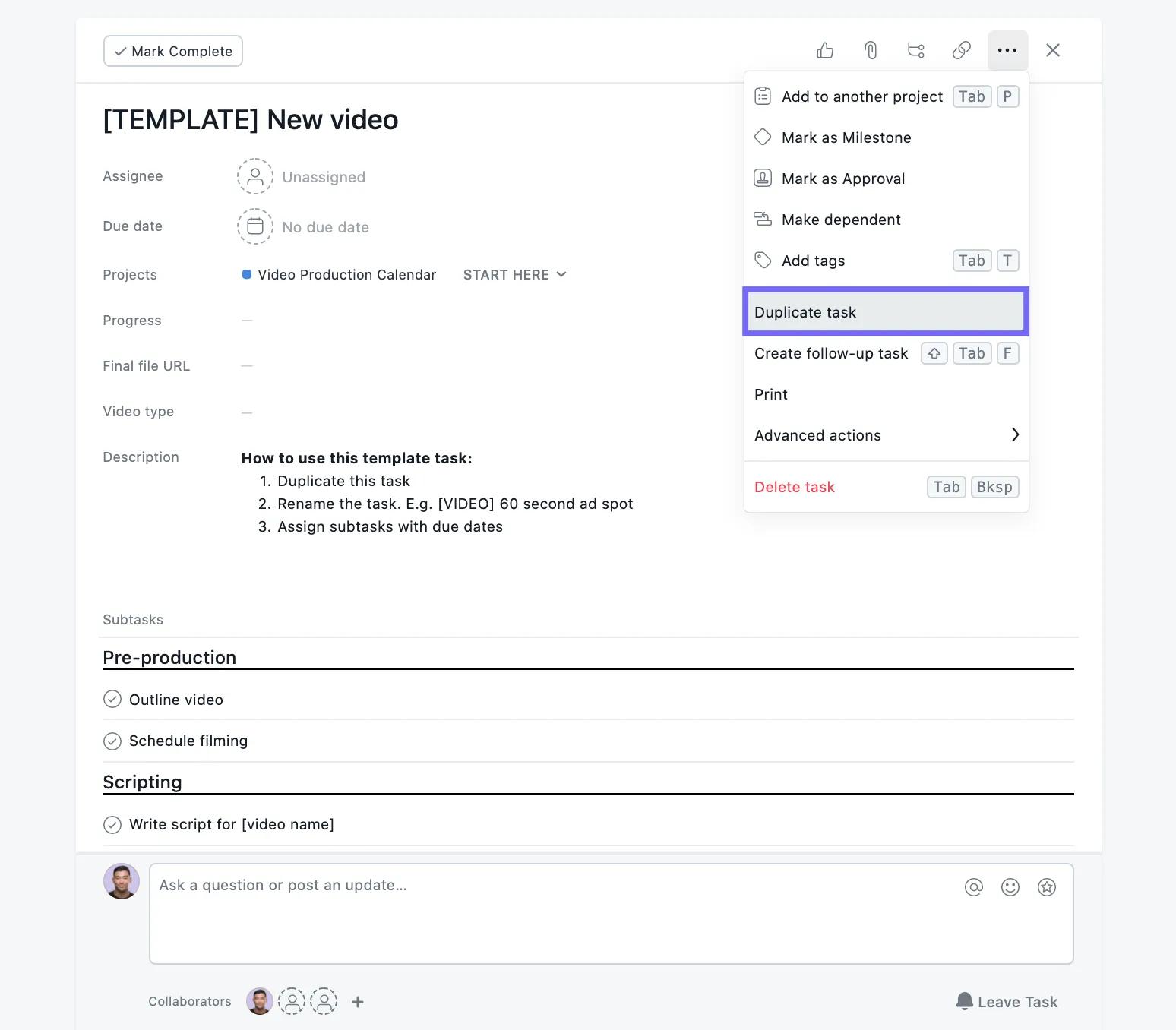
Use task dependencies to make sure handoffs are clear and happen at the right time. With dependencies, task owners will be notified when their work is ready to be kicked off, so you can ensure a smooth production process.
Custom fields make it easy to track details on each task—like priority, video topic, progress, and more. With custom fields, you can track the same information across all of your videos. That way, anyone checking out the project can see pertinent video information.
Coupled with automations, you can set up triggers to notify team members when tasks are ready for the next stage or approval
For the video production process, it’s especially helpful to add the following custom fields to your project:
Throughout production, you’ll need to get approval from stakeholders on your work. Approval tasks make it simple for stakeholders to provide feedback. Stakeholders can approve, request changes, or reject work with the click of a button.
Board view is a great way to track video production work through stages, giving you insight into where each video is. But you or your teammates might want to explore other views.
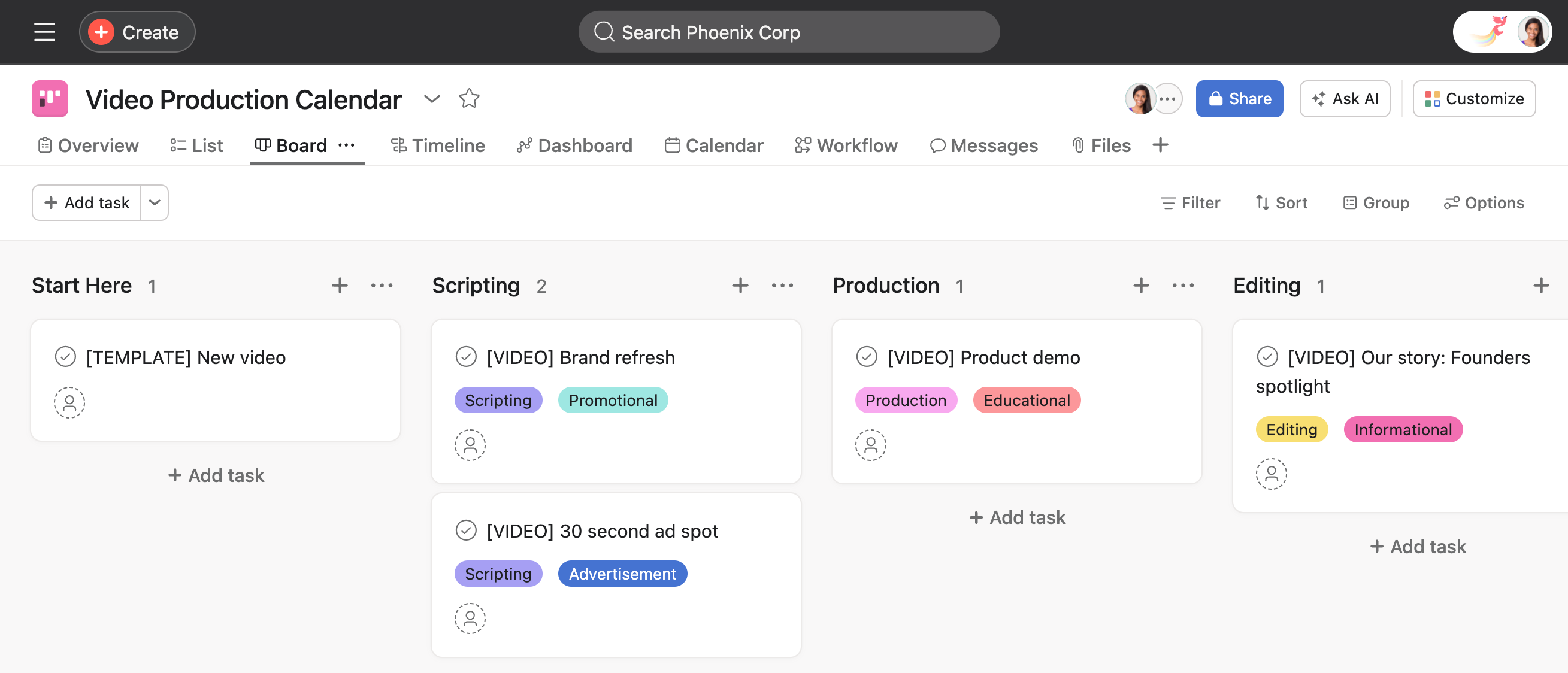
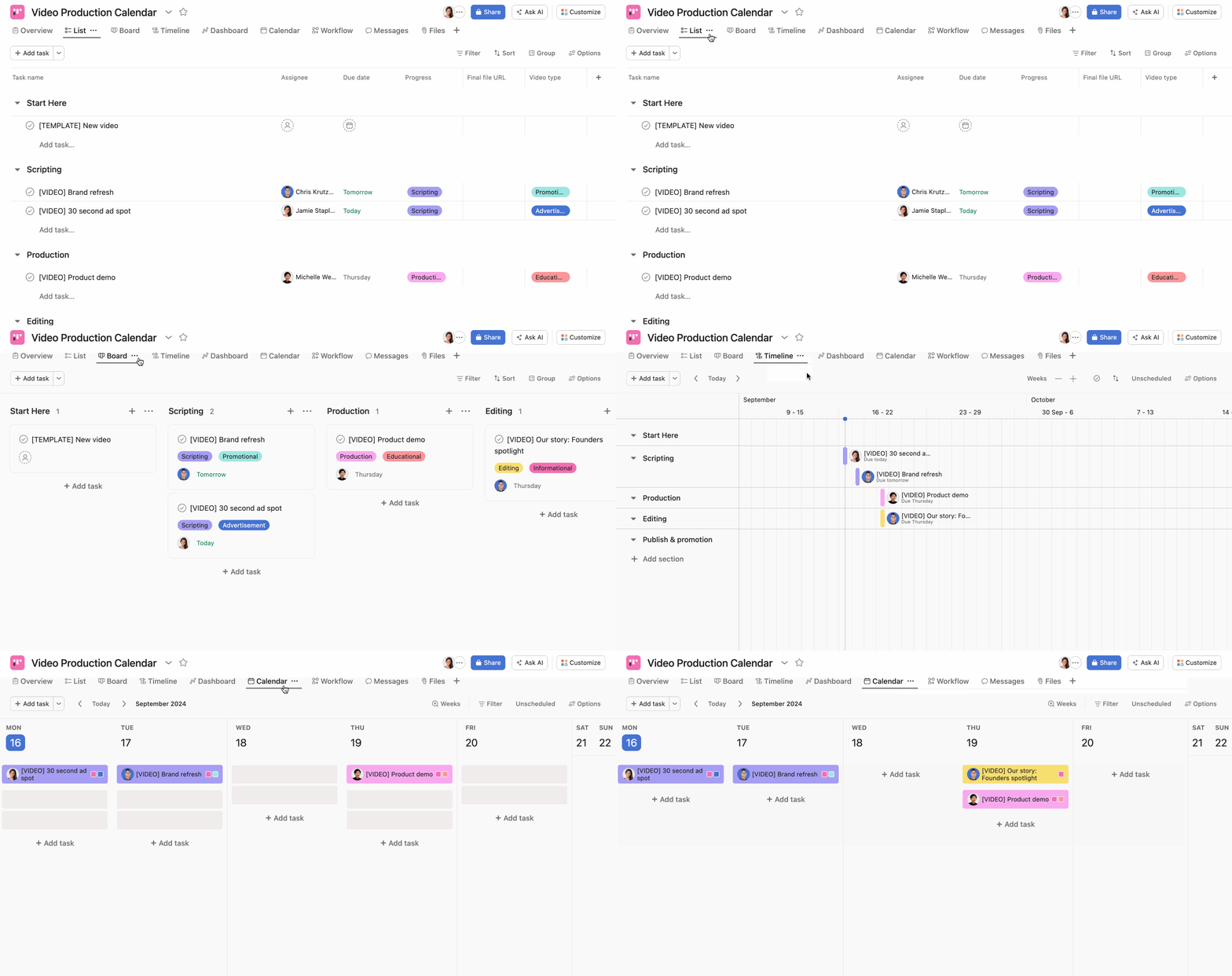
Once you find the project view that’s best for you, you can save that view as default.
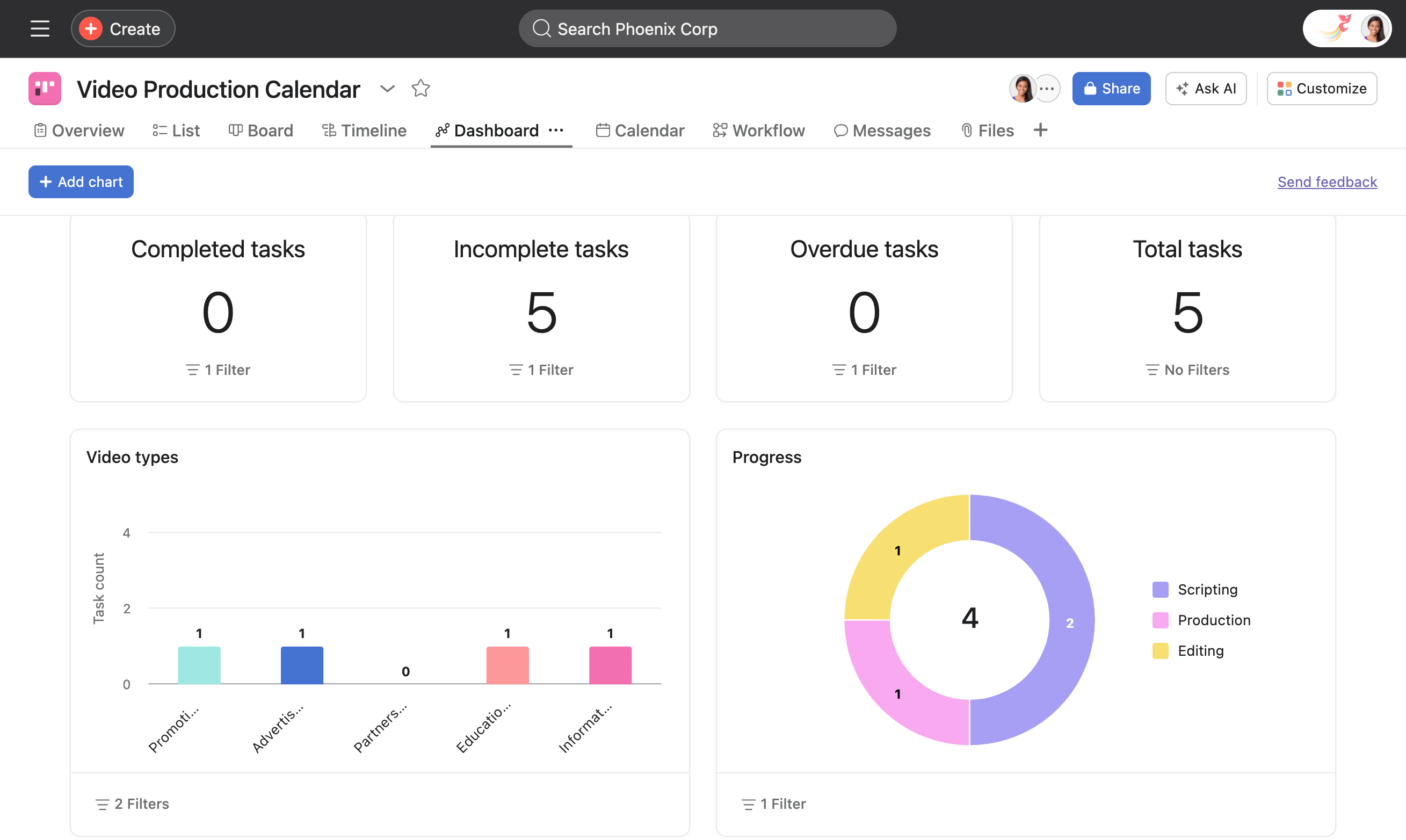
With dashboards you can track progress in real-time and see any relevant project information—from incomplete tasks to a breakdown of task progress by assignee.
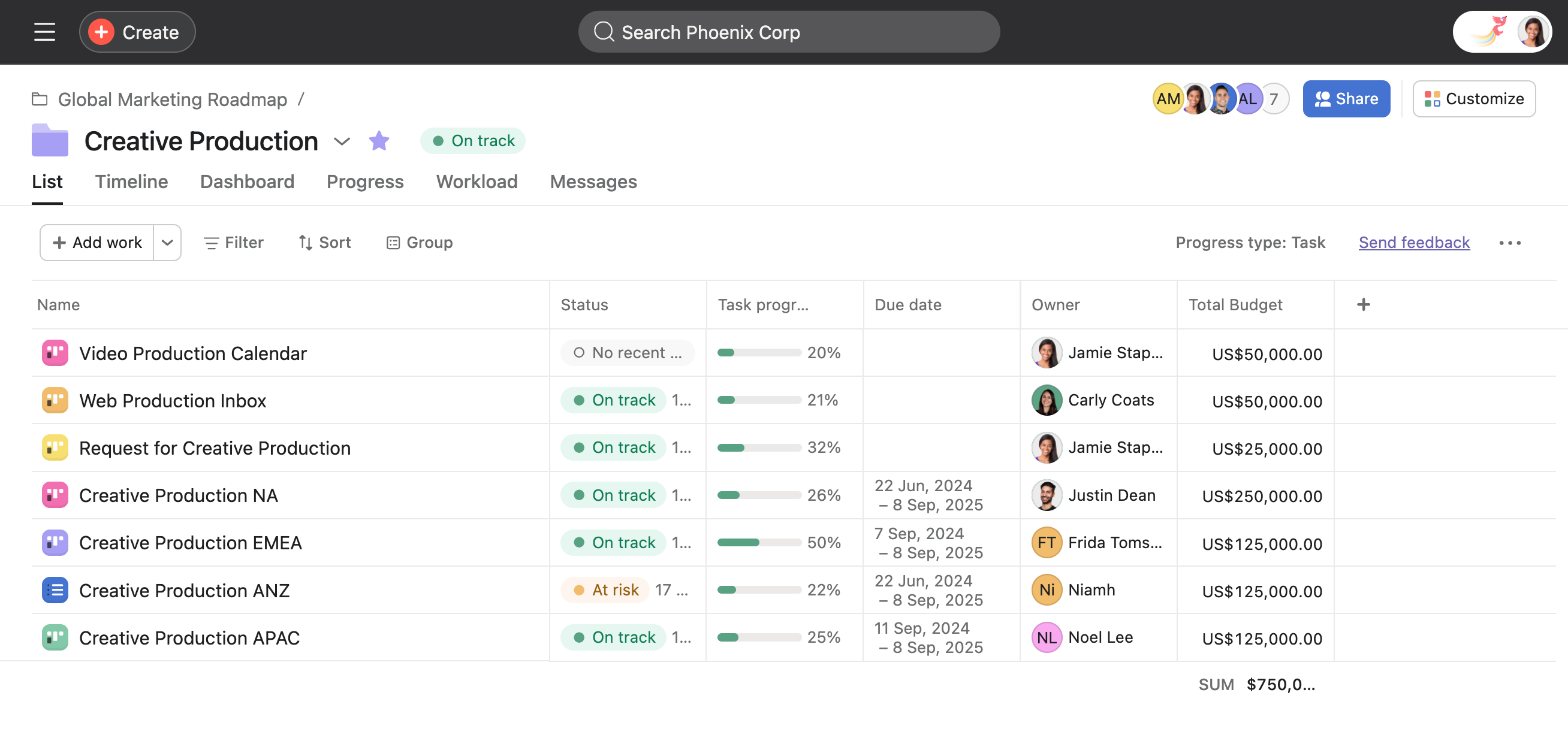
Use portfolios to manage multiple video projects, allowing stakeholders to track the status, priority, and deadlines of various projects in one place.
By following these steps, you can effectively manage your video production calendar in Asana, ensuring smooth coordination, timely execution, and high-quality outputs.

