Products


AI Platform


Asana Foundations
Company Type

Visit our pricing page for more information.
Access to a team in Asana is contextual, and there are a few permission settings that affect who can access a team, member projects, and team messages.
Note
If somebody belongs to a team, then they have access to all team messages and projects shared with that team.
Organization guests must belong to a team to access projects and messages shared with that team. If they do not belong to a team, they cannot access that team, nor can they request to join it, regardless of the team's permission settings.
| Team: | Accessible by: | Can request to join: |
|---|---|---|
| Membership by Request | Team members | Yes |
| Private | Team members | No |
| Public to organization | Team and organization members | Yes |
Public team and private team options are only available in the Starter, Advanced, Enterprise, and Enterprise+ tiers, as well as legacy tiers Premium, Business and Legacy Enterprise versions of Asana.
To identify who belongs to a team in Asana and who can see its projects, you must access its Team Settings.
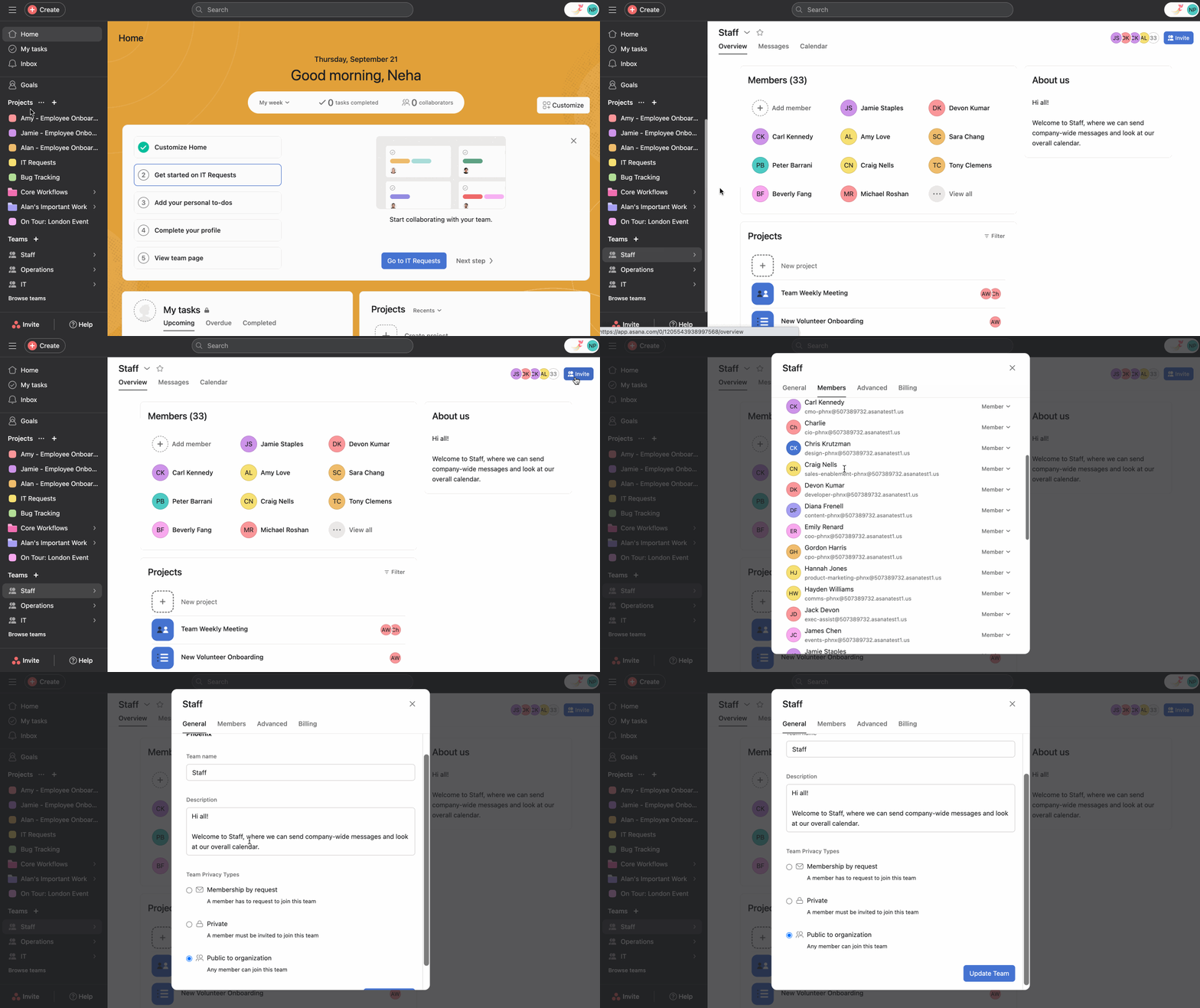
From the sidebar, click on team's name, then click ton the invite button in the top right hand corner and select General.
You can also do this by hovering over the arrow beside the team name in the sidebar, selecting invite teammates and selecting General.
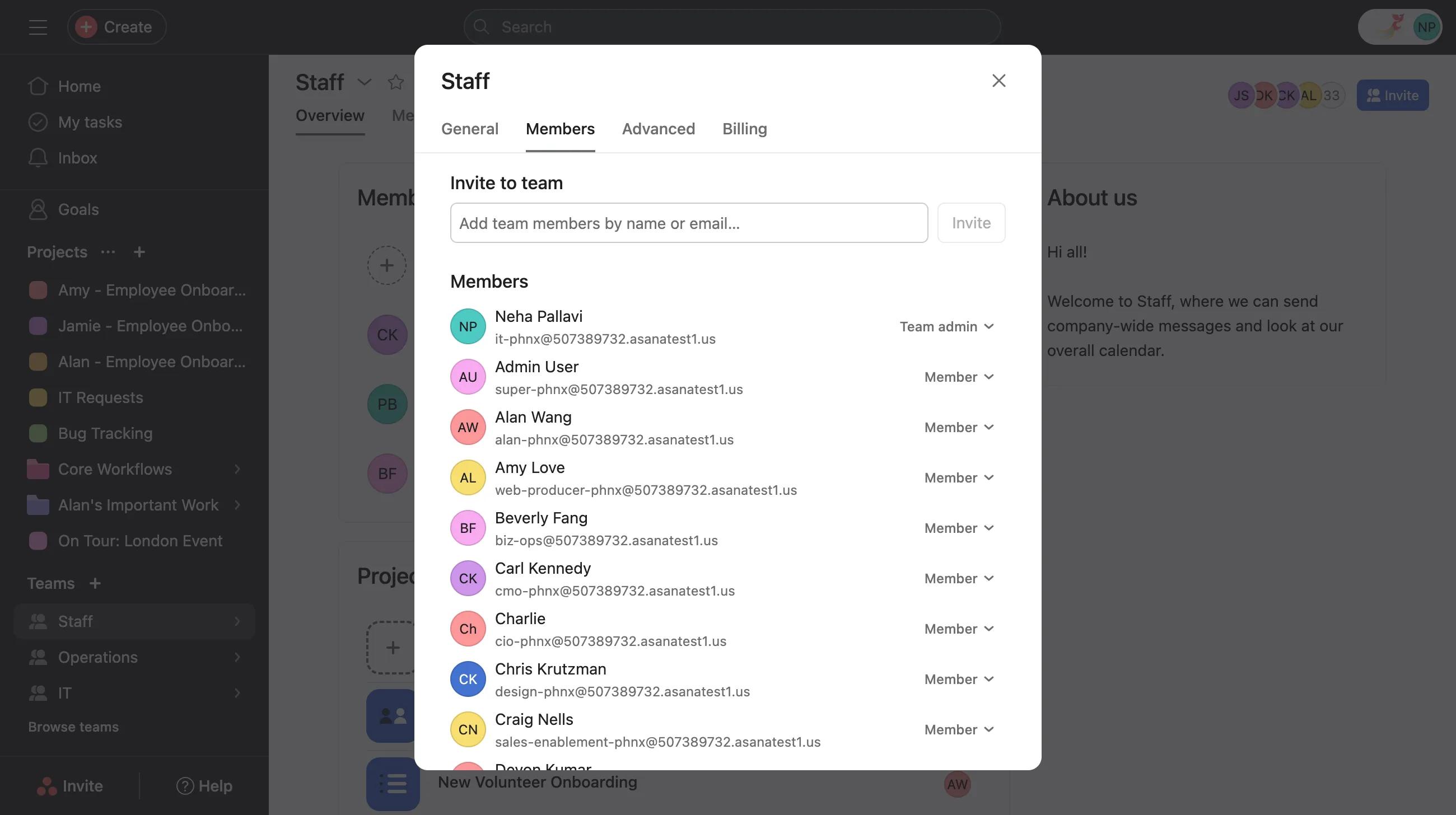
Before someone can access the projects, team messages, attachments in curated work, and notes shared with a Membership by Request team, their request to join must be approved by an active team member or a team admin. Team members can access the projects, team messages, attachments in curated work, and notes shared with a Membership by Request team. You can see the full list of team members from the Members tab of the Team Settings.
Team members can access the projects and messages shared with a private team. You can see the full list of team members from the Members tab of the Team Settings.
Team members can access the projects and messages shared with a public team. However, organization members can a public team without needing to request approval.
The public privacy setting is not available with a team or division subscription.
Membership by Request teams are discoverable by every organization member. All organization members request to join a Membership by Request team.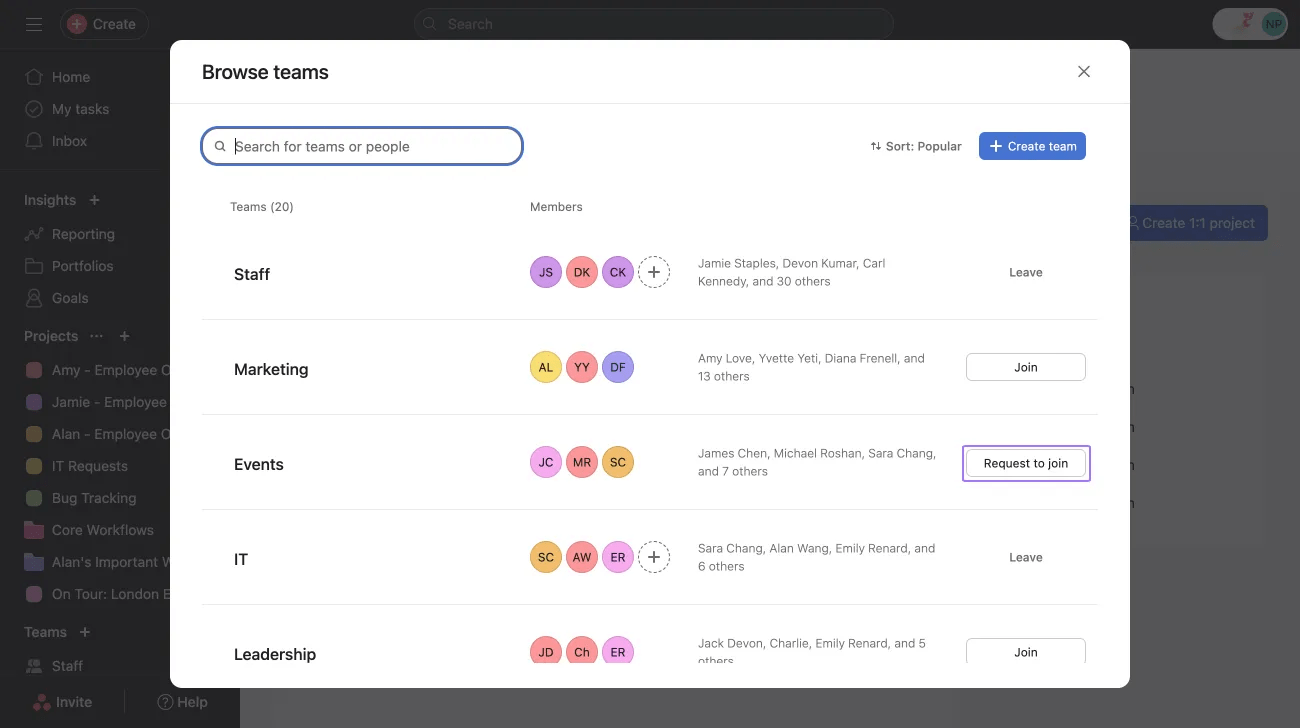
Before someone can access the projects and messages shared with a Membership by Request team, their request to join must be approved by an active team member.
The only way to gain access to a private team is by being invited by a member of that team.
Users cannot discover private teams they don't have access to, and therefore cannot request to join or even see a private team in their sidebar.
All organization members can see public teams in their sidebar and join them without needing approval.
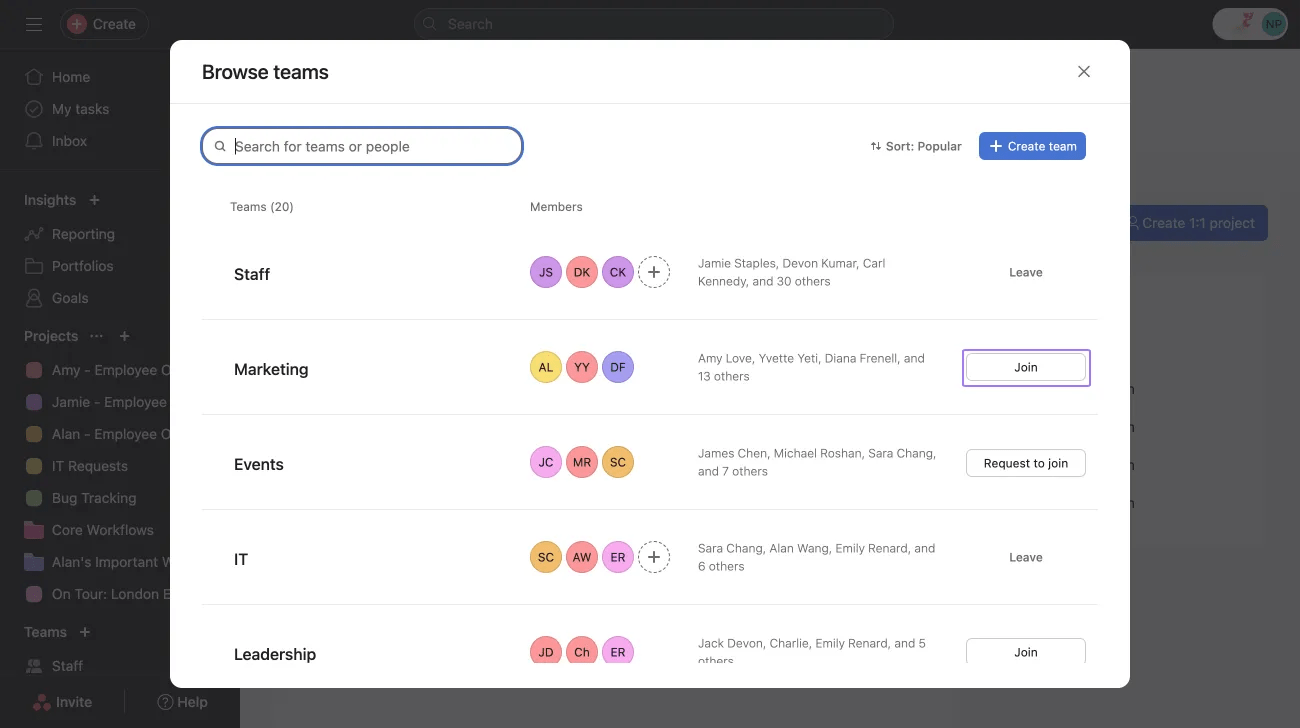
Organization guests do not see teams they don't have access to in the sidebar and therefore cannot request to join or even see a public team in their sidebar.
In an organization, Limited Access Members (LAMs) on a team have access to the projects that they have been explicitly invited to. They also gain access to limited details about a team, like the team’s name and membership.
A user becomes a Limited Access Member of a team when they are a direct member of at least one project within the team. They may become a direct member of a project by joining it directly or being invited.
Note: Asana expects to deprecate Limited Access Members before the end of 2024. We do not expect this transition to significantly impact any customer workflows.

