Products


AI Platform


Asana Foundations
Company Type

Visit our pricing page for more information.
Dependencies show the relationships between tasks and the sequence in which they should be performed. Task dependencies allow you to mark a task as blocking another or being blocked by another task. In this way, we designate one task as the precedent and the other as a dependent; the precedent task is performed before the dependent task.
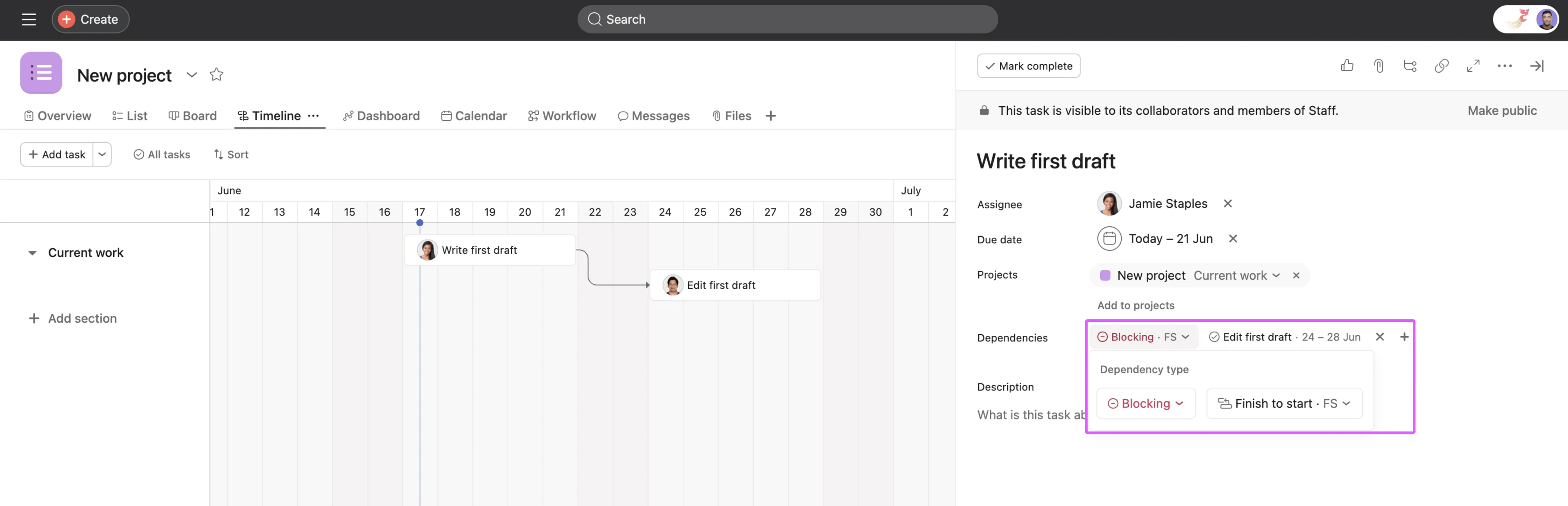
Previously, Asana offered one type of dependency, called finish to start, or FS. This meant that the dependent task should not be started until the precedent task was completed. We've now added three more dependency types, outlined in this article.
In the examples below, it's helpful to consider two example tasks, Task A and Task B. Task A is the precedent task, and task B is the dependent task.
Task B cannot start until Task A is complete. This is the most common type of dependency.
For example, a writer cannot begin editing a draft until the first draft is complete.
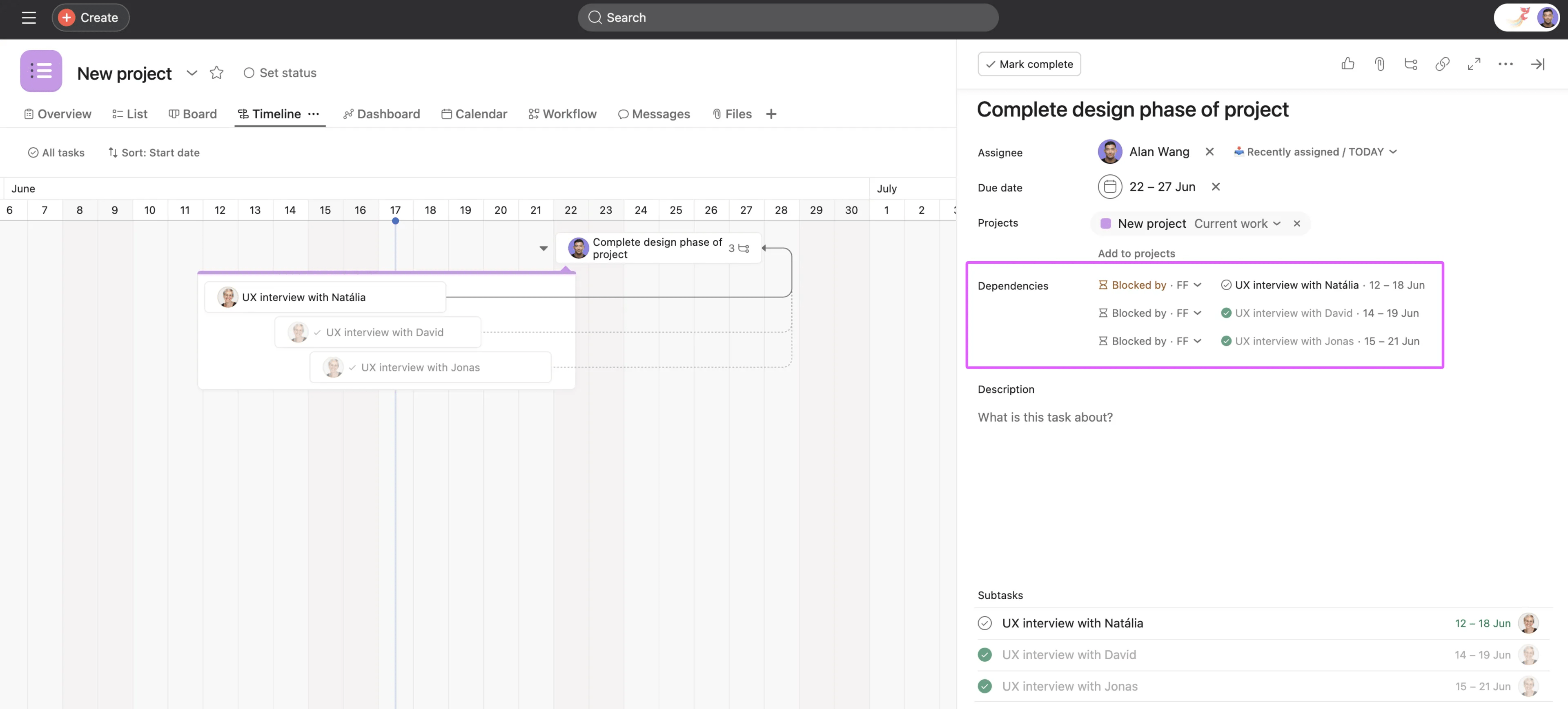
Task B cannot finish until Task A is complete. This type of finish dependency is useful for tasks which contain subtasks; if the subtasks are not complete, the parent task cannot be completed.
For example, before declaring that the design phase of a project is complete, all user experience research interviews must also be finished.
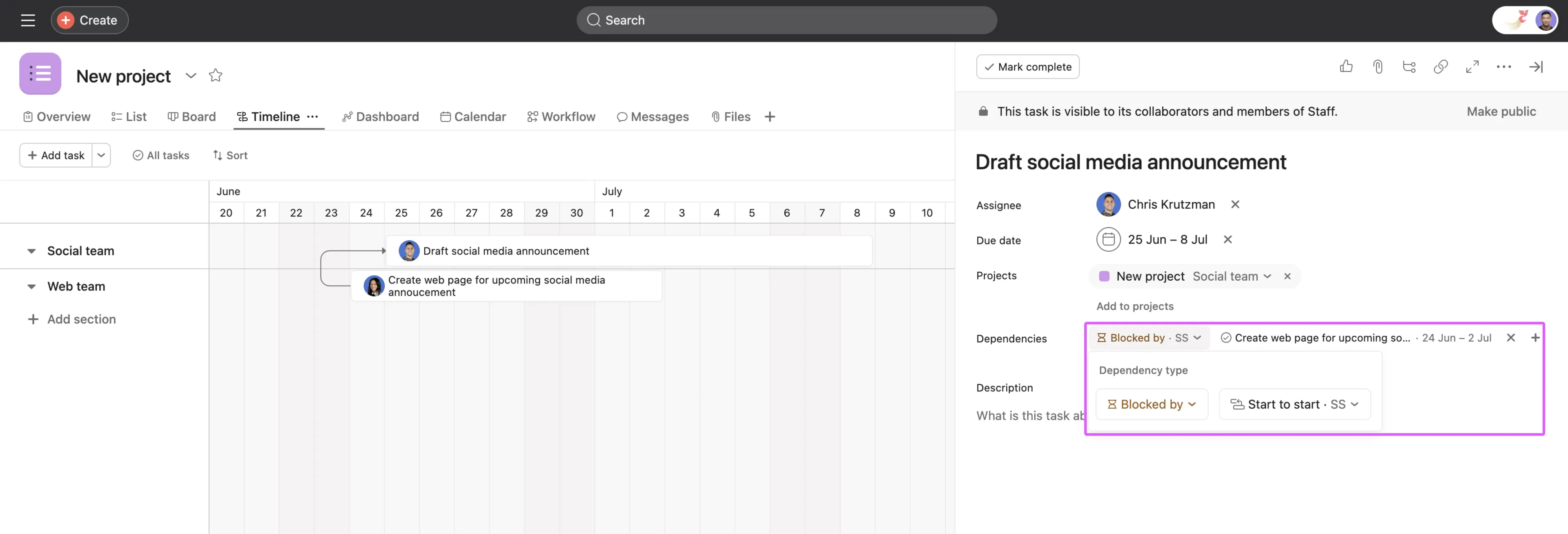
Task B cannot start before Task A starts. This type of dependency is ideal for tasks that are required to run parallel to each other.
For example, drafting a social media announcement should not start until the related web page creation has begun, although neither task needs to be complete before the other may begin.
Task B must start before Task A can be completed. This is important for situations that require overlap.
For example, in shift work, one operator's shift should not end before their replacement has begun their shift to provide uninterrupted coverage.
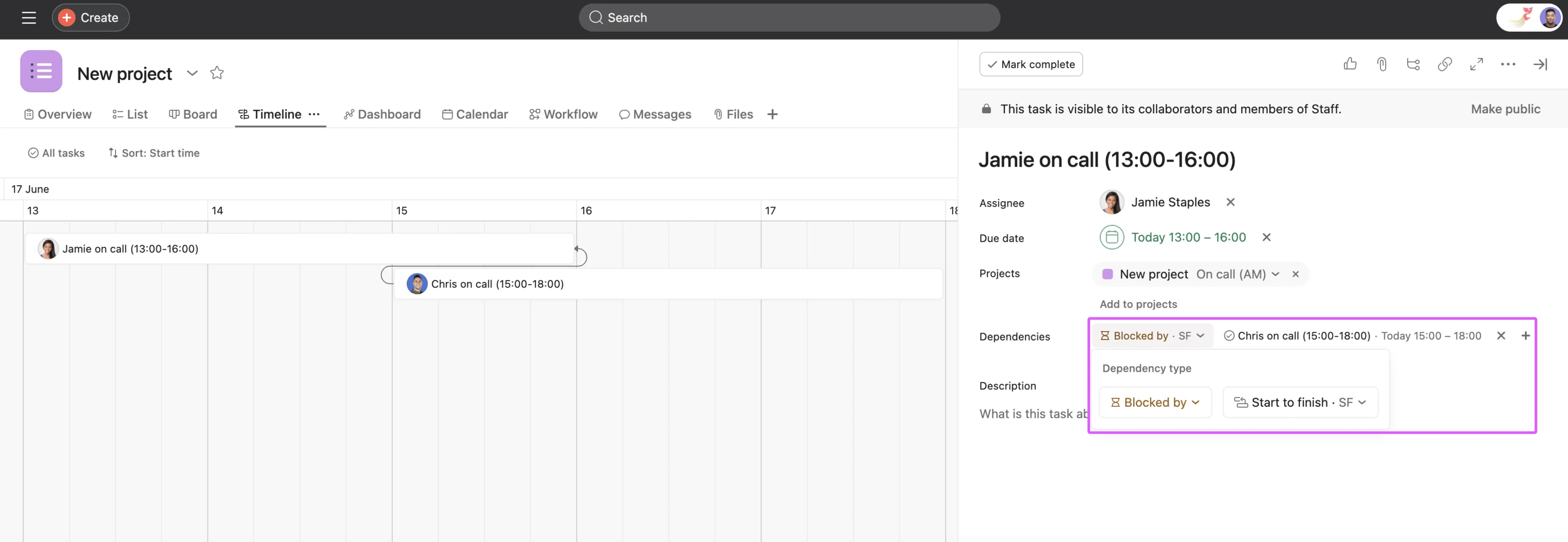
Jamie's shift does not end until Chris' shift begins.
Dependency types are compatible with Asana's auto-shifting date functionality. Asana uses the relevant dates for any dependency relationship to determine how to shift dates. Relevant dates are defined as the critical or key dates for a specific dependency type that directly influence scheduling adjustments.
The following relevant dates are used to determine how tasks auto-shift.
Finish to start (FS) is the default dependency type at creation, but the dependency type can be modified afterward.

