Products


AI Platform


Asana Foundations
Company Type

Visit our pricing page for more information.
Tasks are the building blocks of work in Asana, helping you break down projects into manageable pieces with clear owners and due dates. Understanding the different types of tasks available can help you organize work more effectively and choose the right approach for your team's needs.
Tasks represent individual action items, deliverables, or milestones that need completion to reach your overall goals.
Subtasks help you break complex work into smaller, more manageable pieces. They're perfect when multiple people need to contribute to a larger task or when work involves several sequential steps.
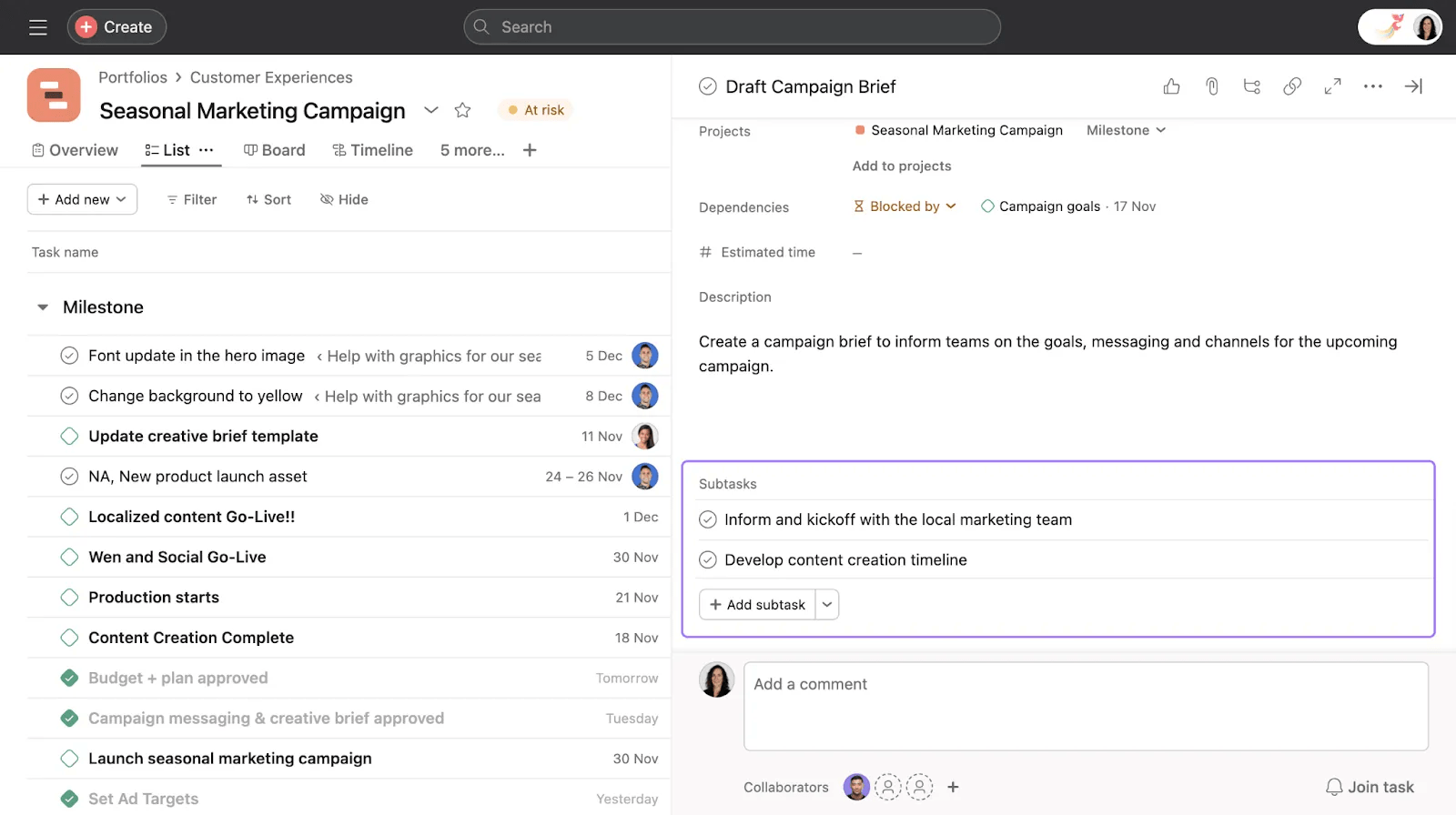
Use subtasks when you need to track the smaller steps that contribute to a larger goal, but use separate tasks when each item represents a distinct deliverable.
Milestones mark significant moments in your project timeline and help you track whether you're meeting important deadlines. You can create a milestone or turn existing tasks into milestones.
Examples of milestones include:
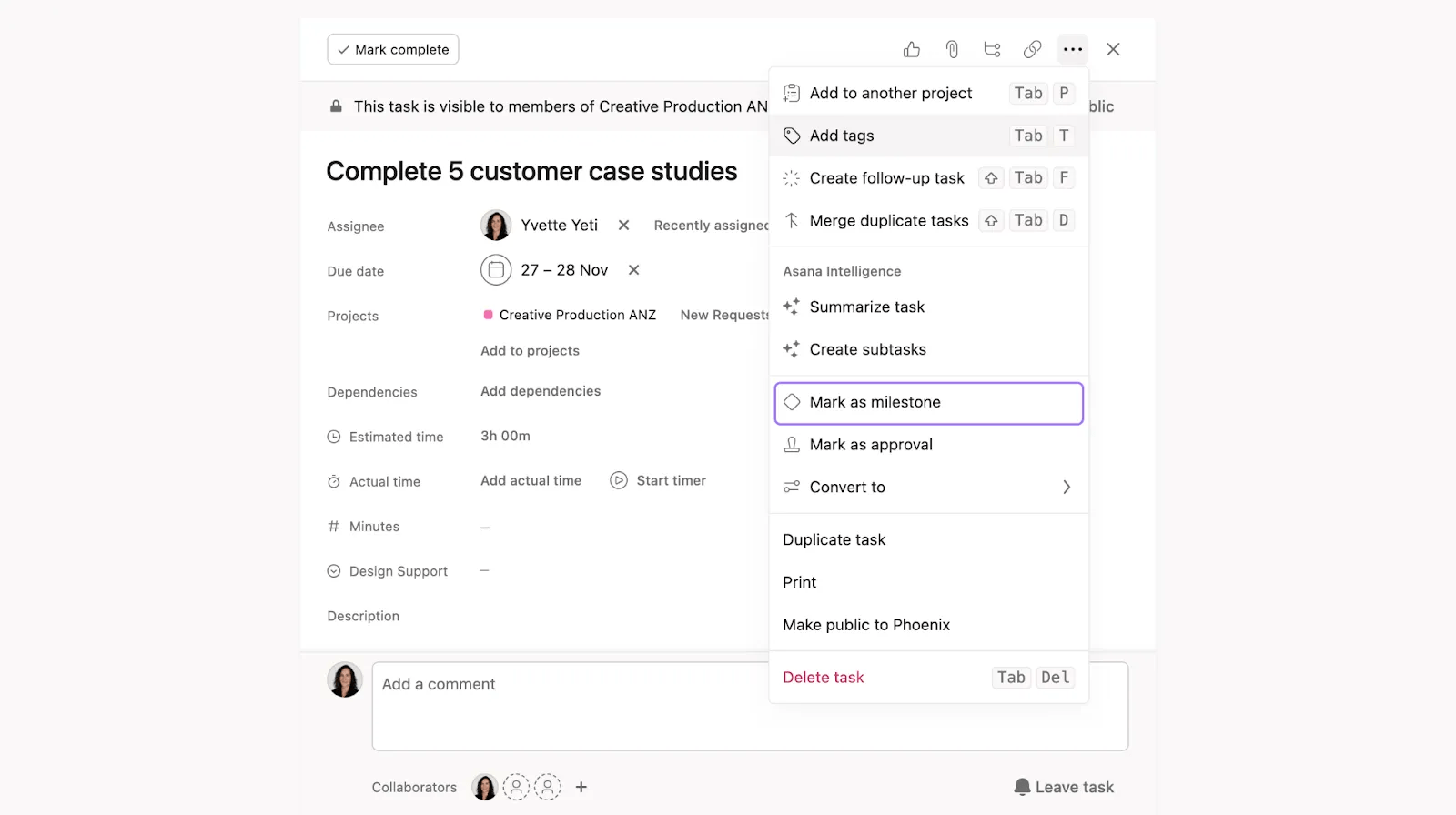
Milestones will appear as diamond-shaped icons.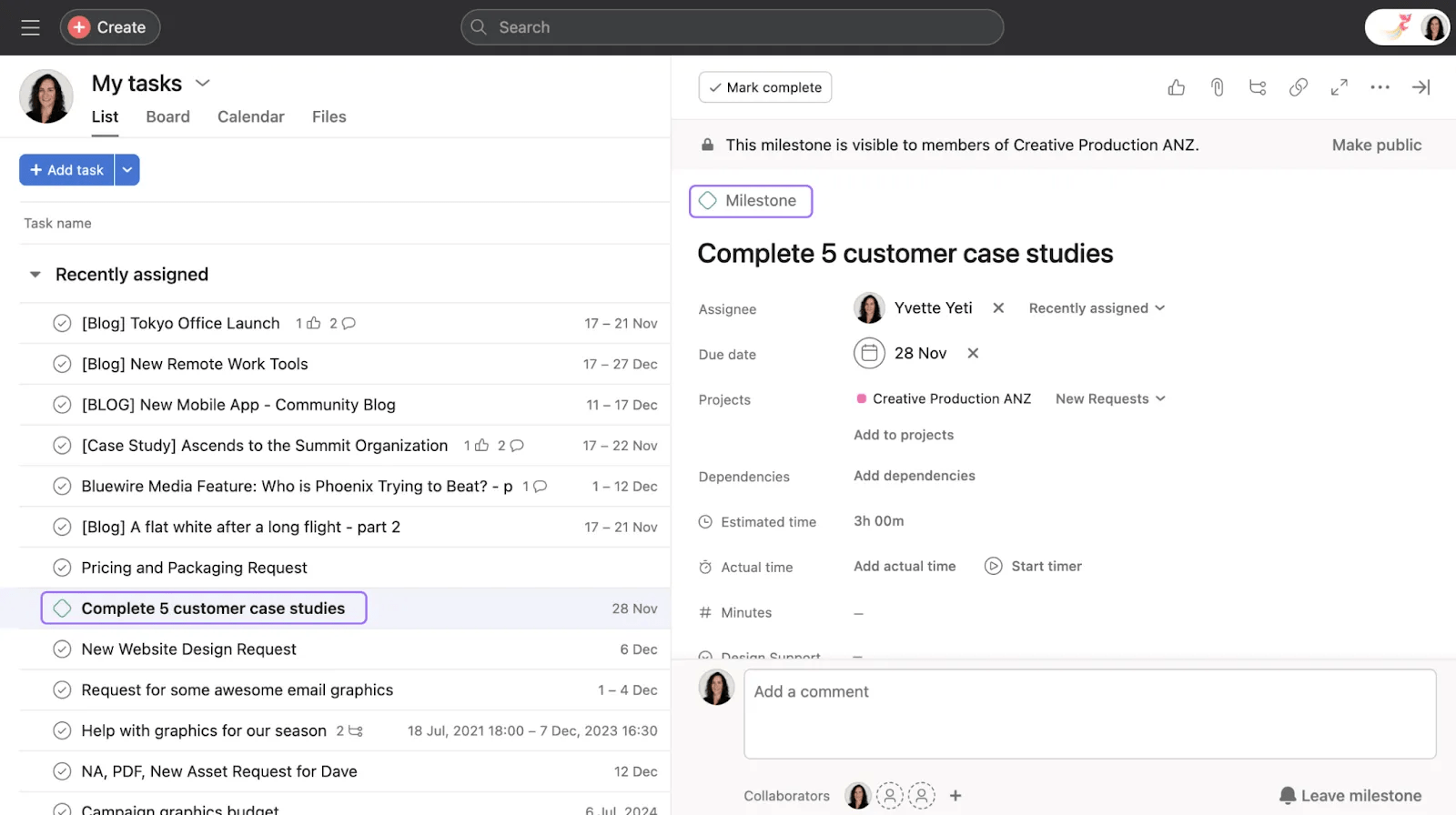
Approval tasks streamline review processes by allowing stakeholders to approve, reject, or request changes with a single click. This task type is perfect for content reviews, budget approvals, or any workflow requiring sign-off.
You can turn any task or subtask into an approval by clicking the three dot icon, and selecting Mark as Approval. This is a way of quickly receiving feedback on a task that needs approval. Approvers can easily see what’s needed and can “Approve”, “Request changes”, or “Reject” a task.
As the requester, you’ll receive inbox notifications when action is taken on the task.
A follow-up task is a standalone task created from an existing Asana task. It can be a reminder to follow up on the original task later. Unlike subtasks, the follow-up task has no affiliation with the parent task. You can create a follow-up task from any task or subtask.
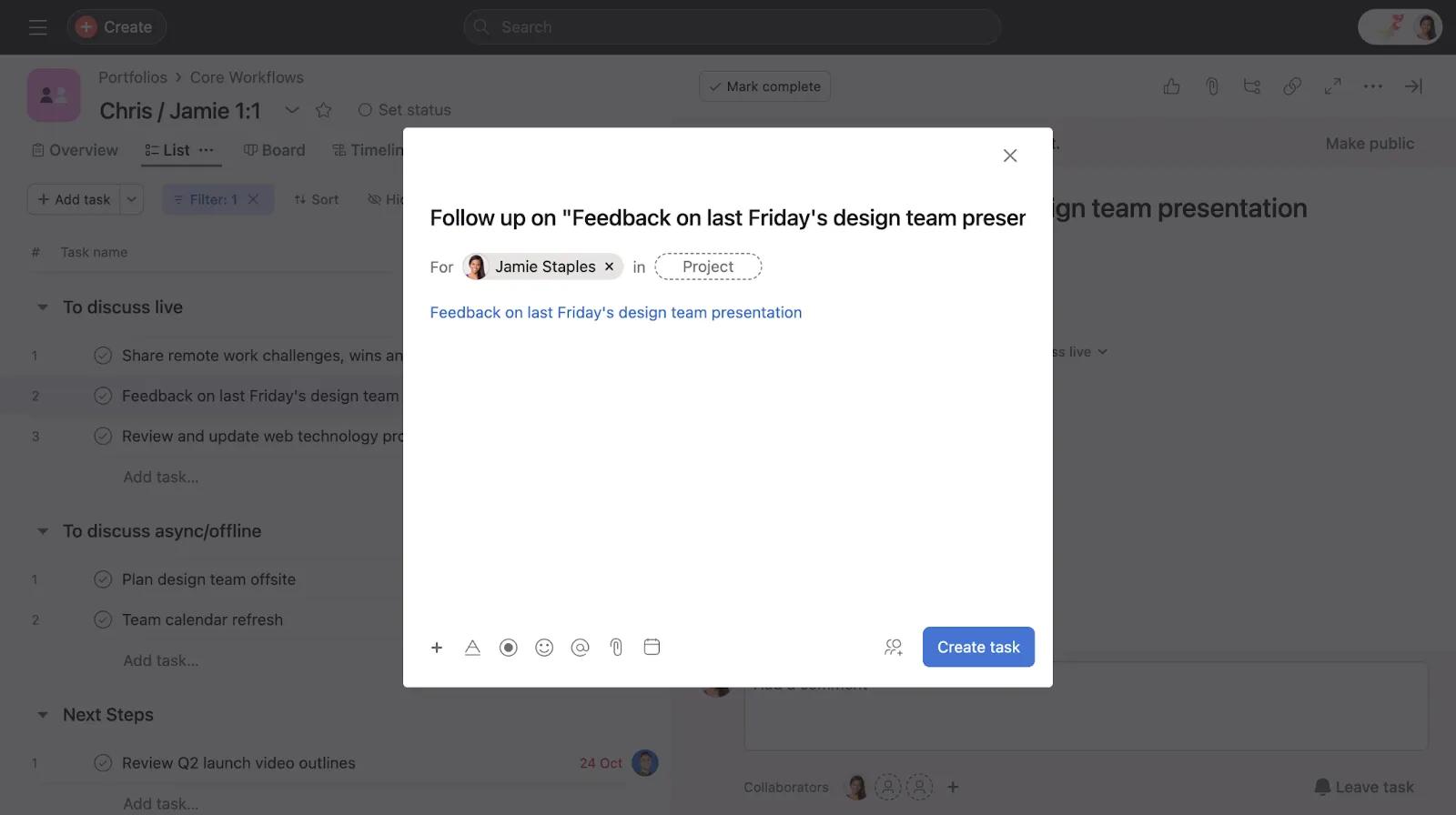
To create a follow-up task:
This creates a new task with the following default characteristics, all of which you can edit:
Example use cases:
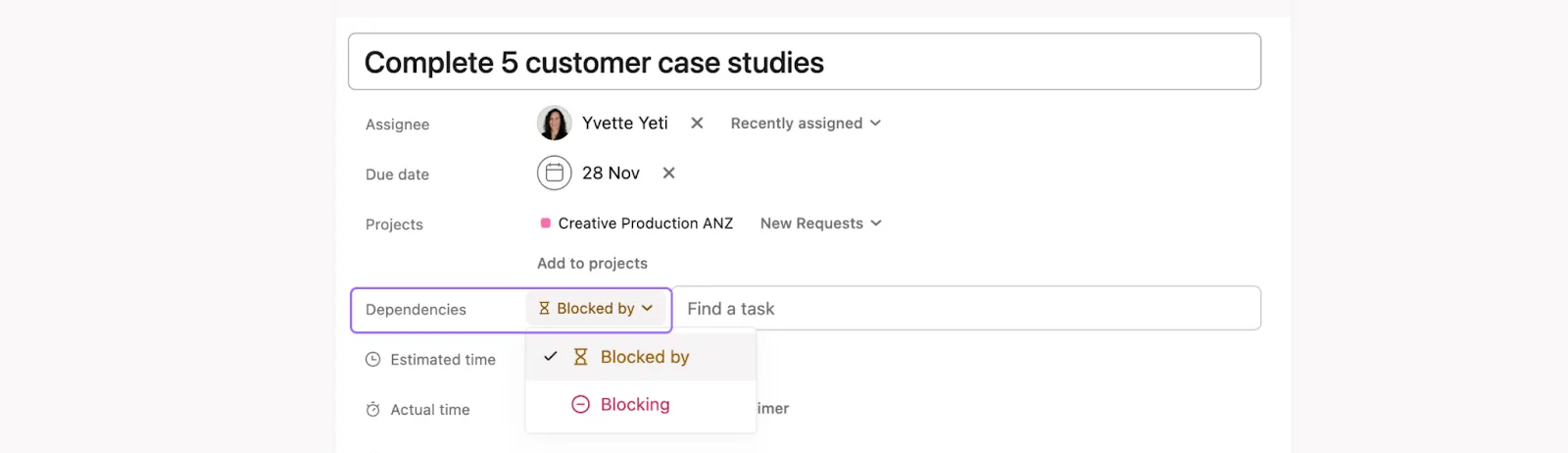
The completion of certain tasks may depend on other work being finished first. Task dependencies help you define the order in which tasks should be completed by creating relationships between them. When one task depends on another, Asana automatically notifies assignees when they're unblocked and ready to start. With task dependencies, you can mark a task as “blocking” or “blocked by” another task.
Multi-homing is adding the same task to multiple projects in Asana. Every change made to the task, such as comments, attachments, changes to due dates, etc., will be reflected across all projects, eliminating the need to update the task in each project individually.
Multi-homing avoids duplication by centralizing work; keeping various teams in the loop without providing individual updates.
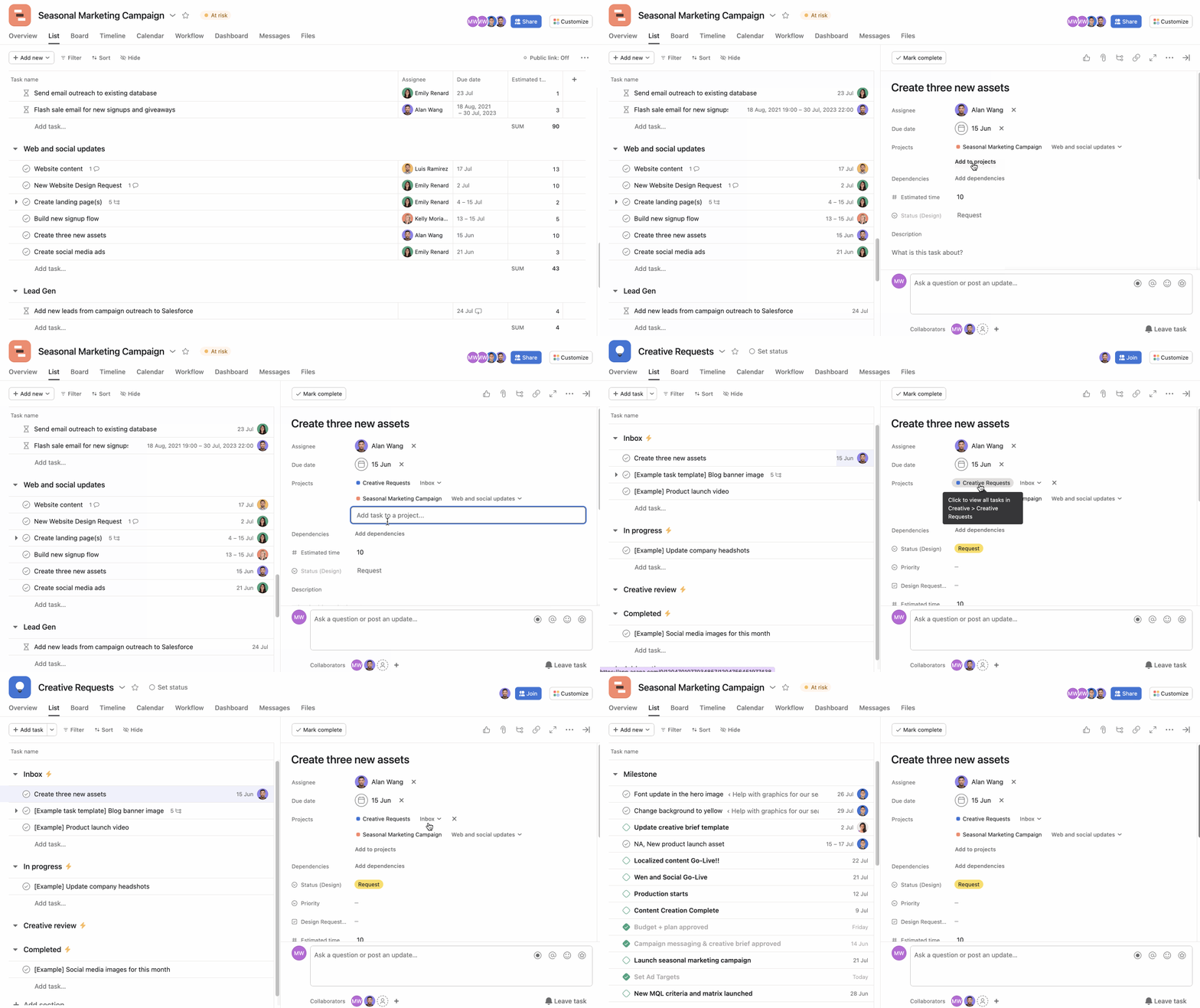
From the task details pane:
Task templates make it easy to standardize tasks in your project and quickly set up the same tasks repeatedly without starting from scratch. You can convert existing tasks into templates or create new ones to save time. Follow these step-by-step instructions to create task templates.

