Products


AI Platform


Asana Foundations
Company Type

Visit our pricing page for more information.
As you get started with Asana, you’ll notice that tasks are the building blocks of everything. Getting comfortable with assigning tasks is the first step towards using Asana to its fullest.
There are different scenarios for when you would want to assign tasks:
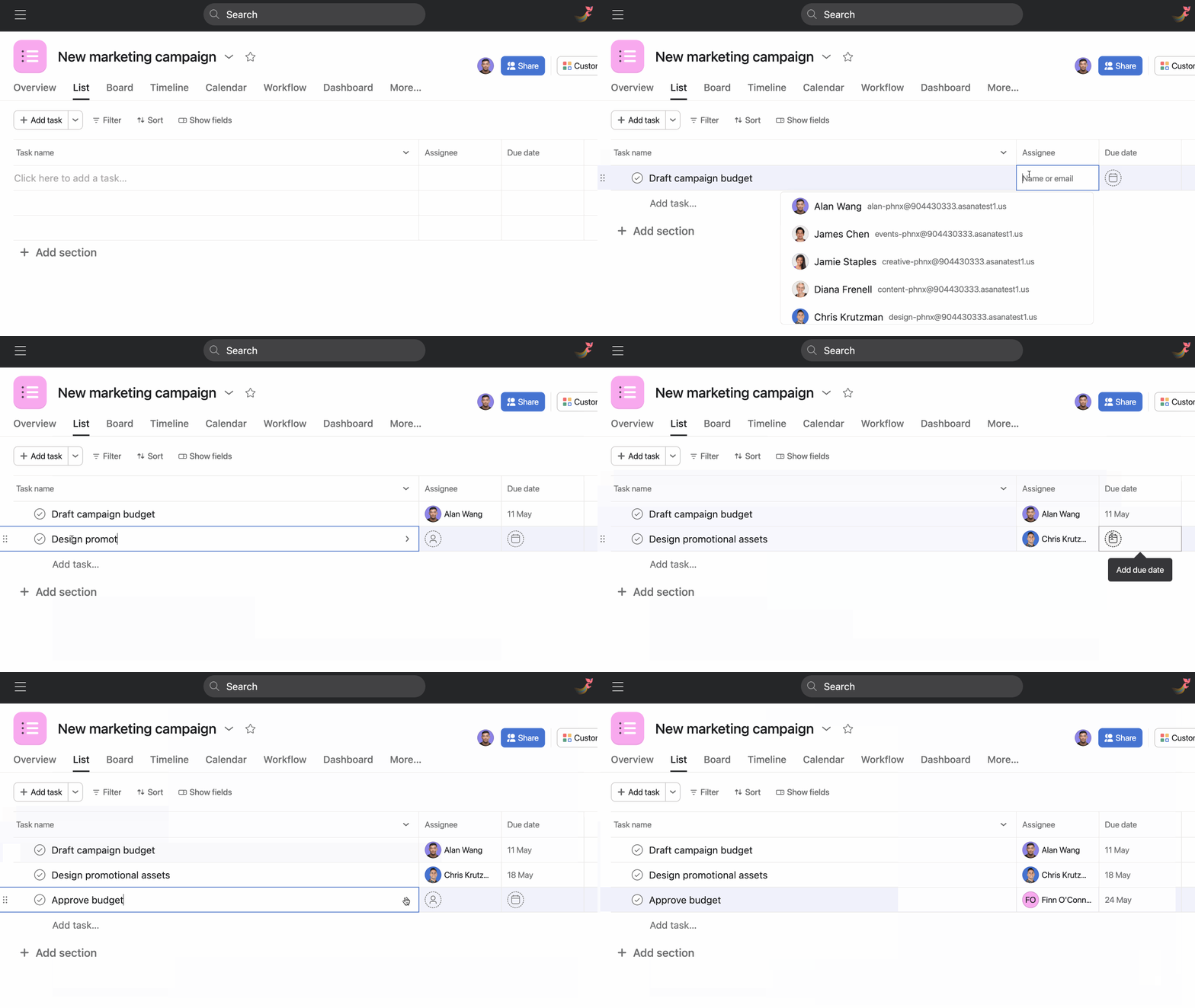
For example, let’s say you’re a Marketing Manager working on a new marketing campaign, and you create the following tasks:
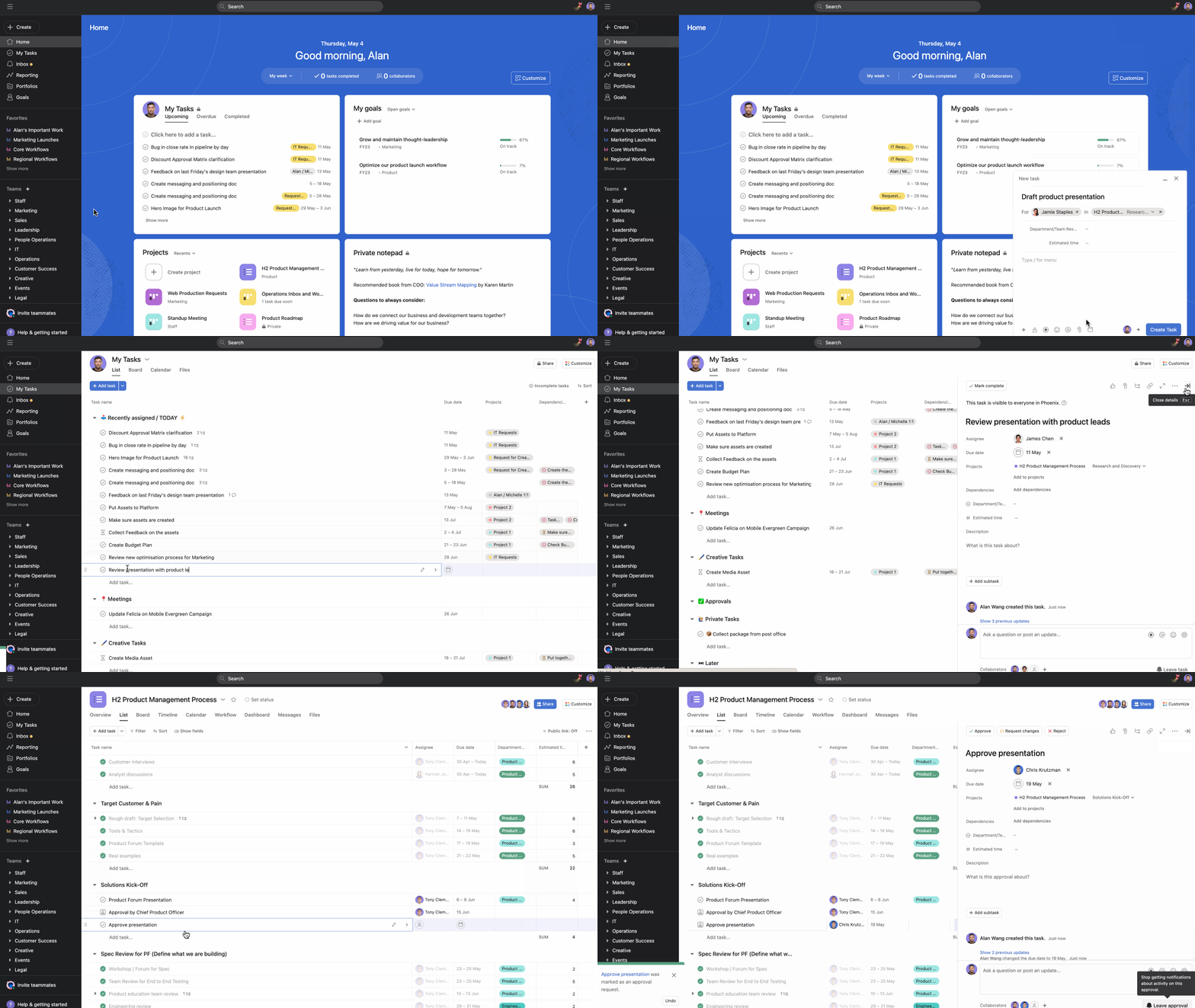
You can assign the Draft campaign brief to yourself, Design promotional assets to the Creative Designer and Approve budget to the Finance Lead. Remember that these assignees can then reassign the task to other teammates, depending on how each team is structured. For example, the Finance Lead can receive every task related to budgets, but then they will triage these tasks and reassign them to people on their team.
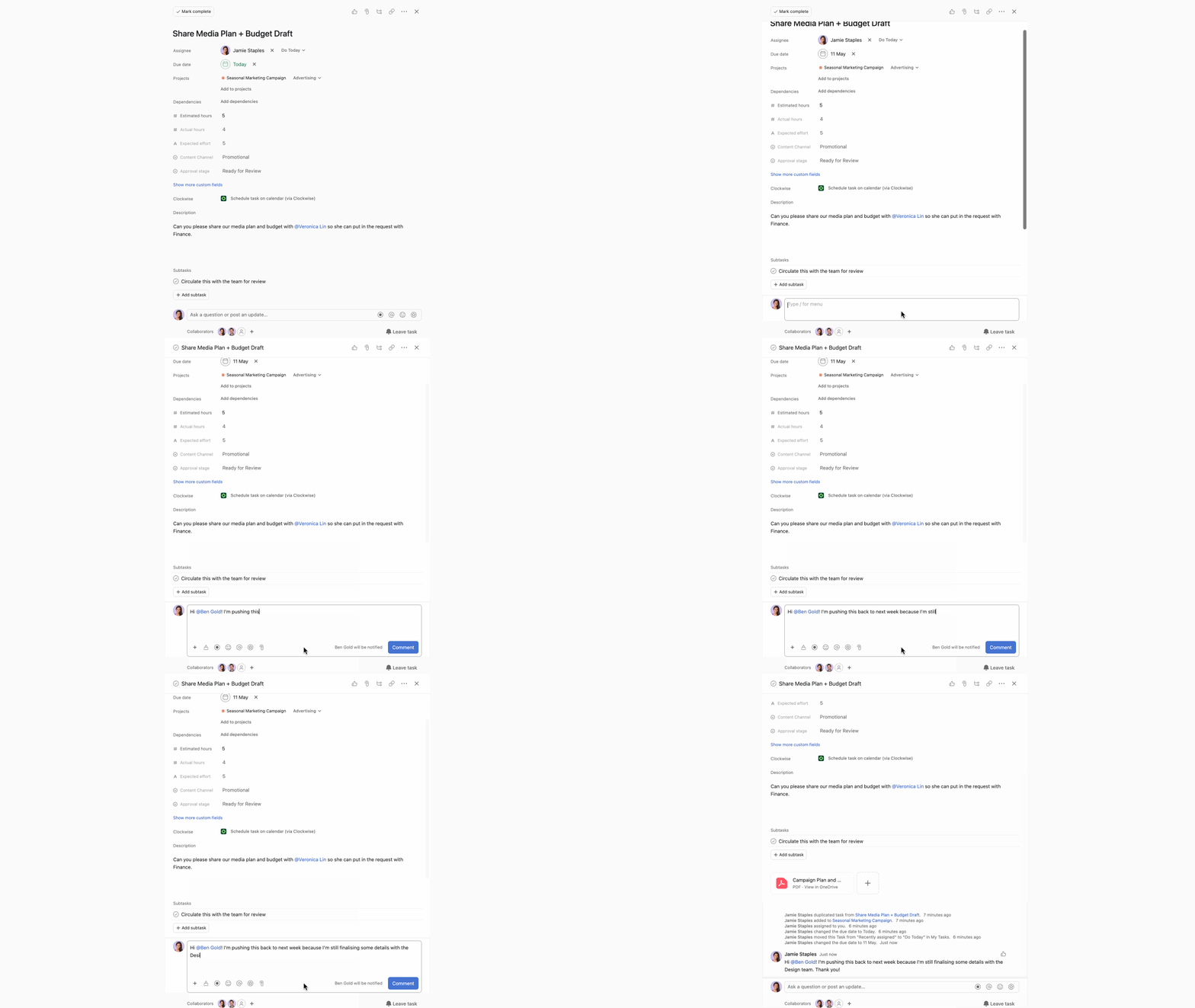
Setting due dates is an easy way to keep track of your tasks. The task assignee can always change the due date depending on their workload. If a due date needs to be changed, it’s best practice to comment on the task and @mention the person who assigned the task to let them know the due date has been pushed back and why.
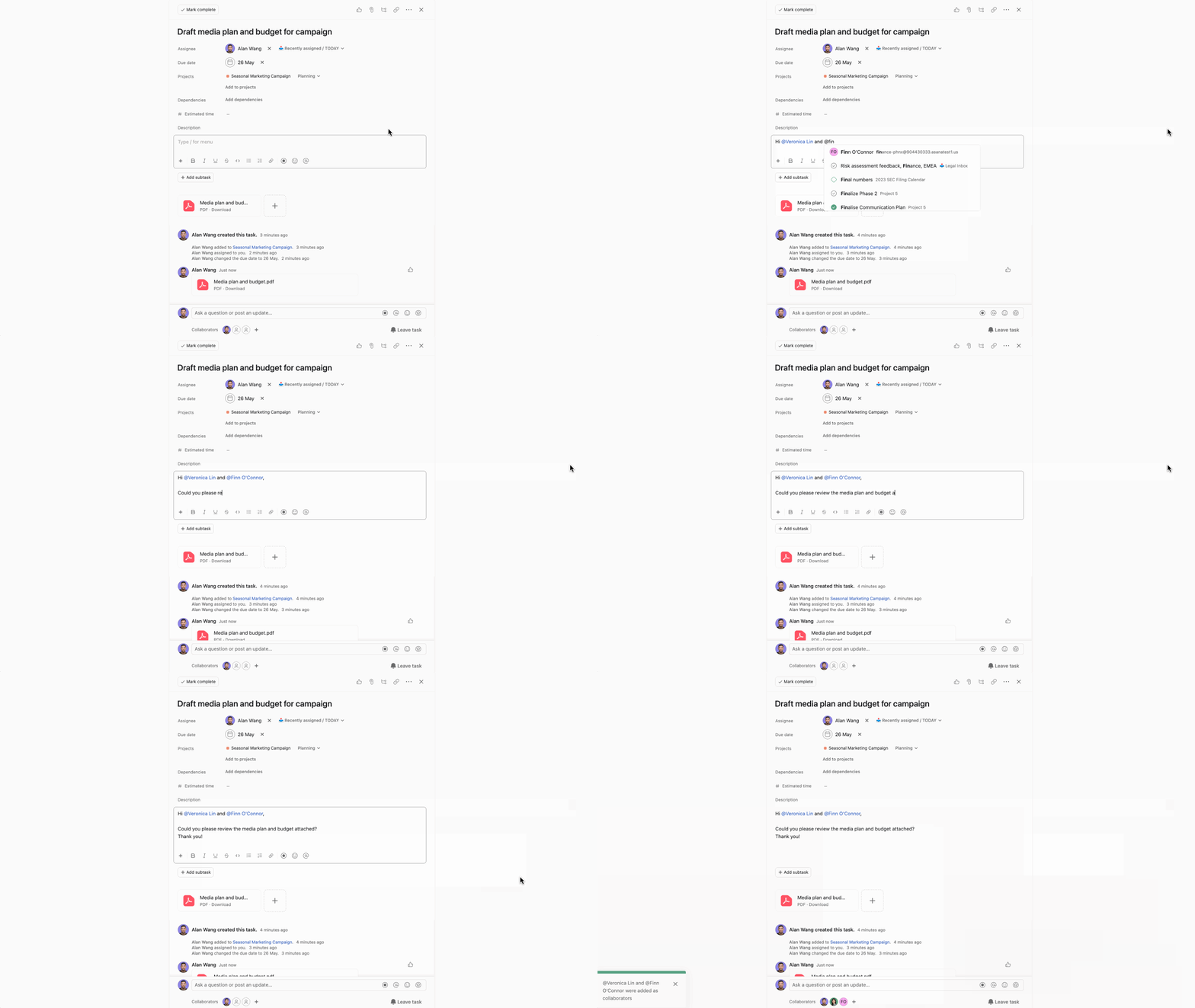
Although tasks can only have one assignee, they can have multiple collaborators. The assignee's role is to ensure the task gets completed, and they are responsible for this. Collaborators can work actively on a task, provide more context, take over the task if needed, or follow the task to keep track of progress.
A Marketing Manager can have a Draft media plan and budget for campaign task and add collaborators from the Finance and Legal teams to review the draft. Later, the Finance Lead can take over this task and assign it to themselves to approve the budget.
Task collaborators will receive notifications when tasks are updated, allowing them to stay in the loop and see how the task progresses.
When you assign a task to others, they will receive a notification in their inbox. This is what they will see:
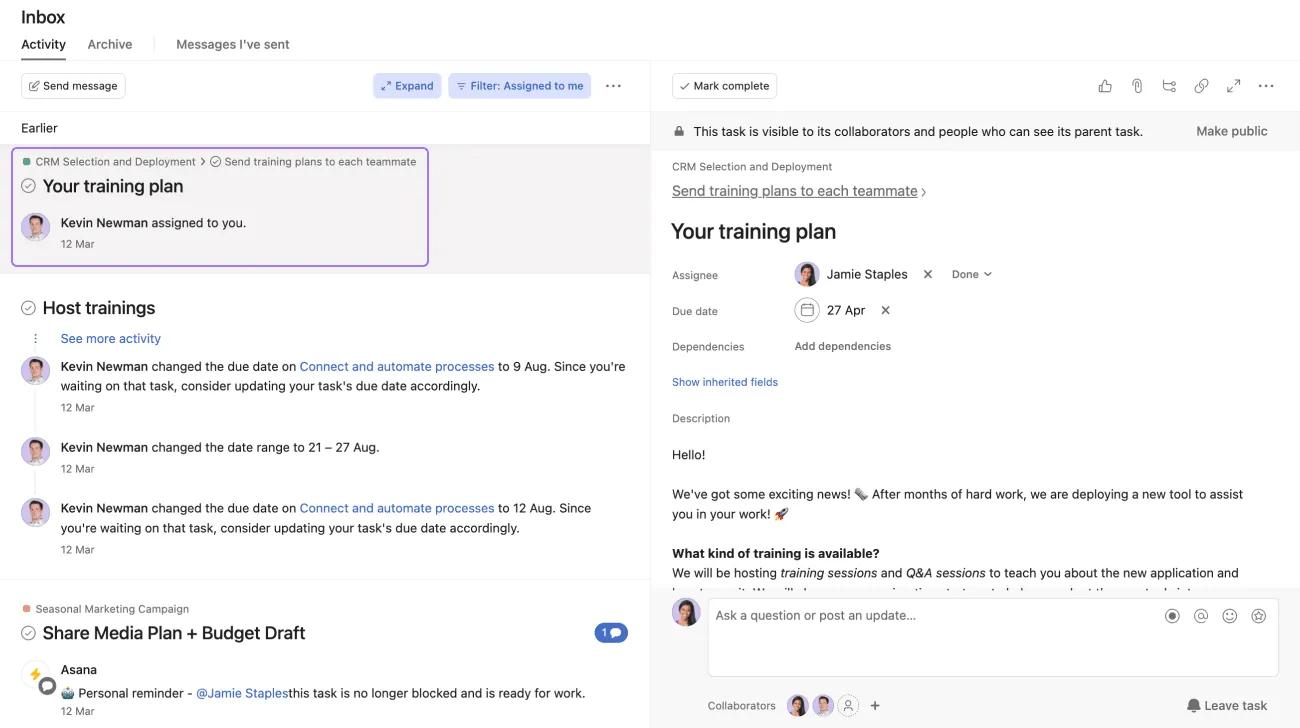
The assignee will see who assigned the task and the date it was assigned to them.
If the task assignee has enabled email notifications, they will also receive an email when tasks are assigned to them.
Navigate to Home in the sidebar. Here you can look at the upcoming, overdue, and completed tasks you’ve assigned.

Tasks help us understand who is doing what what by when. For projects and initiatives to advance, overcoming the fear of assigning tasks is crucial. There are no rules when it comes to assigning tasks. You can assign tasks to your manager if you need approval from them, assign a task to a colleague if you need their help with a cross-functional project, or even assign tasks to simply ask questions. Tasks are how work gets done, and anybody can assign tasks to anybody.
Learn more about tasks with these guide articles:


