Products


AI Platform


Asana Foundations
Company Type

Visit our pricing page for more information.
This article explains how to access and manage billing for workspaces, organizations, and teams via the admin console, covering plan changes, seat utilization, billing updates, role reassignment, and invoice downloads.
You can access your billing page for your workspace or organization through the admin console.
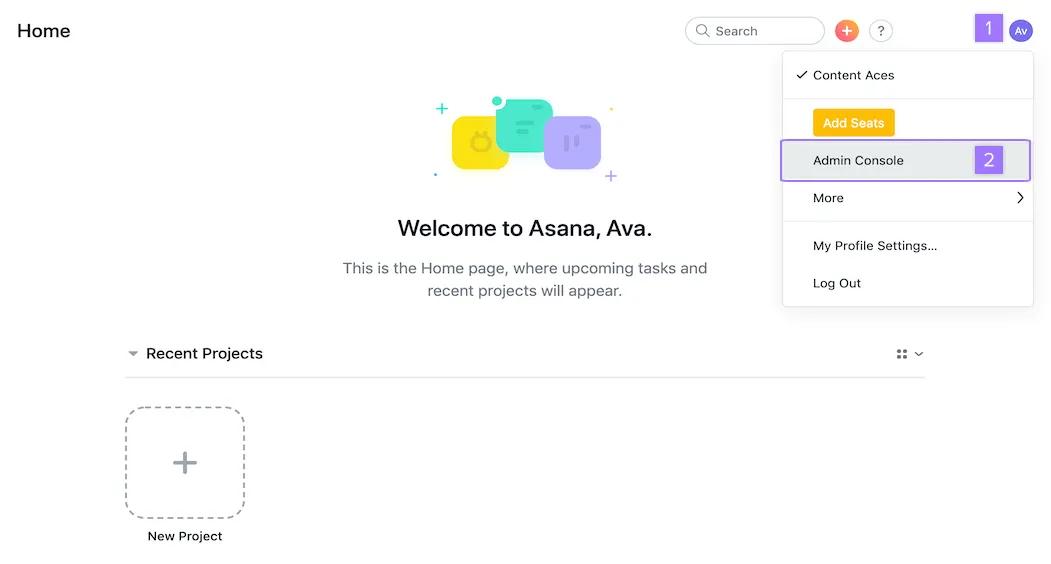
Once you click on Admin console navigate to the Billing tab. You should be able to view all invoices directly from this part of the admin console.
Note
The billing tab is not available to customers on a Personal (free) plan. Once subscribed to a paid plan, you will see in place of admin console About my workspace. The billing tab will be available once you click here.
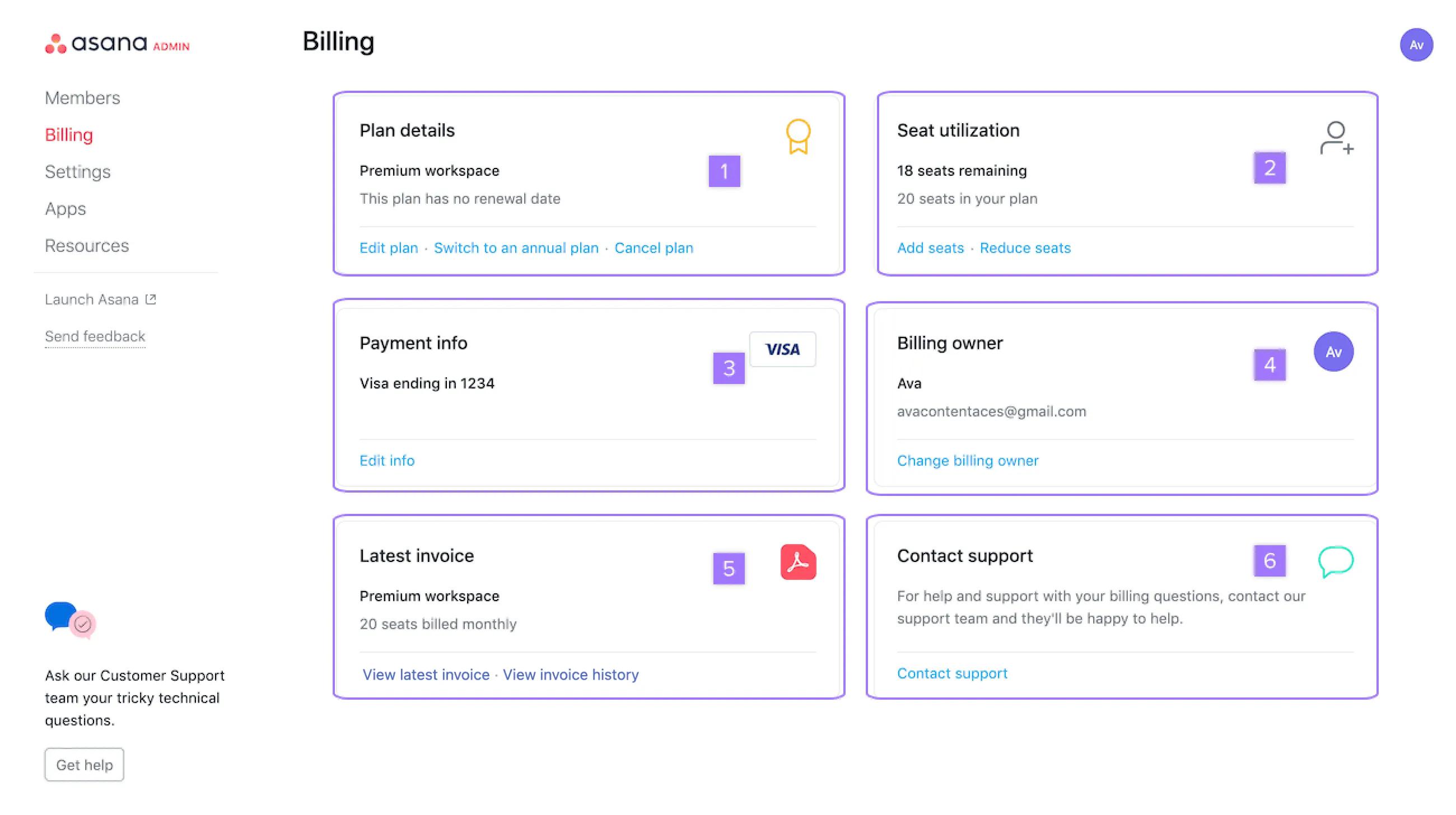
The billing owner of a paid organization, who is also the admin, can access their billing through the admin console.
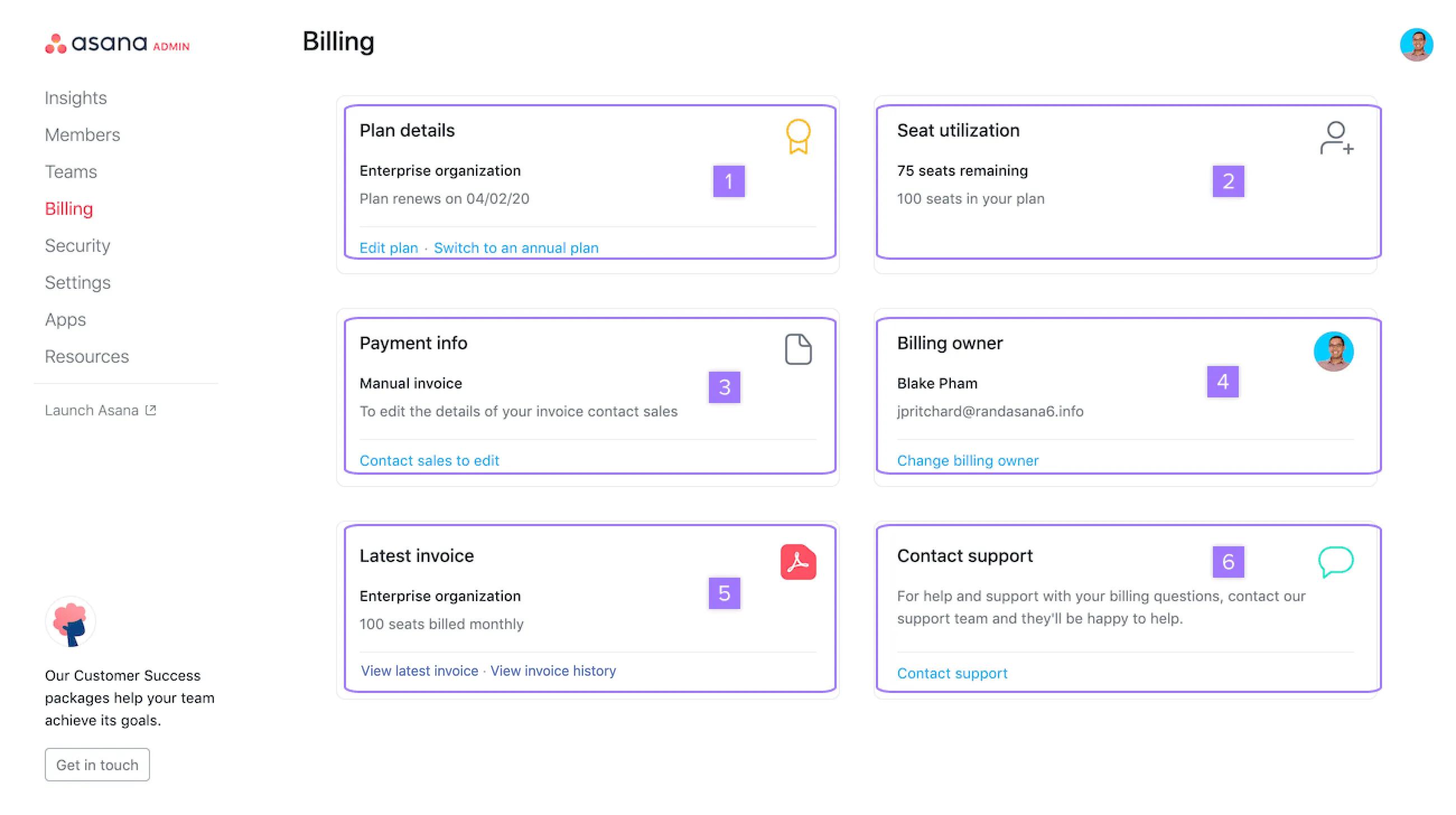
Only the current billing owner of an organization will be able to update the billing information, reassign the billing owner role or download the latest invoice.

