Products


AI Platform


Asana Foundations
Company Type
No articles found for this topic.
No articles found for this topic.
In This Article

Visit our pricing page for more information.
Asana accounts are free and are tied to individual users. Asana accounts grant access to shared workspaces and organizations to collaborate with other Asana users.
With a single Asana account, you can join multiple workspaces and organizations to collaborate with various groups of Asana users. You can also create new workspaces using a personal email address, or using a company email address if you're an admin. These workspaces and organizations you belong to are their own separate entities, each with their own unique set of people, projects, and tasks.
Since each workspace and organization are their own separate entities, your colleagues cannot see the other workspaces or organizations you belong to, nor can you see the other workspaces or organizations your colleagues may belong to. Learn more about privacy between these spaces here.
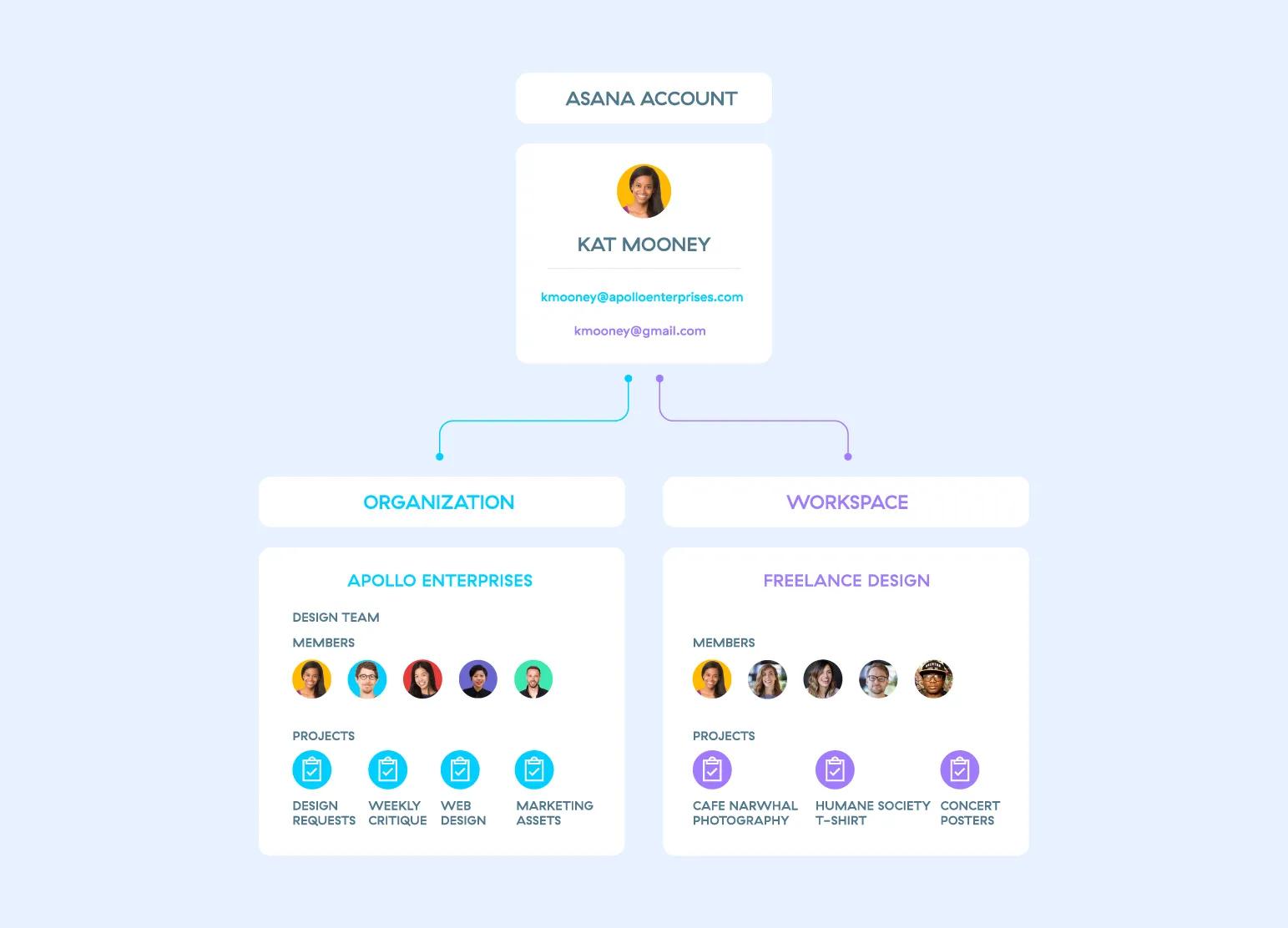
Learn more about the permission settings of your projects & tasks within each of your workspaces and organizations.
Note
Like what you see? Get started with a free Asana trial today. Try for free
A workspace is a collection of people that collaborate on projects and tasks. Workspaces can be used by any group of people and do not require a common company email domain, like organizations do.
People who create an Asana account with a personal email address (i.e. @gmail.com or @yahoo.com) will start off with a workspace. Only accounts using personal email addresses can create new workspaces, unless you're an admin.
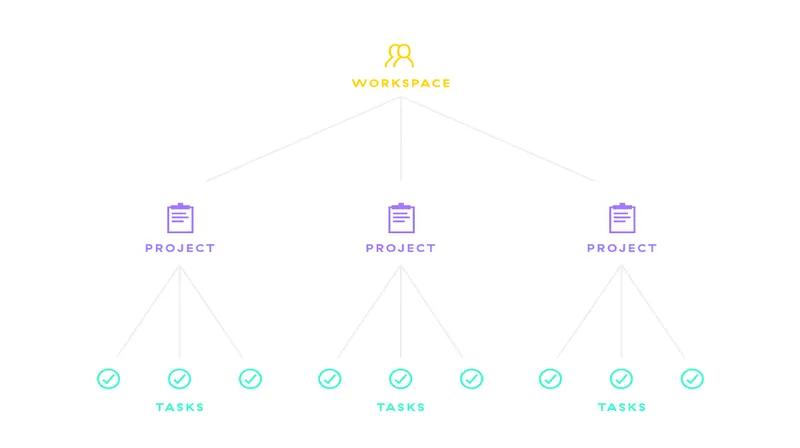
If you have a company email domain, consider using an organization instead.
There are two types of people in a workspace: workspace members and guests. Workspace members have full access to your workspace, while guests are limited to the projects, tasks, and messages explicitly shared with them.
Workspace members have full access to all projects that have the privacy setting shared with organization, as well as public tasks, and messages in your workspace.
All workspace members can:
Guests are people with restricted access to your workspace. Guests will only see projects you share with them. You might invite contractors, clients, or other third parties as guests, giving them access to relevant projects and tasks without giving them access to everything in your workspace.
Guests cannot:
Guests can:
Navigate to your admin console. From the Members tab on your left sidebar you can:
Workspace members can also convert any member into a guest from this window.

