Products


AI Platform


Asana Foundations
Company Type
In This Article

Visit our pricing page for more information.
This feature enables admins, super admins, and billing owners to pause the license of any member in the organization, effectively reducing the number of paid seats by one. Manage your billing cycle more efficiently by pausing licenses without the need to permanently remove organization members from your Asana space. If a member logs back in to Asana while their license is paused, their access and billing status are automatically restored.
The ability to pause a member's license is available for paid organizations, but is not available for paid divisions or workspaces.
Pausing a member’s license provides an alternative to permanently deprovisioning their Asana account.
The feature is particularly effective where a member may be temporarily inactive in Asana, and it would be unsuitable to permanently deactivate their account via the admin console or identity provider. By pausing their license instead, admins and billing owners can manage costs without affecting the member’s access to the company's domain or any of their tasks and projects.
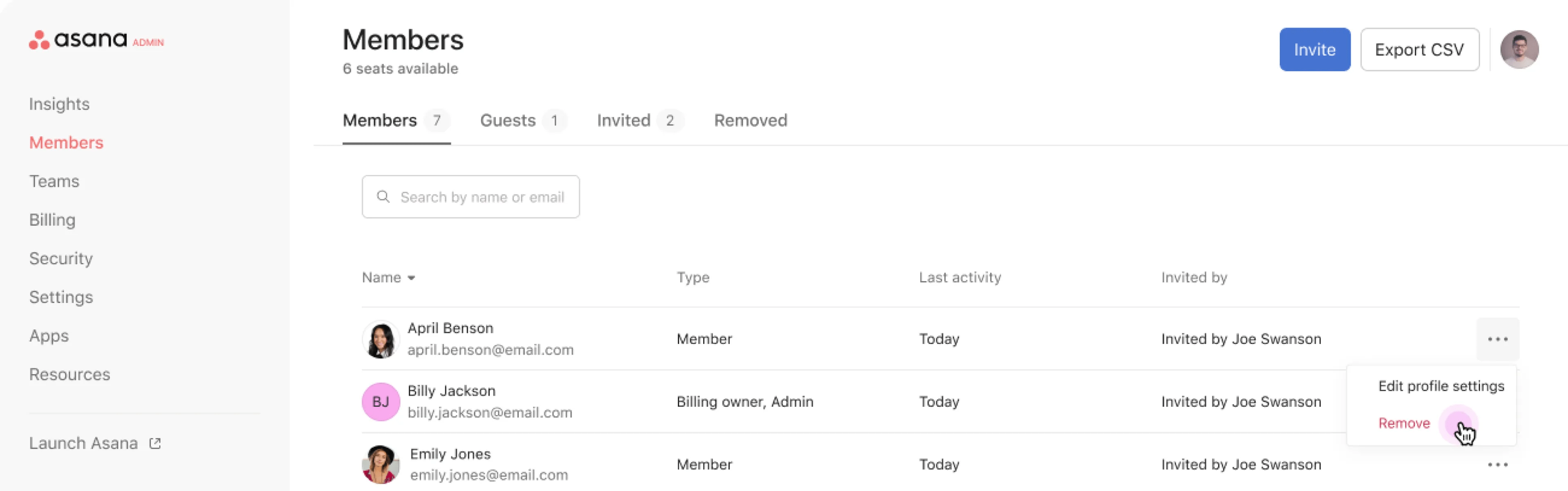
Admins, super admins, and billing owners can pause a member's license from the admin console.
Note
The option to pause a member will not appear if the member holds a super admin role, or if they are an admin of any organization or division. In this case, you will only be prompted to remove the member's account. To pause the member's license, you will first need to update their admin role before proceeding with the pause.
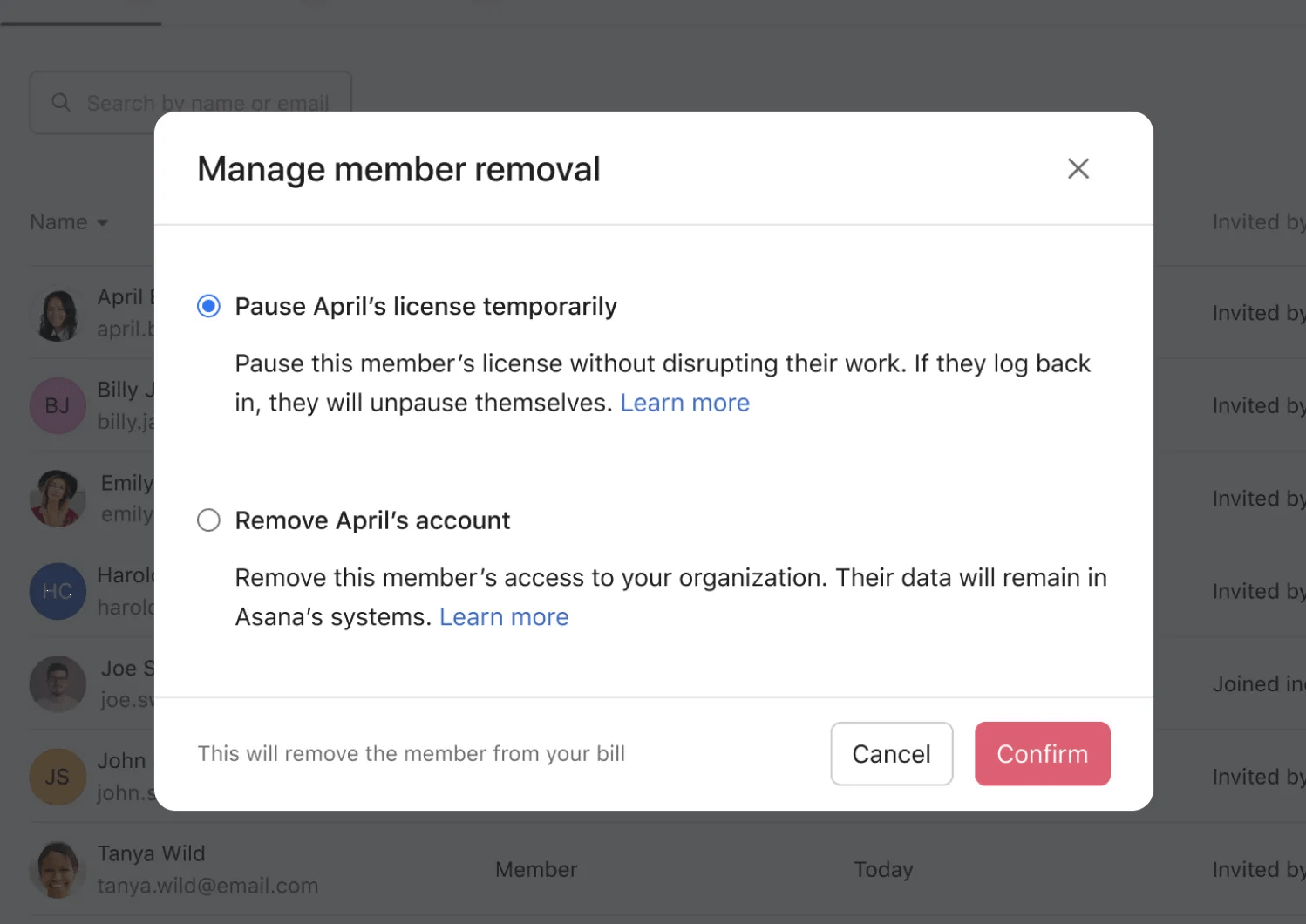
When offered the choice between pausing the license or removing the account, choose the first option.
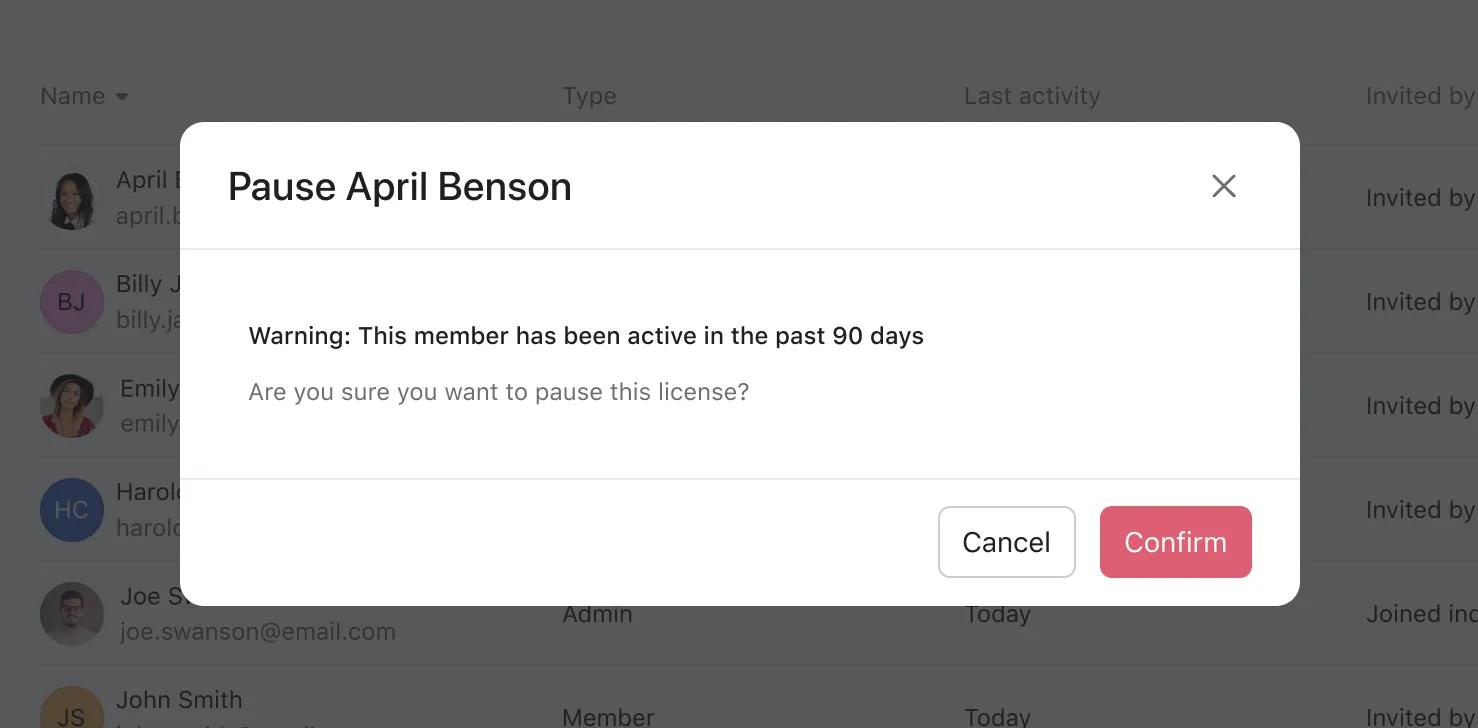
Attempting to pause the license of a member who was active in Asana in the past 90 days will trigger a prompt asking you to confirm. This can help to avoid accidentally pausing the license of someone who is genuinely active in Asana.
To reactivate a paused licence, follow these steps:
Note that the Paused tab will only appear if there are paused licenses. If no licenses are paused, the tab does not appear.
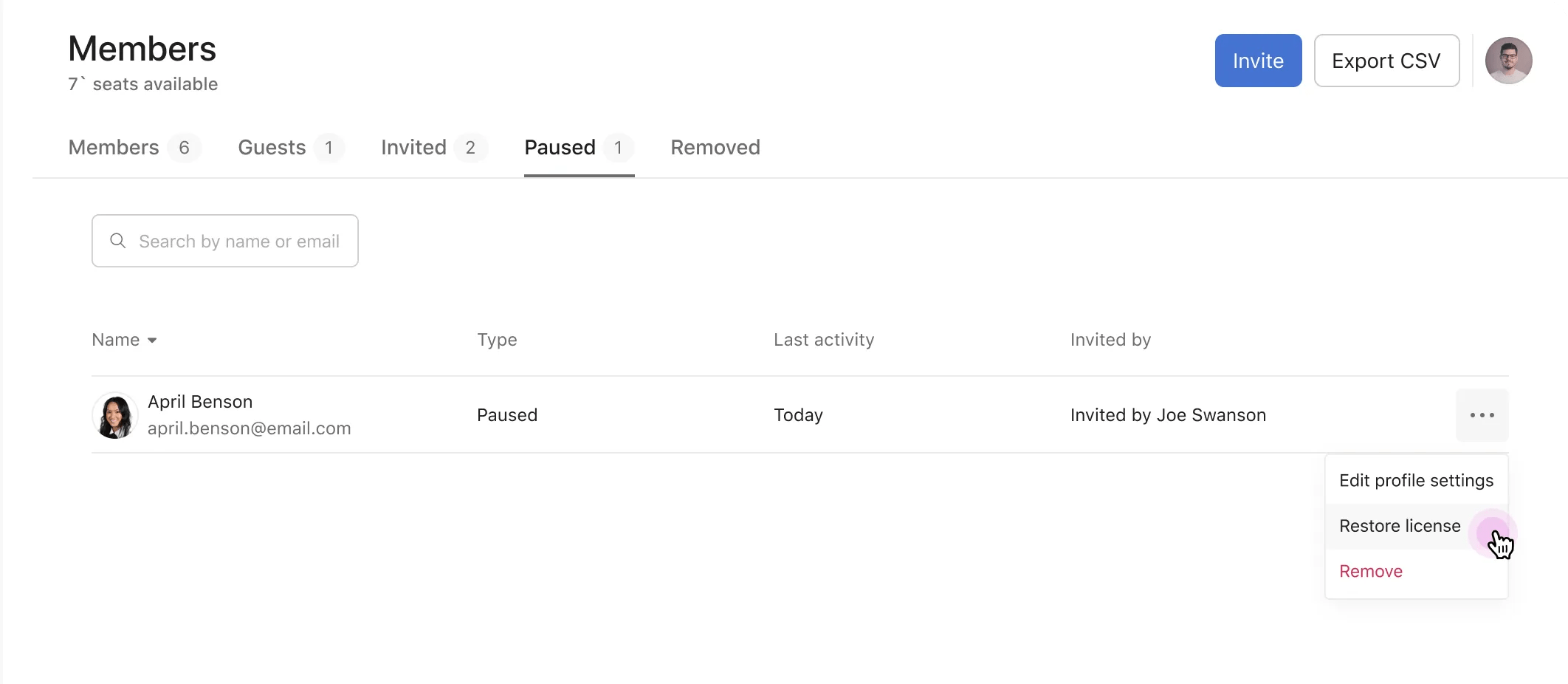
A member with a paused license can return to Asana at any time, and when they log back in, their license is automatically reactivated. Their work is not deleted, and their tasks, projects and other work items remain intact - even their API and integrations. Rules owned by a paused license member will continue to run.
Someone whose license is paused will not experience any changes to their access or their work in Asana, and therefore they are not informed when their license has been paused.
The alternative - permanently deprovisioning someone’s account - does inform the member that they have been removed from the organization and in certain cases might create more noise and follow-up communication than desired.
Where the goal is to manage costs by temporarily removing a member from the subscription's seat count, pausing a license provides a more seamless experience for the admins, billing owner, and paused license member themselves.
Pausing a member’s license does not affect others who collaborate with them. They can be assigned tasks, @mentioned, or added to teams and projects just the same as any other organization member.
If a paused license member is the owner of a rule, the rule will continue to run when the member’s license is paused.
Asana limits the number of paused licenses within any organization. The cap is set at 10% of the total subscription size. For example, the billing owner of a 100-seat plan can pause the licenses of up to 10 members.
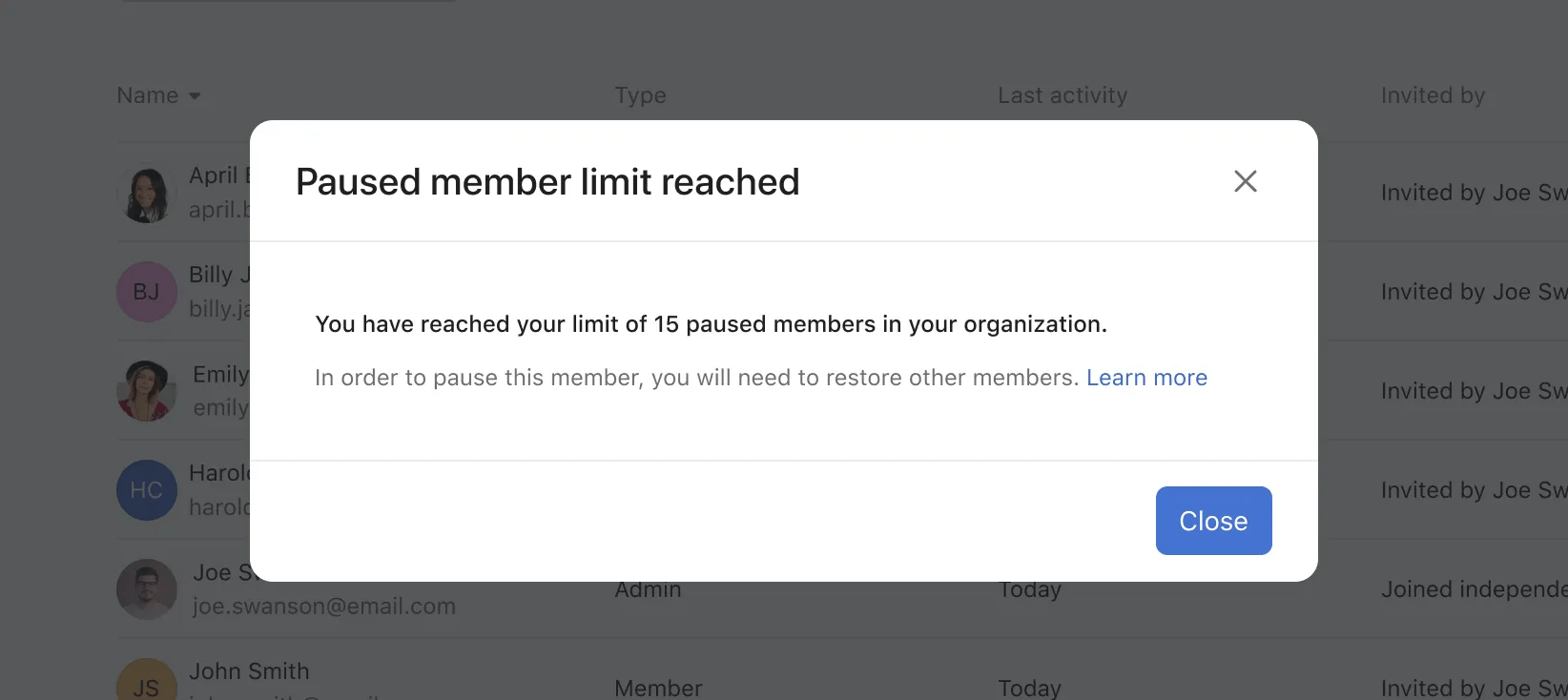
If the 10% limit has been reached and admins or billing owners wish to pause another user's license, Asana will prompt them to restore a currently paused license first before they can continue.
Pausing a license does not end active sessions for the affected user. This means the user may still be logged in to Asana on any device or browser where they were previously authenticated.
If a paused user logs back in to their account, their paid license will automatically resume. For this reason, paused members should refrain from logging in during the period their license is paused.
It is important to note that pausing a license is designed for cost management purposes, not for security incident containment. If you need to restrict a user's access for security reasons, consider deprovisioning the member instead of pausing their license.

