Products


AI Platform


Asana Foundations
Company Type
No articles found for this topic.
No articles found for this topic.
In This Article

Visit our pricing page for more information.
This article explains how division admins can manage billing and security via the division admin console.
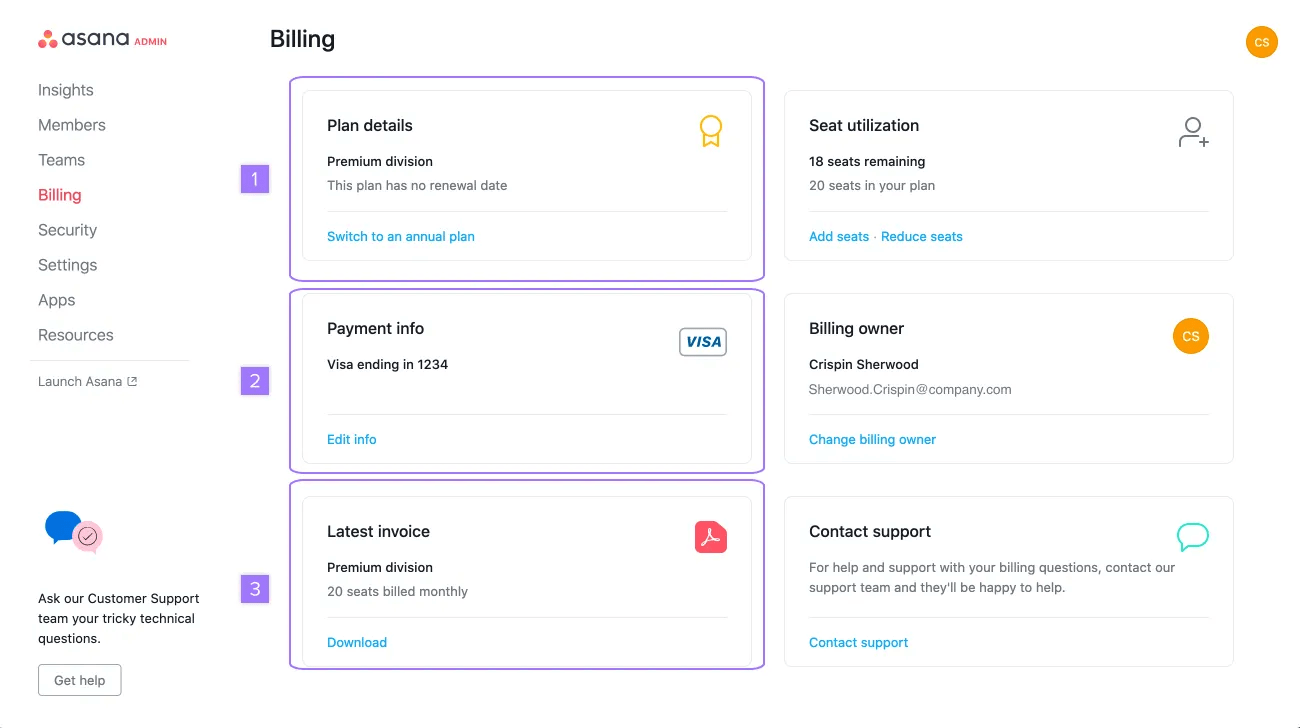
Admins, super admins, and billing owners have complete billing maintenance access. They are able to view account information; add seats, remove seats, edit details, and have the freedom to self-manage their billing invoices.
They can also change the frequency of billing from monthly to annual, and can reassign the billing owner role.
If your organization already has a paid division and you want to add another paid division on self-serve billing, a different user in your organization must complete the upgrade for the new division. The current billing owner of an existing paid division cannot self-serve a second paid division.
The user who completes the upgrade will become the billing owner for the new division. To create the new division plan, ask another eligible user in your organization to click Upgrade in Asana and follow the steps in Upgrading or changing your Asana plan. They should choose the correct space to upgrade and enter the payment details for the new division.
If a single user needs to be the billing owner for multiple divisions, contact Asana support to request a billing owner change.
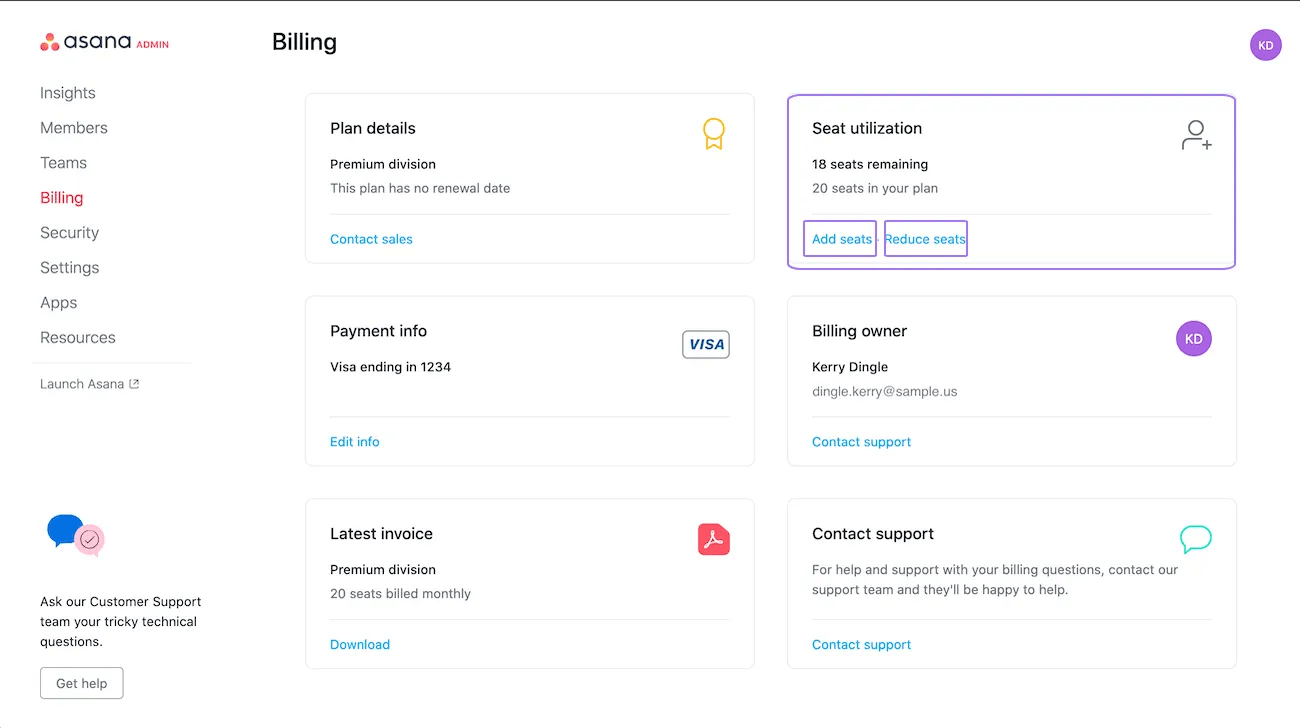
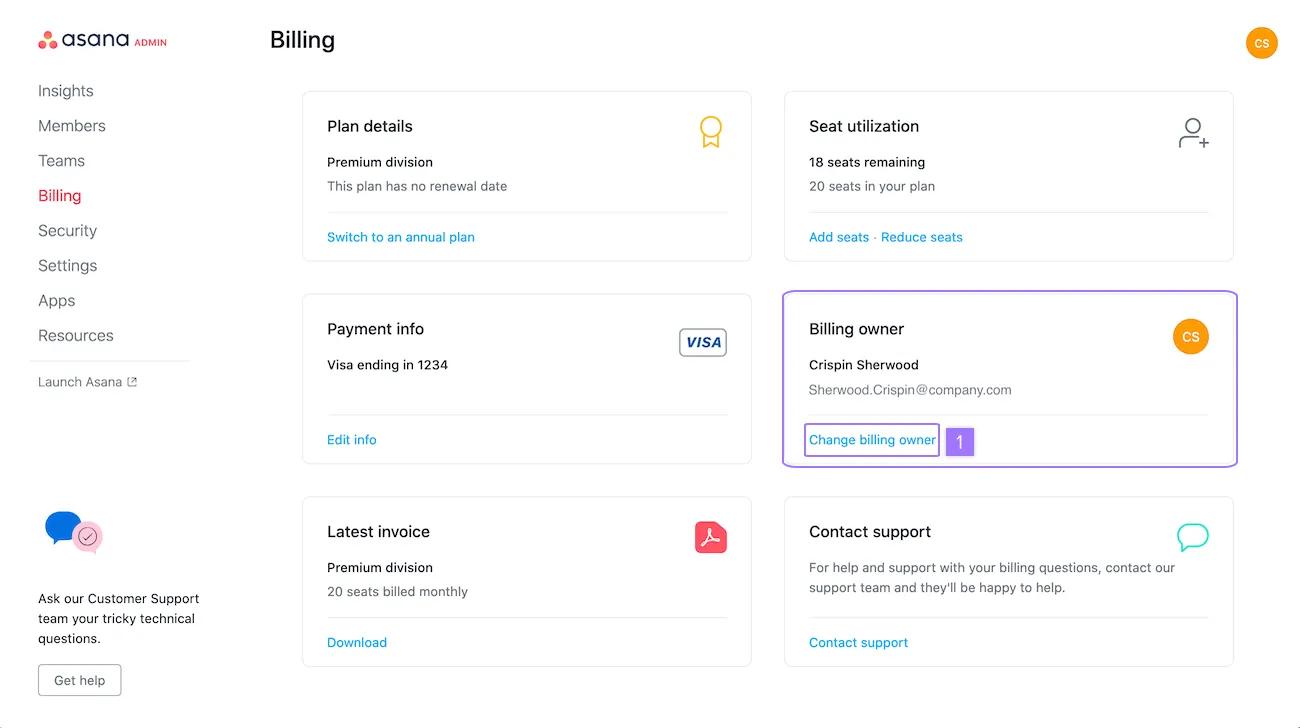
From the Seat utilization section on the billing page you can: see how many seats are remaining in your division, how many seats are in your plan, add more or reduce the number of seats.
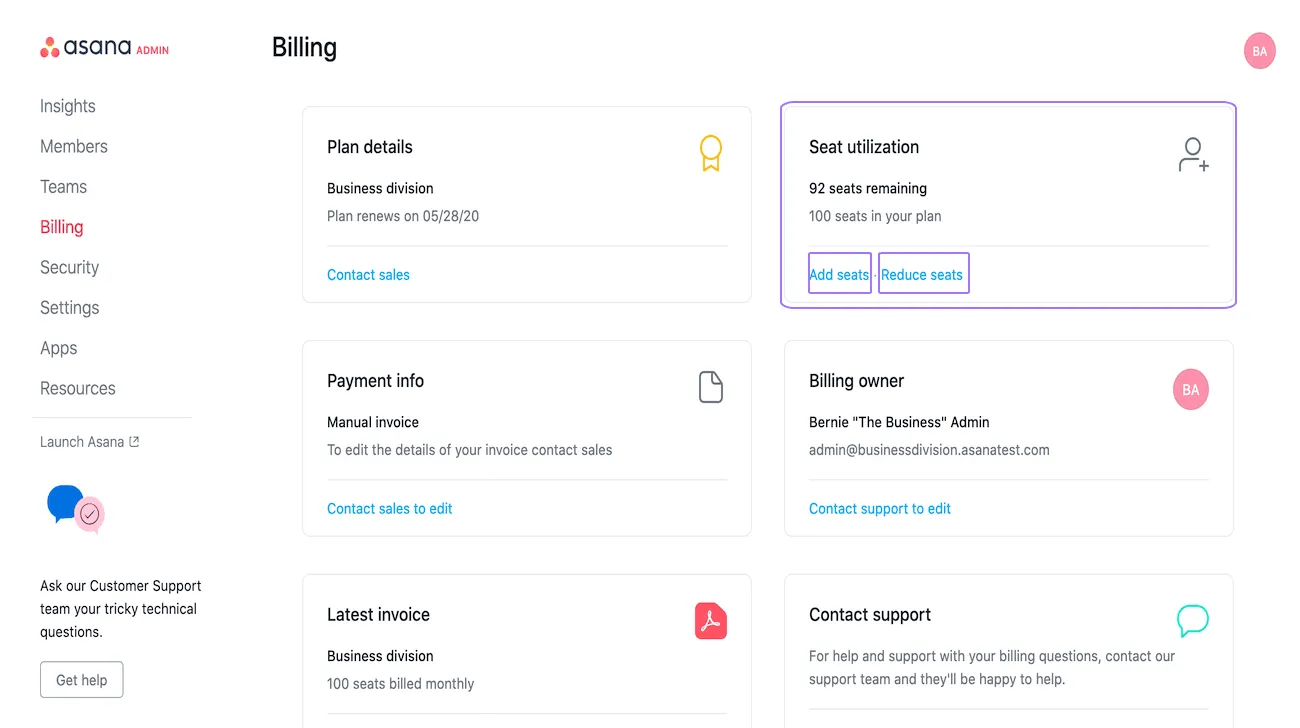 The Payment info on the billing page will tell you whether you are on manual invoicing or if you pay by credit card.
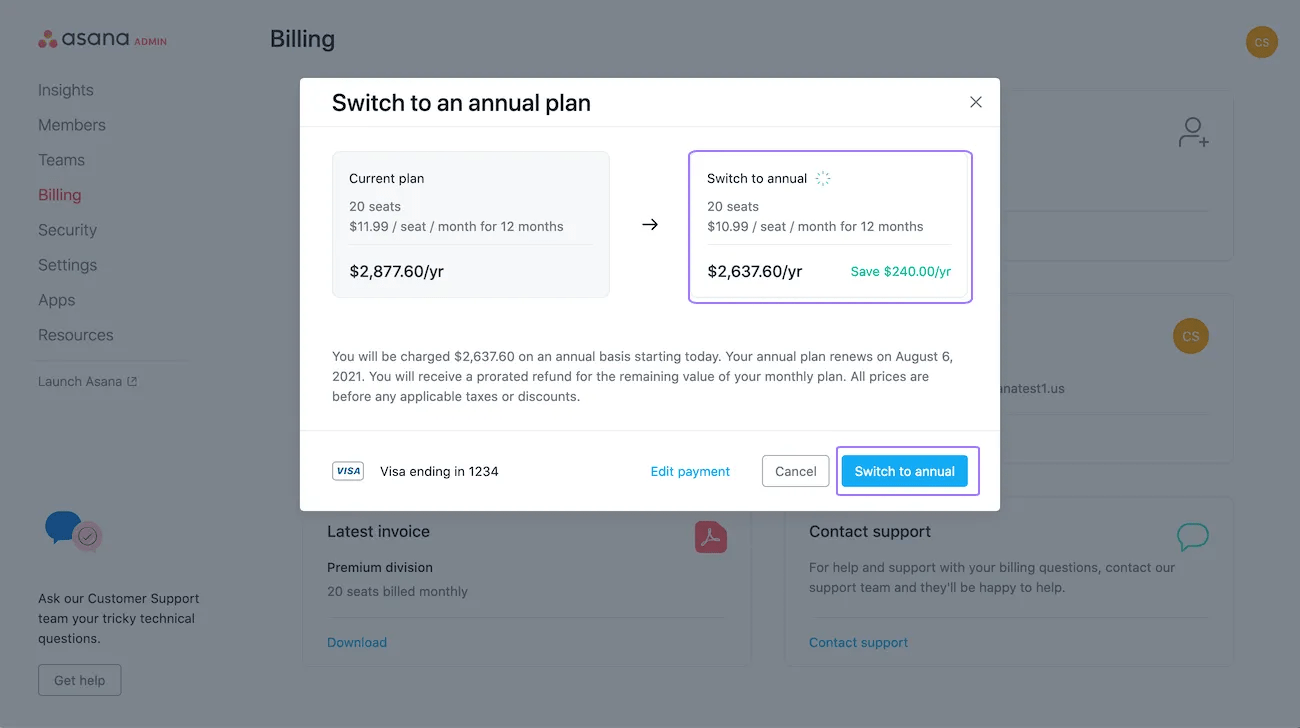
From the Billing tab you can switch to an annual plan. To adjust simply click the Switch to annual button.
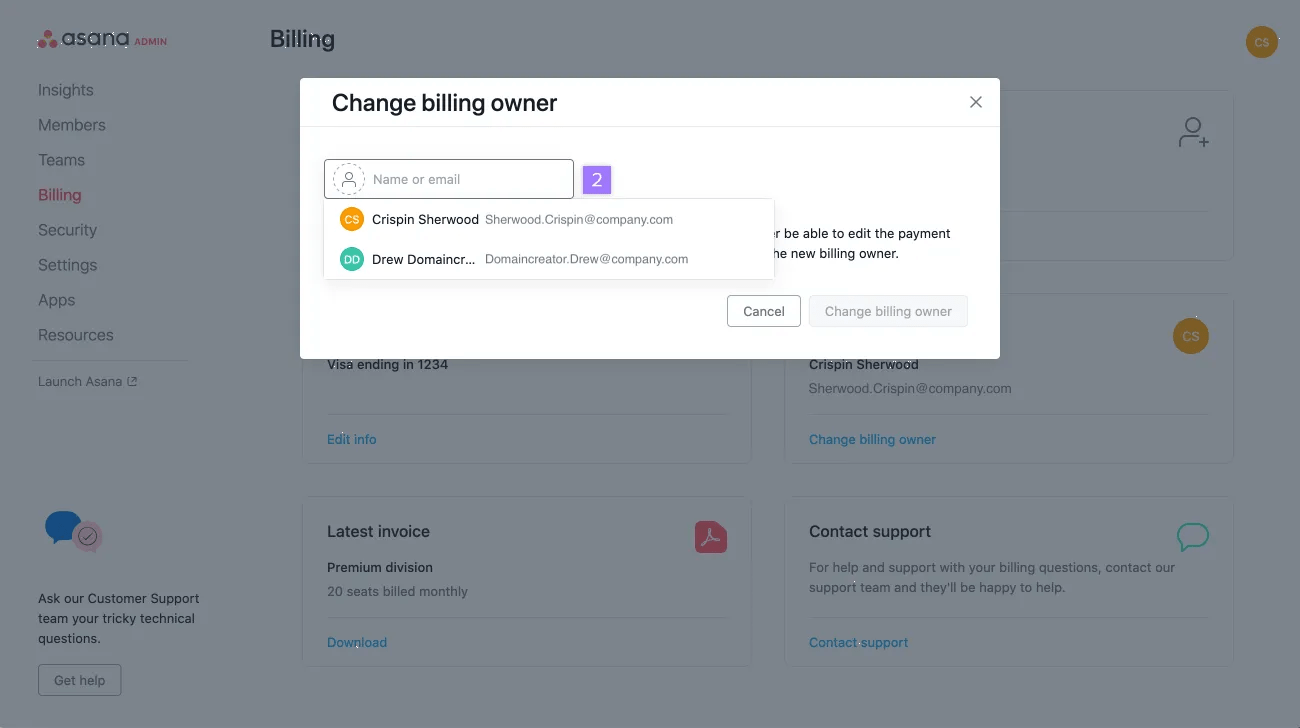
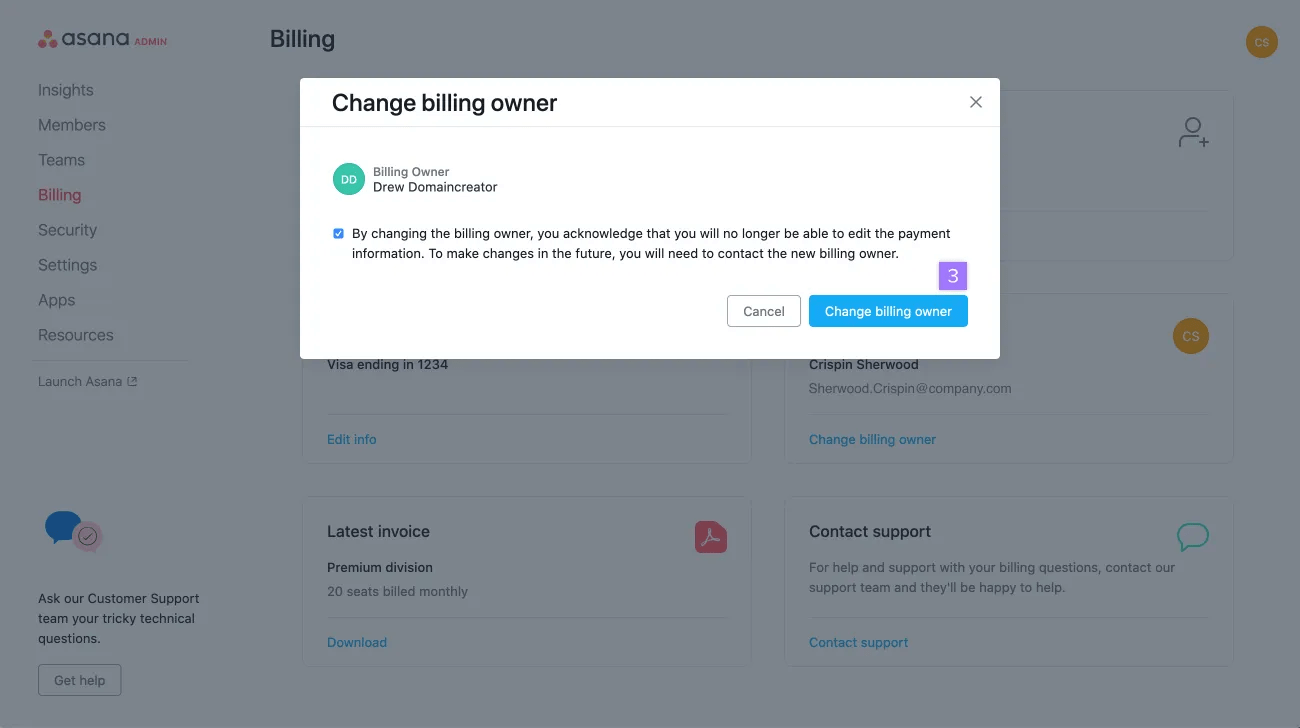
This flow allows billing owners to reassign the billing owner role to a different member within the division. The new billing owner must be a member of the division. Organization guests cannot become billing owners.
Available on Asana Enterprise and Enterprise+ tiers, as well as legacy tier Legacy Enterprise.
Visit our pricing page for more information.
SAML is a standard that allows Asana to be integrated with company-owned single sign-on systems such as Okta, OneLogin or Microsoft Active Directory. SAML is available to organizations and can be enabled or required for the members of an Enterprise, Enterprise+, or Legacy Enterprise division plan. If you have division plan on one of these tiers, and would like SAML enabled, please fill out the form here.

