Products


AI Platform


Asana Foundations
Company Type
In This Article

Visit our pricing page for more information.
Viewer access level is designed for team members or stakeholders who need to stay informed on project progress without having the ability to make edits ensuring project integrity and alignment. This means that you can create projects where members can view information and stay up to date but cannot edit, facilitating collaboration and informed participation while safeguarding the integrity of the project.
Please note that the viewer project access level refers specifically to the permissions granted to an Asana user for a particular project. This should not be mistaken for a view-only license. To assign a user the viewer project access level, thereby restricting their ability to edit project details, the user must have an Asana account.
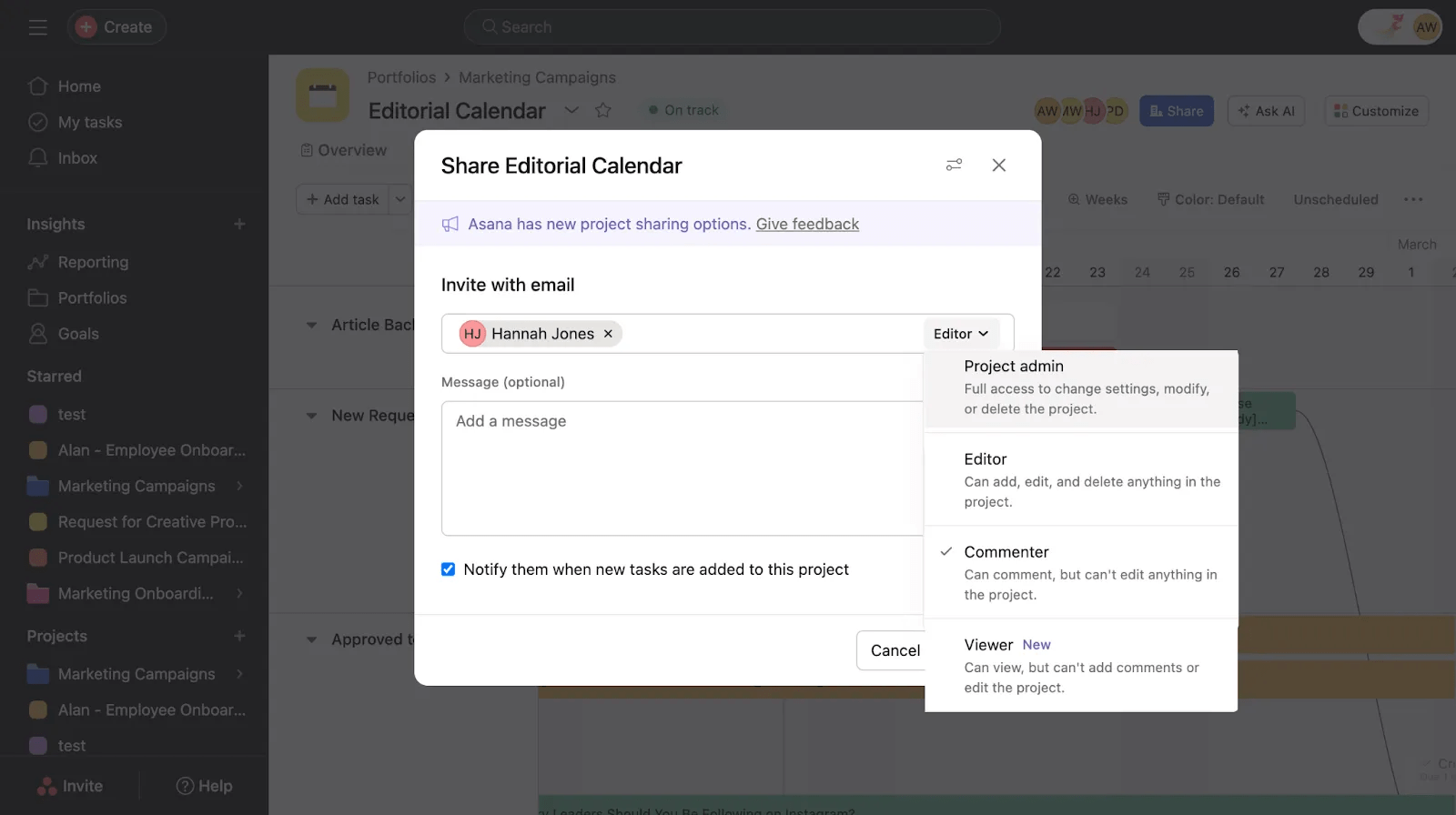
To add viewers to your project:

